
cryptgeon
Encrypted notes that self-destruct by views or by timer.
No server needed to start: Cloudgate can provide one. What happens when you click Deploy
What is cryptgeon?
Self-hosted cryptgeon sends passwords and files as encrypted Privnote-style links, destroyed after a set number of views or minutes.
Self-hosted cryptgeon is a free, open-source way to send passwords, notes and files as encrypted links that are destroyed after a set number of views or minutes, a Privnote alternative that runs on your own web address. Each note is encrypted in your browser, and the server keeps it only in memory, never on disk.
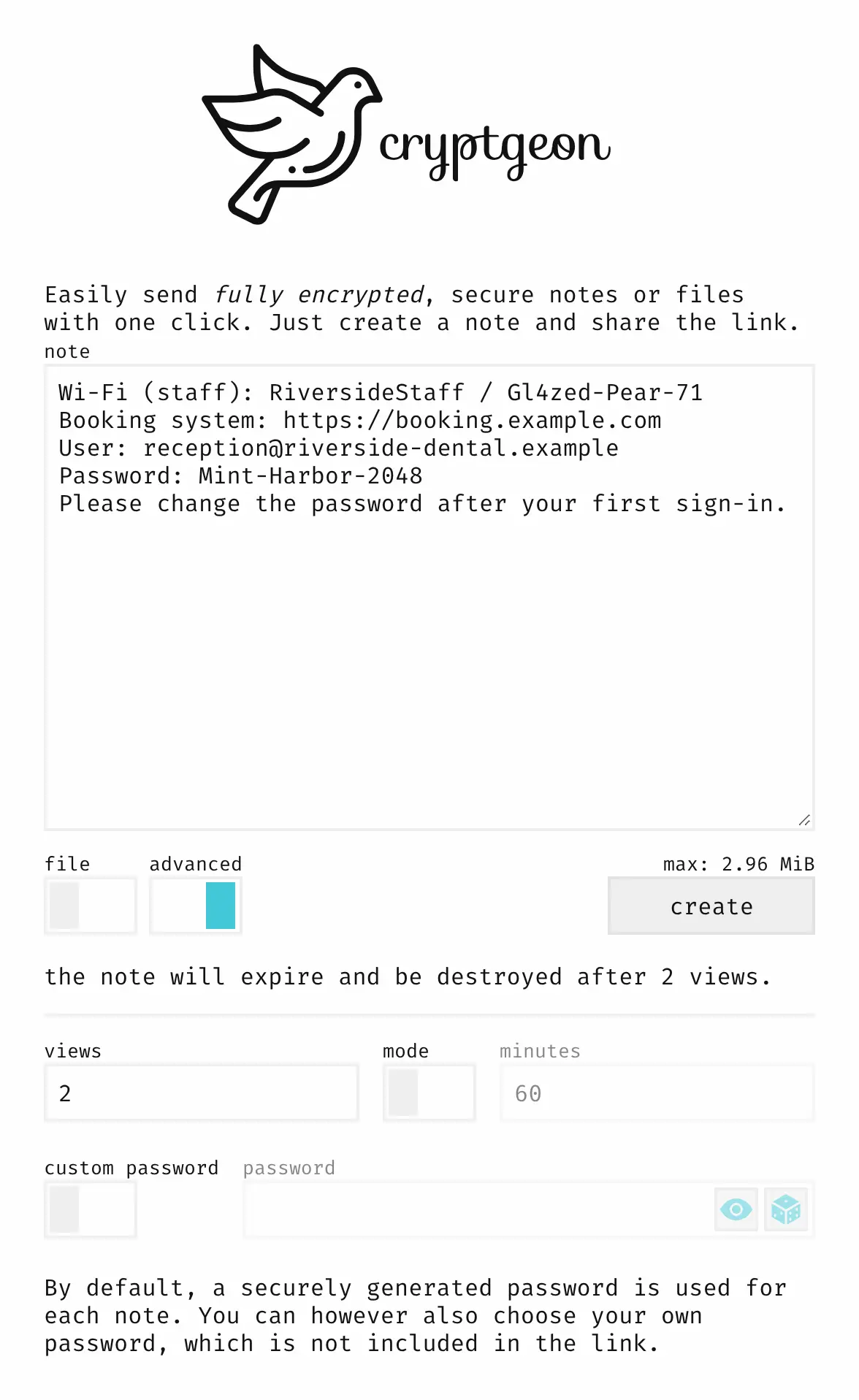
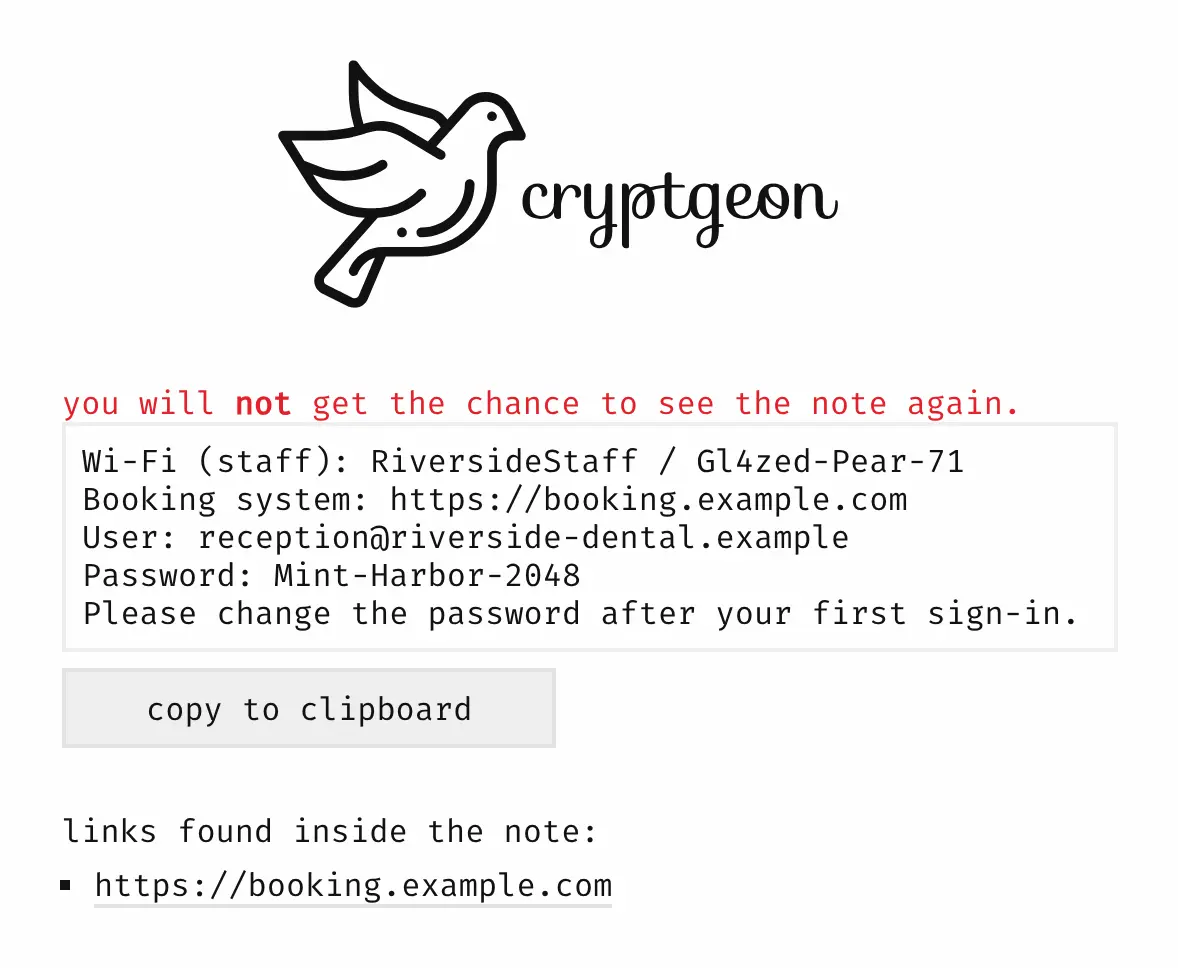
You write a note or pick a few files and press create. By default the note opens once; you can allow up to 100 views, or let it run on a timer of up to six hours instead. A dental practice, for example, can give a locum dentist the booking system login as a note that opens twice, once on the phone and once at the reception desk, and know it is gone after that.
Nobody needs an account, and the recipient only needs the link. The interface comes in 11 languages with a light and a dark theme, and works in any browser, phones included. Technical staff can send notes from a command-line tool or a Raycast extension. cryptgeon hands secrets over; it does not keep them, and unread notes are lost if the server restarts.
Cloudgate installs cryptgeon on a server Cloudgate provides or one you connect and gives it the secure web address its encryption needs.
What you can do with cryptgeon
- Locked before it is sent Each note is encrypted in your browser with a new key, so your server holds only data it cannot read.
- Count the views A note opens once by default; allow up to 100 views, for example one per person in a team, and it is destroyed after the last.
- Or set a timer Switch the note to minutes instead, up to six hours, and it is destroyed when the time is up, however often it was read.
- Kept in memory, never on disk Notes are held only in the server's memory, so nothing is left in a file or a backup once they are gone.
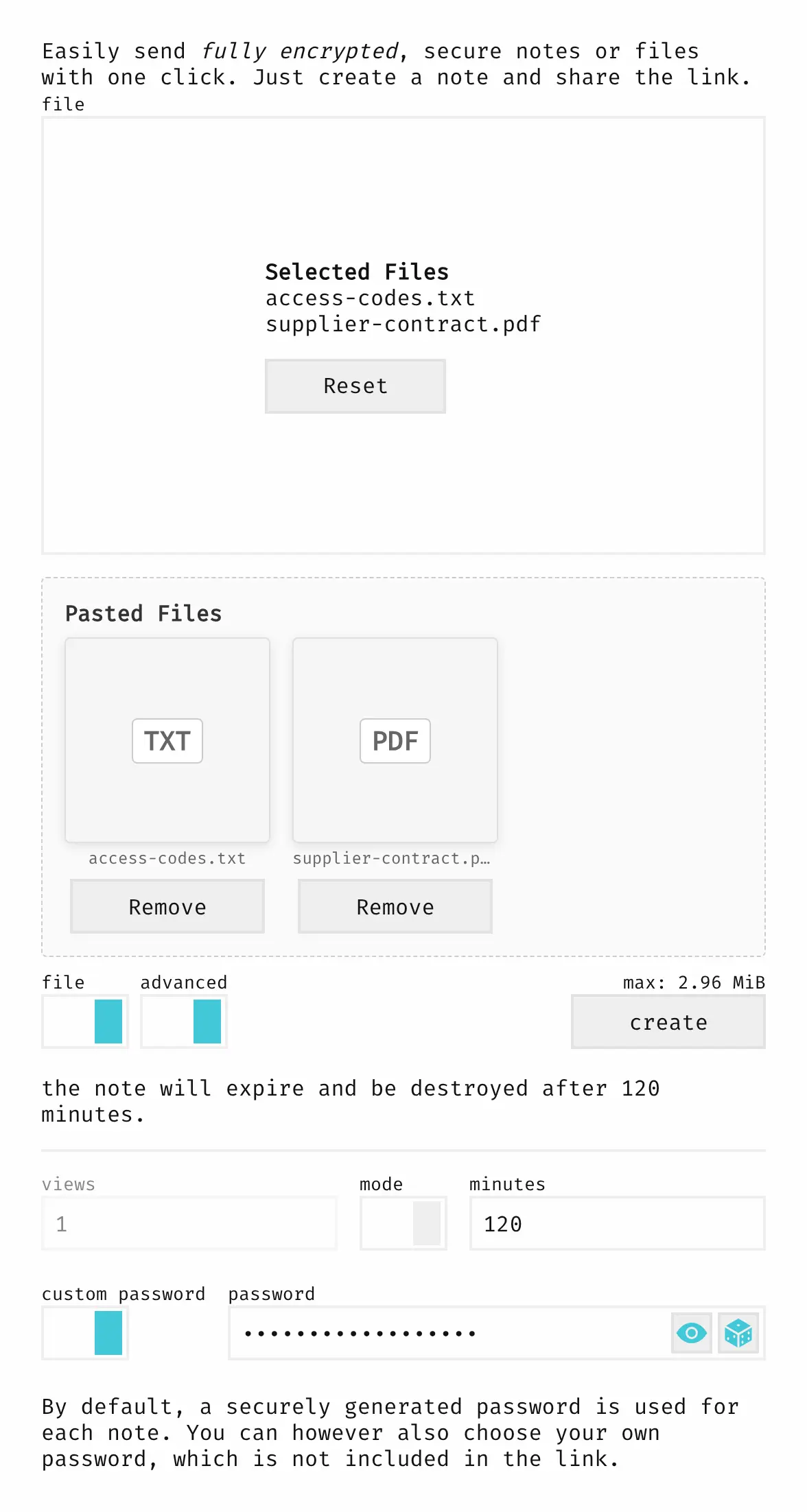
- Several files in one link Pick or paste a few files, such as a contract and a list of codes, and the recipient downloads them all at once.
- Your own password Choose a password instead of the key in the link, and give it to the recipient by phone or in person.
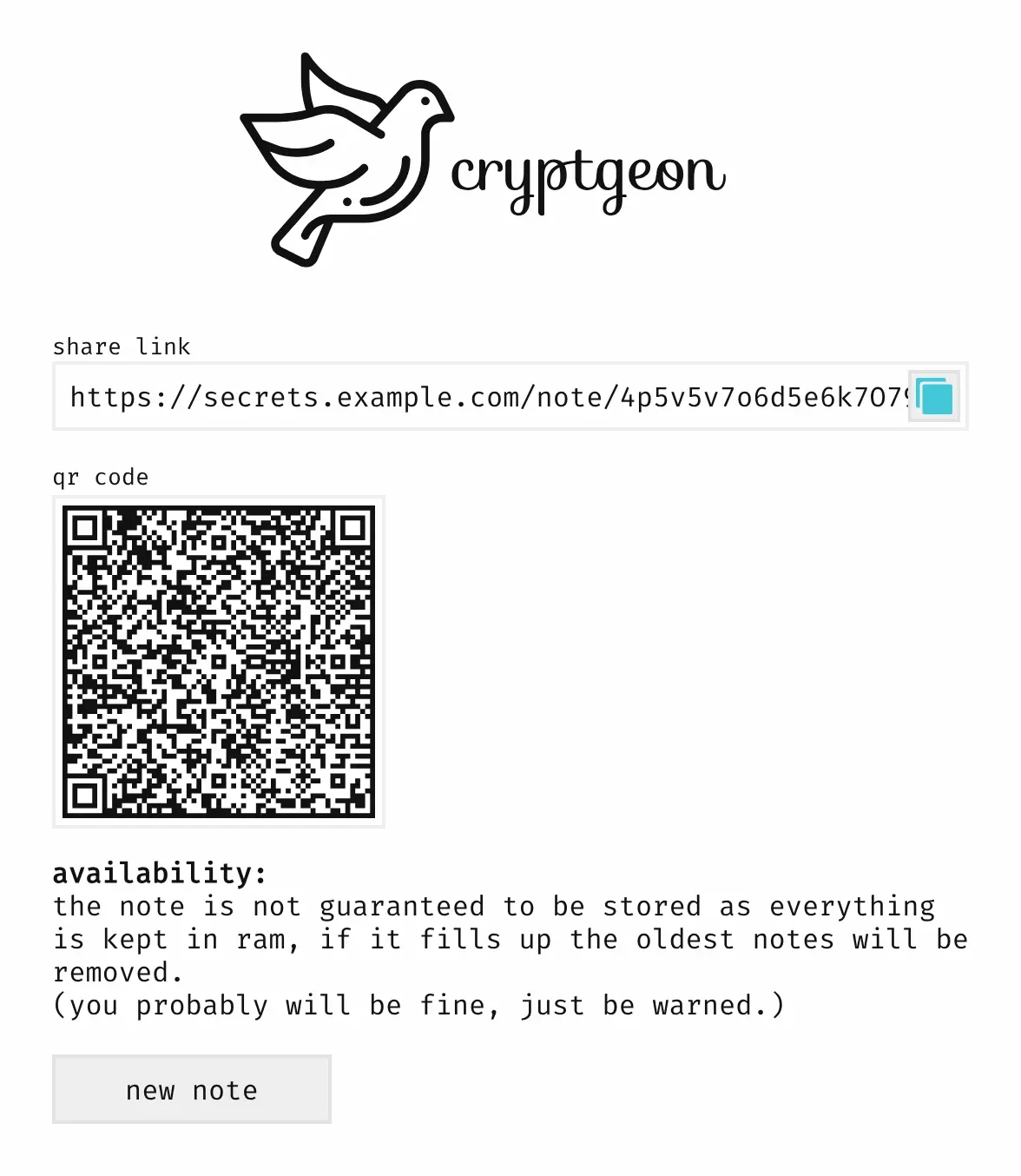
- Links pulled out for you Any web addresses in a note are listed underneath it, ready to click, and the share link also comes as a QR code.
- From a terminal too A command-line tool and a Raycast extension send notes and files to your own server without opening the browser.
Replaces Privnote and Onetime Secret
cryptgeon does the same job as Privnote and Onetime Secret. Here is what changes when you switch.
- Notes go through your own web address, not a public website
- Encrypted in the browser, so even your own server cannot read them
- Allow a note to be opened several times, or let it run on a timer
- Send files as well as text, with no account for anyone
- Notes live only in memory, so a server restart deletes every unread note
- The longest a note can wait is six hours, and you pick views or time, not both
- No read receipt, no list of sent notes and no way to cancel a link
- Anyone who can reach your address can create notes; there is no sign-in
What happens when you click Deploy?
You do not need a server or any technical knowledge. Four steps, and cryptgeon is running at its own web address.
- Step 1 Click Deploy and create your account
Deploy takes you to Cloudgate. Create an account, or log in if you have one. cryptgeon itself is free.
- Step 2 Choose a server
No server? Get one from Cloudgate: pick a size and a country, and Cloudgate gets it ready. Already have one? Connect it instead.
- Step 3 Cloudgate sets up cryptgeon
It prepares the server, makes the passwords the app needs and starts it. There is nothing to install and nothing to write down.
- Step 4 Open your app and sign in
Your app gets a free web address to start, without https. Add your own domain, like app.yourshop.com, and Cloudgate secures it with https for you.
New to Cloudgate? See what Cloudgate is
Run Cloudgate yourself? Deploy from your own console
In your Cloudgate console, open Templates and choose cryptgeon.
Questions
Is cryptgeon free?
Yes. cryptgeon is free, open-source software under the MIT licence, with no paid edition and no limit on notes, so you pay only for your server.
Is cryptgeon a good alternative to Privnote?
Yes. cryptgeon was inspired by Privnote and works the same way, a note behind a link that destroys itself, but it runs on your own web address, encrypts the note in your browser, can send files and lets a note last for several views or a number of minutes.
Can the cryptgeon server read my notes?
No. A cryptgeon note is encrypted in the sender's browser, and the key sits in the part of the link after the "#", which browsers never send to the server. Anyone with the whole link can open it, so for anything sensitive set your own password and send it another way.
How long does a cryptgeon note last?
A cryptgeon note lasts until its last view or its time runs out, whichever you chose. By default a note is destroyed after one view; you can allow up to 100 views or switch to a timer of up to 360 minutes. Notes are kept in memory only, so a server restart also deletes unread notes.
Will a chat or email link preview use up a cryptgeon view?
No. Opening a cryptgeon link only shows a "show note" button, and the note is fetched and counted only when someone presses it. A wrong password does count, though, and destroys a one-view note.
Can I send files with cryptgeon?
Yes. You can send one or several files in a cryptgeon note, up to about 3 MB in total as Cloudgate sets it up, which suits key files, scans and short documents rather than large transfers.
What size server does cryptgeon need?
The smallest one. cryptgeon is a very light app plus a small in-memory store, so it runs on the smallest server Cloudgate offers.
Do I need technical skills to run cryptgeon?
No. Click Deploy, create your Cloudgate account and choose a server, and Cloudgate sets up cryptgeon and gives it a web address. You use it in your browser like any other online tool.
Do I need my own server for cryptgeon?
No. When you deploy cryptgeon, hosted Cloudgate can provide a server. If you already rent one, you can connect it instead.
Can I move my data from Privnote to cryptgeon?
Most people export from Privnote and import into cryptgeon. The official guides at github.com walk through it.
Related apps

Encrypted notes and files that delete after reading.

Share passwords and notes as encrypted, self-destructing links.

Share passwords as private links that work only once.

Password sharing by links that delete themselves.