
Password Pusher
Password sharing by links that delete themselves.
No server needed to start: Cloudgate can provide one. What happens when you click Deploy
What is Password Pusher?
Self-hosted Password Pusher sends passwords, notes and files by secret links that delete themselves after a set number of views or days, with an audit log.
Self-hosted Password Pusher is a free, open-source alternative to Privnote for sending passwords, notes and files by a secret link that deletes itself after a set number of views or days. It runs on your own server, so you stop pasting logins into email and chat, where they stay for years.
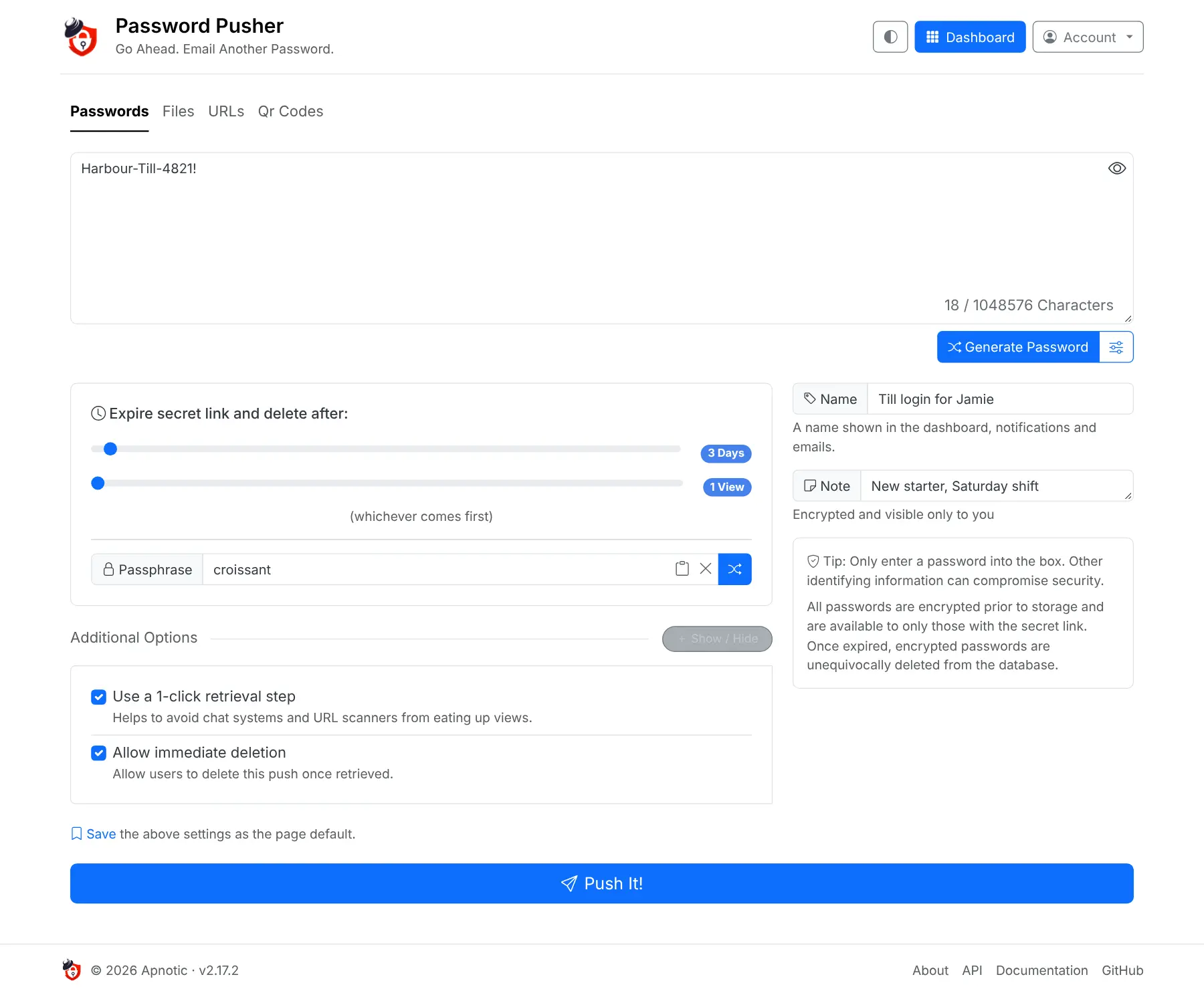
You paste a password, choose for example "1 view or 3 days", and send the link. Once it has been opened that many times, or the days run out, the password is deleted and the link stops working. A bakery owner, for example, can send a new starter the till login on Friday, add a passphrase they say out loud on the first shift, and check the activity log to see the link was opened once.
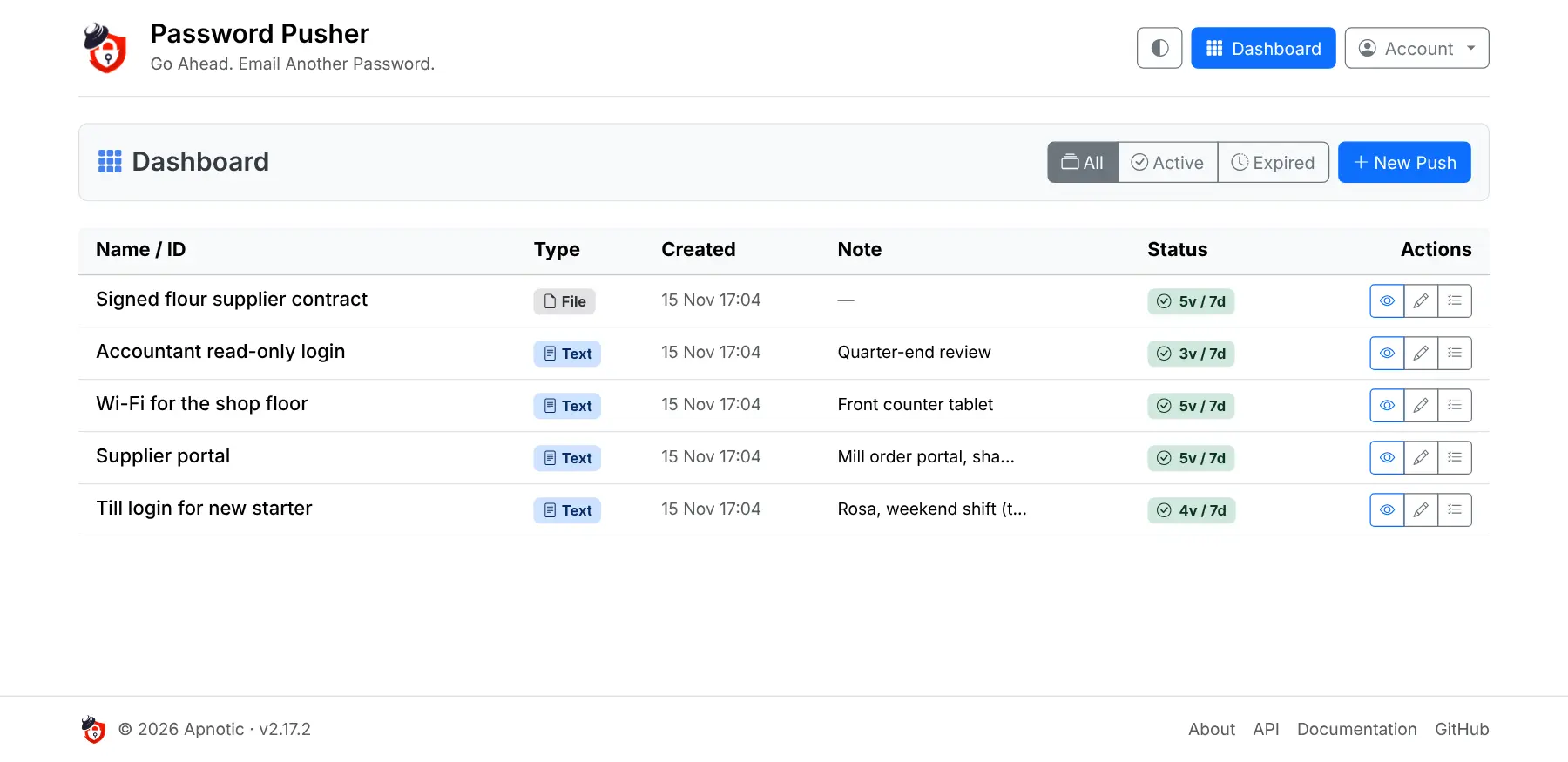
Signed-in users get a dashboard of everything they have sent, with an audit log for each link, and the free edition also sends files, web links and QR codes. Requests, single sign-on, teams and custom branding are paid extras from the makers. There is no phone app, but it works in any phone's browser, and there is a Chrome extension.
Cloudgate installs Password Pusher on a server Cloudgate provides or one you connect, gives it a secure web address and creates your admin account.
What you can do with Password Pusher
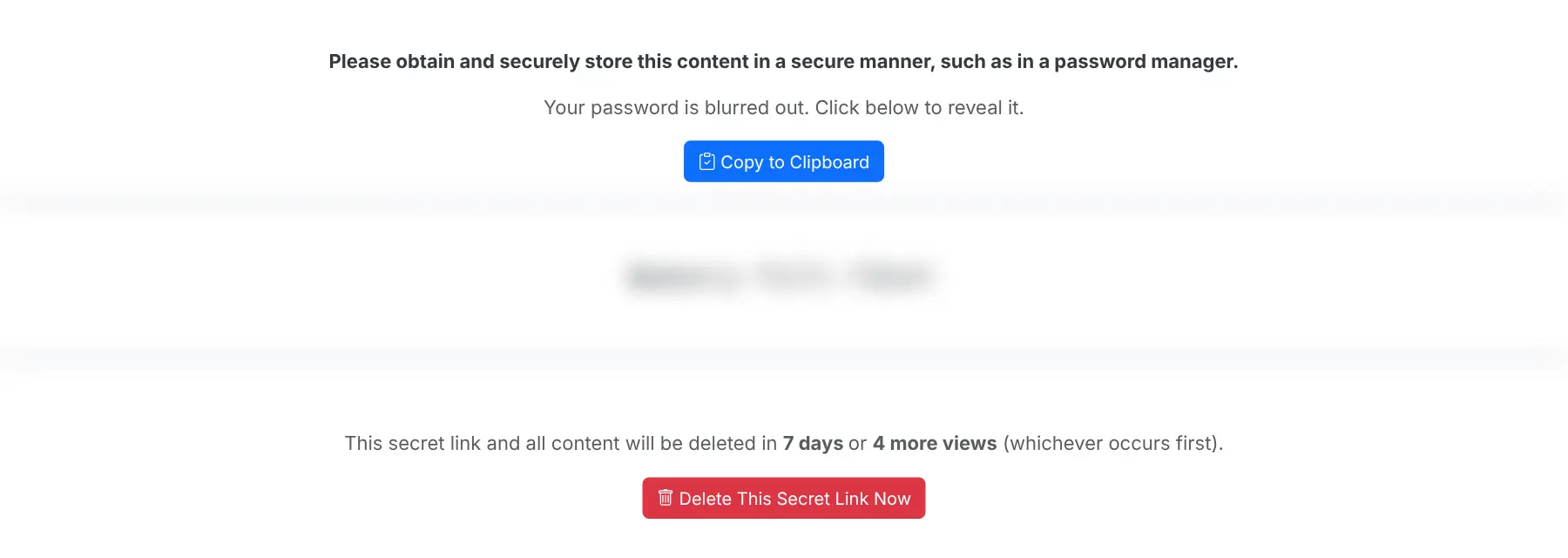
- Share a password by secret link Paste a password or note and get a link that deletes it after a set number of views or days, whichever comes first.
- Send files, web links and QR codes The same expiring links work for documents, private web addresses and QR codes.
- Add a passphrase Ask the recipient for a second word before the secret shows, and send that word another way.
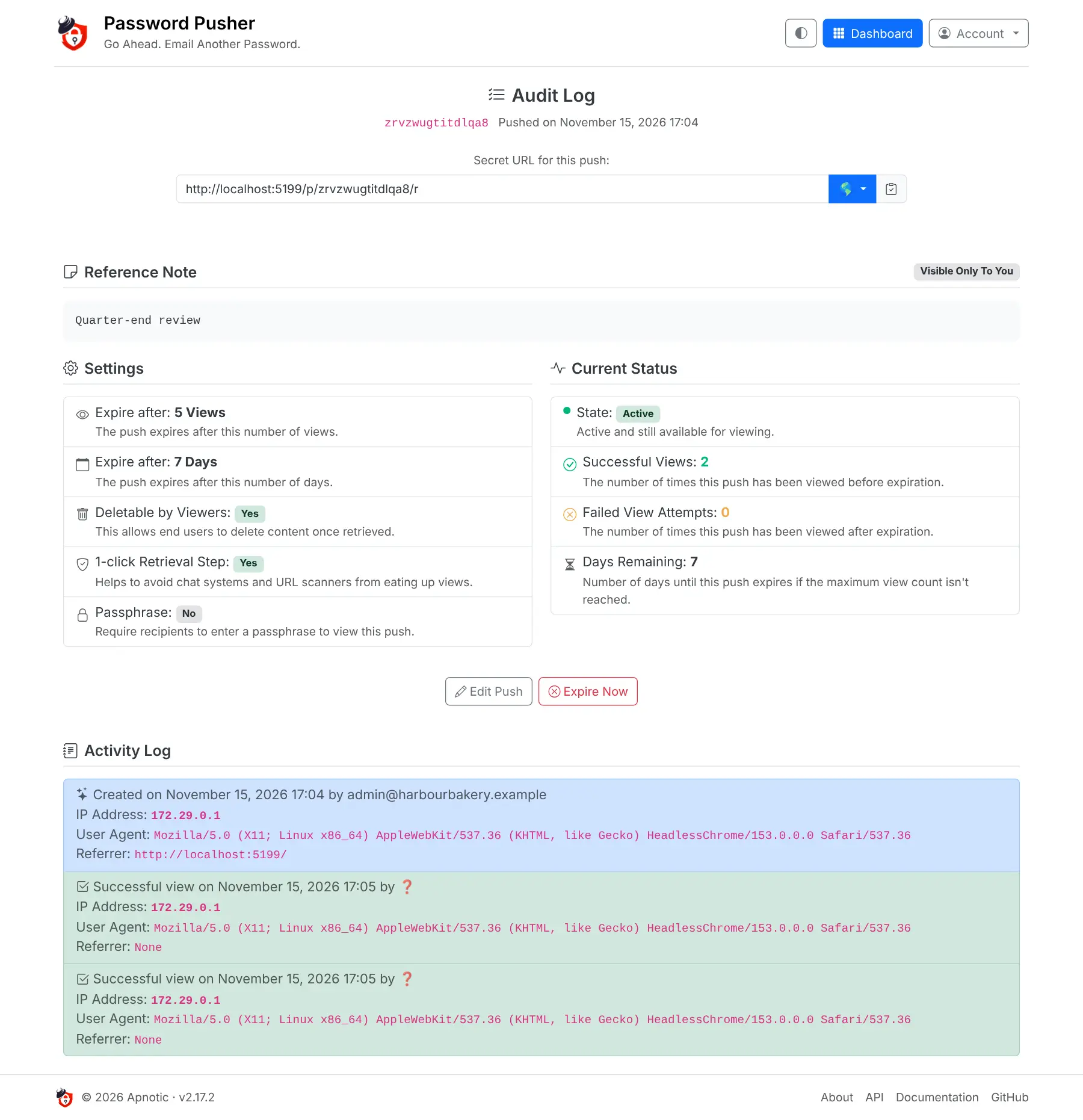
- See who opened it Each link has an activity log with every view, its time, IP address and browser, and failed attempts after it expired.
- Keep track of what you sent A dashboard lists your active and expired links with a private name and note, and lets you expire any link early.
- Make strong passwords A built-in generator creates easy-to-read passwords to your own rules.
- Sign in safely Accounts can use two-step sign-in with an authenticator app, and the admin can make it required for everyone.
- Use it in your language The app and the pages your recipients see come in 31 languages, with light and dark themes.
Replaces Privnote
Password Pusher does the same job as Privnote. Here is what changes when you switch.
- Secrets sit on your own server, not on someone else's website
- Links can last for several views or days, not only one view
- Send files, web links and QR codes, not only text
- An activity log shows when each link was opened
- Secrets are encrypted on the server, not in the sender's browser, so they are only as private as your server
- Out of the box anyone who finds your address can create links, until you turn that off
- Requests, single sign-on, teams and custom branding are in the paid editions only
What happens when you click Deploy?
You do not need a server or any technical knowledge. Four steps, and Password Pusher is running at its own web address.
- Step 1 Click Deploy and create your account
Deploy takes you to Cloudgate. Create an account, or log in if you have one. Password Pusher itself is free.
- Step 2 Choose a server
No server? Get one from Cloudgate: pick a size and a country, and Cloudgate gets it ready. Already have one? Connect it instead.
- Step 3 Cloudgate sets up Password Pusher
It prepares the server, makes the passwords the app needs and starts it. There is nothing to install and nothing to write down.
- Step 4 Open your app and sign in
Your app gets a free web address to start, without https. Add your own domain, like app.yourshop.com, and Cloudgate secures it with https for you.
New to Cloudgate? See what Cloudgate is
Run Cloudgate yourself? Deploy from your own console
In your Cloudgate console, open Templates and choose Password Pusher.
Questions
Is Password Pusher free?
Yes, Password Pusher is free and open source under the Apache 2.0 licence, and the self-hosted edition has no limit on links or users. Its makers also sell paid hosted plans and a Self-Hosted Pro edition that add requests, single sign-on, teams and custom branding.
Is Password Pusher a good alternative to Privnote?
Yes, if you want self-destructing links on your own server instead of a public website. Password Pusher lets you choose how many views and days a link lasts, send files as well as text, and see an activity log for each link.
Can I send files with Password Pusher?
Yes, the free edition of Password Pusher can send files, web links and QR codes as well as passwords and text. Files are kept on your server and deleted when the link expires.
Can I see who opened a Password Pusher link?
Yes. Each Password Pusher link has an activity log that records every view with its time, IP address and browser, plus any attempts after it expired. You need to be signed in when you create the link to see its log in your dashboard.
How do I sign in to Password Pusher the first time?
Sign in to Password Pusher with the admin email you entered during setup and the password Cloudgate created for it, which Cloudgate shows on the app's variables page. That account can open the admin dashboard straight away.
Can strangers use my Password Pusher?
Yes. By default, anyone who can reach your Password Pusher web address can create links and sign up for an account. Both can be switched off in the app's settings, so only your team creates links; the secret links themselves always open for whoever you send them to.
Is there a Password Pusher phone app?
No, Password Pusher has no phone app, but the site and its secret links work in any phone's browser. There is also a Chrome extension and a command-line tool for people who send passwords often.
Do I need technical skills to run Password Pusher?
No. Click Deploy, create your Cloudgate account and choose a server, and Cloudgate sets up Password Pusher and gives it a web address. You use it in your browser like any other online tool.
Do I need my own server for Password Pusher?
No. When you deploy Password Pusher, hosted Cloudgate can provide a server. If you already rent one, you can connect it instead.
Can I move my data from Privnote to Password Pusher?
Most people export from Privnote and import into Password Pusher. The official guides at docs.pwpush.com walk through it.
Related apps

Share passwords as private links that work only once.

Encrypted notes that self-destruct by views or by timer.

Encrypted notes and files that delete after reading.

One-time links for sending passwords and small files.