
Didacta
Sell courses and memberships, with a community, on your own server.
No server needed to start: Cloudgate can provide one. What happens when you click Deploy
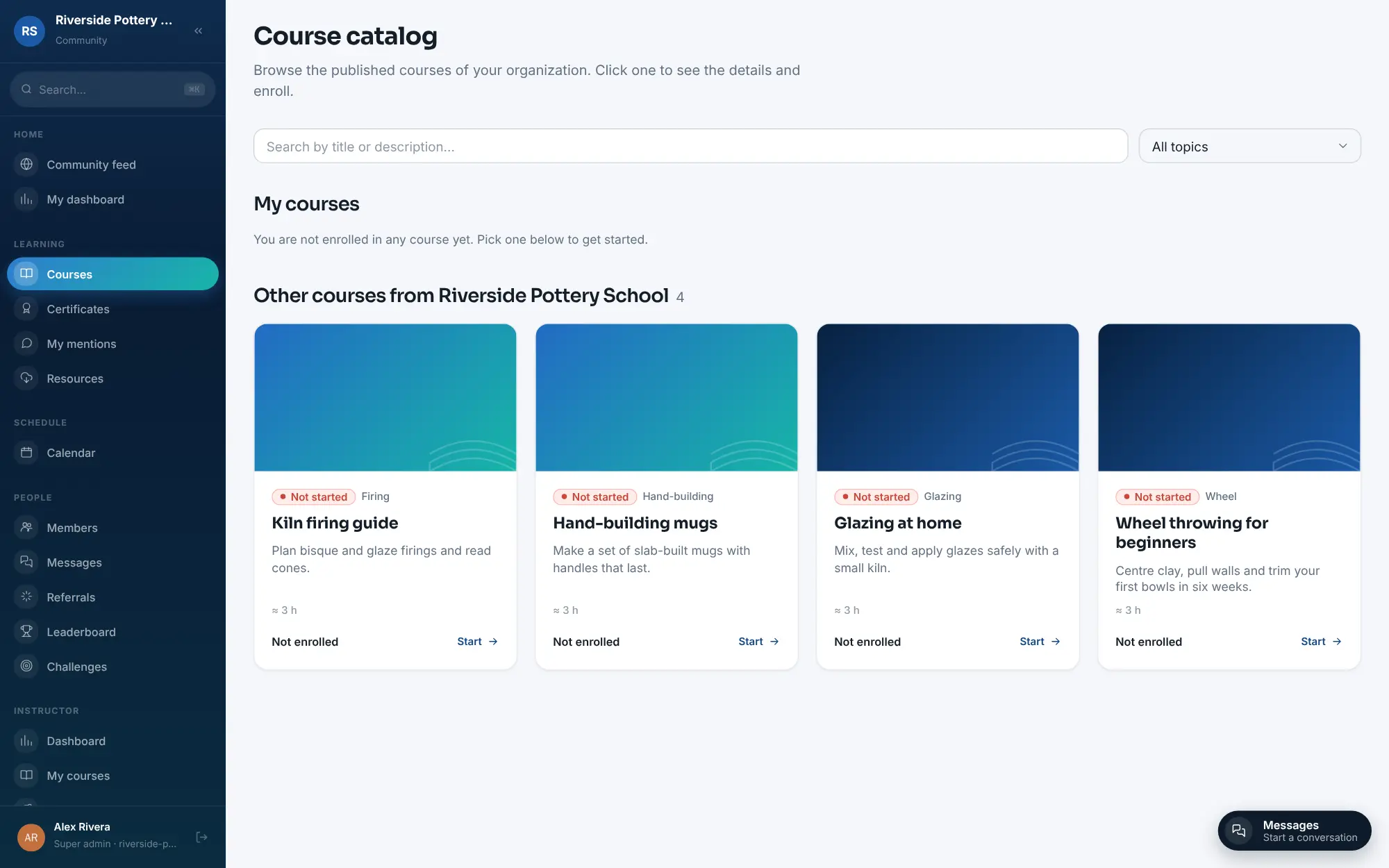
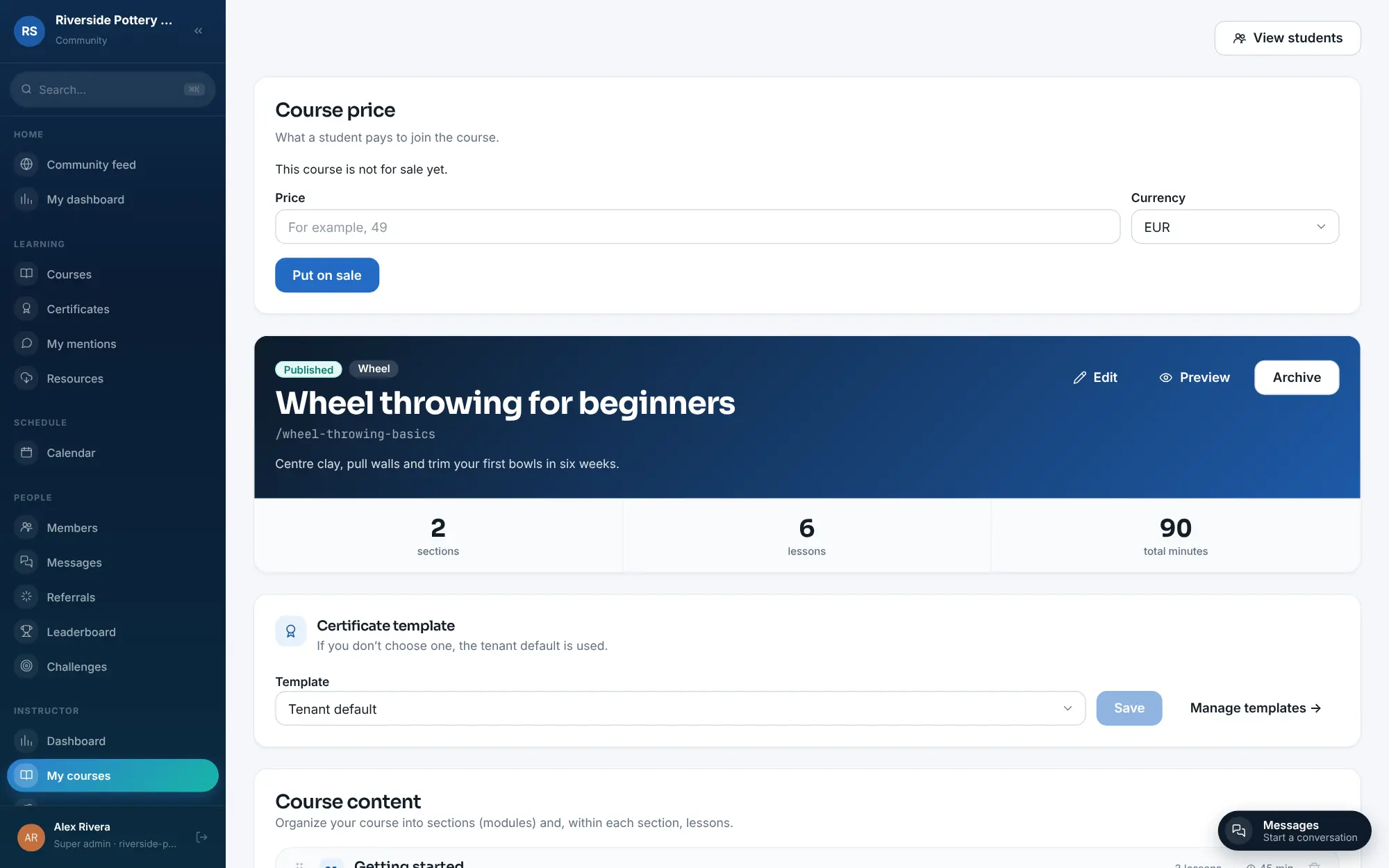
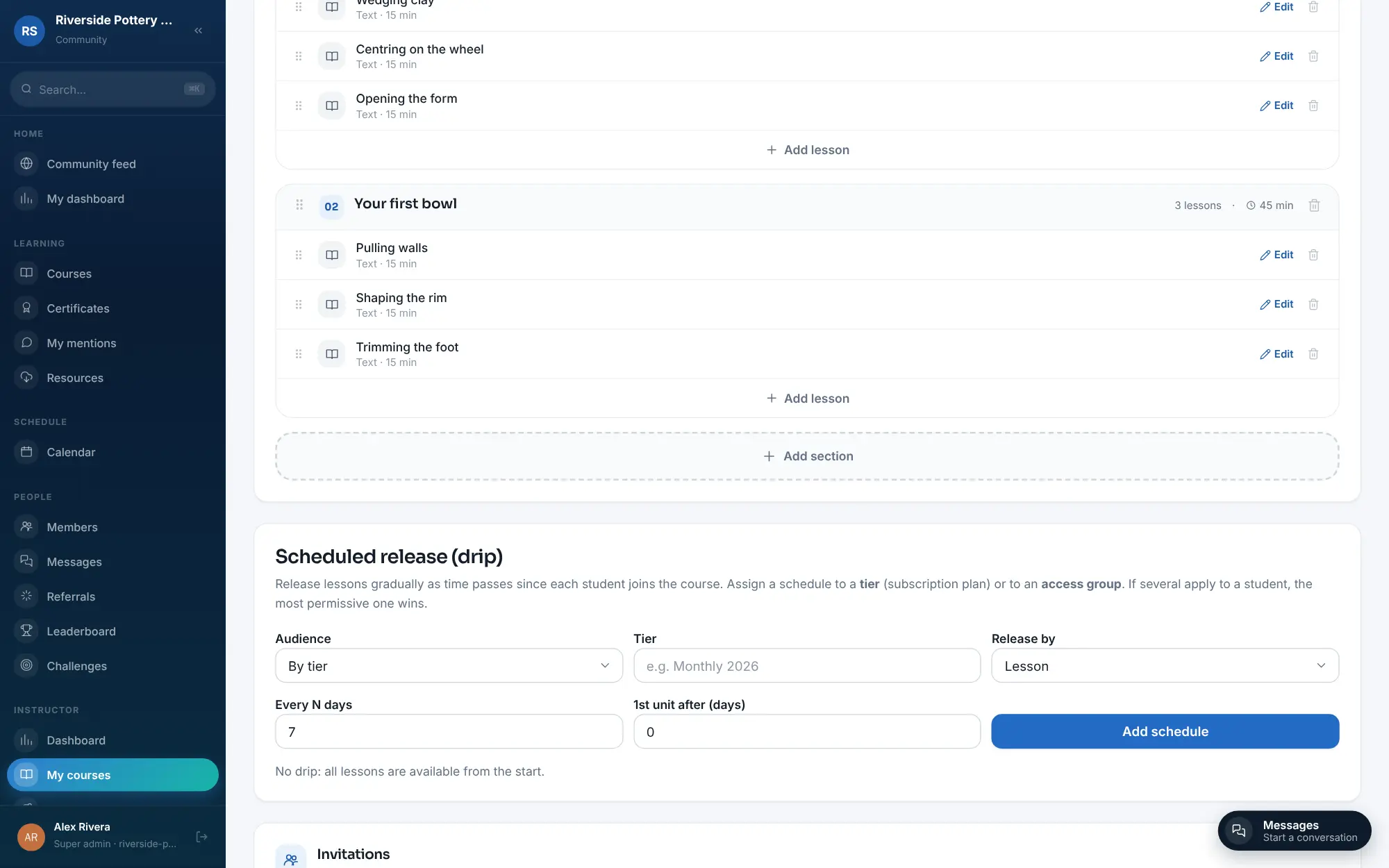
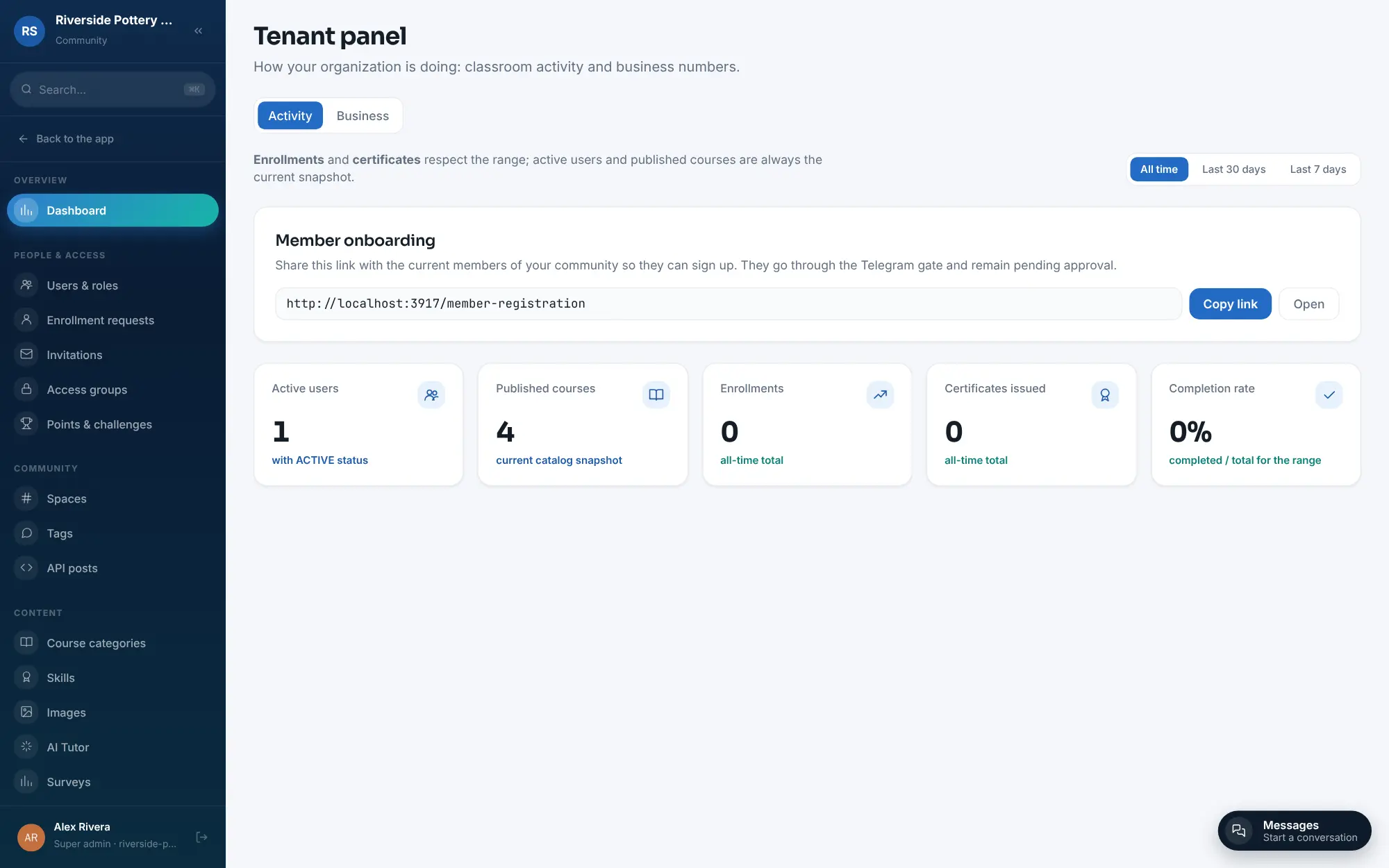
What is Didacta?
Didacta is a self-hosted course platform: sell courses and memberships through your own Stripe, with quizzes, certificates and a member community.
Didacta is a fair-code, self-hosted course platform for selling online courses and memberships with a member community, in place of Teachable, Thinkific, Skool or Kajabi. It is early beta software from VA360 LABS, a Spanish company, and its free Community edition runs on your own server.
You build courses from sections of text, video, PDF or quiz lessons, then fill your academy three ways: enrol students yourself, sell single courses, or sell memberships that unlock a group of courses. Payments go through your own Stripe account, and access is removed on its own when a member stops paying. Students get certificates, a community feed, messages, points and badges, and live classes through Zoom. A pottery teacher, for example, could sell a beginners' wheel-throwing course, offer a monthly membership with every course included, release a new lesson each week and host a live glazing class for members.
Didacta works in English, Spanish and Brazilian Portuguese, in the web browser. It can bring over courses and students from a WordPress site running LearnDash. The AI helpers are optional and need a paid key from an AI provider.
Cloudgate installs Didacta with its database on a server Cloudgate provides or one you connect, and gives it a secure web address. Your courses, students and sales records stay on your server.
What you can do with Didacta
- Build courses in sections Add lessons as text, video, PDF, quizzes or uploaded SCORM packages, and release them over time after a student joins.
- Sell courses and memberships Put a price on a single course or sell monthly to yearly memberships with an optional trial, paid by card through your own Stripe account.
- Enrol students yourself Invite students one by one or in bulk into access groups, or let people request a place and approve them with one click.
- Exams and certificates Grade quizzes and exams and issue PDF certificates that students can verify and add to LinkedIn.
- A community next to your courses Members post, reply and mention each other, chat in rooms or direct messages, and share files in a resource library.
- Keep students coming back Points, challenges, streaks and badges, automatic messages and a list of members at risk of dropping out.
- Live classes Schedule live classes on a calendar and run them through Zoom.
- Optional AI helpers Draft course content, grade answers against a rubric and offer an AI tutor, using your own key from an AI provider.
Replaces Teachable, Thinkific, Skool, Kajabi and Circle
Didacta does the same job as Teachable, Thinkific, Skool, Kajabi and Circle. Here is what changes when you switch.
- No monthly plan and no fee per student or per sale from Didacta itself
- Courses, community, memberships and live classes in one place instead of several paid tools
- Card payments go straight to your own Stripe account
- Students, courses and sales records stay on your server
- Didacta is early beta software, with frequent updates and rough edges to expect
- It is fair-code, not open source; single sign-on, SCIM and full white-label need a paid Enterprise licence
- No import from Teachable, Thinkific, Skool or Kajabi, and no phone app for students
- You set up your own email service; until then invitations and reminders are not sent
What happens when you click Deploy?
You do not need a server or any technical knowledge. Four steps, and Didacta is running at its own web address.
- Step 1 Click Deploy and create your account
Deploy takes you to Cloudgate. Create an account, or log in if you have one. Didacta itself is free.
- Step 2 Choose a server
No server? Get one from Cloudgate: pick a size and a country, and Cloudgate gets it ready. Already have one? Connect it instead.
- Step 3 Cloudgate sets up Didacta
It prepares the server, makes the passwords the app needs and starts it. There is nothing to install and nothing to write down.
- Step 4 Open your app and sign in
Your app gets a free web address to start, without https. Add your own domain, like app.yourshop.com, and Cloudgate secures it with https for you.
New to Cloudgate? See what Cloudgate is
Run Cloudgate yourself? Deploy from your own console
In your Cloudgate console, open Templates and choose Didacta.
Questions
Is Didacta free?
Yes, the Didacta Community edition is free to self-host for your own academy, with no fee per student or per sale; you pay only for your server and Stripe's card fees. Single sign-on, SCIM user provisioning and full white-label are part of a paid Enterprise licence.
Is Didacta open source?
No, Didacta is fair-code, not open source. Its code is public under the Didacta Sustainable Use License, which lets you run and change it for your own business, but offering Didacta as a paid hosted service or reselling it for others needs an agreement with its makers, VA360 LABS.
Is Didacta a good alternative to Teachable or Thinkific?
Yes, if you want courses, paid memberships and a member community on your own server without a monthly plan, and you are comfortable with beta software. Teachable and Thinkific are mature hosted services with phone apps and support teams; Didacta is newer, browser-only and you run it yourself.
How do I sign in to Didacta the first time?
You open your Didacta address with the one-time setup link that Cloudgate shows with the app's settings. A short wizard, currently in Spanish, asks for your academy's name, the optional features you want and your admin name, email and password; after that you sign in normally.
Can I move my courses to Didacta from another platform?
Partly. Didacta has an import tool for WordPress sites running LearnDash that brings over courses, lessons, quizzes, users, groups, enrolments and progress, and you can upload SCORM 1.2 or 2004 packages as lessons. There is no import from Teachable, Thinkific, Skool or Kajabi.
Is Didacta ready for a live school?
Didacta is in public beta, at version 0.1.0-beta.24 in November 2026, so expect frequent updates and some rough edges. Try it with a small group first and keep backups before you move a paying school to it.
Can students use Didacta on their phones?
Yes, in the phone's web browser. Didacta has no phone or tablet app; courses, the community and messages all open in the browser.
Do I need technical skills to run Didacta?
No. Click Deploy, create your Cloudgate account and choose a server, and Cloudgate sets up Didacta and gives it a web address. You use it in your browser like any other online tool.
Do I need my own server for Didacta?
No. When you deploy Didacta, hosted Cloudgate can provide a server. If you already rent one, you can connect it instead.
Related apps

Sell online courses and downloads from your own website.

Online courses with assignments and certificates.

An LMS for courses, online exams and staff training.

Live polls, Q&A and quizzes on your own slides, self-hosted.