
ILIAS
An LMS for courses, online exams and staff training.
No server needed to start: Cloudgate can provide one. What happens when you click Deploy
What is ILIAS?
Self-hosted ILIAS is an open-source LMS for courses, online tests and e-exams, learning progress and certificates, for schools, universities and staff training.
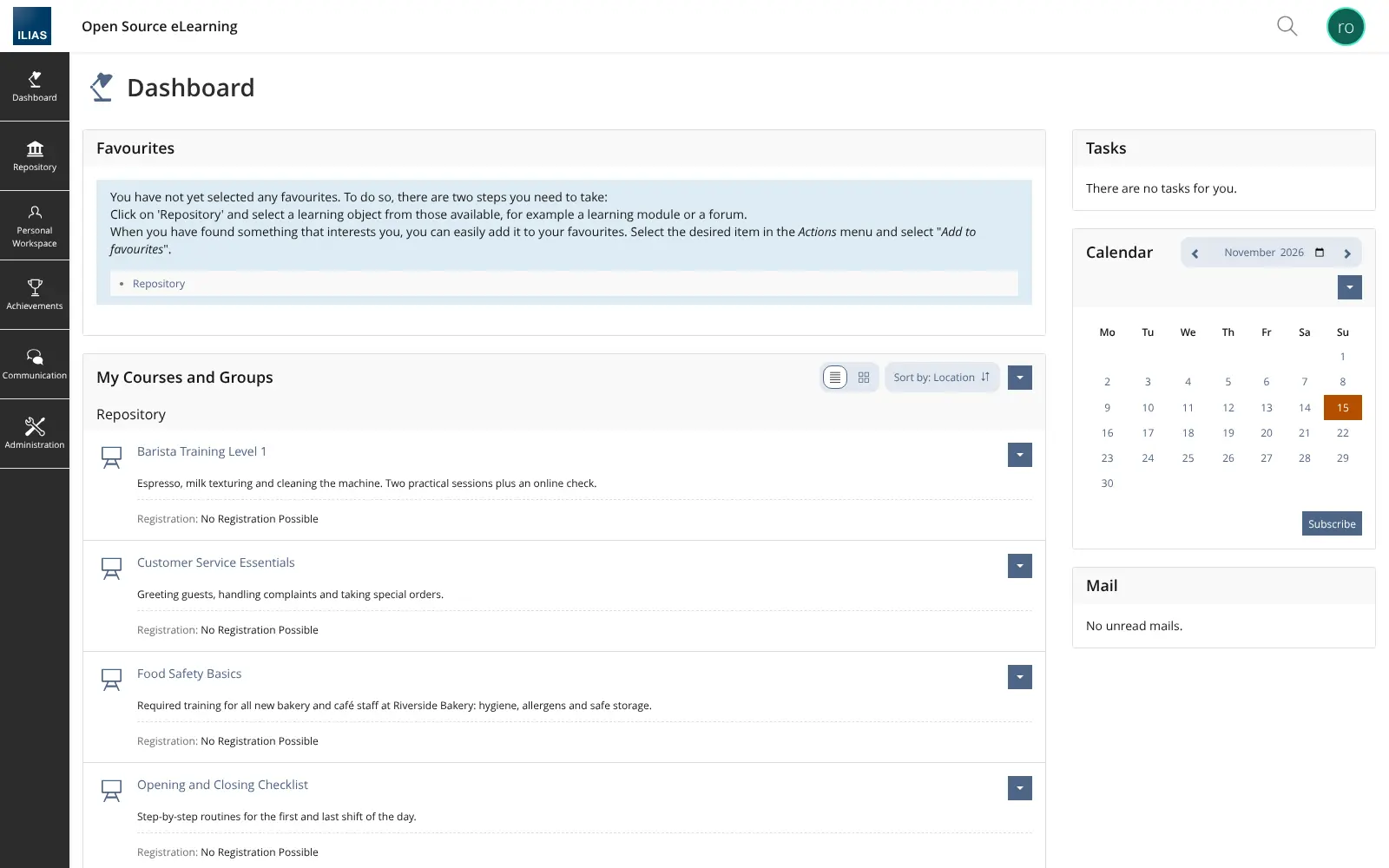
ILIAS is a free, open-source learning management system (LMS) you can self-host: you run courses, write learning material, hold online tests and exams, and track who has completed what. It is a self-hosted alternative to Canvas and Blackboard for schools and universities, and to TalentLMS and Docebo for staff training, with no licence fee and no price per learner.
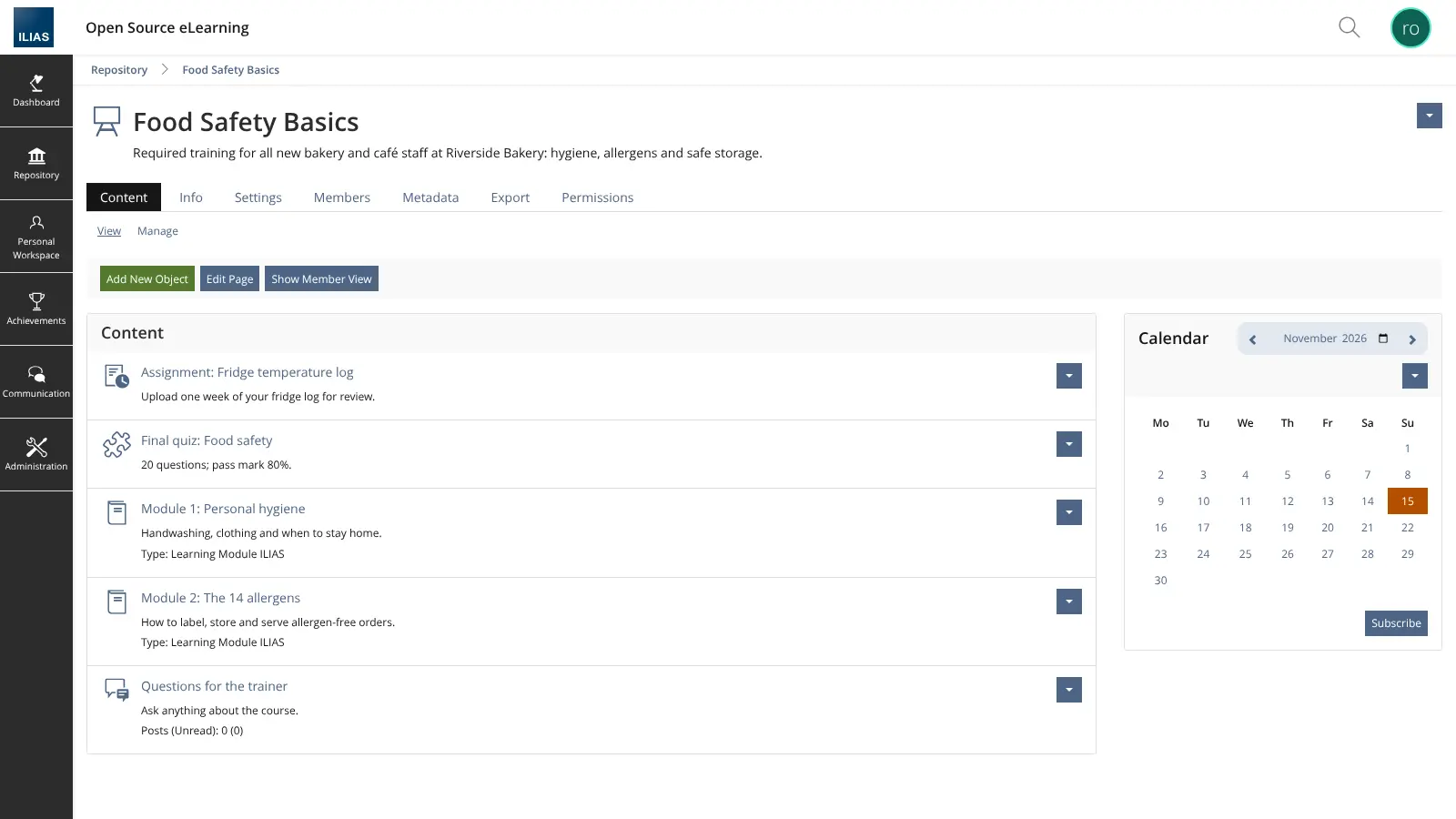
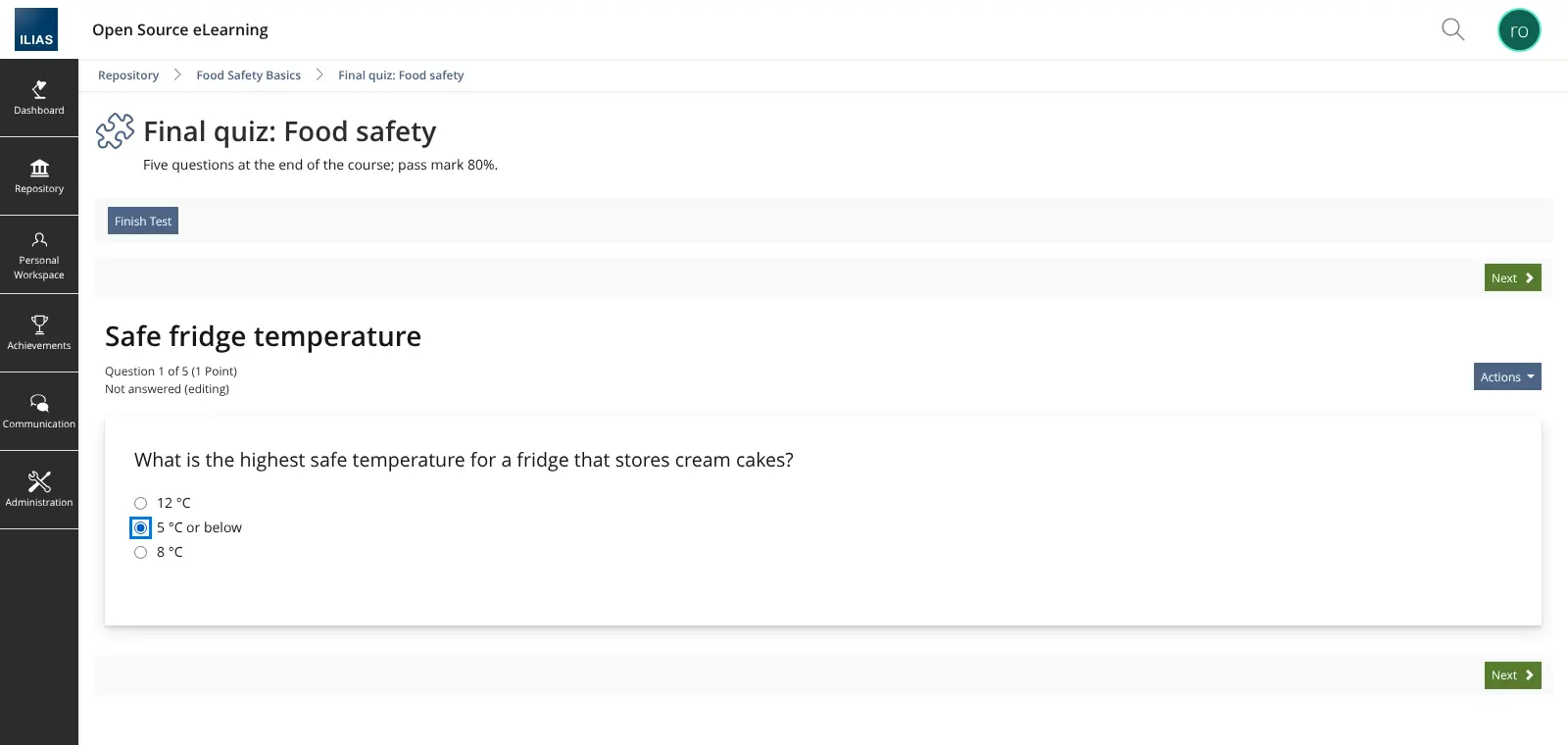
Built at the University of Cologne in 1998 and now looked after by the non-profit ILIAS Society, ILIAS has everything in one place: courses and groups, learning modules, wikis, tests with many question types, assignments, forums, surveys, certificates and whole study programmes. A bakery chain, for example, could set up a Food Safety Basics course with two short modules and a final quiz, ask new staff to upload their fridge temperature log, and see who has passed before they start a shift.
ILIAS works in any web browser on a computer or phone. It plays SCORM courses, imports QTI tests, connects other tools through LTI and lets people sign in with LDAP, SAML or OpenID Connect accounts. Cloudgate installs ILIAS on a server Cloudgate provides or one you connect, with a secure web address. Sign in as the root admin, change the password and create your first course.
What you can do with ILIAS
- Courses and groups Put learning material, dates, members and tasks for each class or team in one course, with groups for smaller teams.
- Tests and online exams Build quizzes and full e-exams from many question types, then score them participant by participant or question by question.
- Write your own learning material Create learning modules, wikis, glossaries and content pages right in the browser.
- Bring SCORM courses Play SCORM 1.2 and SCORM 2004 packages, import tests in the IMS QTI format, and connect outside tools through LTI.
- Follow learning progress See who finished what, unlock the next step once a learner passes, and hand out certificates and badges.
- Whole study and training paths Study programmes group courses into one track, such as a degree or an onboarding plan.
- Talk and work together Forums, mail, chat, blogs, portfolios and surveys are built in, so learners don't need extra tools.
- Control who sees what Detailed roles and permissions, plus sign-in through your existing LDAP, SAML or OpenID Connect accounts.
Replaces Canvas LMS, Blackboard, TalentLMS and Docebo
ILIAS does the same job as Canvas LMS, Blackboard, TalentLMS and Docebo. Here is what changes when you switch.
- No licence fee and no price per learner, however many people you train
- Learner names, results and exam records stay on your own server
- Tests, assignments, forums, wikis and portfolios come in one system, with no paid add-ons
- You can export your content as XML, and results as CSV or Excel
- ILIAS has a lot of screens and settings, so expect a few days of learning before your first course feels easy
- Courses do not move across from Canvas, Blackboard or TalentLMS; you bring SCORM packages and QTI tests and rebuild the rest
- There is no phone app that works out of the box; learners use ILIAS in a phone or computer browser
- The community and much of the help material are strongest in German
What happens when you click Deploy?
You do not need a server or any technical knowledge. Four steps, and ILIAS is running at its own web address.
- Step 1 Click Deploy and create your account
Deploy takes you to Cloudgate. Create an account, or log in if you have one. ILIAS itself is free.
- Step 2 Choose a server
No server? Get one from Cloudgate: pick a size and a country, and Cloudgate gets it ready. Already have one? Connect it instead.
- Step 3 Cloudgate sets up ILIAS
It prepares the server, makes the passwords the app needs and starts it. There is nothing to install and nothing to write down.
- Step 4 Open your app and sign in
Your app gets a free web address to start, without https. Add your own domain, like app.yourshop.com, and Cloudgate secures it with https for you.
New to Cloudgate? See what Cloudgate is
Run Cloudgate yourself? Deploy from your own console
In your Cloudgate console, open Templates and choose ILIAS.
Questions
Is ILIAS free?
Yes, ILIAS is free, open-source software under the GPL-3.0 licence, with no licence fee and no paid edition. It is developed by a community around the non-profit ILIAS Society. You pay only for your server, plus outside help if you want it.
Is ILIAS a good alternative to Canvas or Blackboard?
Yes, ILIAS is an alternative to Canvas or Blackboard if you want a full learning management system you run yourself. ILIAS covers courses, tests and e-exams, assignments, forums, learning progress and certificates with no licence fee. Your courses don't move across automatically, though; SCORM packages and QTI tests can be imported and the rest is rebuilt.
Can a company use ILIAS for staff training?
Yes, ILIAS is used by businesses and public bodies as well as universities. You can build onboarding and compliance courses, test staff, track who has completed each course, issue certificates and organise people by department, without the per-user fees of tools such as TalentLMS or Docebo.
How do I sign in to ILIAS the first time?
Sign in to ILIAS with the username root and the admin password Cloudgate creates, shown on the app's variables page in Cloudgate. Change that password straight away, then create user accounts or connect your company sign-in. Self-registration is on by default and new accounts are confirmed by an email link, but no mail server is set up, so turn it off under Administration > User Management > Self-Registration unless you add your email settings.
Can I import my existing courses into ILIAS?
Partly. ILIAS plays SCORM 1.2 and SCORM 2004 packages and imports tests in the IMS QTI format, so content exported in those formats comes across. There is no tool that moves whole courses, members and grades from Canvas, Blackboard, Moodle or TalentLMS.
What server size does ILIAS need?
ILIAS recommends at least 4 GB of memory and two processor cores, and about 25 GB of disk for the system before your own files. Plan more disk for videos and uploads, and more memory if many people sit an online exam at the same time.
Do I need technical skills to run ILIAS?
No. Click Deploy, create your Cloudgate account and choose a server, and Cloudgate sets up ILIAS and gives it a web address. You use it in your browser like any other online tool.
Do I need my own server for ILIAS?
No. When you deploy ILIAS, hosted Cloudgate can provide a server. If you already rent one, you can connect it instead.
Related apps

LMS for staff training, compliance and customer courses.

Online courses with assignments and certificates.

Sell courses and memberships, with a community, on your own server.

Live polls, Q&A and quizzes on your own slides, self-hosted.