
Claper
Live polls, Q&A and quizzes on your own slides, self-hosted.
No server needed to start: Cloudgate can provide one. What happens when you click Deploy
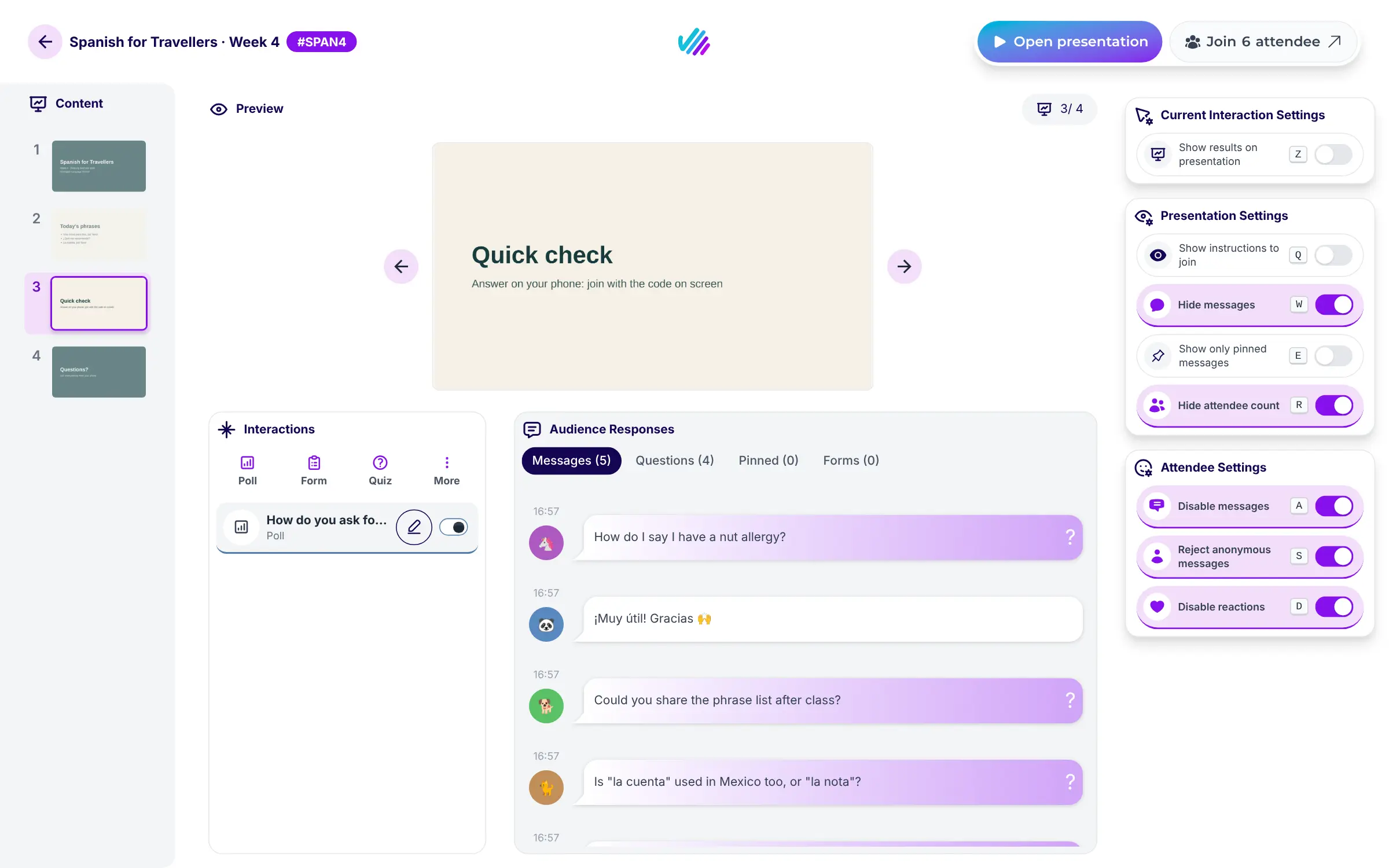
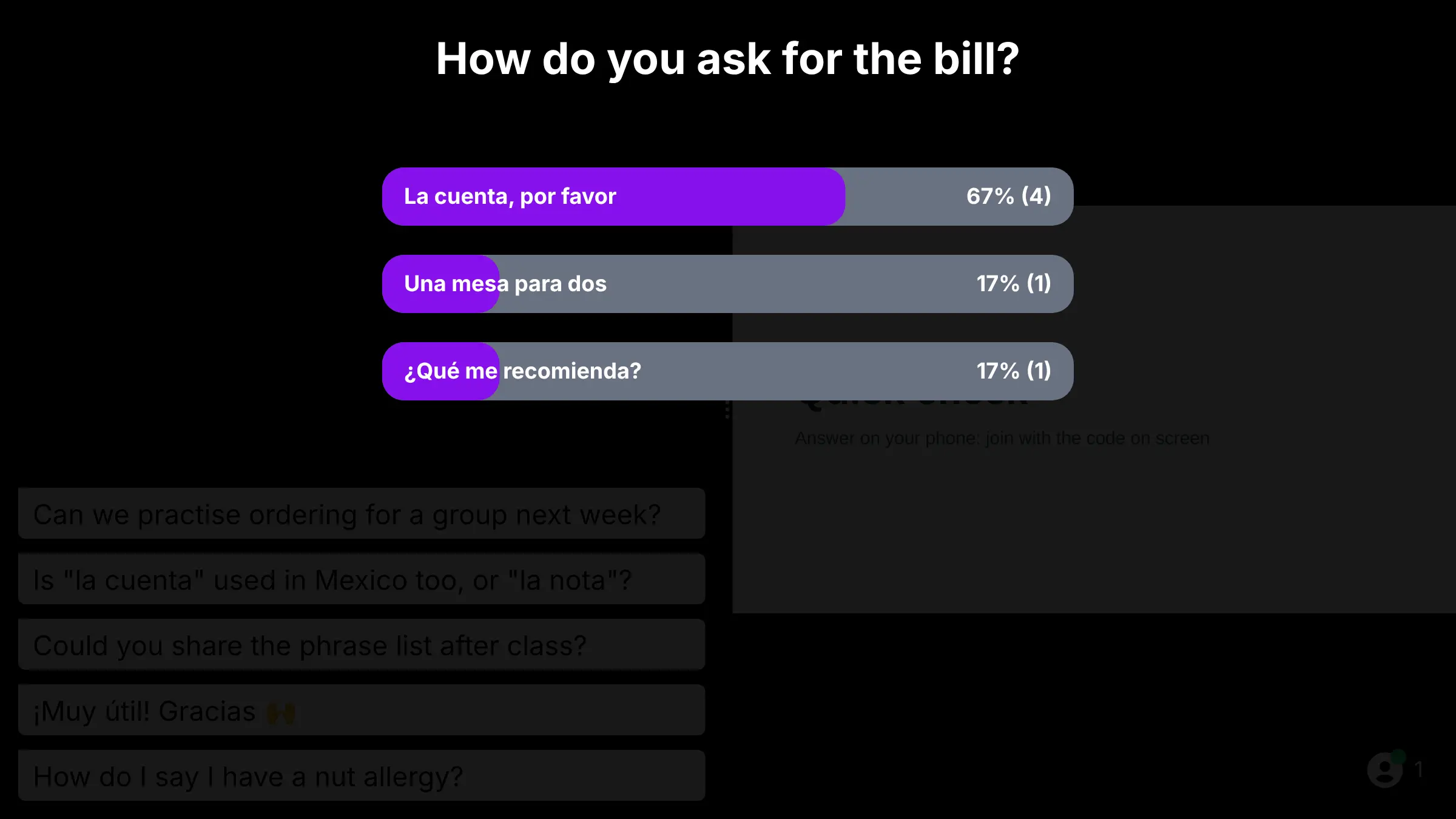
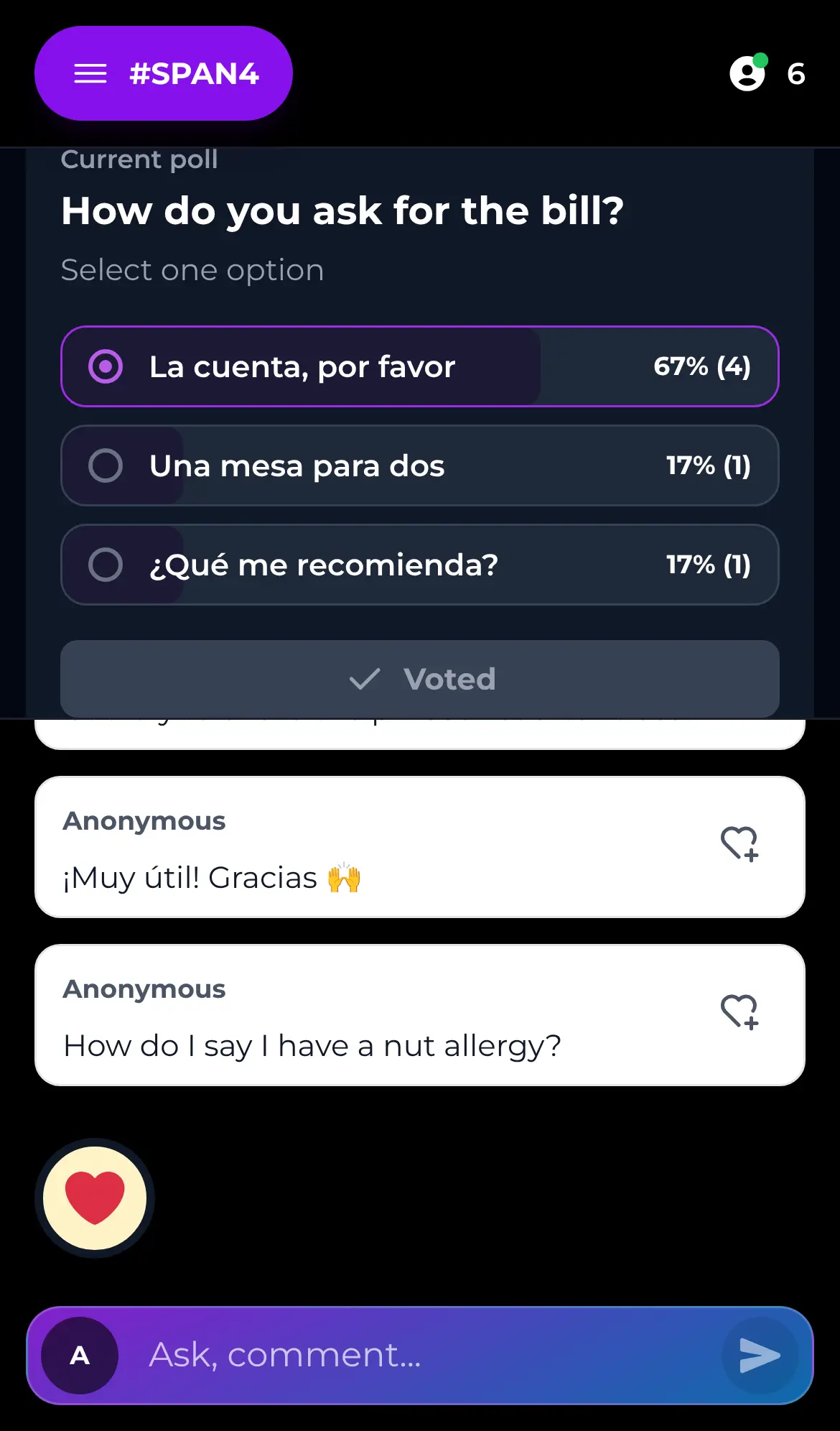
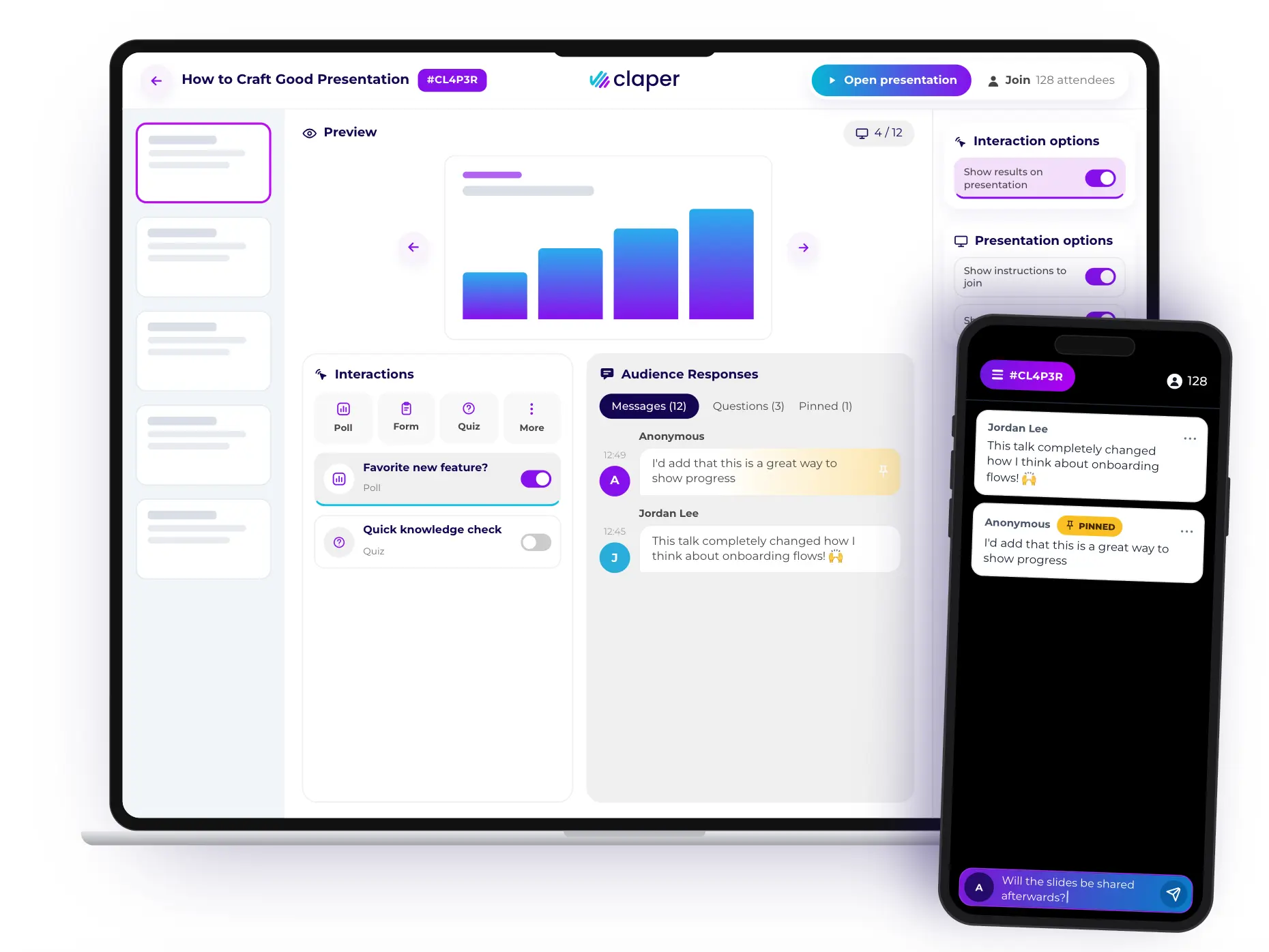

What is Claper?
Claper is a self-hosted Slido and Mentimeter alternative: live polls, audience Q&A and quizzes on your own slides, joined from any phone with a code.
Claper is a free, open-source, self-hosted app for live polls, audience Q&A and quizzes on your own slides, and an alternative to Slido, Mentimeter and Wooclap. You upload a PDF or PowerPoint deck, add interactions to any slide, and your audience joins from their phone with a short code, with no app and no account.
Questions, votes and reactions show up on your screen as they arrive. You can pin good questions, hide others, reveal poll results on the slide, run a scored quiz and download everything as a spreadsheet afterwards. A language school, for example, can run a quick vocabulary check in the middle of an evening class, see straight away which phrase the group still mixes up, and collect the questions students were too shy to ask out loud.
Claper works in any browser and in ten interface languages. It can sign people in with your company or school login, link to Moodle so quiz scores land in the gradebook, and show live captions if you add a Mistral key.
Cloudgate installs Claper on a server Cloudgate provides or one you connect, with the database it needs and a secure web address. You sign in as the admin, add your presenters, and your audience's answers stay on your server.
What you can do with Claper
- Keep the slides you already have Upload a PDF or PowerPoint deck and add polls, quizzes and questions to any slide, with no new slide editor to learn.
- Let the audience ask questions People post questions and comments from their phone, by name or anonymously, and the most popular rise to the top.
- Run live polls, quizzes and word clouds Results appear on the big screen as votes come in, and quizzes score each person's answers.
- Join with a code, no app Attendees scan the QR code or type the event code in their phone's browser, with no app and no account.
- Moderate the room Pin the best questions, reply to them, hide or delete messages and show only what you choose on screen.
- Add live captions Show live subtitles and keep a searchable transcript, using your own key for Mistral's transcription service.
- Export the results Download messages, poll and quiz results and transcripts as CSV files after the session.
- Connect your school's tools Sign people in with your company or school login, and link Claper to Moodle to send quiz scores to the gradebook.
Replaces Slido, Mentimeter and Wooclap
Claper does the same job as Slido, Mentimeter and Wooclap. Here is what changes when you switch.
- No limit on attendees and no per-event or per-seat fee
- Audience questions and votes stay on your own server
- You present your existing PDF or PowerPoint deck
- A Moodle link that sends quiz scores to the gradebook
- No built-in slide editor or ready-made templates; you make slides elsewhere
- Fewer question types and fewer links to tools like Teams or Webex
- Your old Slido or Mentimeter polls and results do not move across
- Live captions need a paid Mistral account, and the audio is sent to Mistral
What happens when you click Deploy?
You do not need a server or any technical knowledge. Four steps, and Claper is running at its own web address.
- Step 1 Click Deploy and create your account
Deploy takes you to Cloudgate. Create an account, or log in if you have one. Claper itself is free.
- Step 2 Choose a server
No server? Get one from Cloudgate: pick a size and a country, and Cloudgate gets it ready. Already have one? Connect it instead.
- Step 3 Cloudgate sets up Claper
It prepares the server, makes the passwords the app needs and starts it. There is nothing to install and nothing to write down.
- Step 4 Open your app and sign in
Your app gets a free web address to start, without https. Add your own domain, like app.yourshop.com, and Cloudgate secures it with https for you.
New to Cloudgate? See what Cloudgate is
Run Cloudgate yourself? Deploy from your own console
In your Cloudgate console, open Templates and choose Claper.
Questions
Is Claper free?
Yes, Claper is free and open source under the AGPL-3.0 licence, and the self-hosted version has no attendee limit. You pay only for your server.
Is Claper a good alternative to Slido or Mentimeter?
Yes, if you want live Q&A, polls, quizzes, word clouds and reactions on slides you already have. Slido and Mentimeter offer more question types, templates and links to meeting tools, while Claper keeps your audience's answers on your own server with no fee per event.
Do attendees need an app or an account to join Claper?
No, Claper attendees join from their phone's browser by scanning the QR code or typing the event code. They can post by name or anonymously.
Can I use my PowerPoint slides with Claper?
Yes, Claper takes PDF, PPT and PPTX files and shows your slides as they are. You add polls, quizzes and forms to individual slides in the event manager.
How do I sign in to Claper the first time?
You sign in to Claper with the admin email you gave Cloudgate and the password it generated, which you find on the app's variables page in Cloudgate. New presenters are added by the admin, so strangers cannot sign up.
Does Claper work with Moodle?
Yes, Claper connects to Moodle through LTI 1.3, so students open the event from their course and quiz scores go to the gradebook. The link is in beta and Moodle is the only learning platform the project has tested.
What server size do I need for Claper?
A small server is enough for classes and team meetings. Claper's own guide says 3 CPU cores and 4 GB of memory run a presentation for up to 300 attendees smoothly.
Do I need technical skills to run Claper?
No. Click Deploy, create your Cloudgate account and choose a server, and Cloudgate sets up Claper and gives it a web address. You use it in your browser like any other online tool.
Do I need my own server for Claper?
No. When you deploy Claper, hosted Cloudgate can provide a server. If you already rent one, you can connect it instead.
Can I move my data from Slido to Claper?
Most people export from Slido and import into Claper. The official guides at docs.claper.co walk through it.
Related apps

LMS for staff training, compliance and customer courses.

Sell online courses and downloads from your own website.

Host capture-the-flag events with teams, hints and a live scoreboard.

Sell courses and memberships, with a community, on your own server.