
Dashy
A self-hosted start page for all your apps, with live status dots.
No server needed to start: Cloudgate can provide one. What happens when you click Deploy
What is Dashy?
Dashy is a self-hosted start page that puts your team's apps and links on one page, with live up or down status dots, search and widgets.
Dashy is a free, open-source, self-hosted start page that puts all your team's web apps and links on one page, with a dot showing whether each one is up. It is a private alternative to start.me Pro and other paid start pages: no ads, no outside account, and your list of links stays on your own server.
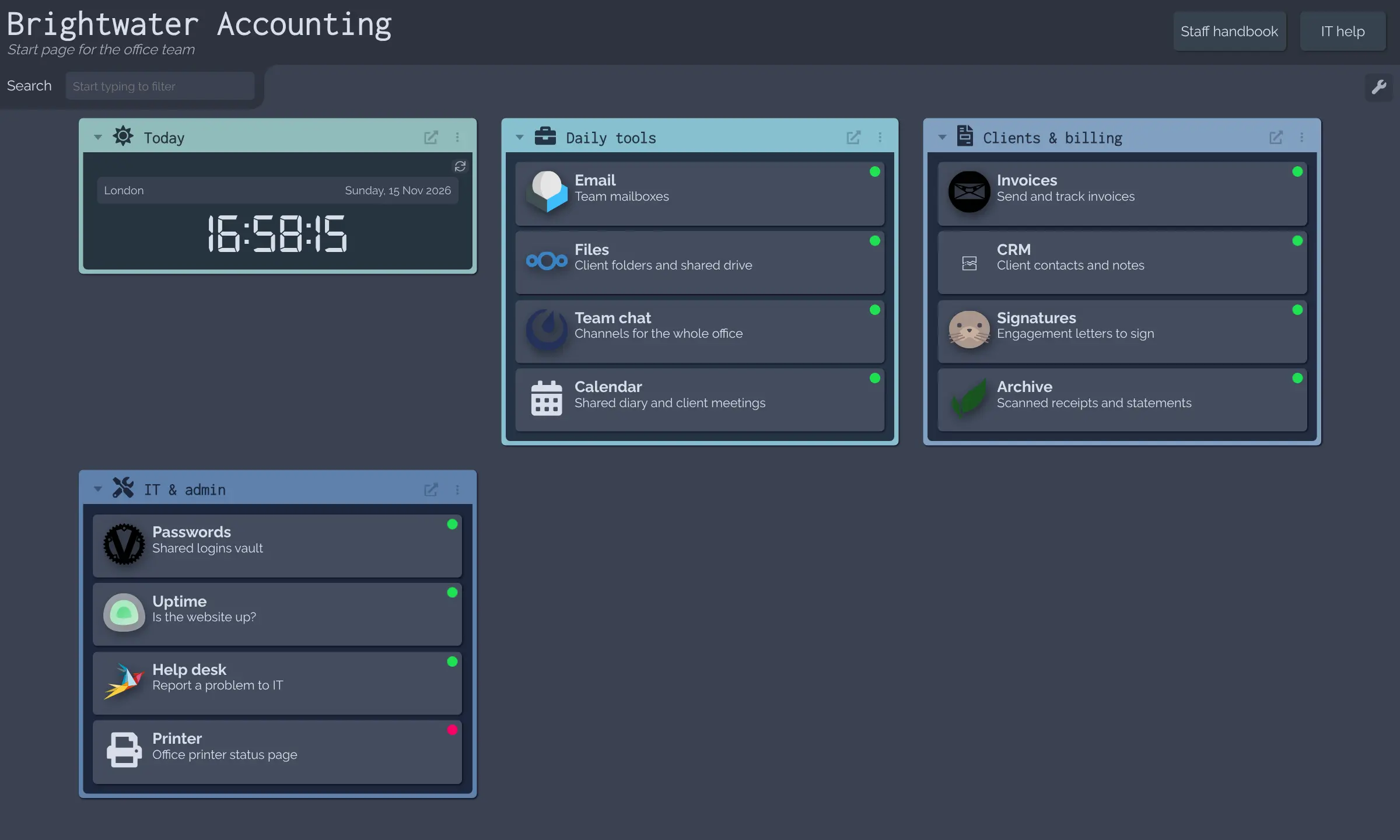
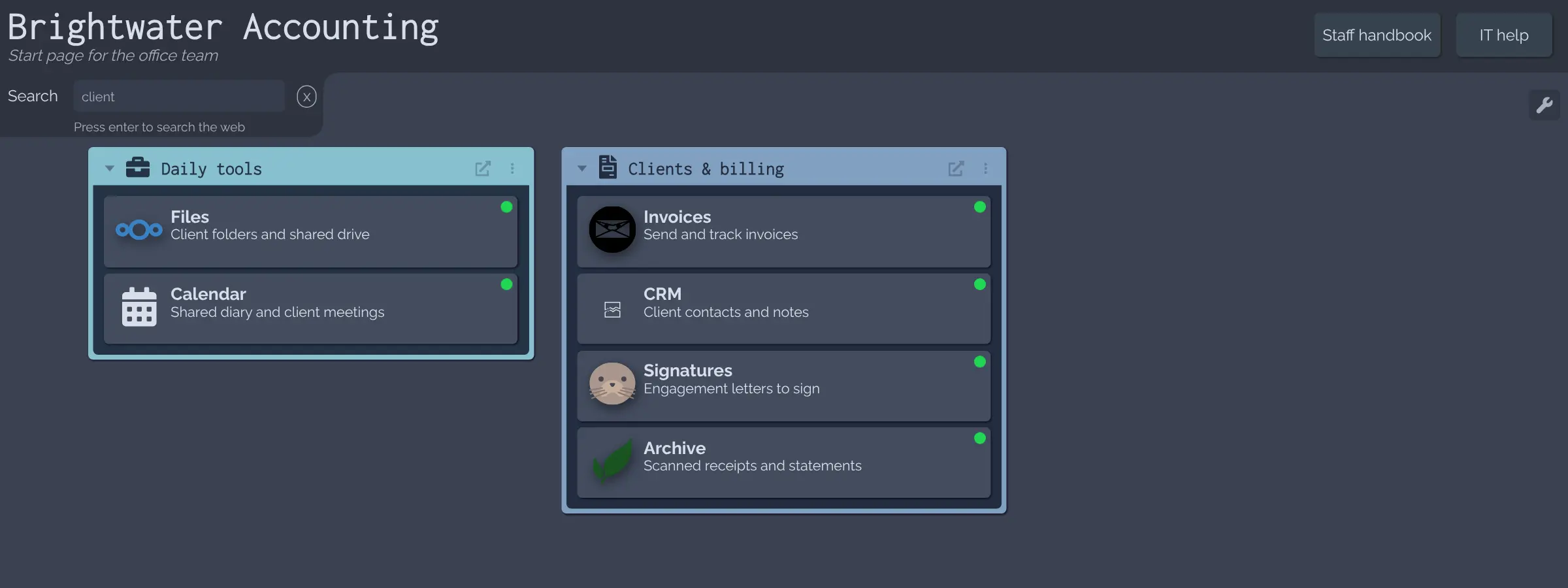
You group apps into sections with their logos, then everyone opens the same page to find them. Typing filters the tiles at once, and widgets can add a clock or the weather. A small accounting firm, for example, could give every desk one start page with email, client files, invoicing and the e-signature app, and see straight away when the printer's page or the file server stops answering.
You change the page in the browser's edit mode and can export it as a backup. There is no phone app, but the page works in any browser.
Dashy's own user login is only checked in the browser unless the server enforces it, so on its own it is not real security. Cloudgate installs Dashy on your server with a secure web address and a server-checked password, shown in the Cloudgate console.
What you can do with Dashy
- Put every app on one page Group your team's apps and links into sections, each with its logo and a short note.
- See what's down at a glance A green or red dot on each tile shows whether that app is answering, with its response time on hover.
- Find any app by typing Start typing to filter tiles by name or tag, or press Enter to search the web instead.
- Edit it in the browser Add, move and rename tiles in edit mode and save, with no file editing needed.
- Make it look like yours Pick a built-in theme, change the colours, or add your own background and logo.
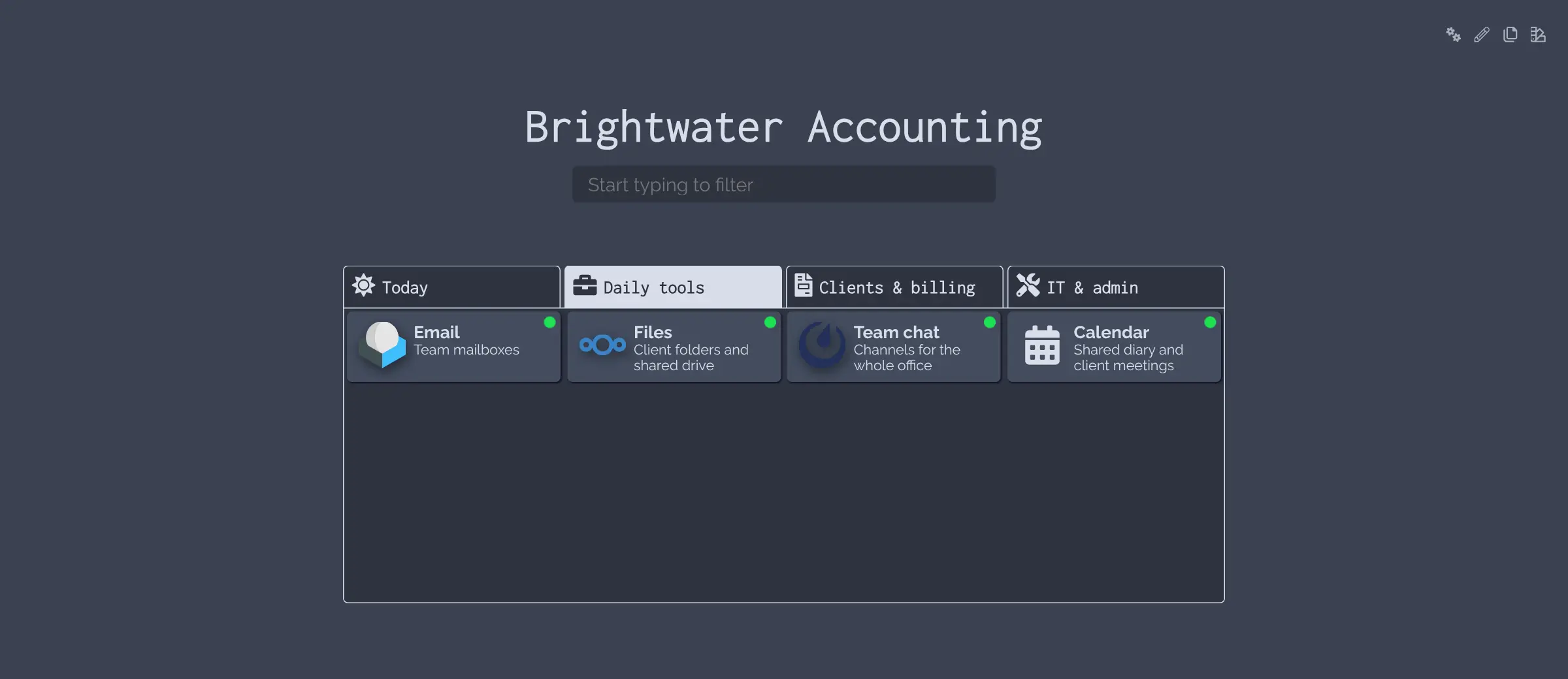
- Use it as a browser start page A minimal view with a search box and section tabs loads fast as your browser's home page.
- Add useful widgets Show a clock, the weather or figures from other apps you host, next to your links.
Replaces start.me
Dashy does the same job as start.me. Here is what changes when you switch.
- No ads, no account with an outside company and no page limit
- Your list of apps and links stays on your own server
- Live up or down dots for your own apps, which a bookmark page does not show
- Free under the MIT licence, with nothing kept for a paid plan
- One shared dashboard set up by whoever runs it, not personal pages each person builds
- No browser extension and no phone app; it is a web page you open in any browser
- Nothing imports your start.me pages; you add your links again
- Its own login is basic, so it needs single sign-on before giving each person an account
What happens when you click Deploy?
You do not need a server or any technical knowledge. Four steps, and Dashy is running at its own web address.
- Step 1 Click Deploy and create your account
Deploy takes you to Cloudgate. Create an account, or log in if you have one. Dashy itself is free.
- Step 2 Choose a server
No server? Get one from Cloudgate: pick a size and a country, and Cloudgate gets it ready. Already have one? Connect it instead.
- Step 3 Cloudgate sets up Dashy
It prepares the server, makes the passwords the app needs and starts it. There is nothing to install and nothing to write down.
- Step 4 Open your app and sign in
Your app gets a free web address to start, without https. Add your own domain, like app.yourshop.com, and Cloudgate secures it with https for you.
New to Cloudgate? See what Cloudgate is
Run Cloudgate yourself? Deploy from your own console
In your Cloudgate console, open Templates and choose Dashy.
Questions
Is Dashy free?
Yes, Dashy is free and open source under the MIT licence, with no paid edition and no features held back. You pay only for the server it runs on.
Is Dashy a good alternative to start.me?
Yes, Dashy is a good start.me alternative if you want one shared start page for your office or team with no ads and your links on your own server. It does not have start.me's browser extension or personal pages that each person builds, but it adds live up or down dots for your own apps.
How do I sign in to Dashy the first time?
The browser asks for a username and password when you open your Dashy address. The username is admin and the password is the one shown in the Cloudgate console; after that you see the sample dashboard and can start replacing it with your own apps.
Is Dashy's built-in login secure?
No, not on its own. Dashy's user login screen is checked in the browser unless the server is told to enforce it, and even then it has no lockout or two-step sign-in, so Dashy's own docs call it convenient, not hardened. Cloudgate sets up a server-checked password for the whole dashboard instead; for a separate account per person, connect Dashy to a single sign-on service such as authentik or Keycloak.
Can Dashy tell me when an app is down?
Yes, each tile can show a green or red dot from a check that Dashy runs every time the page loads or on a timer you set. It shows whether your Dashy server can reach the app; it does not send alerts, so pair it with an uptime monitor if you need a message when something goes down.
Can I import my start.me bookmarks into Dashy?
No, Dashy has no start.me importer. You add your links again in edit mode, and from then on you can export and back up the whole dashboard as one file.
What server size do I need for Dashy?
The smallest server is enough, because Dashy is one light app with no database; its makers say 256 MB of memory is more than enough. It can share a server with other apps.
Do I need technical skills to run Dashy?
No. Click Deploy, create your Cloudgate account and choose a server, and Cloudgate sets up Dashy and gives it a web address. You use it in your browser like any other online tool.
Do I need my own server for Dashy?
No. When you deploy Dashy, hosted Cloudgate can provide a server. If you already rent one, you can connect it instead.
Related apps

A self-hosted start page with every web app one click away.

A self-hosted start page with links to every app your team uses.

Your team's start page: every app in one place, and whether it's up.

A self-hosted start page and dashboard for every app you run.