Open-source alternative to Proton Drive

CryptPad is a free, open-source Proton Drive alternative for end-to-end encrypted documents: write, edit and share files that your own server cannot read. Proton Drive is a hosted service with 5 GB free and paid plans for more; CryptPad runs on your server and adds presentations, forms, kanban boards and a whiteboard, though it does not sync the files on your computer.

Free app Code: Open source Import from Proton Drive: Partly Easy

Why look for an alternative to Proton Drive?

Proton Drive is Proton's end-to-end encrypted cloud storage, with Proton Docs and Sheets for editing, desktop and phone apps, and 5 GB free before paid plans.

People look for an alternative when they want end-to-end encryption without trusting a hosted service with their storage, or need more space, more people or more kinds of documents than their plan covers. CryptPad is an open-source, end-to-end encrypted office suite you run on your own server: documents, spreadsheets, presentations, forms and kanban boards that several people edit at once, which the server itself cannot read. It does not sync the files on your computer.

How CryptPad compares

Write and edit documents together, end-to-end encrypted.

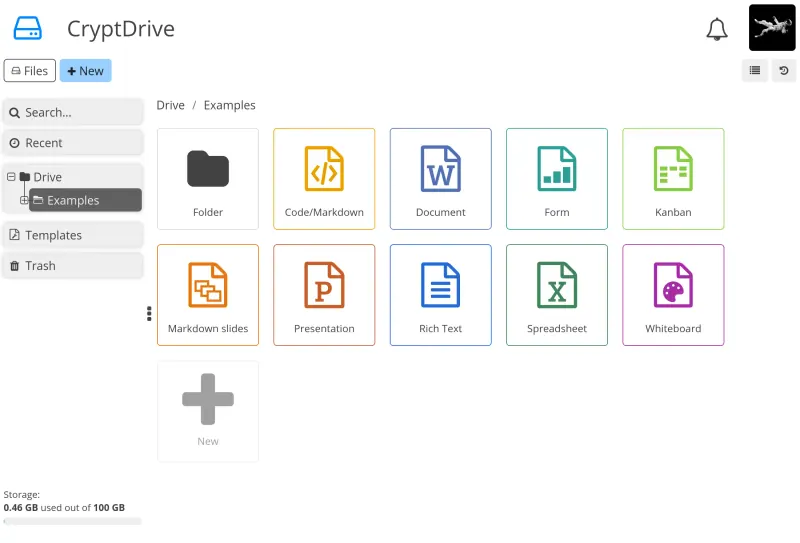
Encrypts every document in your browser before it reaches the server, like Proton, and adds real-time co-editing of documents, spreadsheets, presentations, forms, kanban boards, diagrams and a whiteboard, all kept in an encrypted drive with shared folders for teams. Proton Drive has desktop sync apps and phone apps; CryptPad works in the browser only, and stores documents in its own format, so complex Office formatting can shift on import and export.
Easy Open source

Moving from Proton Drive

Download your files from Proton Drive, and export Proton Docs and Sheets as Word and Excel files. Create your CryptPad account, then upload the files to your CryptDrive: Office documents, spreadsheets and presentations can be imported into CryptPad's editors, and other files are stored encrypted as they are. Check documents with complex formatting after the import. Make a shared folder or team for colleagues, and ask everyone to keep their password in a password manager, since an admin cannot reset it.

Questions

What is the best open-source alternative to Proton Drive?

CryptPad is the free, open-source alternative to Proton Drive for end-to-end encrypted files and documents in the catalogue today. Encrypts every document in your browser before it reaches the server, like Proton, and adds real-time co-editing of documents, spreadsheets, presentations, forms, kanban boards, diagrams and a whiteboard, all kept in an encrypted drive with shared folders for teams. Proton Drive has desktop sync apps and phone apps; CryptPad works in the browser only, and stores documents in its own format, so complex Office formatting can shift on import and export.

Is CryptPad end-to-end encrypted like Proton?

Yes. CryptPad encrypts documents in your browser, so the server stores only scrambled data and its admin cannot read your files. You still trust whoever runs the server to serve CryptPad's unmodified code, which is one reason to host it yourself.

Does CryptPad sync files to my computer?

No. CryptPad works in the browser, with no desktop sync app or native phone app. It suits documents you write and edit together online rather than folders you keep in sync.

What happens if I forget my CryptPad password?

Your documents are lost unless you kept a backup, because nobody, not even the admin, can reset it. Store your password in a password manager.

Is CryptPad really free compared with Proton Drive?

Yes, CryptPad is free. To run them you need Cloudgate and a server. Use hosted Cloudgate, which can also provide the server, or install Cloudgate on a server of your own for free. Cloudgate's plans and prices are at cloudgate.octabyte.io/pricing. One server can run several apps.

Do I need a developer to replace Proton Drive?

No. Cloudgate installs CryptPad on your server and gives it a secure web address, and you use it in your browser instead of Proton Drive.