copyparty
File server to send, collect and share large files.
No server needed to start: Cloudgate can provide one. What happens when you click Deploy
What is copyparty?
copyparty is a self-hosted file server to upload, share and collect large files from any browser, with share links, passwords and expiry dates.
copyparty is a free, open-source, self-hosted file server for sending, collecting and sharing large files from any web browser, a simple alternative to WeTransfer and to the sharing side of Dropbox or Google Drive. Your files stay on your own server.
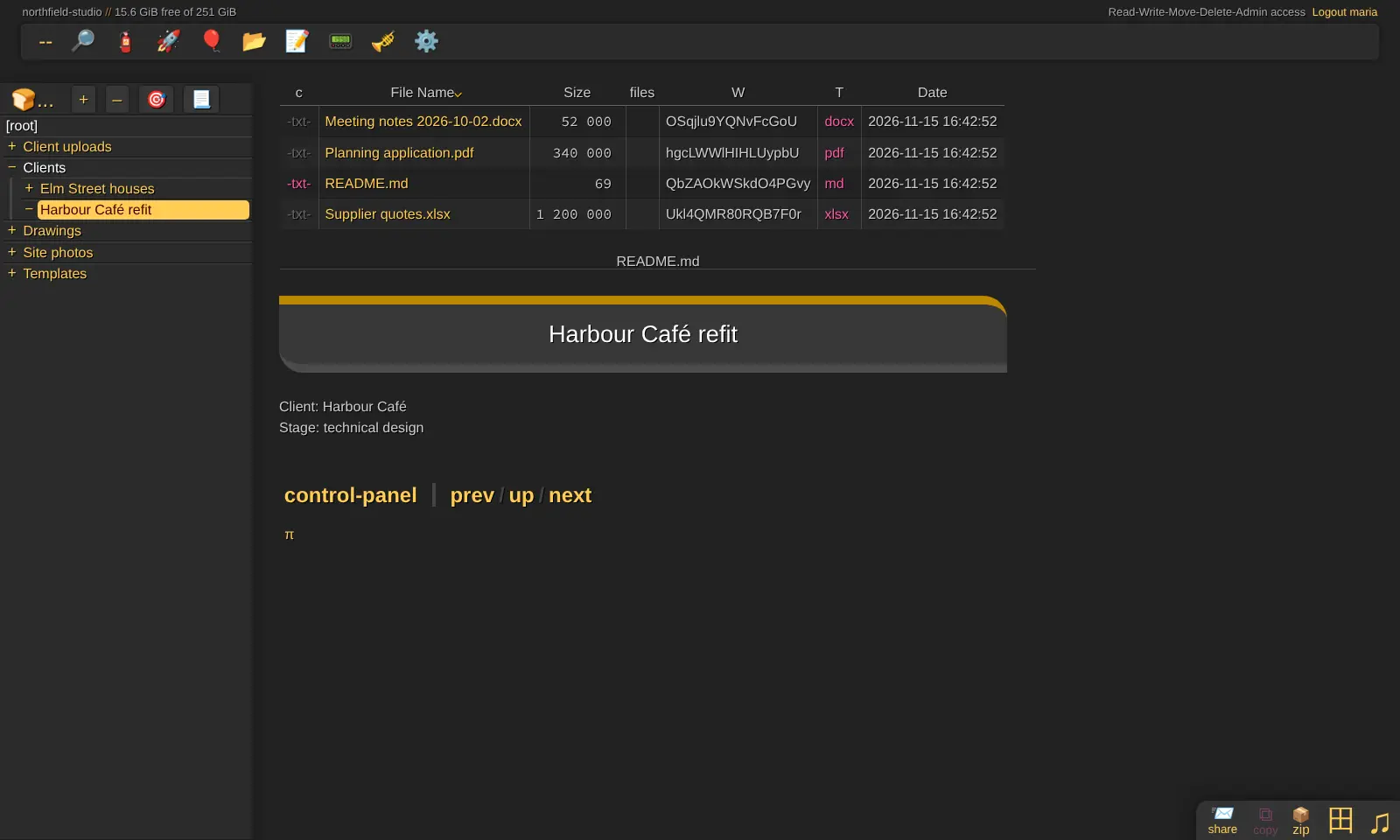
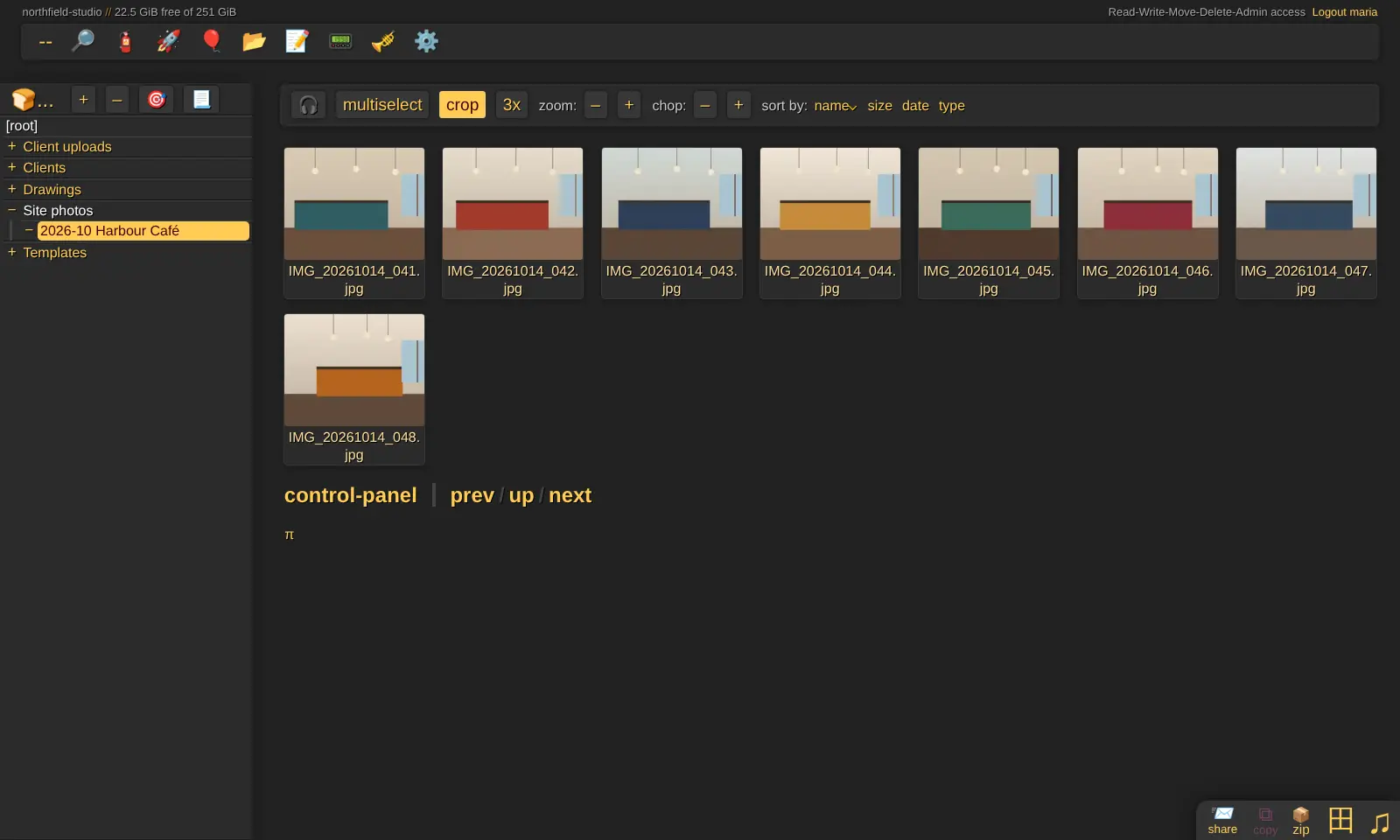
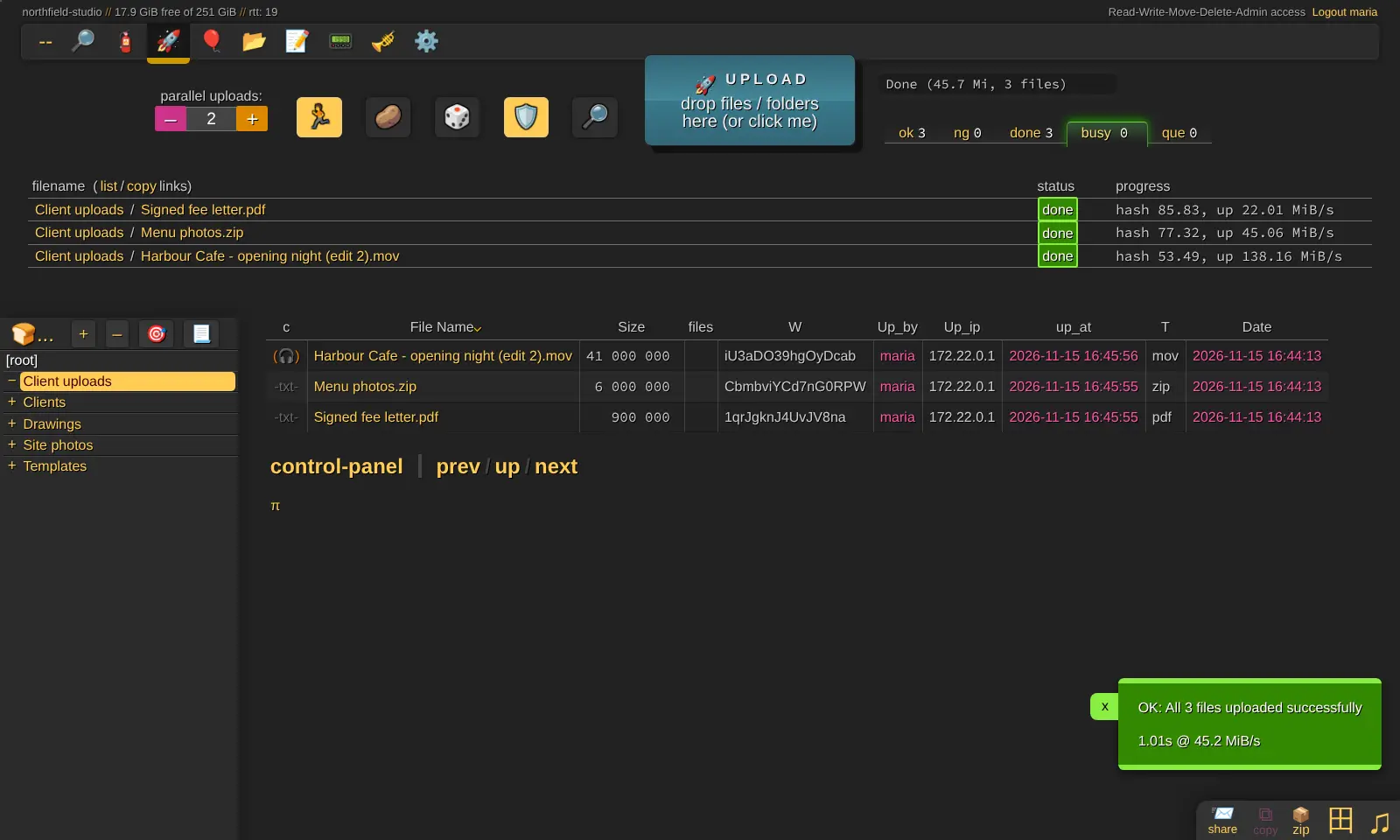
Each person signs in and sees only the folders they are allowed to. Drag in files or whole folders of any size; an upload carries on where it stopped if the connection drops. Share links can have a password and an expiry date, and an upload-only folder lets clients send you files without seeing anything else. Photos and videos get thumbnails, music and video play in the browser, and you can download a whole folder as one zip file. A small architecture studio, for example, could send a client a password-protected link to the latest drawings that expires in a week, and give a photographer an upload folder for the site photos.
copyparty is a file server, not a sync service: there is no desktop sync app, and its interface is dense. Computers can open the files as a network drive, and an Android app uploads from your phone.
Cloudgate installs copyparty on a server Cloudgate provides or one you connect and gives it a secure web address. Sign in as admin, then add your colleagues in the settings file.
What you can do with copyparty
- Upload files of any size Drag in files or whole folders; uploads have no size limit and carry on where they stopped if the connection drops.
- Share links with a password and expiry Share a file or folder by link, add a password, choose when it expires, and let visitors upload if you want.
- Collect files from clients Make an upload-only folder or link, so people can send you files without seeing anything else.
- See photos and play media Thumbnails and a grid view for photos and videos, plus a music and video player in the browser.
- Find and download in bulk Search by name, date or size, and download a whole folder or a selection as one zip file.
- Decide who sees each folder Give each person read, upload, move or delete rights on each folder.
- Open files as a network drive Connect a Windows, Mac or Linux computer to your files as a drive through WebDAV.
Replaces WeTransfer, Dropbox, Google Drive and Dropbox Transfer
copyparty does the same job as WeTransfer, Dropbox, Google Drive and Dropbox Transfer. Here is what changes when you switch.
- No price per user and no storage plan; your limit is your server's disk
- No file size limit on uploads or shared files
- Your files stay on your own server
- No sync app for computers or phones; you use the browser or a network drive
- Users and folder rights are set in a text settings file, not in an admin screen
- The interface is dense and looks unusual next to Dropbox or Google Drive
- No file version history and no editing documents together
What happens when you click Deploy?
You do not need a server or any technical knowledge. Four steps, and copyparty is running at its own web address.
- Step 1 Click Deploy and create your account
Deploy takes you to Cloudgate. Create an account, or log in if you have one. copyparty itself is free.
- Step 2 Choose a server
No server? Get one from Cloudgate: pick a size and a country, and Cloudgate gets it ready. Already have one? Connect it instead.
- Step 3 Cloudgate sets up copyparty
It prepares the server, makes the passwords the app needs and starts it. There is nothing to install and nothing to write down.
- Step 4 Open your app and sign in
Your app gets a free web address to start, without https. Add your own domain, like app.yourshop.com, and Cloudgate secures it with https for you.
New to Cloudgate? See what Cloudgate is
Run Cloudgate yourself? Deploy from your own console
In your Cloudgate console, open Templates and choose copyparty.
Questions
What is copyparty?
copyparty is a free, open-source file server that you run on your own server. It lets you upload, download, browse, search and share files from any web browser, with resumable uploads, share links, photo thumbnails and a media player.
Is copyparty free?
Yes, copyparty is free and open source under the MIT licence, with no paid edition or paid features. You pay only for your server and its disk.
Is copyparty a good alternative to WeTransfer?
Yes, copyparty is a good WeTransfer alternative for sending and receiving large files. Share links can have a password and an expiry time, uploads have no size limit and resume after a dropped connection, and an upload-only link lets people send files to you; it does not email transfers or tell you when a file is downloaded.
Can copyparty replace Dropbox or Google Drive?
Partly. copyparty stores and shares files from a browser and can be opened as a network drive, but unlike Dropbox or Google Drive it has no sync app, no two-way sync and no document editing. If you need files kept in sync on every computer, a full suite such as Nextcloud fits better.
How do I sign in to copyparty the first time?
Open your copyparty address, choose Log in at the top right, and sign in with the username admin and the password Cloudgate created, which is shown on the app's variables page. copyparty sets that password again each time it starts, so change it in Cloudgate rather than in the app. Until you add more accounts, nobody else can see or upload anything.
How do I add colleagues in copyparty?
You add each person, and the folders they can use, in copyparty's settings file; there is no screen for it in the app. Each person then signs in with their own username and password.
Is there a copyparty phone app?
There is an Android app for uploading to copyparty, and iPhone shortcuts for the same job, but no full phone app. The web page works in a phone's browser for browsing, downloading and sharing.
Do I need technical skills to run copyparty?
No. Click Deploy, create your Cloudgate account and choose a server, and Cloudgate sets up copyparty and gives it a web address. You use it in your browser like any other online tool.
Do I need my own server for copyparty?
No. When you deploy copyparty, hosted Cloudgate can provide a server. If you already rent one, you can connect it instead.
Can I move my data from WeTransfer to copyparty?
Most people export from WeTransfer and import into copyparty. The official guides at github.com walk through it.
Related apps

Send large files by link, under your own logo.

Browse, preview and share your server's files from any web browser.

Send large files with a link that expires, from your own server.

Send files by link, and let clients upload files to you.