Baïkal
Calendar and contacts sync, managed from one admin page.
No server needed to start: Cloudgate can provide one. What happens when you click Deploy
What is Baïkal?
Baïkal is a self-hosted calendar and contacts server that syncs your team's calendars, to-do lists and address books to phones and computers.
Baïkal is a free, open-source, self-hosted calendar and contacts server: it keeps your team's calendars, to-do lists and address books on your own server and syncs them to their phones and computers, as a private alternative to Google Calendar or iCloud. People keep using the calendar and contacts apps they already know.
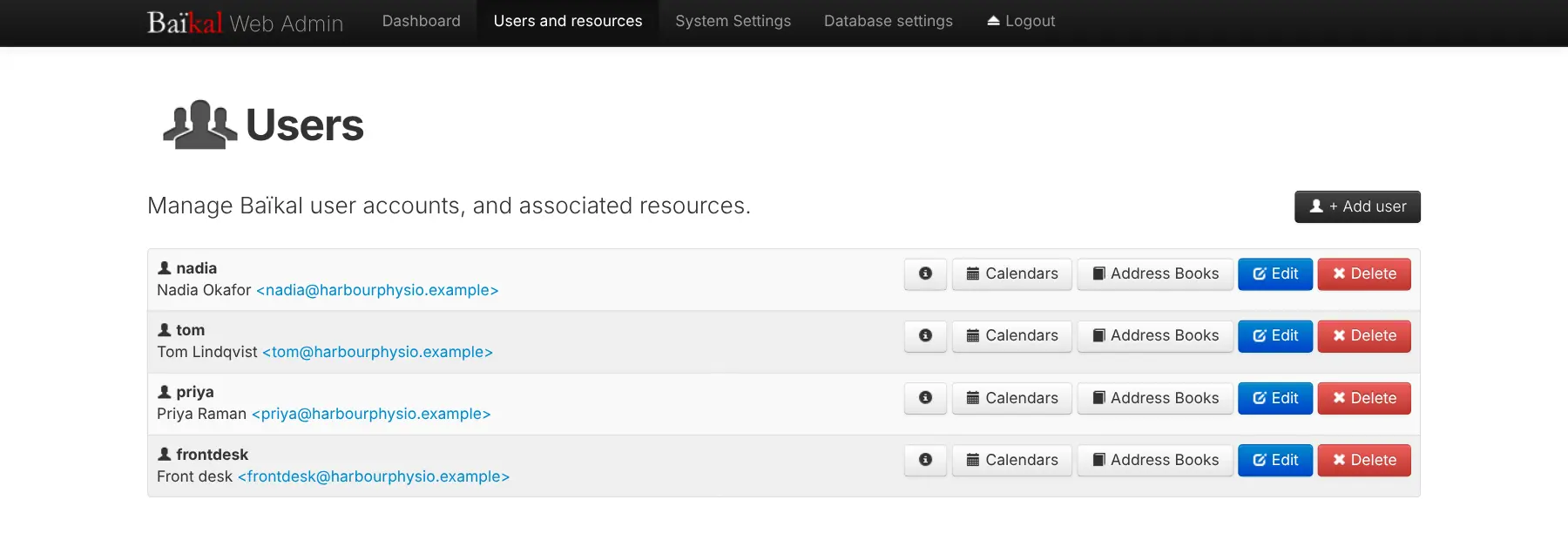
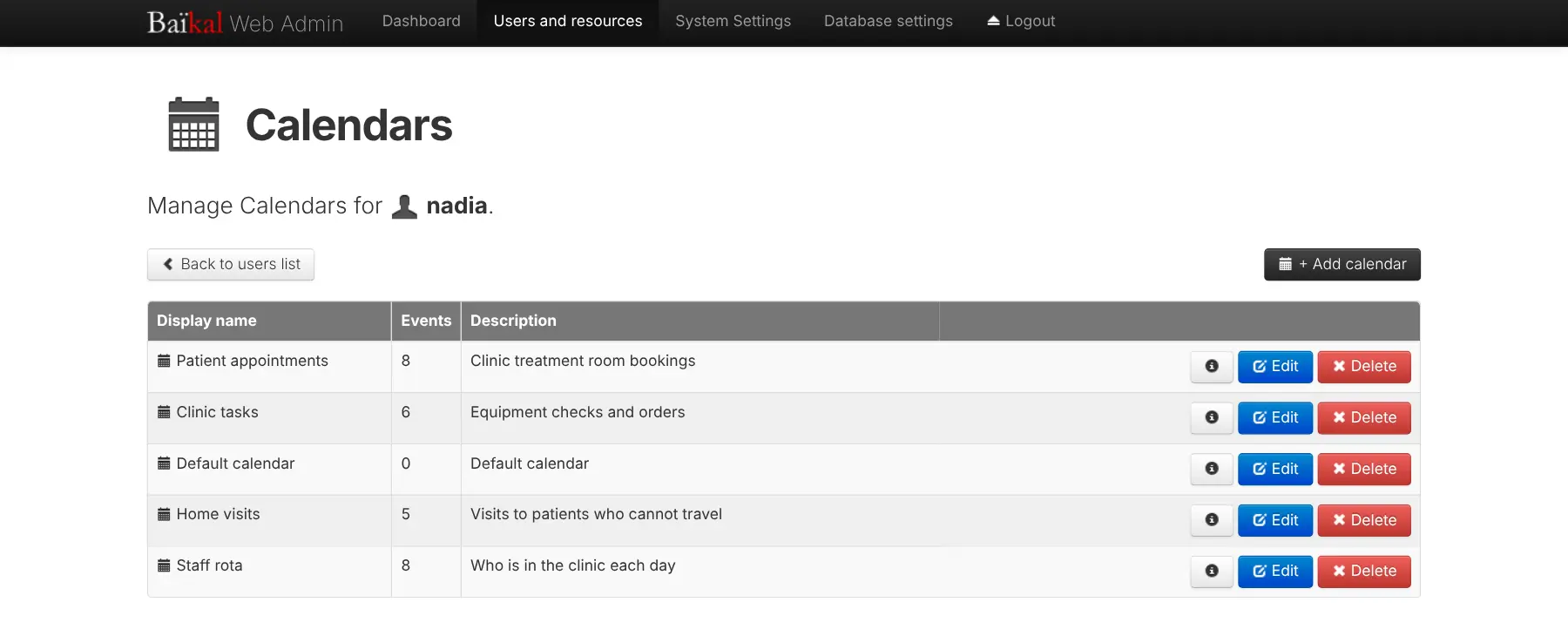
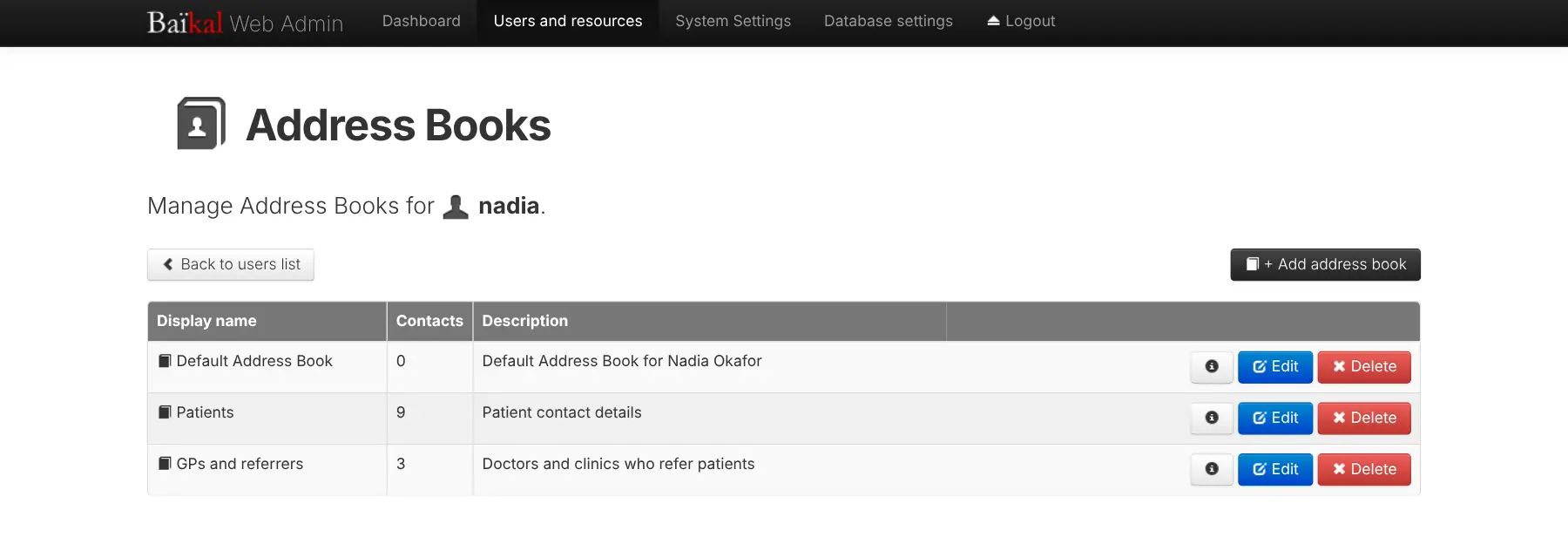
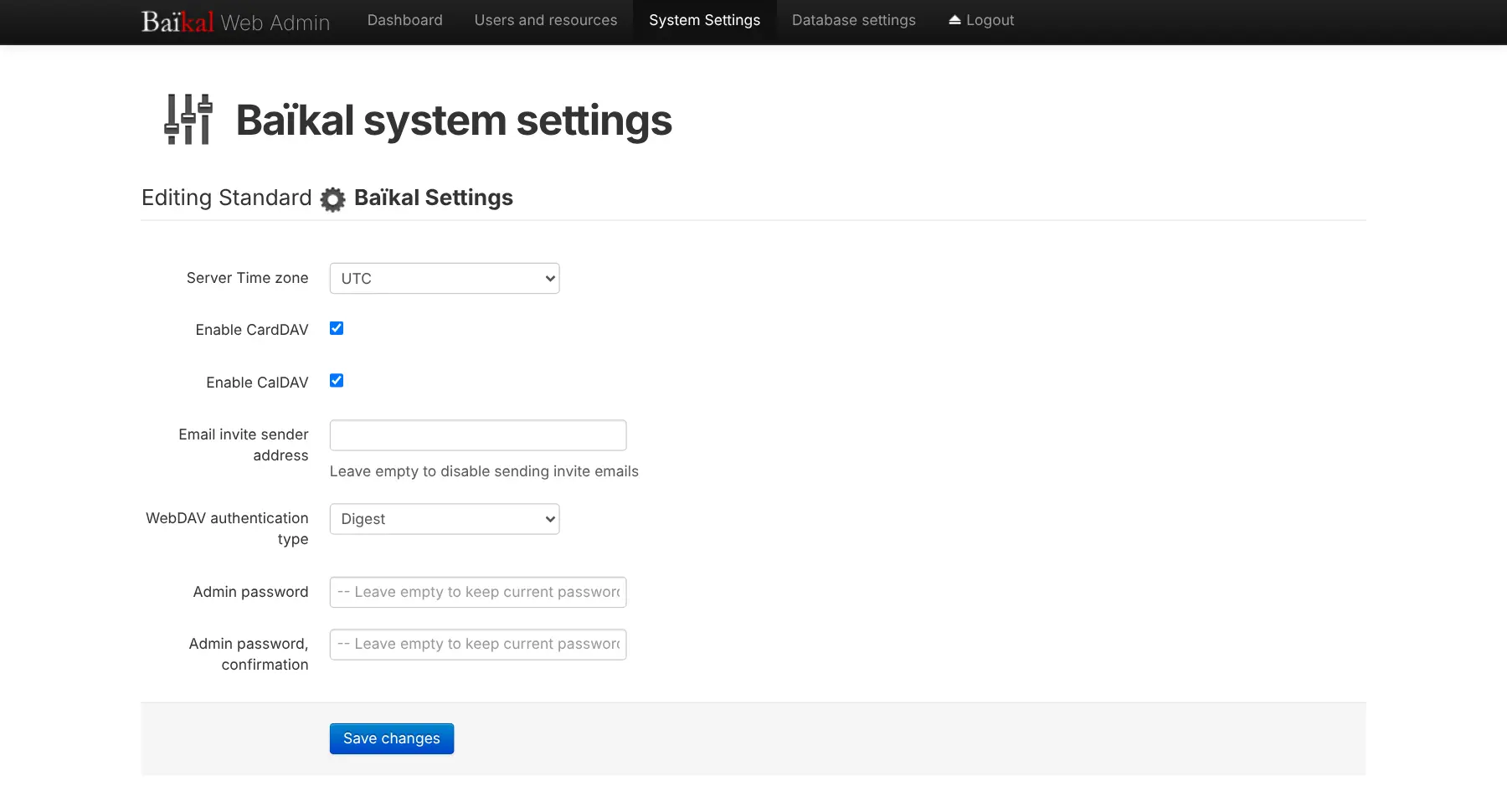
Baïkal is run from one admin page in the browser. There you add an account for each person and set up their calendars and address books; the appointments and contacts themselves are added and viewed in the apps, because Baïkal has no calendar website. A four-person physiotherapy clinic, for example, could give each physio their own Patient appointments and Home visits calendars and a Patients address book, synced to their phone and the clinic computer, with the practice manager adding a new colleague's account in a minute.
It works with the Calendar, Contacts and Reminders apps on iPhone, iPad and Mac, with Android through the DAVx5 app, and with Thunderbird on computers. Each person signs in with their own password and sees only their own calendars and contacts.
Cloudgate installs Baïkal on a server Cloudgate provides or one you connect, gives it a secure web address, skips the setup wizard and creates the admin password for you. Baïkal is light, so the smallest server is enough.
What you can do with Baïkal
- Sync calendars and contacts to every device Appointments, to-do lists and contacts stay in step across phones, tablets and computers, in the apps people already use.
- Manage your whole team from one admin page Add, edit and remove people in the browser, each with their own name, email and password, without touching the server.
- Set up calendars for each person Give everyone as many calendars as they need, each with a name, colour and description, and turn on to-do lists for any of them.
- Keep separate address books Split contacts into address books such as customers and suppliers, with the number of contacts shown for each.
- Use the apps on iPhone, Mac, Android and Thunderbird The built-in Calendar, Contacts and Reminders apps on Apple devices connect directly, Android phones connect through the DAVx5 app, and computers through Thunderbird.
- Keep each person's data private Everyone signs in to their apps with their own password and sees only their own calendars and contacts.
Replaces Google Calendar and iCloud Calendar
Baïkal does the same job as Google Calendar and iCloud Calendar. Here is what changes when you switch.
- Your team's calendars and contacts are stored on your own server, not in a Google or Apple account
- Add or remove a colleague's account from a web page, with no fee per person
- Keep using the calendar and contacts apps already on your phones and computers
- No limit on how many calendars, to-do lists or address books you create
- There is no calendar or contacts view in the browser; people see and edit them in their apps
- There is no upload button; you bring old calendars in through a calendar app on a computer
- Android phones need the separate DAVx5 app
- No booking pages or video meeting links, and email invitations are off as set up here
What happens when you click Deploy?
You do not need a server or any technical knowledge. Four steps, and Baïkal is running at its own web address.
- Step 1 Click Deploy and create your account
Deploy takes you to Cloudgate. Create an account, or log in if you have one. Baïkal itself is free.
- Step 2 Choose a server
No server? Get one from Cloudgate: pick a size and a country, and Cloudgate gets it ready. Already have one? Connect it instead.
- Step 3 Cloudgate sets up Baïkal
It prepares the server, makes the passwords the app needs and starts it. There is nothing to install and nothing to write down.
- Step 4 Open your app and sign in
Your app gets a free web address to start, without https. Add your own domain, like app.yourshop.com, and Cloudgate secures it with https for you.
New to Cloudgate? See what Cloudgate is
Run Cloudgate yourself? Deploy from your own console
In your Cloudgate console, open Templates and choose Baïkal.
Questions
Is Baïkal free?
Yes. Baïkal is free, open-source software under the GPL-3.0 licence, with no paid edition and no fee per user. You pay only for the server it runs on.
Is Baïkal a good alternative to Google Calendar?
Yes, if what you need is private calendar and contacts sync for a small team. Baïkal keeps everyone's appointments, to-do lists and contacts on your own server and syncs them to the apps on their phones and computers; it has no calendar website, no booking pages and no video meeting links.
Does Baïkal have a calendar in the browser?
No. Baïkal's web page is an admin page for adding people and setting up their calendars and address books. Events and contacts are viewed and edited in calendar and contacts apps, such as those on iPhone, Mac and Android.
Does Baïkal work with iPhone, Mac and Android?
Yes. On iPhone, iPad and Mac you add a CalDAV account for calendars and a CardDAV account for contacts in Settings, using Baïkal's web address and your username and password. Android phones connect with DAVx5, a separate app from the Play Store or F-Droid.
Can I move my calendars and contacts from Google or iCloud?
Yes, through a calendar app. Export each calendar as an .ics file and your contacts as a .vcf file from Google or Apple, then import them into your Baïkal calendar and address book in an app such as Apple Calendar, Apple Contacts or Thunderbird; Baïkal's admin page has no upload button.
How do I sign in the first time, and how do I add colleagues?
Cloudgate creates a strong admin password and shows it on the app's variables page; sign in to Baïkal's admin page as admin with it. To change that password, change the variable in Cloudgate, because Baïkal sets it again from the variable each time it starts. Under Users and resources, add an account for each person, then use that person's username and password in their apps.
What server size does Baïkal need?
The smallest server is enough. Baïkal is a light app that stores everything in a small database file on the same server.
Do I need technical skills to run Baïkal?
No. Click Deploy, create your Cloudgate account and choose a server, and Cloudgate sets up Baïkal and gives it a web address. You use it in your browser like any other online tool.
Do I need my own server for Baïkal?
No. When you deploy Baïkal, hosted Cloudgate can provide a server. If you already rent one, you can connect it instead.
Related apps

Calendars, tasks and contacts, synced to every phone.

CalDAV server for calendars and contacts on every phone.
Webmail that reads all your email accounts in one inbox.

Groupware for shared calendars, contacts and tasks.