

Open-source alternatives to iCloud Calendar

Davis is a free, open-source iCloud Calendar alternative: iPhones and Macs add it as a calendar and contacts account in their own settings, so Apple’s Calendar and Contacts apps keep working while your data stays on your own server. iCloud ties your calendars to an Apple account and Apple’s servers; Davis also works with Thunderbird, and with Android through a sync app, though it has no web calendar like iCloud.com.

3 alternatives Free apps Our pick: Davis

At a glance

App Good for Code Import from iCloud Calendar Ease of use
Davis Small offices and families who want shared calendars and contacts on their own server Code Open source Import from iCloud Calendar No Some setup
Baïkal Small offices where one person sets up everyone's calendars and contacts from a browser Code Open source Import from iCloud Calendar Yes Some setup
Radicale Households and small offices that want private calendars and contacts synced to their phones Code Open source Import from iCloud Calendar Yes Some setup

Why look for an alternative to iCloud Calendar?

iCloud Calendar and Contacts are Apple's sync services for the Calendar and Contacts apps on iPhone, iPad and Mac, included with an Apple account and its iCloud storage.

People look for an alternative for privacy and control rather than price: iCloud keeps their schedule and address book on Apple's servers, tied to an Apple account, and it is awkward to share a calendar with someone who uses Android or Windows. Davis, Radicale and Baïkal run on your own server and speak the same CalDAV and CardDAV standards that Apple's apps already support, so iPhones and Macs keep working as before while Android phones, Linux and Thunderbird can join the same calendars. Radicale is the smallest, Baïkal adds a browser admin panel, and Davis adds shared calendars. They replace only calendars and contacts, not the rest of iCloud.

The alternatives, compared

Davis

Our pick

CalDAV server for calendars and contacts on every phone.

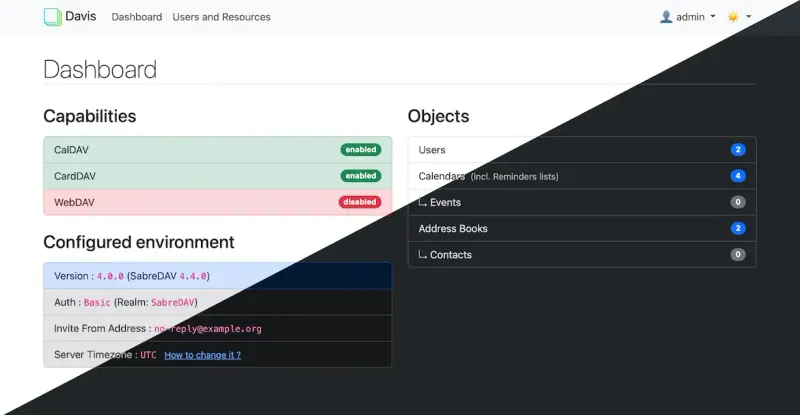
Works with the Calendar and Contacts apps built into iPhone and Mac: you add a CalDAV and a CardDAV account in the system settings and install nothing else. It shares calendars between people, publishes calendars by link, builds a birthday calendar from your contacts and syncs to-do lists too. It has no web calendar like iCloud.com, and it does not sync photos, files or anything else iCloud does.
Some setup Open source

Calendar and contacts sync, managed from one admin page.

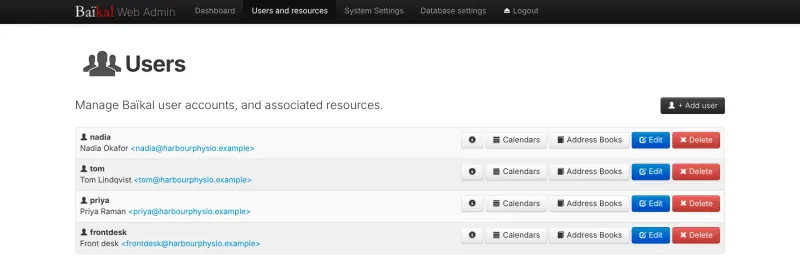
iPhones, iPads and Macs add it as a CalDAV and CardDAV account in their built-in Calendar, Contacts and Reminders apps, and Android and Linux devices can join too. One person manages everyone's accounts, calendars and address books from a browser admin panel. It has no web calendar of its own, and calendars are imported through the Calendar app rather than uploaded in the browser.

Some setup Open source

Calendars, tasks and contacts, synced to every phone.

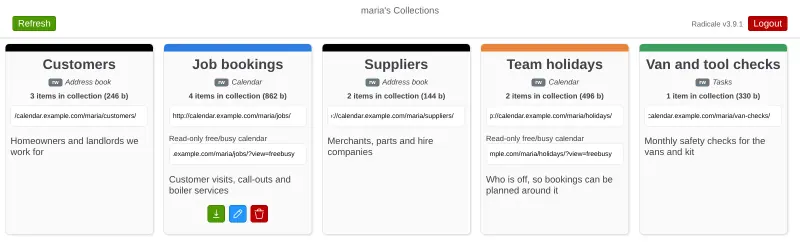
Your iPhone, iPad and Mac connect to it with their built-in Calendar and Contacts apps, set up with a profile you download from Radicale's web page, and calendars, to-do lists and contacts stay in sync. Unlike iCloud, Android and Linux devices can join too. It has no web calendar, and shared family calendars are off in this template.

Some setup Open source

Moving from iCloud Calendar

On a Mac, export each calendar from the Calendar app as an .ics file, and select all contacts in the Contacts app and export them as a vCard.

With Radicale, upload each file to Radicale's web page as a new calendar or address book. On each iPhone, iPad and Mac, open the Radicale web page, download the setup profile and install it in Settings or System Settings.

With Davis or Baïkal, create an account for each person in the Davis dashboard or Baïkal's admin page. On each iPhone, iPad and Mac, add a CalDAV account for calendars and a CardDAV account for contacts with that person's username and password, using the addresses the Davis dashboard shows or, for Baïkal, the server's address ending in /dav.php. Neither has an upload button, so import the .ics and vCard files into the new calendar and address book in the Mac's Calendar and Contacts apps.

When everything has synced, turn off Calendars and Contacts for iCloud on each device, so new entries go to your own server.

Questions

What is the best open-source alternative to iCloud Calendar?

Start with Davis. All 3 are free and open source.

Do I need an app on my iPhone?

No. iPhones and Macs support CalDAV and CardDAV accounts out of the box, so Davis, Radicale and Baïkal all work with Apple's own Calendar and Contacts apps. Radicale's web page also offers a profile that sets up both accounts in one step.

Can people with Android phones use the same calendars?

Yes. Android needs a sync app such as DAVx5, and Thunderbird on a computer connects directly, so a family or office can mix Apple and other devices.

Can my family share one calendar?

Yes, with Davis: a calendar can be shared with other people on the same server as read-only or read and write. Not in the Radicale template, where sharing is switched off, so each person sees only their own calendars and contacts.

Should I choose Davis, Radicale or Baïkal for an Apple household?

Radicale if you want the one-step setup profile and to upload calendar files in the browser. Baïkal if one person should manage everyone's accounts and calendars from a browser admin panel. Davis if you want shared family calendars and calendars published by link. With Davis and Baïkal, each device is set up by hand with the server's address.

Are these iCloud Calendar alternatives really free?

Yes, Davis, Baïkal and Radicale are free. To run them you need Cloudgate and a server. Use hosted Cloudgate, which can also provide the server, or install Cloudgate on a server of your own for free. Cloudgate's plans and prices are at cloudgate.octabyte.io/pricing. One server can run several apps.

Do I need a developer to replace iCloud Calendar?

No. Cloudgate installs the app you choose on your server and gives it a secure web address, and you use it in your browser instead of iCloud Calendar.