
Davis
CalDAV server for calendars and contacts on every phone.
No server needed to start: Cloudgate can provide one. What happens when you click Deploy
What is Davis?
Davis is a self-hosted CalDAV and CardDAV server that syncs your team's calendars and contacts to every phone and computer, managed from a simple dashboard.
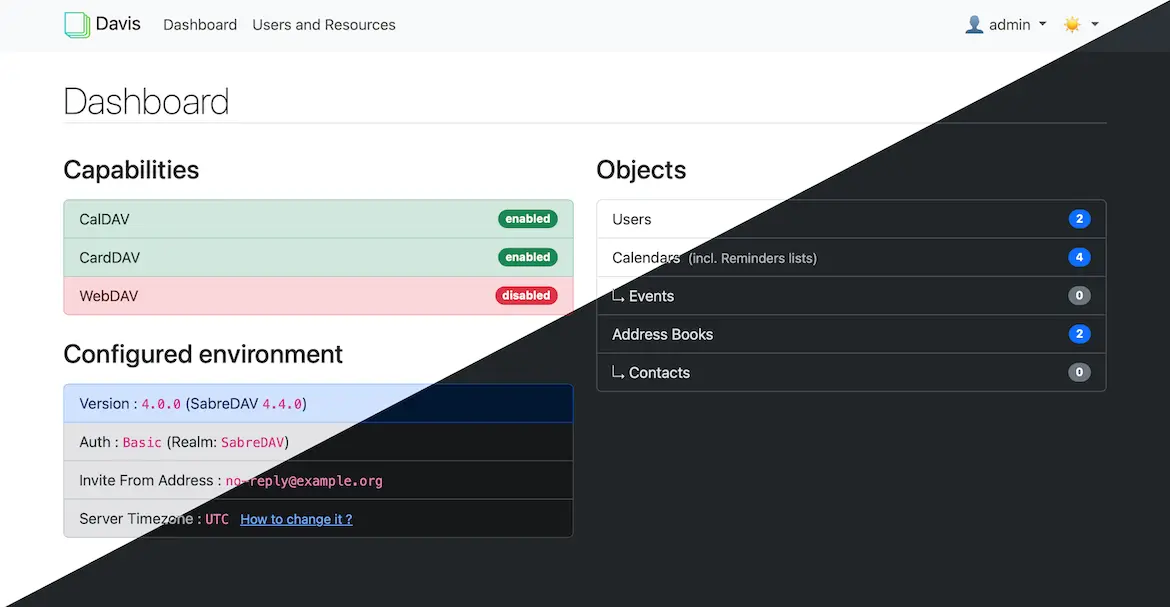
Davis is a free, open-source, self-hosted CalDAV and CardDAV server: it keeps your team's or family's calendars and contacts on your own server and syncs them to everyone's phones and computers, in place of Google Calendar, iCloud or Fastmail. An admin creates accounts, calendars and address books in a simple web dashboard, and people keep using the calendar and contacts apps they already know.
A small accounting office, for example, could give each of its five staff an account, share a team calendar that everyone can add appointments to, keep the client address book on every phone, and publish a public calendar of office closures for clients.
Davis works with the built-in Calendar and Contacts apps on iPhone, iPad and Mac, with Thunderbird, and with Android phones through the DAVx5 sync app. It has no calendar in the browser: the dashboard is for managing accounts, not for viewing events. Davis is built on the same engine as Baïkal and can take over an existing Baïkal database.
Cloudgate installs Davis on a server Cloudgate provides or one you connect, together with its database, and gives it a secure web address. Sign in to the dashboard with the admin login from setup and create the first accounts.
What you can do with Davis
- Sync calendars and contacts Calendars, reminder lists and address books stay in step on every phone and computer each person uses.
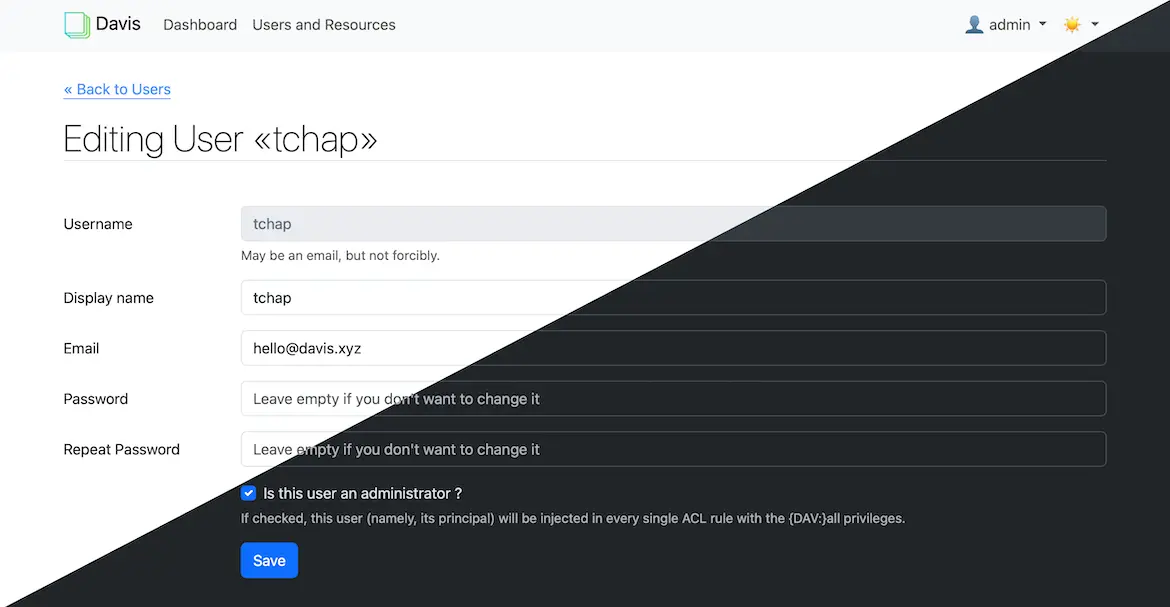
- Manage everyone from one dashboard Create user accounts, calendars and address books in a simple web dashboard, in light or dark mode.
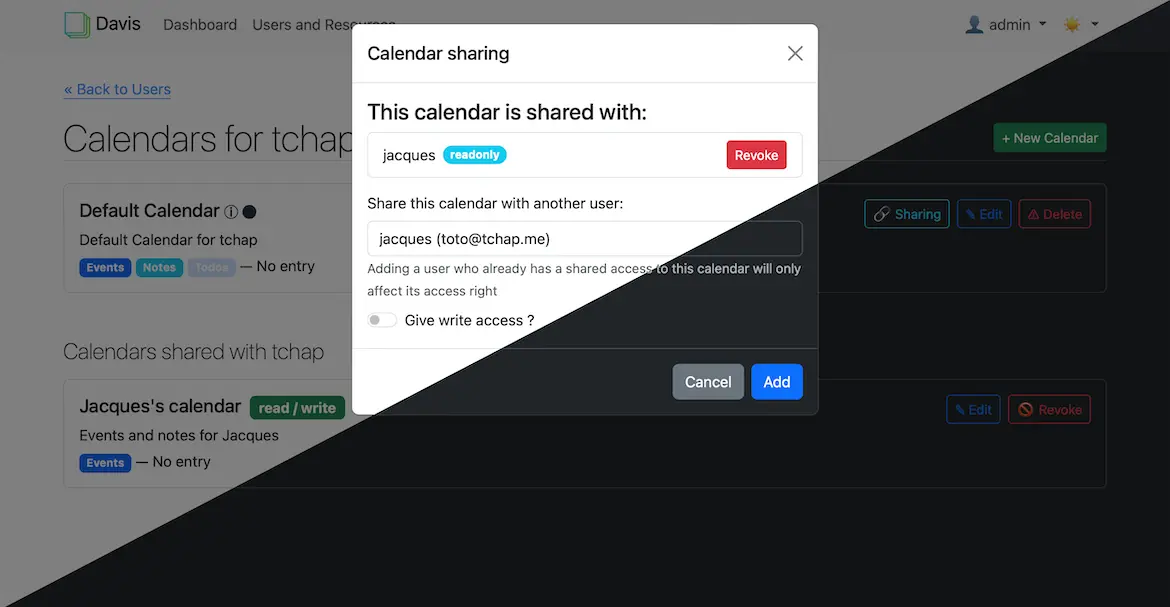
- Share calendars with colleagues Share a calendar with another user so they can see it, or let them add and change events too.
- Publish a public calendar Make a calendar viewable by anyone with its link, such as your opening hours or upcoming events.
- Never miss a birthday A birthday calendar fills itself from your contacts' birthdates and reminds you on the day.
- Send meeting invitations When you add an email server, people you invite to an event get an email invitation.
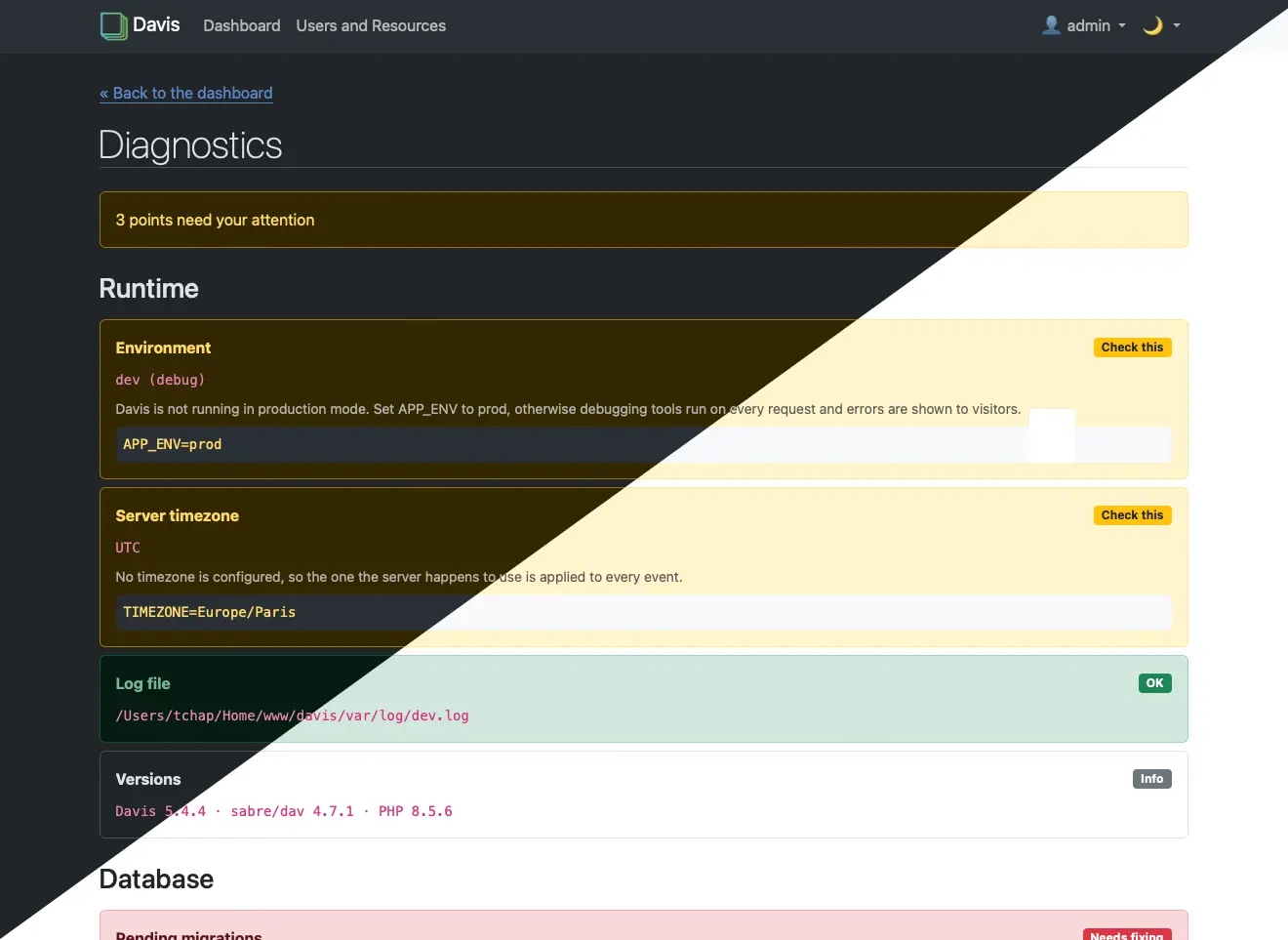
- Check the setup in one place A diagnostics page checks the server's settings and says what to fix and how.
Replaces Google Calendar and iCloud Calendar
Davis does the same job as Google Calendar and iCloud Calendar. Here is what changes when you switch.
- Your calendars and contacts stay on your own server, not with Google or Apple
- Free and open source, with no paid plan and no fee per person
- Works with the calendar and contacts apps people already use
- Share calendars between colleagues or family without everyone using the same company
- No calendar in the browser; people see and edit events in their phone or computer apps
- Android phones need a sync app such as DAVx5
- No built-in import; you bring calendars and contacts across through your apps
- No video call links or booking pages
What happens when you click Deploy?
You do not need a server or any technical knowledge. Four steps, and Davis is running at its own web address.
- Step 1 Click Deploy and create your account
Deploy takes you to Cloudgate. Create an account, or log in if you have one. Davis itself is free.
- Step 2 Choose a server
No server? Get one from Cloudgate: pick a size and a country, and Cloudgate gets it ready. Already have one? Connect it instead.
- Step 3 Cloudgate sets up Davis
It prepares the server, makes the passwords the app needs and starts it. There is nothing to install and nothing to write down.
- Step 4 Open your app and sign in
Your app gets a free web address to start, without https. Add your own domain, like app.yourshop.com, and Cloudgate secures it with https for you.
New to Cloudgate? See what Cloudgate is
Run Cloudgate yourself? Deploy from your own console
In your Cloudgate console, open Templates and choose Davis.
Questions
Is Davis free?
Yes, Davis is free and open source under the MIT licence, with no paid edition. You pay only for the server it runs on, whatever the number of people, calendars or contacts.
Is Davis a good alternative to Google Calendar?
Yes, if what you need is calendars and contacts that sync to everyone's phone and stay on your own server. Davis has no calendar in the browser, no video call links and no booking pages, so people use the calendar apps on their phones and computers instead.
Which apps work with Davis?
Any calendar or contacts app that supports CalDAV and CardDAV works with Davis. That includes the built-in Calendar and Contacts apps on iPhone, iPad and Mac, Thunderbird on Windows, Mac and Linux, and DAVx5, a sync app for Android phones.
How do I sign in to Davis the first time?
You choose the admin username when you install Davis, and Cloudgate creates a strong password, shown on the app's variables page. Open the dashboard with them, create an account for each person, then each person adds their account in their calendar and contacts apps.
Can I move my Google or iCloud calendars and contacts to Davis?
Yes, but not in one click, because Davis has no importer. Export your calendars and contacts from Google or iCloud as files, connect your calendar and contacts apps to Davis, and import the files there.
Does Davis send meeting invitations by email?
Yes, once you add your email server's details when you install it. Without an email server Davis sends no email, and each person needs their email address filled in on their account for invitations to go out.
Do I need technical skills to run Davis?
No. Click Deploy, create your Cloudgate account and choose a server, and Cloudgate sets up Davis and gives it a web address. You use it in your browser like any other online tool.
Do I need my own server for Davis?
No. When you deploy Davis, hosted Cloudgate can provide a server. If you already rent one, you can connect it instead.
Related apps
Calendar and contacts sync, managed from one admin page.

Calendars, tasks and contacts, synced to every phone.

A self-hosted Markdown knowledge base for maths, diagrams and teams.

A simple self-hosted wiki in Markdown, with every change kept.