



Q

Open-source alternatives to Quicken

Sure is a free, open-source Quicken alternative for tracking every bank account, card, loan and investment in one place, with net worth, budgets, rules and reports, and it imports QIF files. Quicken is sold as a yearly subscription; self-hosted Sure has no subscription and keeps your financial records on your own server, though bank sync needs a provider you set up.

5 alternatives Free apps Our pick: Sure

At a glance

App Good for Code Import from Quicken Ease of use
Sure People and families who want one private view of every account, their net worth, spending and budgets Code Open source Import from Quicken Partly Some setup
ezBookkeeping Households and freelancers logging everyday spending in one or more currencies, from phone or desktop Code Open source Import from Quicken Partly Easy
Paisa People who want a private, long-term record of their spending and investments Code Open source Import from Quicken No Some setup
Firefly III People who want to track every account, expense and bill in detail, with rules and reports Code Open source Import from Quicken Partly Easy
WYGIWYH People with money in several currencies who want a clear monthly picture without budgeting Code Open source Import from Quicken Partly Easy

Why look for an alternative to Quicken?

Quicken is personal finance software for tracking bank accounts, cards, investments and bills, with budgets and reports. It comes as Quicken Classic for desktop and Quicken Simplifi on the web and phones.

People look for an alternative because Quicken is a subscription that renews every year. When we checked its comparison page in November 2026, Quicken Simplifi was billed annually and no free plan was offered. Others want their financial records on their own server rather than a company's. Sure tracks every account and investment with no subscription, Firefly III suits people who want double-entry detail, and Paisa keeps everything in a plain-text journal with strong investment tracking; with all three, you bring transactions in yourself or set up bank sync separately. ezBookkeeping is a simpler household expense tracker that imports Quicken's QIF, QFX and OFX files, with no bank sync.

The alternatives, compared

Sure

Our pick

Personal finance: net worth, spending and budgets.

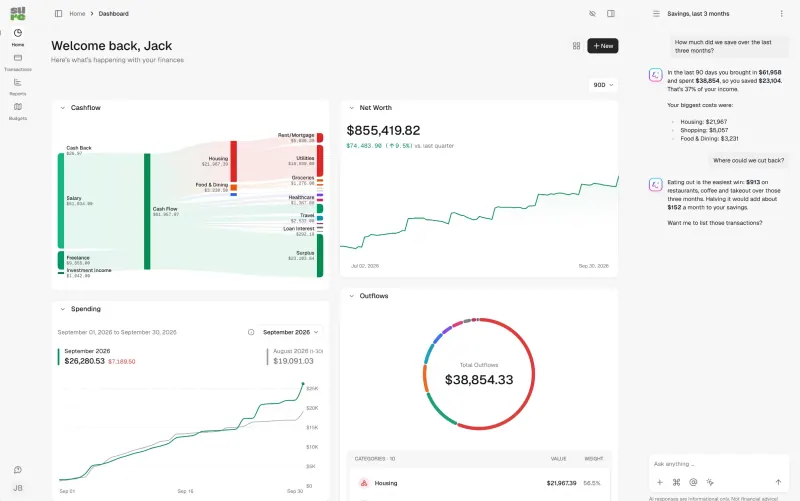
Tracks bank accounts, cards, loans, investments with holdings and cost basis, crypto and property in one place, with net worth, budgets, rules, recurring transactions and reports in your browser, and imports QIF files. Quicken connects to banks out of the box and Quicken Classic has more desktop-style tools; Sure's bank sync needs a provider you set up, and its phone app only shows balances.
Some setup Open source

A private expense tracker for your household, on phone and desktop.

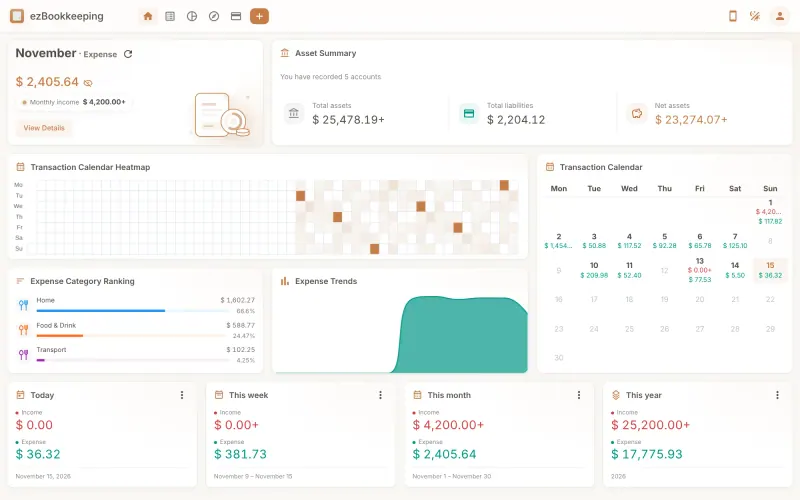
A lighter record of everyday money: expenses, income and transfers across accounts and currencies, with charts of where it goes and your net worth over time, and a phone layout you add to your home screen. It imports Quicken's QIF, QFX and OFX files. It has no budgets, no bank sync and no bill pay, so it replaces Quicken's tracking, not its planning.

What you gain
  • No subscription and no paid edition; you pay only for your server
  • Your spending records stay on your own server
  • Each family member can have their own account on one server
What is different
  • It has no budgets; Actual Budget or Firefly III suit you better if you plan spending ahead
  • There is no bank sync, so you enter transactions by hand or import bank files
  • There is no app-store app; you use the phone web app added to your home screen
Easy Open source

Personal finance manager for spending and investments.

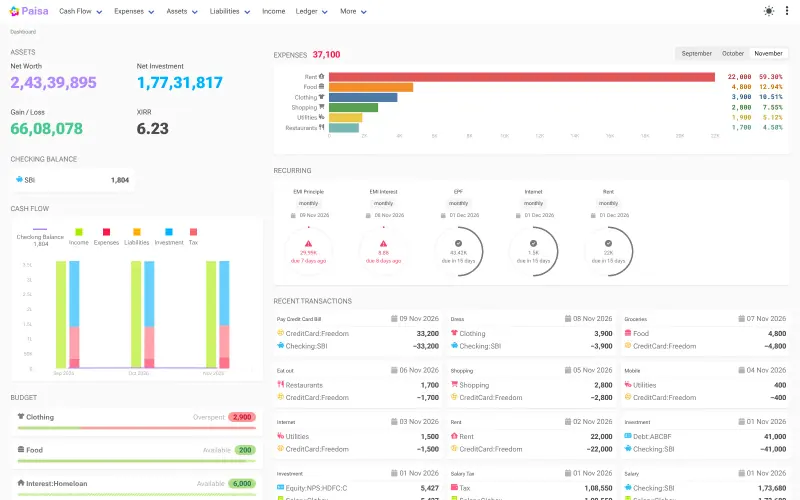
Tracks every account and investment over the years in a plain-text journal you own, with a dashboard for net worth, spending, budgets, recurring bills, credit cards, goals and retirement, and investments revalued with the latest prices. It imports bank statements from CSV, Excel or PDF files, but not Quicken's files, has no bank sync and no phone app, and its double-entry journal takes some learning; its defaults and tax reports lean towards India.

What you gain
  • No subscription, and your financial records stay on your own server
  • Investments, budgets, bills and goals in one place
  • Your data is a plain-text file you can read and move anytime
What is different
  • No automatic bank sync; you import statements or type entries
  • It uses double-entry accounting, which takes some learning
  • No phone app, though it works in a phone's browser
Some setup Open source

Track every account, budget and bill in one private money manager.

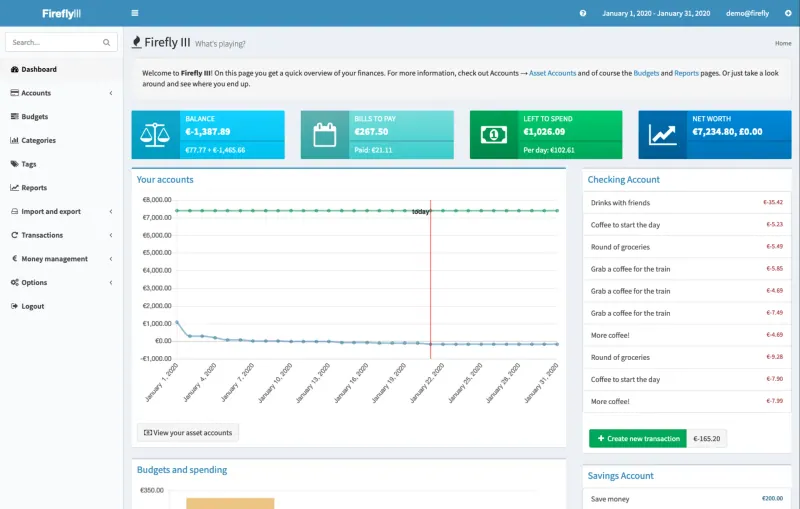
Does Quicken's core job: every bank account, credit card, savings account and loan in one place, with categories, budgets, bills, recurring transactions, rules and detailed reports, built on double-entry bookkeeping. It has no built-in bank sync and no official phone app; transactions come in by hand, through the API, or through its separate Data Importer, which this template does not include.

Easy Open source

A self-hosted, multi-currency money tracker that skips budgeting.

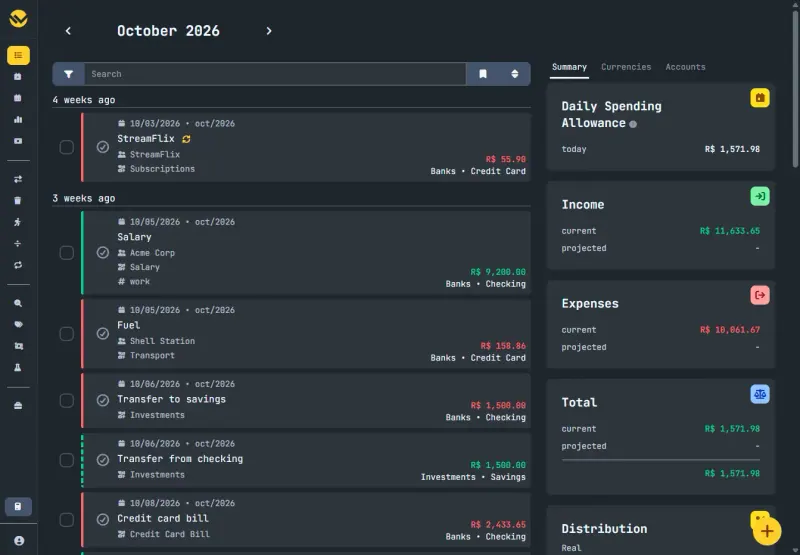
Tracks accounts, cards and investments in many currencies in your browser, with monthly and yearly overviews, net worth, recurring transactions and instalments, and it imports QIF files, a format Quicken exports. It has no budgets, no phone app, and bank sync only through a third-party service you sign up for.

Easy Open source

Moving from Quicken

None of these apps has a Quicken importer that brings everything across. Sure imports QIF files, a format Quicken can export, and CSV files: export each account from Quicken, create the matching account in Sure, import the file, then check categories and set up your rules and budgets. Investment holdings and trades come in through Sure's separate CSV trade import. For transactions that arrive on their own, connect a bank sync provider in Sure's settings. Firefly III takes a CSV export through its separate Data Importer app, which maps the date, payee, amount and category columns; it is not part of this template, so you add it later. Create your accounts in Firefly III first, with their opening balances, and set up categories, budgets, bills and rules again. Paisa reads no Quicken file either: set your currency on its Configuration page, enter opening balances in its journal, then bring in bank and card statements as CSV, Excel or PDF files through its import templates. ezBookkeeping imports the QIF, QFX or OFX files Quicken exports, account by account, with column mapping and rules at import; it has no budgets, so those do not move. WYGIWYH imports QIF files with a ready-made preset: export each account from Quicken as QIF, create the account in WYGIWYH and import it; its import is still in beta, so check the result.

Questions

What is the best open-source alternative to Quicken?

Start with Sure. If you want something simpler, try ezBookkeeping. All 5 are free and open source.

Should I choose Sure, Firefly III, Paisa, ezBookkeeping or WYGIWYH?

Choose Sure for one view of every account and investment, with your net worth over time and QIF import. Choose Firefly III if you want detailed double-entry records of every account, bill and budget. Choose Paisa if you want your records in a plain-text file you own, with strong investment tracking, and are happy to learn its journal format. Choose ezBookkeeping for a simple money diary you fill in from your phone, if you need no budgets or bank sync. Choose WYGIWYH if you keep money in several currencies and want monthly totals and net worth without budgets.

Do these apps connect to my bank like Quicken?

Not on their own. Sure connects through a provider you set up, such as Plaid or SimpleFIN, some of which charge; Firefly III needs its separate Data Importer and a provider such as SimpleFIN or Enable Banking. WYGIWYH syncs through Lunch Flow, SimpleFIN or Pluggy if you sign up with one. Paisa and ezBookkeeping have no bank sync at all. Without a provider, you import files or add transactions by hand.

Can Sure track my investments?

Yes. Sure tracks holdings and trades with their cost basis, alongside crypto, property and vehicles, and counts them in your net worth.

Can these apps handle business accounts?

They are built for personal finances. For business bookkeeping, invoices and tax, choose an accounting app instead.

Are these Quicken alternatives really free?

Yes, Sure, ezBookkeeping, Paisa, Firefly III and WYGIWYH are free. To run them you need Cloudgate and a server. Use hosted Cloudgate, which can also provide the server, or install Cloudgate on a server of your own for free. Cloudgate's plans and prices are at cloudgate.octabyte.io/pricing. One server can run several apps.

Do I need a developer to replace Quicken?

No. Cloudgate installs the app you choose on your server and gives it a secure web address, and you use it in your browser instead of Quicken.