

E

Open-source alternatives to Empower

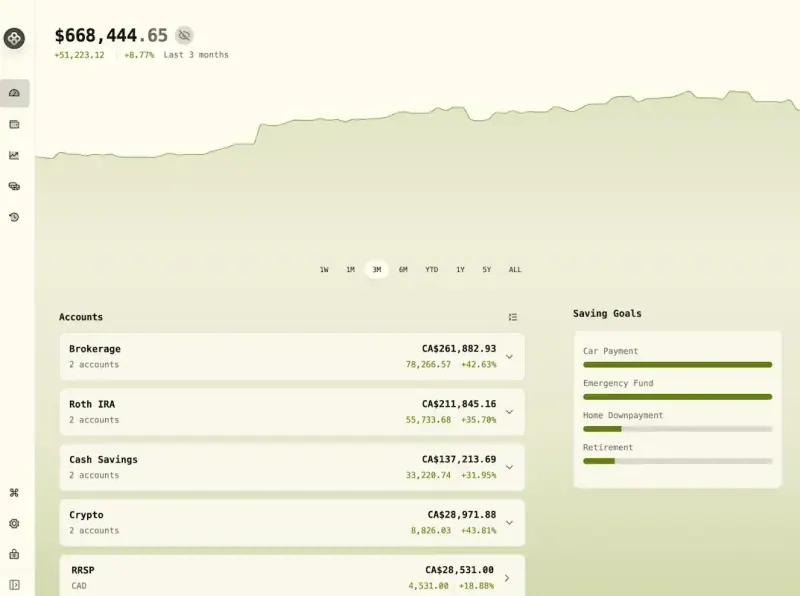
Wealthfolio is a free, open-source Empower Personal Dashboard alternative that tracks your investments, your net worth with property and loans, your spending and budgets, and your retirement goals in one private view. Empower’s free dashboard works by linking your bank and broker logins and sits alongside its paid advisory services; self-hosted Wealthfolio needs no account links and keeps your data on your own server, though you enter or import transactions yourself and it is built for one person.

3 alternatives Free apps Our pick: Wealthfolio

At a glance

App Good for Code Import from Empower Ease of use
Wealthfolio Individual investors and households who want investments, net worth and spending in one private tracker Code Open source Import from Empower Partly Easy
Ghostfolio Buy-and-hold investors with several brokers who want one private view of their portfolio Code Open source Import from Empower No Easy
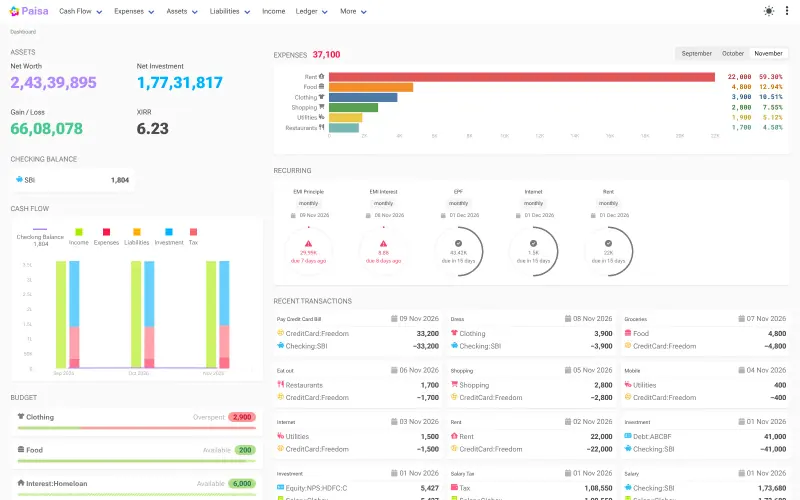
Paisa People who want a private, long-term record of their spending and investments Code Open source Import from Empower No Some setup

Why look for an alternative to Empower?

Empower Personal Dashboard, formerly Personal Capital, is a free online dashboard from Empower, a US retirement and wealth company. You link your bank, credit card and investment accounts, and it shows your net worth, budgeting and cash flow, a retirement planner and portfolio analysis.

People look for an alternative because the dashboard works best once you hand over the logins to all your accounts, and because it sits alongside Empower's paid advisory services. A self-hosted Wealthfolio covers the same ground, from investments and net worth to spending, budgets and retirement goals, without linking any accounts, and keeps everything on your own server. Investors who mainly want to follow their portfolio, or need it for several people, can use Ghostfolio. Paisa adds spending and budgets to investment tracking in a plain-text journal you own.

The alternatives, compared

Wealthfolio

Our pick

A self-hosted tracker for investments, net worth and spending.

The closest to Empower's dashboard: investments across many accounts with performance and dividends, net worth with property, vehicles, loans and mortgages, spending with categories and budgets, and goals and a retirement planner, in one private view. It never asks for your bank or broker logins, so you enter transactions or import CSV files yourself; broker sync is a paid add-on that the self-hosted edition doesn't set up. It is one person's tracker with a single password.
Easy Open source

A self-hosted portfolio tracker for stocks, ETFs and crypto.

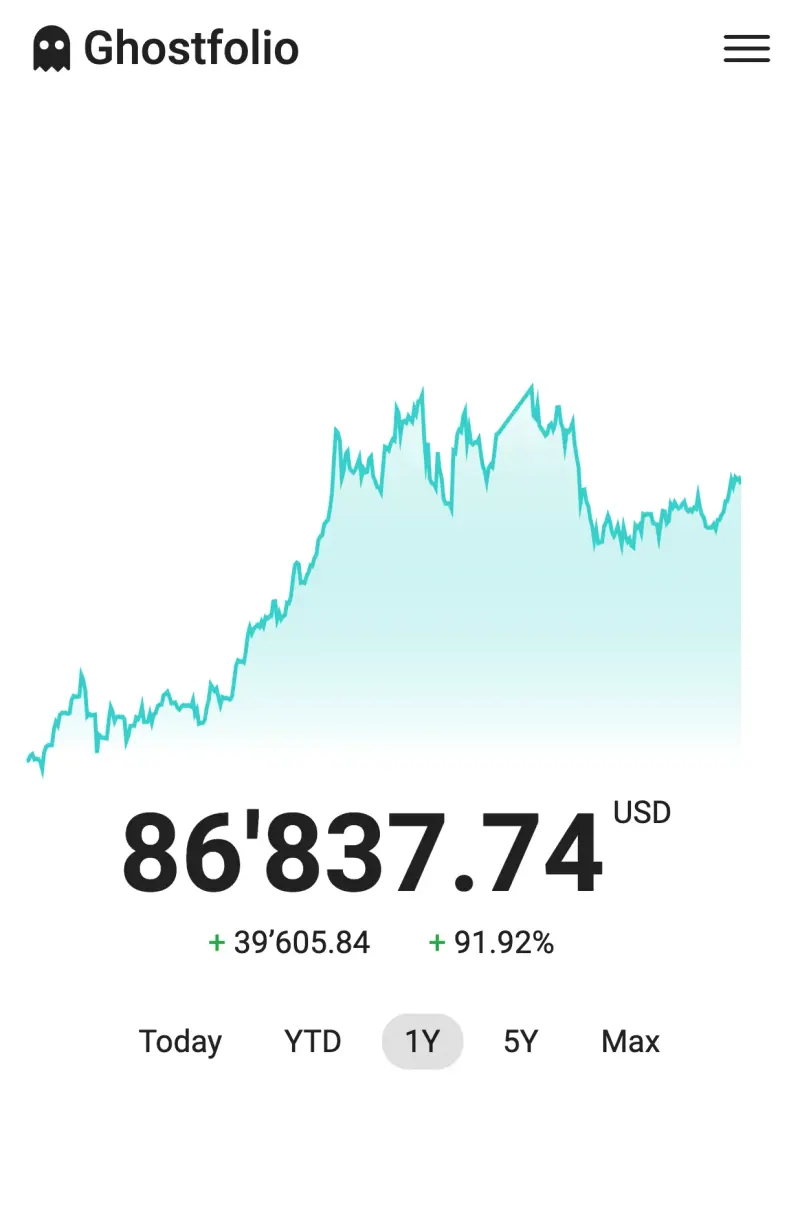
Covers the investment side of Empower's dashboard: every brokerage and crypto account in one view, with net worth, performance, dividends, allocations, benchmarks and a FIRE calculator, and accounts for several people. It never asks for your bank or broker logins, so you import or enter trades yourself, and it has no budgeting, cash-flow tracking or advisory service.

Easy Open source

Personal finance manager for spending and investments.

Shows net worth, investments revalued with the latest prices, gains, returns and allocation targets, like Empower's dashboard, and adds what Ghostfolio leaves out: spending by category, budgets, recurring bills and goals. It links to no accounts, so you import bank statements or type entries into its plain-text journal, and its price feeds and tax reports lean towards India.

Some setup Open source

Moving from Empower

None of these apps links to accounts, so you rebuild your finances from your banks and brokers rather than from Empower. In Wealthfolio, sign in with the password shown in the Cloudgate console and create an account for each brokerage, bank and credit card. Download each one's transactions as CSV and import them, matching the columns once; Wealthfolio remembers the mapping for next time. Then add property, vehicles, loans and mortgages to see your full net worth, set up spending categories and budgets, and add your goals.

In Ghostfolio, create an account for each broker, download each broker's trade history and import it in Ghostfolio's CSV format, or enter your current holdings as single buys if older history doesn't matter. Add cash balances to each account, and valuables or other assets as wealth items. For budgets and spending, run a budgeting app alongside it.

Paisa also links to no accounts: set your currency, enter each account's opening balance and your holdings in its journal, add price sources for your investments, then import bank statements from CSV, Excel or PDF files to track spending and budgets in the same place.

Questions

What is the best open-source alternative to Empower?

Start with Wealthfolio. All 3 are free and open source.

Do Wealthfolio and Ghostfolio link to my bank and brokerage accounts?

No. Neither asks for your account logins. You import CSV files or enter transactions yourself. Wealthfolio's automatic broker sync is part of its paid Connect subscription, which the self-hosted web edition does not set up.

Can Wealthfolio track my spending and budget like Empower?

Yes. Wealthfolio sorts transactions into categories with rules and tracks budgets, next to your investments and net worth. Ghostfolio tracks investments and net worth only, so pair it with a budgeting app such as Actual Budget or Firefly III.

Is Empower Personal Dashboard the same as Personal Capital?

Yes. Personal Capital's free tools moved to Empower, and the dashboard is now called Empower Personal Dashboard.

Should I choose Wealthfolio, Ghostfolio or Paisa?

Choose Wealthfolio if one person wants investments, net worth, spending and budgets in one private tracker. Choose Ghostfolio if several people each need their own portfolio, or you only follow investments. Choose Paisa if you want everything in a plain-text journal you own and are happy to learn its double-entry format.

Are these Empower alternatives really free?

Yes, Wealthfolio, Ghostfolio and Paisa are free. To run them you need Cloudgate and a server. Use hosted Cloudgate, which can also provide the server, or install Cloudgate on a server of your own for free. Cloudgate's plans and prices are at cloudgate.octabyte.io/pricing. One server can run several apps.

Do I need a developer to replace Empower?

No. Cloudgate installs the app you choose on your server and gives it a secure web address, and you use it in your browser instead of Empower.