
WYGIWYH
A self-hosted, multi-currency money tracker that skips budgeting.
No server needed to start: Cloudgate can provide one. What happens when you click Deploy




What is WYGIWYH?
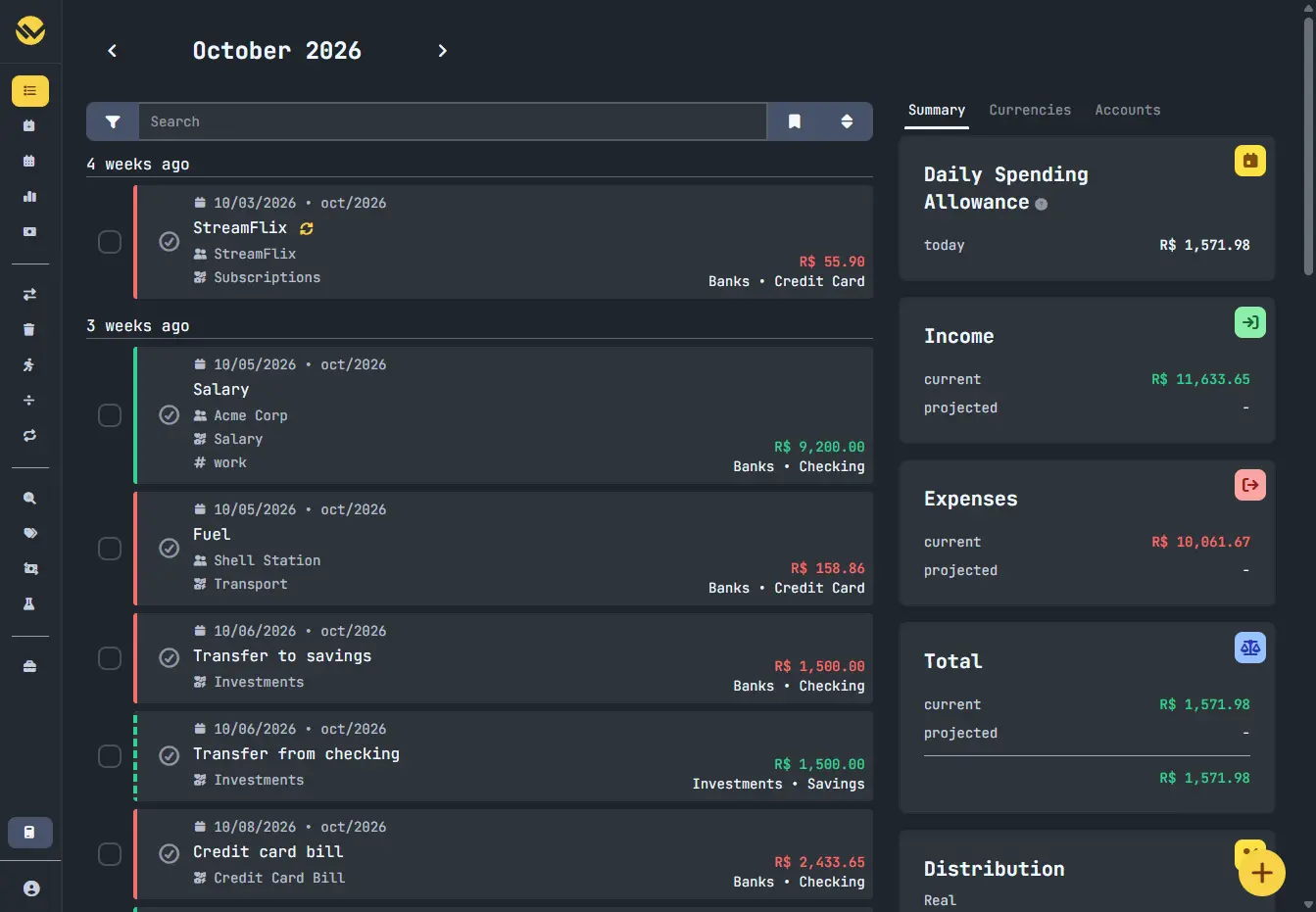
WYGIWYH is a self-hosted, multi-currency finance tracker: log income, expenses and accounts, see monthly totals and net worth, with no budgeting.
WYGIWYH is a free, open-source, self-hosted finance tracker for people who want to see where their money goes without keeping a budget, as an alternative to Monarch, YNAB or Quicken. Its name means "What You Get Is What You Have": you live on this month's income, and savings stay untouched.
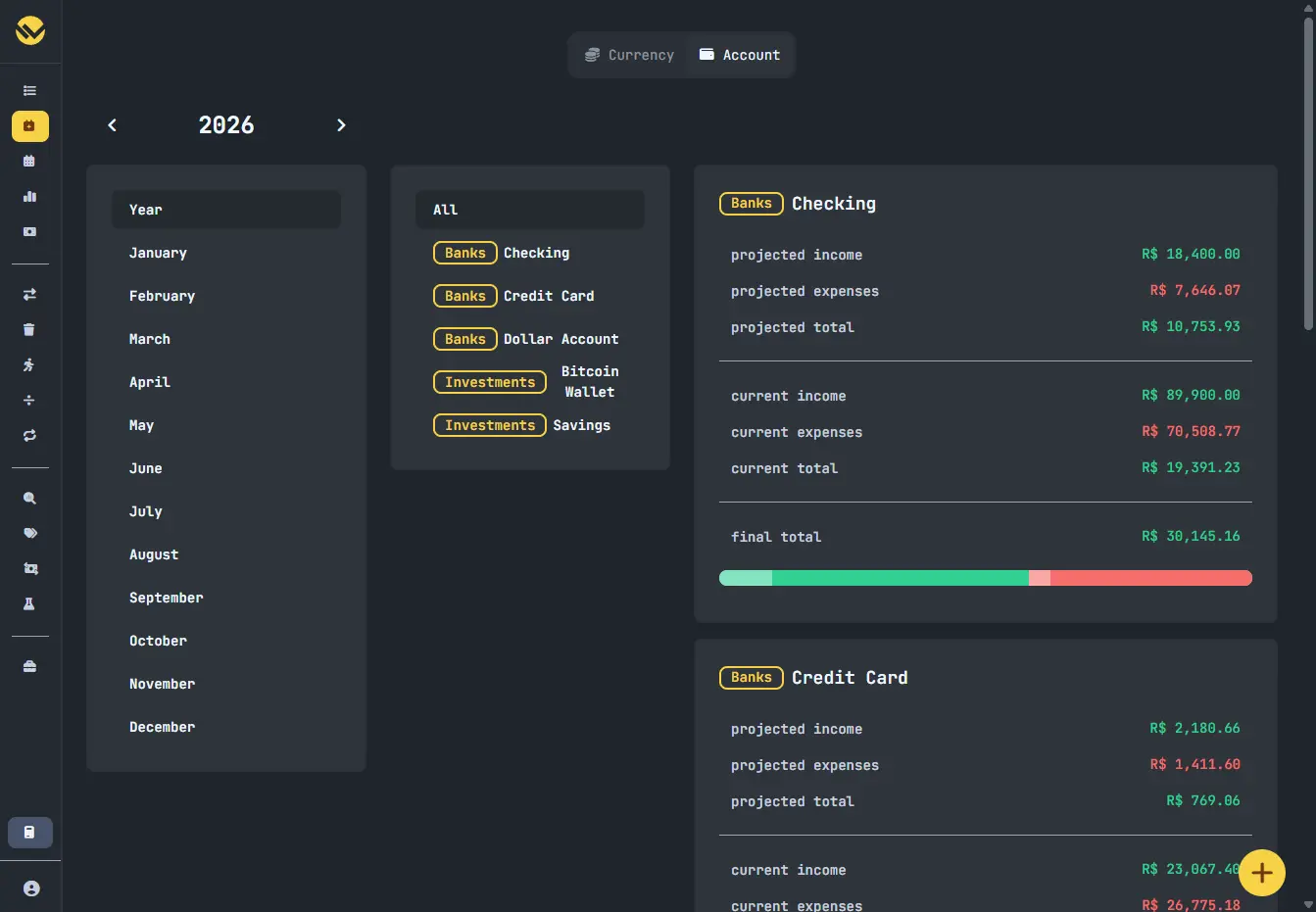
You record income and expenses across your bank accounts, cards, wallets and investments, in as many currencies as you need. WYGIWYH shows each month's income, expenses and what is left, recurring payments and instalments before they happen, and your net worth over time. Rules fill in details for you, and a credit card purchase can count in the month you pay the bill. A freelance designer paid in US dollars and living on euros, for example, could see both accounts side by side and know each month how much is left in euros.
It does not do budgets or double-entry accounting. Transactions come in by hand, from CSV or Quicken files, or through a bank-data service you sign up for. There is no phone app, but it works in a phone's browser.
Cloudgate installs WYGIWYH on a server Cloudgate provides or one you connect, with its database, and gives it a secure web address. You sign in with the admin email you chose.
What you can do with WYGIWYH
- See each month at a glance Income, expenses, what is left and a daily spending allowance for the month, next to every transaction.
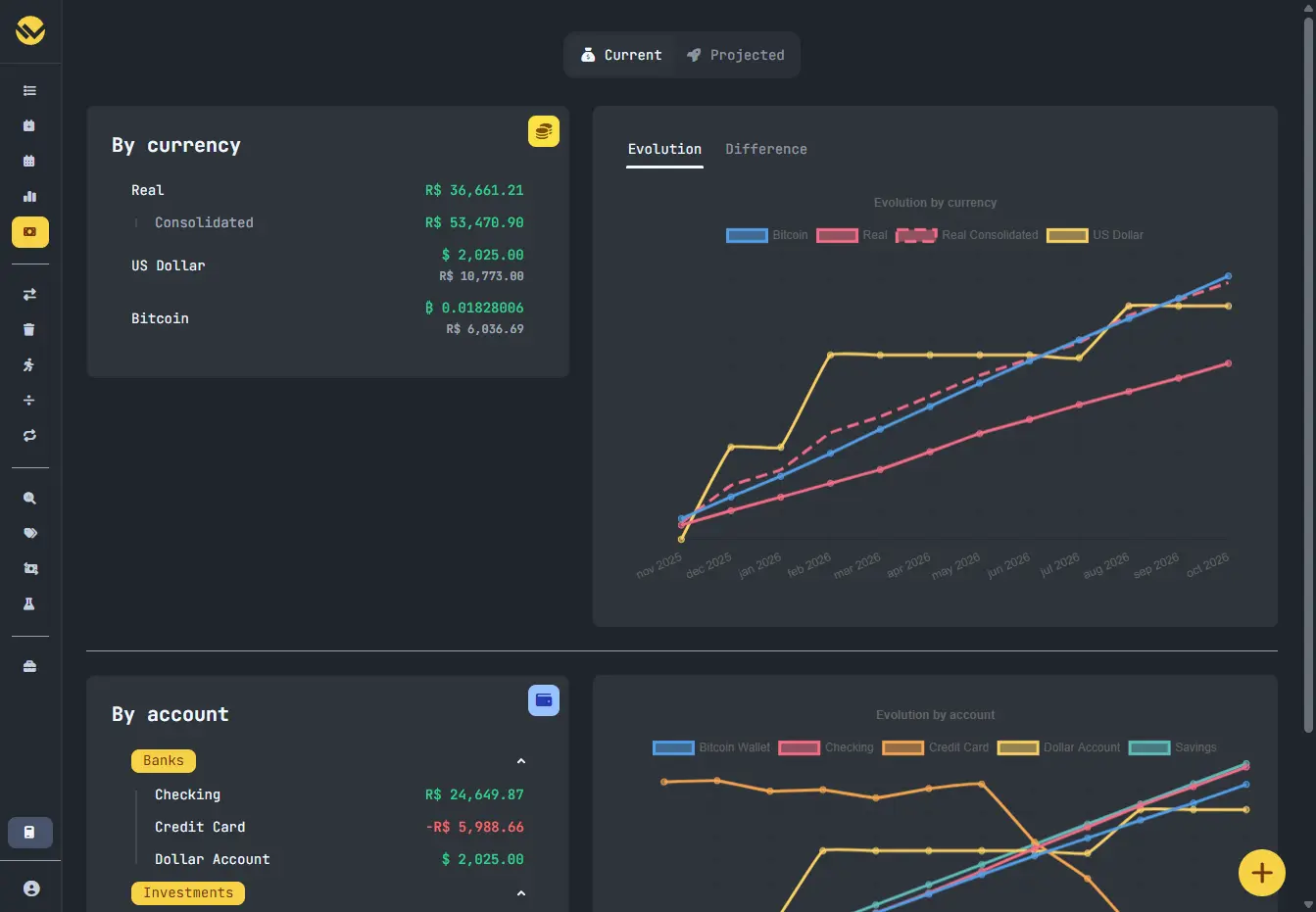
- Track every account and currency Banks, cards, wallets and investments in any currency, including your own, such as crypto or reward points, with exchange rates fetched for you.
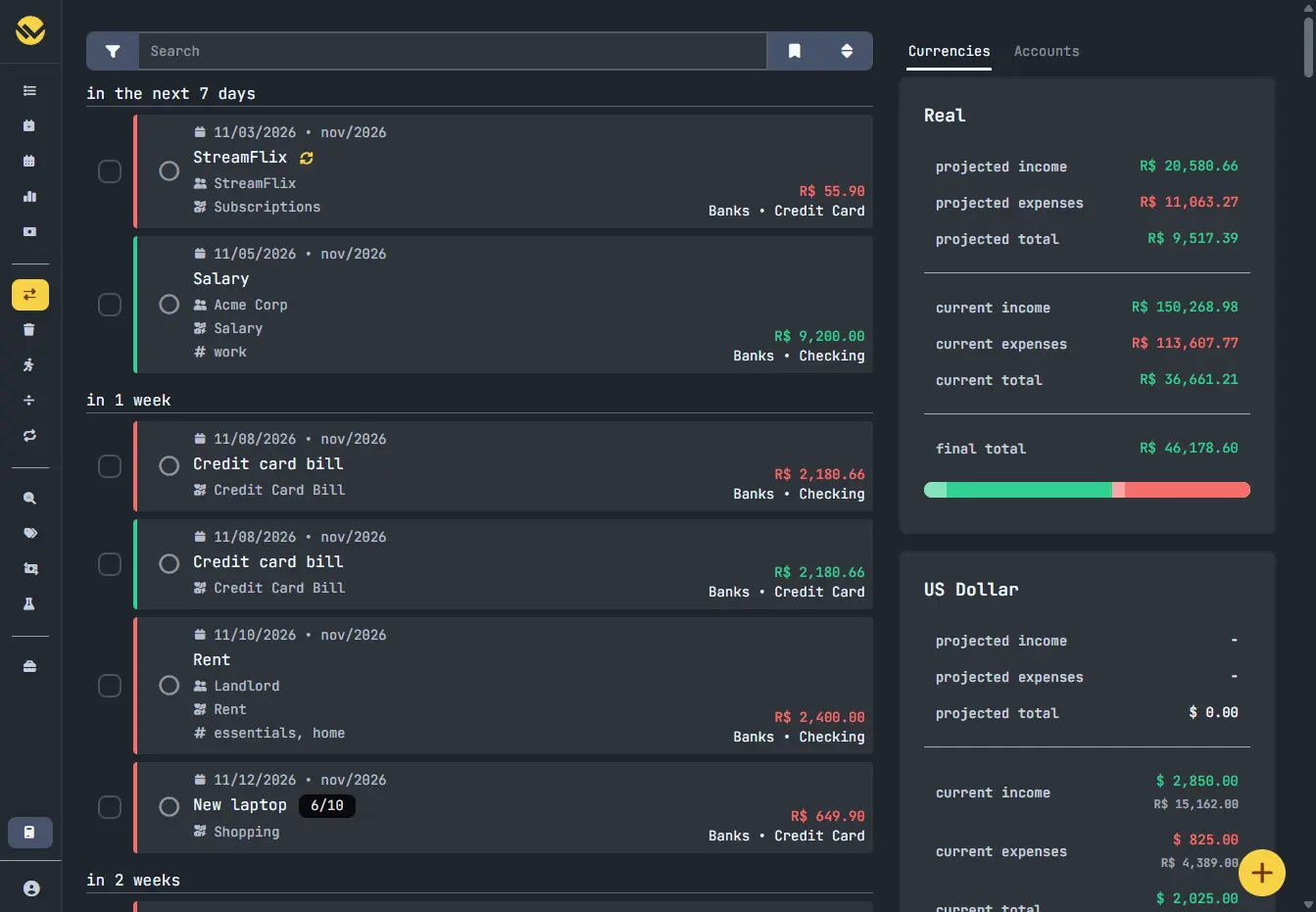
- Plan what is coming Recurring payments and instalment plans show up ahead of time, so you see this month's projected total as well as today's.
- Count a purchase in the right month Give a credit card purchase the month of its bill, so it counts when you actually pay it.
- Let rules tidy up Rules fill in categories, tags or other details as transactions arrive, and can create matching entries for you.
- Follow your net worth and investments Net worth by currency and by account over time, investment holdings and returns, and a tracker for regular investments.
- Bring in your history Import transactions from CSV or Quicken (QIF) files, or connect a bank-data service to add them automatically.
Replaces Monarch, YNAB and Quicken
WYGIWYH does the same job as Monarch, YNAB and Quicken. Here is what changes when you switch.
- No subscription and no paid edition; you pay only for your server
- Your financial records stay on your own server
- Several currencies are built in, with totals converted into your main one
- Purchases can count in the month you pay the card bill
- It does not do budgets; Actual Budget is the closer match to YNAB's method
- Bank connections need an account with a separate service (Lunch Flow, SimpleFIN or Pluggy); otherwise you enter or import transactions yourself
- There is no phone app; it works in your phone's browser
- Setting up a CSV import means writing a short settings file, and the import feature is still in beta
What happens when you click Deploy?
You do not need a server or any technical knowledge. Four steps, and WYGIWYH is running at its own web address.
- Step 1 Click Deploy and create your account
Deploy takes you to Cloudgate. Create an account, or log in if you have one. WYGIWYH itself is free.
- Step 2 Choose a server
No server? Get one from Cloudgate: pick a size and a country, and Cloudgate gets it ready. Already have one? Connect it instead.
- Step 3 Cloudgate sets up WYGIWYH
It prepares the server, makes the passwords the app needs and starts it. There is nothing to install and nothing to write down.
- Step 4 Open your app and sign in
Your app gets a free web address to start, without https. Add your own domain, like app.yourshop.com, and Cloudgate secures it with https for you.
New to Cloudgate? See what Cloudgate is
Run Cloudgate yourself? Deploy from your own console
In your Cloudgate console, open Templates and choose WYGIWYH.
Questions
Is WYGIWYH free?
Yes. WYGIWYH is free, open-source software under the AGPL-3.0 licence, with no paid edition and no locked features. You pay only for your server.
Is WYGIWYH a good alternative to YNAB or Monarch?
It is if you want to track your money without budgeting. WYGIWYH records every account, currency and transaction and shows monthly totals and net worth, but it has no budgets or envelopes; if you want YNAB's way of budgeting, Actual Budget is the closer match.
How do I sign in to WYGIWYH the first time?
WYGIWYH has no default login. Cloudgate asks for your admin email during setup and creates a strong password for it, shown on the app's variables page; sign in with those two.
Can WYGIWYH connect to my bank?
Yes, through a separate bank-data service you sign up for. WYGIWYH's Bank Sync works with Lunch Flow, SimpleFIN Bridge (mostly US banks) and Pluggy (Brazilian banks), and can match synced transactions to ones you entered by hand.
Can WYGIWYH import my transactions from Monarch, YNAB or Quicken?
Partly. WYGIWYH imports CSV files through an import profile you set up for each file layout, and reads Quicken QIF files with a ready-made preset. There is no one-click importer for Monarch or YNAB, and budgets do not carry over.
Does WYGIWYH work with more than one currency?
Yes. In WYGIWYH every account can have its own currency, you can add your own (such as a cryptocurrency), and exchange rates can be fetched automatically so totals are shown in your main currency.
Is there a WYGIWYH phone app?
No, there is no official phone app. WYGIWYH runs in any web browser, and its pages adapt to a phone screen.
Do I need technical skills to run WYGIWYH?
No. Click Deploy, create your Cloudgate account and choose a server, and Cloudgate sets up WYGIWYH and gives it a web address. You use it in your browser like any other online tool.
Do I need my own server for WYGIWYH?
No. When you deploy WYGIWYH, hosted Cloudgate can provide a server. If you already rent one, you can connect it instead.
Related apps

Track every account, budget and bill in one private money manager.

Personal finance: net worth, spending and budgets.
A free envelope budget app, like YNAB, on your own server.

Personal finance manager for spending and investments.