
N

Open-source alternatives to NetSuite

ERPNext is the open-source NetSuite alternative we recommend: one system for accounting, selling, buying, stock, manufacturing and projects, with no paid edition. NetSuite is sold on quotes with yearly contracts; self-hosted ERPNext and Odoo Community have no licence fee, though you run and upgrade them yourself.

4 alternatives Free apps Our pick: ERPNext

At a glance

App Good for Code Import from NetSuite Ease of use
ERPNext Small and mid-sized companies that trade, distribute or make goods and want books, stock and orders in one system Code Open source Import from NetSuite Partly Some setup
AureusERP Small and mid-sized businesses that want sales, stock, purchasing, accounting and HR in one system without a fee per user Code Open source Import from NetSuite No Some setup
Odoo Small and mid-sized businesses that want CRM, sales, stock, purchasing and invoicing in one system Code Open source Import from NetSuite Partly Some setup
Tryton Small and mid-sized companies that want strict accounting tied to their sales, purchases and stock Code Open source Import from NetSuite Partly Some setup

Why look for an alternative to NetSuite?

NetSuite, from Oracle, is a cloud ERP for growing and mid-sized companies: financials, order management, inventory, purchasing, manufacturing, CRM and reporting in one system, sold with a large network of partners and integrations.

Companies look for an alternative because NetSuite is sold on quotes with yearly contracts, with modules and users adding to the price, and it runs only in Oracle's cloud. A self-hosted ERPNext does the same core job, from the books to stock and production, with no licence fee, and Odoo Community covers sales, stock and operations; in return, you run the server and the upgrades yourself. Tryton covers the same core with strict accounting, built from modules you switch on as you need them.

The alternatives, compared

ERPNext

Our pick

ERP for your books, stock, orders and production.

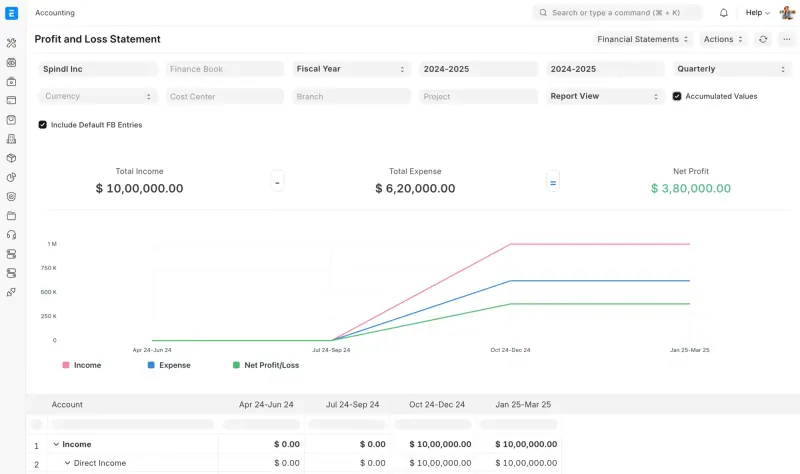
Covers NetSuite's core modules in one free system: a general ledger with bank reconciliation, budgets and financial statements, several companies and currencies, selling, buying, stock with batches and serial numbers, manufacturing, projects and assets, with no paid edition. NetSuite has far more partners and integrations and deeper reporting for complex needs; with ERPNext you run, back up and upgrade it yourself, and payroll is a separate app.

What you gain
  • No fee per user and no features held back for a paid edition
  • Finance, stock, orders and production in one system you control
  • Your business data stays on your own server
What is different
  • It takes real setup time, and many businesses work with an implementation partner
  • Fewer partners and ready-made integrations than NetSuite or SAP Business One
  • HR and payroll are a separate app, and there is no US payroll or tax filing
Some setup Open source

ERP for sales, stock, accounting and HR in one place.

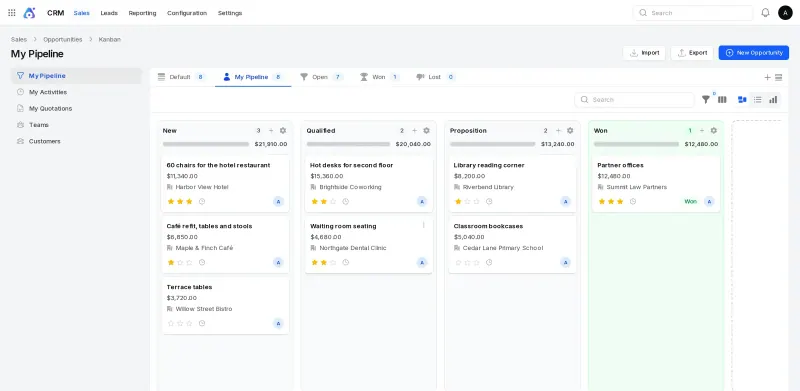
A young, MIT-licensed ERP where you switch on modules as you need them: sales and CRM, purchasing, inventory in several locations, manufacturing, point of sale, invoicing and accounting with a general ledger and financial reports, projects and HR, with no paid edition. It has a far smaller ecosystem than NetSuite and no phone apps, and it imports only CRM leads from CSV files.

What you gain
  • Sales, buying, stock, production, a till, invoices and HR in one system, with no fee per user or per module
  • MIT open-source licence and no paid edition, so no features are held back
  • Your company's records stay on your own server
What is different
  • AureusERP is young (its first stable release was in 2025), with far fewer modules, integrations and implementation partners than NetSuite, SAP Business One or Odoo
  • There is no phone app; it works in a phone's web browser
  • There is no importer for NetSuite, Zoho, Odoo or QuickBooks data
Some setup Open source

CRM, sales, stock and invoicing in one business app.

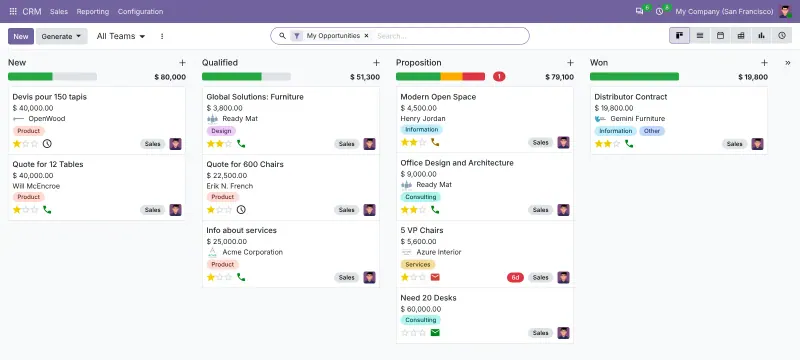
Odoo Community runs CRM, sales, purchasing, inventory, manufacturing, point of sale and a website shop in one system, free and open source. Its money side is Invoicing, not NetSuite's full financials: the general ledger reports, bank reconciliation, consolidation and budgets are in Odoo's paid Enterprise edition, as are the phone apps.

What you gain
  • CRM, sales, stock, purchasing, invoicing and a website in one system, so a quote becomes an order, a delivery and an invoice without re-typing
  • No licence fee for Odoo Community, however many users you add
  • Your business records stay on your own server
What is different
  • The money side is Invoicing, not full accounting; bank reconciliation, financial reports, payroll and Studio need the paid Odoo Enterprise
  • There is no official phone app for Community; it works in a phone's web browser
  • Odoo releases a new major version every year, and moving Community to it is up to you
Some setup Open source

An ERP for your books, invoices, orders and stock.

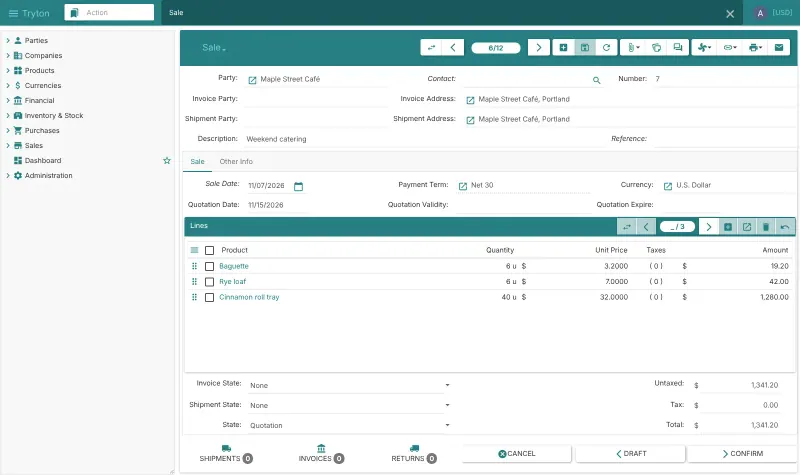
Covers NetSuite's core with no fee per user and no paid edition: double-entry accounting with fiscal years, taxes and reconciliation, invoicing, sales, purchasing, stock across warehouses, production and projects, built from modules you switch on as you need them. It is the most accounting-strict of the apps here, with a smaller community, fewer partners and fewer integrations than NetSuite, and no payroll.

What you gain
  • No fee per user and no paid edition; every module is free
  • Accounting, sales, purchasing and stock in one system, so an order flows to a delivery, an invoice and your books
  • Long-term support releases, so you don't have to upgrade every few months
What is different
  • Setup takes real time, and there are fewer implementation partners than for Odoo or ERPNext
  • Ready-made charts of accounts exist only for a few countries; others adapt the universal chart
  • There is no payroll, no phone app and no automatic bank feed; you import statement files instead
Some setup Open source

Moving from NetSuite

None of the apps has a NetSuite importer, so plan the move around a clean start date, such as a new financial year. Export your chart of accounts, customers, suppliers, items and open balances from NetSuite's saved searches as CSV files. In ERPNext, answer the setup wizard's questions about your company, country, currency and financial year, then use the Chart of Accounts Importer, Data Import for customers, suppliers and items, the Opening Invoice Creation Tool for unpaid invoices and Stock Reconciliation for stock on hand. In Odoo Community, install the apps you need, then import the same CSV or Excel files into each list, such as contacts and products. AureusERP has no general import yet, only CRM leads from CSV, so switch on the modules you need from its Plugins screen, then add customers, suppliers, products and opening balances by hand or through its REST API. Keep NetSuite's reports from earlier years as PDF or Excel, and ask your accountant to check the opening balances. Tryton has no NetSuite importer either: let its setup wizards switch on your modules and create your company, chart of accounts and fiscal year, then import the same CSV files into each list, such as parties and products, and enter your opening balances.

Questions

What is the best open-source alternative to NetSuite?

Start with ERPNext. All 4 are free and open source.

Is ERPNext really free?

Yes. ERPNext is open source under the GPL-3.0 licence and has no paid edition or features held back. Frappe, its maker, charges only for its own hosting, support and partner services.

Should I choose ERPNext, Odoo Community or AureusERP?

ERPNext if you need full accounting alongside stock and manufacturing, since its books and financial reports are free. Odoo Community if your focus is sales, CRM, a website shop and operations, and you can keep full accounting elsewhere or buy Odoo Enterprise. AureusERP if you want an Odoo-style system with accounting included under the MIT licence, and can accept a young project with a small ecosystem.

Can I get help setting up ERPNext?

Yes, through Frappe and its partners, who sell implementation and support, though there are far fewer of them than NetSuite partners. Many small businesses set it up themselves one module at a time.

Should I choose ERPNext or Tryton?

ERPNext if you want the broadest free ERP, with the larger community and more partners. Tryton if you want strict accounting built from small modules you switch on one by one, with long-term support releases, and can accept fewer ready-made integrations.

Are these NetSuite alternatives really free?

Yes, ERPNext, AureusERP, Odoo and Tryton are free. To run them you need Cloudgate and a server. Use hosted Cloudgate, which can also provide the server, or install Cloudgate on a server of your own for free. Cloudgate's plans and prices are at cloudgate.octabyte.io/pricing. One server can run several apps.

Do I need a developer to replace NetSuite?

No. Cloudgate installs the app you choose on your server and gives it a secure web address, and you use it in your browser instead of NetSuite.