
Tryton
An ERP for your books, invoices, orders and stock.
No server needed to start: Cloudgate can provide one. What happens when you click Deploy
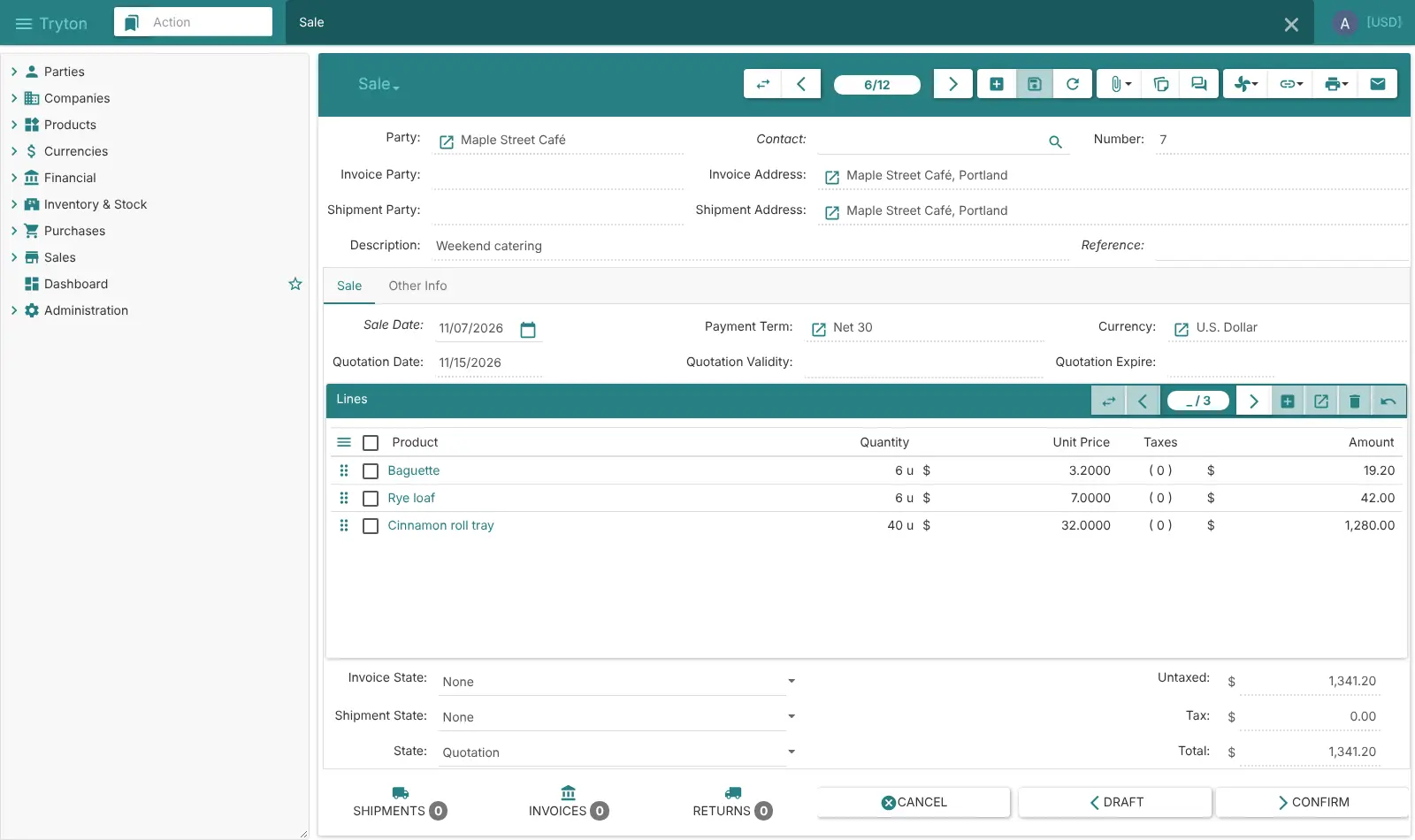
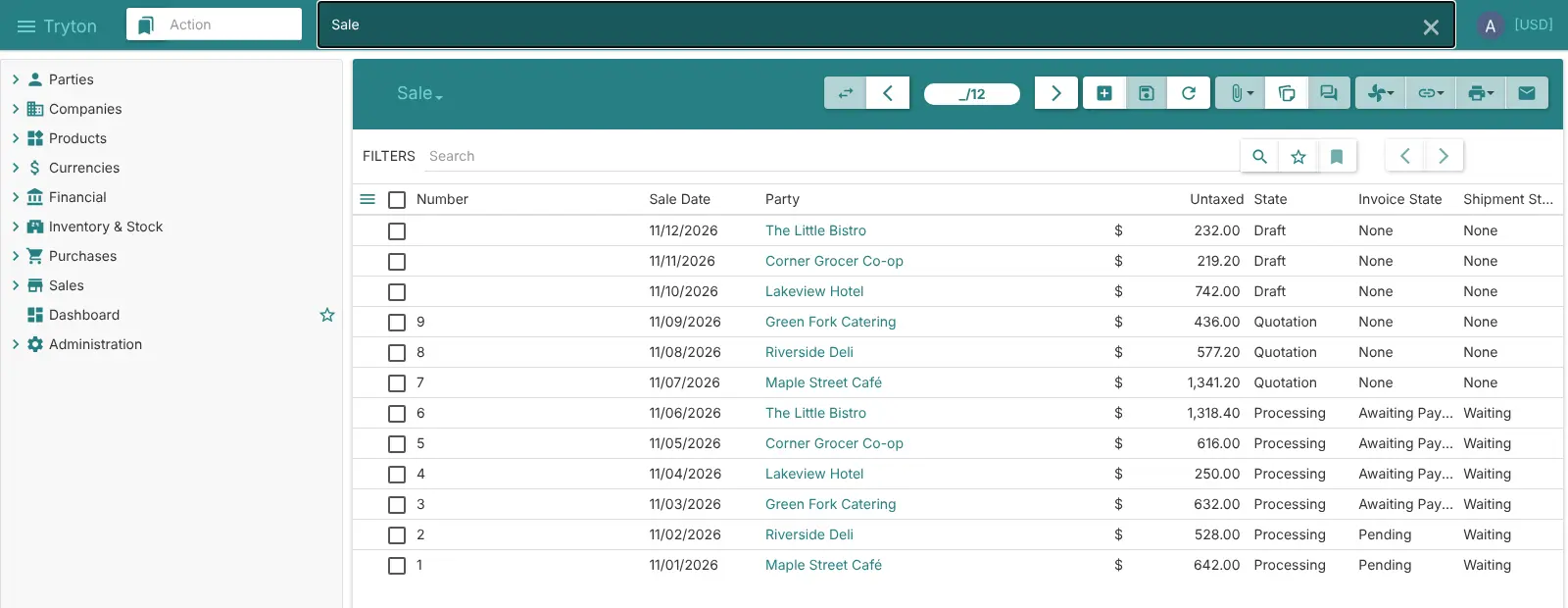
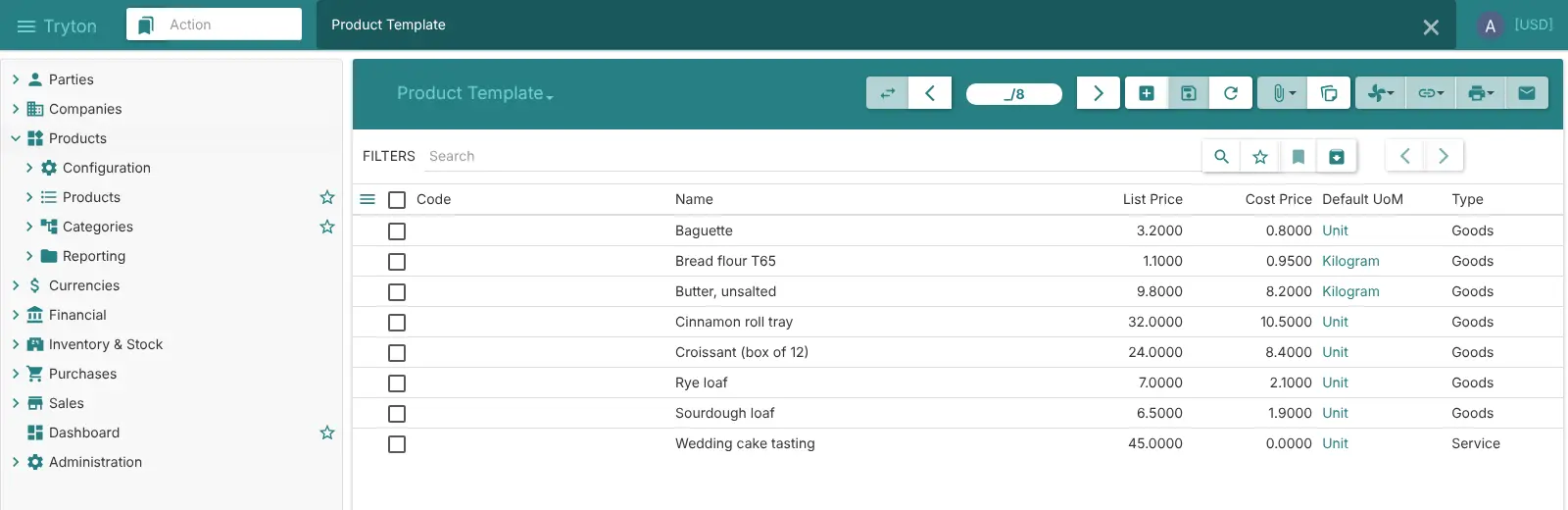
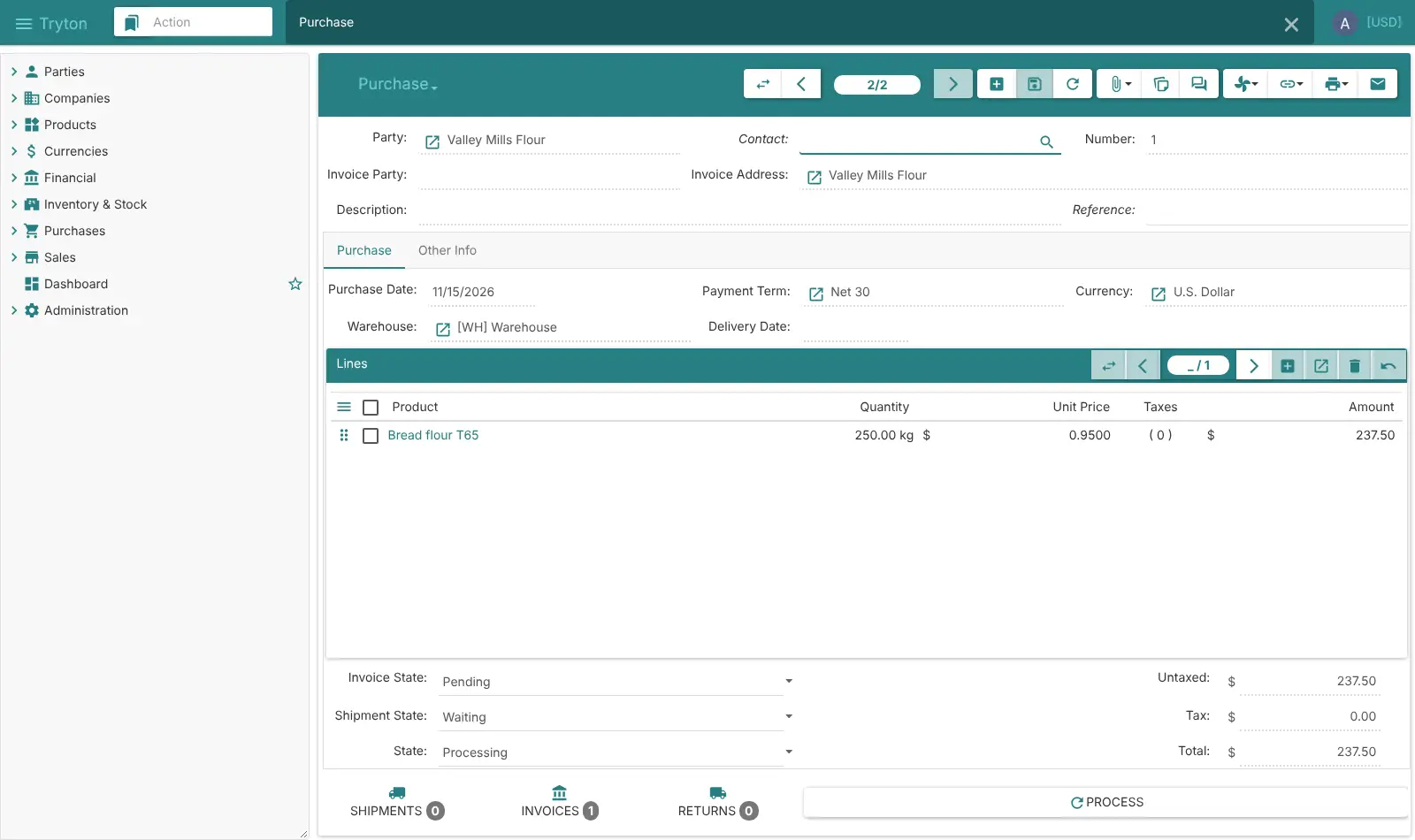
What is Tryton?
Tryton is a self-hosted, open-source ERP for accounting, invoicing, sales, purchases and stock, built from modules you switch on as you need them.
Tryton is a self-hosted, open-source ERP that runs your accounting, invoicing, sales, purchases and stock in one web app. It is a free alternative to NetSuite, Microsoft Dynamics 365 Business Central and SAP Business One, with no fee per user and no paid edition.
Tryton is built from modules: you switch on accounting, sales, purchasing and stock first, and add production, projects, subscriptions or rentals later. Every sale and purchase flows through to deliveries, invoices and your books, so the numbers stay in step. A bakery that supplies cafés, for example, could take a standing order, ship it from its warehouse, invoice it on Net 30 terms, and reorder flour from its mill when stock runs low.
Tryton works in a web browser, with desktop apps for Windows, macOS and Linux. Any list can be imported from or exported to CSV, and it connects to Stripe, SEPA, Shopify, UPS and PEPPOL e-invoicing. Its long-term support releases keep you on one version for years.
Cloudgate installs Tryton on a server Cloudgate provides or one you connect, with its database and background jobs, and gives it a secure web address. Tryton is made by its open-source community; Cloudgate is not affiliated with the Tryton project.
What you can do with Tryton
- Keep your books Double-entry accounting with fiscal years, taxes, reconciliation, a balance sheet and an income statement, starting from a universal chart of accounts.
- Invoice and get paid Customer and supplier invoices with payment terms, reminder letters for late payers, SEPA payments and card payments through Stripe or Braintree.
- Match your bank statements Import bank statement files in OFX, MT940, CODA or SEPA formats and match them to invoices with rules.
- Sell and buy Quotes, sale orders, price lists, promotions and subscriptions, plus purchase requests, supplier quotes and purchase orders.
- Manage stock across warehouses Track goods in several warehouses with lots, expiry dates, packages, stock counts, automatic reordering and shipping labels from UPS, DPD or Sendcloud.
- Plan production and projects Bills of materials, routings and production orders, plus projects with tasks, timesheets and invoicing.
- Send e-invoices Create and send electronic invoices in PEPPOL, UBL and Factur-X formats.
- Switch on only what you need Tryton is built from modules, so you start with the basics and add stock, production or rentals when your business needs them.
Replaces NetSuite, Business Central, SAP Business One and QuickBooks Online
Tryton does the same job as NetSuite, Business Central, SAP Business One and QuickBooks Online. Here is what changes when you switch.
- No fee per user and no paid edition; every module is free
- Accounting, sales, purchasing and stock in one system, so an order flows to a delivery, an invoice and your books
- Long-term support releases, so you don't have to upgrade every few months
- Your business data stays on your own server
- Setup takes real time, and there are fewer implementation partners than for Odoo or ERPNext
- Ready-made charts of accounts exist only for a few countries; others adapt the universal chart
- There is no payroll, no phone app and no automatic bank feed; you import statement files instead
- Invoices and other reports come out as OpenDocument files (.odt) you open in LibreOffice or Word, not as PDFs
- You look after backups and upgrades yourself
What happens when you click Deploy?
You do not need a server or any technical knowledge. Four steps, and Tryton is running at its own web address.
- Step 1 Click Deploy and create your account
Deploy takes you to Cloudgate. Create an account, or log in if you have one. Tryton itself is free.
- Step 2 Choose a server
No server? Get one from Cloudgate: pick a size and a country, and Cloudgate gets it ready. Already have one? Connect it instead.
- Step 3 Cloudgate sets up Tryton
It prepares the server, makes the passwords the app needs and starts it. There is nothing to install and nothing to write down.
- Step 4 Open your app and sign in
Your app gets a free web address to start, without https. Add your own domain, like app.yourshop.com, and Cloudgate secures it with https for you.
New to Cloudgate? See what Cloudgate is
Run Cloudgate yourself? Deploy from your own console
In your Cloudgate console, open Templates and choose Tryton.
Questions
Is Tryton free?
Yes, Tryton is free and open source under the GPL-3.0 licence, with no paid edition and no limit on users. Every module is in the same free release. You pay only for your server.
Is Tryton a good alternative to NetSuite or Business Central?
Yes, for small and mid-sized companies that need the core of an ERP. Tryton covers accounting, invoicing, sales, purchasing, stock, production and projects like NetSuite and Business Central do, with no fee per user, but you run it yourself and there are fewer partners to help you set it up.
How is Tryton different from Odoo and ERPNext?
Tryton is the most accounting-focused of the three and is built from small modules you switch on one by one. Unlike Odoo Community, it includes full accounting with no paid edition; compared with ERPNext and Odoo, it has a smaller community, fewer ready-made integrations and no website builder.
How do I sign in to Tryton the first time?
Sign in with the user name admin and the password Cloudgate generated, shown on the app's variables page as ADMIN_PASSWORD; the database name, tryton, is filled in for you. There is no public sign-up: the admin creates an account for each colleague. A new Tryton starts with only its base, so a setup screen asks you to switch on the modules you need, then helps you create your company and a chart of accounts.
Can I import my data from QuickBooks or another system?
Partly. Tryton has no QuickBooks, NetSuite or SAP importer, but every list can import and export CSV files, so you can export customers, suppliers, products and balances from your old software and bring them in.
Can Tryton print invoices as PDF?
Not in this template. Tryton writes invoices, quotes and other reports as OpenDocument files (.odt or .ods), which open in LibreOffice, Word or Google Docs and can be saved as PDF from there. Tryton's PDF output needs LibreOffice inside the server, which this template leaves out to keep it small.
What server size do I need for Tryton?
A small server with 1 GB of memory is enough to start: Tryton, its background jobs and its PostgreSQL database use about 350 MB together. It grows as you switch on more modules, so a busy company may want a medium server.
Is there a Tryton phone app?
No, there is no official phone app. Tryton works in a web browser, and there are desktop apps for Windows, macOS and Linux.
Which countries does Tryton's accounting support?
Tryton includes a universal chart of accounts you can adapt for any country, plus ready-made charts for Belgium, France and the SYSCOHADA countries of West and Central Africa. It handles several currencies and companies.
Do I need technical skills to run Tryton?
No. Click Deploy, create your Cloudgate account and choose a server, and Cloudgate sets up Tryton and gives it a web address. You use it in your browser like any other online tool.
Do I need my own server for Tryton?
No. When you deploy Tryton, hosted Cloudgate can provide a server. If you already rent one, you can connect it instead.
Related apps

ERP for your books, stock, orders and production.
CRM, sales, stock and invoicing in one business app.

ERP for sales, stock, accounting and HR in one place.

Accounting with invoices, inventory and reports.