M

Open-source alternative to MailStore

Open Archiver is a free, open-source MailStore alternative for archiving every company email from Google Workspace, Microsoft 365 or IMAP mailboxes, with full-text search across messages and attachments. MailStore Server is licensed per user and runs on Windows; Open Archiver runs on your own Linux server with no per-user fee in its free edition, though retention policies, legal holds and audit logs are in its paid Enterprise edition.

Free app Code: Open source Import from MailStore: No Some setup

Why look for an alternative to MailStore?

MailStore Server is email archiving software for small and mid-size businesses. It runs on a Windows server, keeps a copy of every email from Microsoft 365, Exchange, Google Workspace or IMAP mail servers in one central archive, and lets staff search it. It is licensed per user.

People look for an alternative when they would rather not run a Windows server for the archive, or pay for a licence for each mailbox. A self-hosted Open Archiver does the core job on a Linux server: it copies every mailbox into one archive, keeps it searchable after mail is deleted or staff leave, and stores each email as a standard file. Organisations that must prove retention for legal reasons should check whether they need the compliance features of Open Archiver's paid edition.

How Open Archiver compares

Email archiving with search across every mailbox.

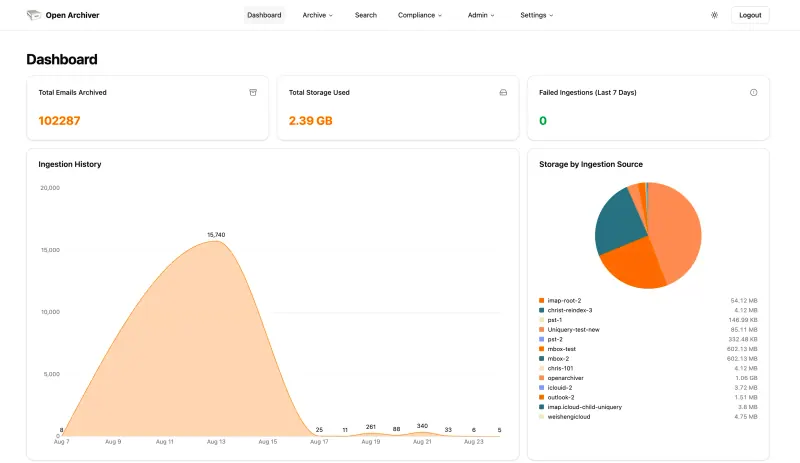
Archives every mailbox in Google Workspace or Microsoft 365, or any IMAP account, keeps syncing new mail, and searches the full text of messages and attachments, including PDFs and Word files. It also imports PST, EML and Mbox files and checks each stored email for changes. MailStore Server is the more mature product, with compliance features included; in Open Archiver, retention policies, legal holds, audit logs, journaling and single sign-on are in the paid Enterprise edition.

What you gain
  • No per-mailbox fee in the free edition
  • Your company's email archive stays on your own server
  • Mail from Google Workspace, Microsoft 365, IMAP and old PST files in one search
What is different
  • Retention policies, legal holds, an audit log and encryption at rest are only in the paid Enterprise Edition
  • Connecting Google Workspace or Microsoft 365 takes a few steps in their admin consoles
  • A young project with fewer years behind it than MailStore
Some setup Open source

Moving from MailStore

Open Archiver cannot read a MailStore archive, so start by connecting the live mailboxes. For Google Workspace, a super admin creates a service account with domain-wide delegation in Google Cloud; for Microsoft 365, an admin registers an app in Microsoft Entra with mail read permissions. Add the source in Open Archiver and it finds every user and copies their mail, then keeps syncing. Older mail that only exists in MailStore can come across as files if you export it from MailStore as EML or PST and import those into Open Archiver. Keep MailStore running until you have checked that the mail you must keep is searchable in the new archive.

Questions

What is the best open-source alternative to MailStore?

Open Archiver is the free, open-source alternative to MailStore for archiving company email in the catalogue today. Archives every mailbox in Google Workspace or Microsoft 365, or any IMAP account, keeps syncing new mail, and searches the full text of messages and attachments, including PDFs and Word files. It also imports PST, EML and Mbox files and checks each stored email for changes. MailStore Server is the more mature product, with compliance features included; in Open Archiver, retention policies, legal holds, audit logs, journaling and single sign-on are in the paid Enterprise edition.

Can Open Archiver import a MailStore archive?

Not directly. Open Archiver has no MailStore importer. It imports PST, EML and Mbox files, so mail exported from MailStore in one of those formats can be brought in.

Does Open Archiver include retention policies and legal holds?

Not in the free edition. Retention policies, legal holds, audit logs, encryption at rest, SMTP journaling and single sign-on are in Open Archiver's paid Enterprise edition. The free edition archives, searches and checks the integrity of each email.

Does Open Archiver need Windows?

No. Open Archiver runs on a Linux server and you use it in your browser. It needs at least 4 GB of memory, and storage grows with the size of your archive.

Is Open Archiver really free compared with MailStore?

Yes, Open Archiver is free. To run them you need Cloudgate and a server. Use hosted Cloudgate, which can also provide the server, or install Cloudgate on a server of your own for free. Cloudgate's plans and prices are at cloudgate.octabyte.io/pricing. One server can run several apps.

Do I need a developer to replace MailStore?

No. Cloudgate installs Open Archiver on your server and gives it a secure web address, and you use it in your browser instead of MailStore.