
Ghostfolio
A self-hosted portfolio tracker for stocks, ETFs and crypto.
No server needed to start: Cloudgate can provide one. What happens when you click Deploy
What is Ghostfolio?
Self-hosted Ghostfolio: an open-source portfolio tracker for stocks, ETFs and crypto across all your accounts, with performance, dividends and allocation.
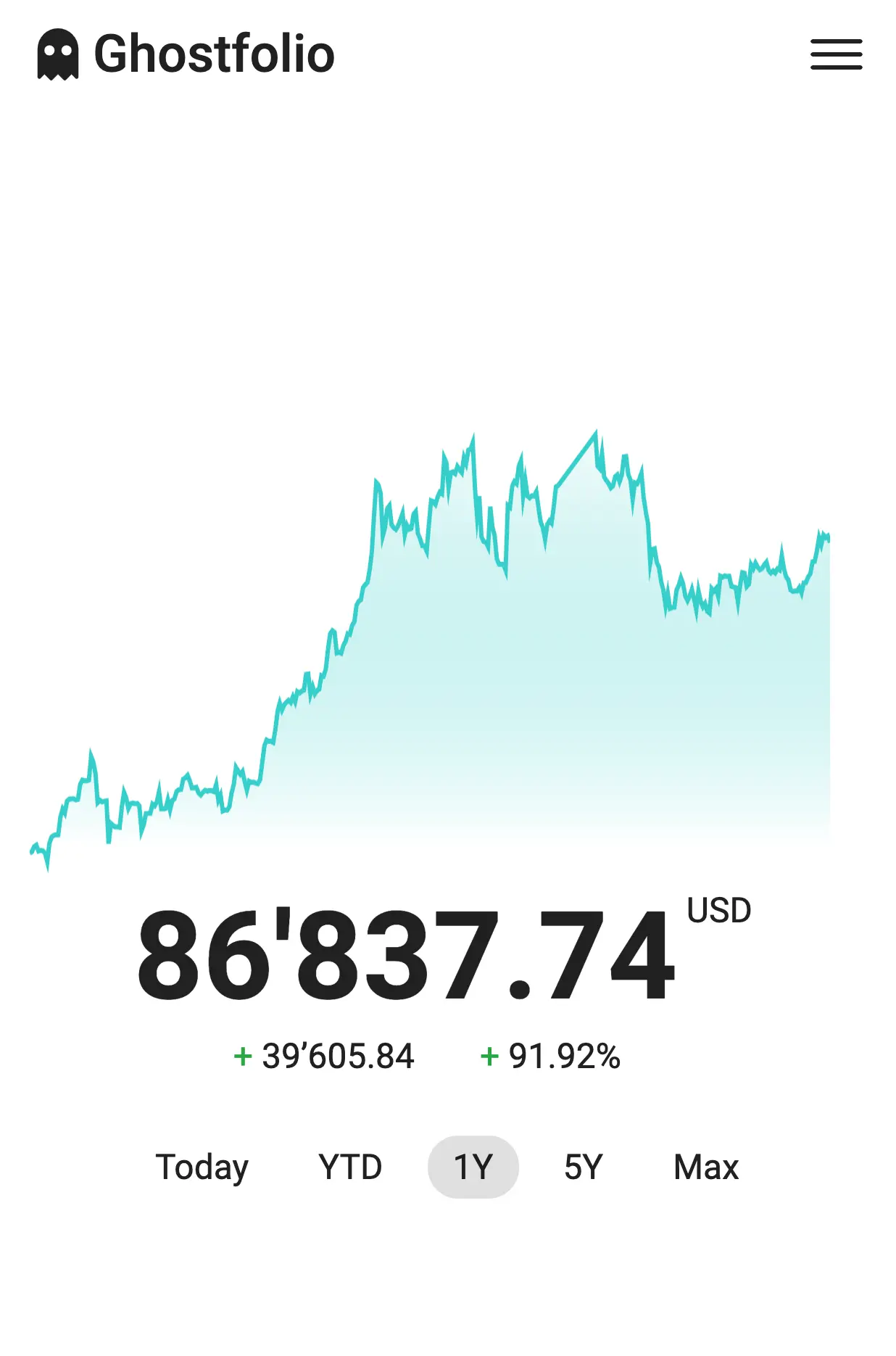
Ghostfolio is self-hosted, open-source wealth management software: a private dashboard for the stocks, ETFs, bonds and crypto you hold across every broker and exchange, and a free alternative to Sharesight or Empower. You record your buys, sells and dividends, and it shows your net worth, your returns over any period, and how your money is spread across accounts, currencies, regions and sectors.
A freelance physiotherapist, for example, might have a pension account with ETFs, shares at an online broker and a little Bitcoin on an exchange. With Ghostfolio she sees all three in one place, knows what her dividends added this year, and gets a warning from the X-ray check when one holding grows too large.
Prices come free from Yahoo Finance and CoinGecko, and you can enter your own for anything else; Ghostfolio's professional market data is a paid Premium add-on. There is no automatic link to your bank or broker: you import a CSV file or add trades by hand. It works in any browser and installs on a phone's home screen.
Cloudgate installs Ghostfolio with its database on a server Cloudgate provides or one you connect and gives it a secure web address. The first person to click Get Started becomes the admin; save the security token it shows, then turn off sign-ups.
What you can do with Ghostfolio
- See all your investments together Stocks, ETFs, bonds, crypto and cash from every broker, bank and exchange account in one dashboard, with your net worth.
- Follow your performance See your returns, dividends included, for today, this year or since you started, and compare them with benchmarks such as the S&P 500 or gold.
- Know where your money is Break your portfolio down by account, asset class, currency, region and sector.
- Spot risks early The X-ray check flags things like too much in one holding or currency, high fees or a missing emergency fund.
- Plan for financial independence The FIRE calculator projects when your investments could cover your costs.
- Track more than shares Add valuables, an emergency fund and loans so your net worth is complete.
- Import and export your history Load your buys, sells and dividends from a CSV or JSON file, and export them whenever you like.
- Use it on your phone Install the web app on your phone's home screen, with dark mode and a Zen mode that hides amounts.
Replaces Sharesight and Empower
Ghostfolio does the same job as Sharesight and Empower. Here is what changes when you switch.
- Every analysis feature is included when you host it yourself, with no subscription or holding limit
- Your portfolio stays on your own server, with no bank or broker logins shared with a finance company
- One dashboard for every broker, exchange and currency you use
- No automatic broker or bank syncing; you import a file or enter trades yourself
- No tax reports
- Free prices come from Yahoo Finance and CoinGecko; Ghostfolio's professional market data needs a paid Premium API key
- Exchange rates and benchmarks need a little setup in the admin panel
What happens when you click Deploy?
You do not need a server or any technical knowledge. Four steps, and Ghostfolio is running at its own web address.
- Step 1 Click Deploy and create your account
Deploy takes you to Cloudgate. Create an account, or log in if you have one. Ghostfolio itself is free.
- Step 2 Choose a server
No server? Get one from Cloudgate: pick a size and a country, and Cloudgate gets it ready. Already have one? Connect it instead.
- Step 3 Cloudgate sets up Ghostfolio
It prepares the server, makes the passwords the app needs and starts it. There is nothing to install and nothing to write down.
- Step 4 Open your app and sign in
Your app gets a free web address to start, without https. Add your own domain, like app.yourshop.com, and Cloudgate secures it with https for you.
New to Cloudgate? See what Cloudgate is
Run Cloudgate yourself? Deploy from your own console
In your Cloudgate console, open Templates and choose Ghostfolio.
Questions
Is Ghostfolio free?
Yes, self-hosted Ghostfolio is free and open source under the AGPL-3.0 licence, and it includes every analysis feature, from performance and allocations to X-ray and the FIRE calculator. The one paid extra is Ghostfolio's professional market data, which needs a Ghostfolio Premium API key.
Where does Ghostfolio get its prices?
By default, self-hosted Ghostfolio gets prices from Yahoo Finance and crypto prices from CoinGecko, both free with no key. You can also enter prices yourself for anything they don't cover, or add a paid Ghostfolio Premium key for its professional data. If you hold investments in more than one currency, gather the exchange rates once in the admin panel's Market Data page.
Is Ghostfolio a good alternative to Sharesight?
Yes, Ghostfolio suits you if you want one private portfolio dashboard with no limit on holdings and no monthly fee. Unlike Sharesight, it does not connect to your broker automatically and has no tax reports, so you import or enter your trades yourself.
Is Ghostfolio a good alternative to Empower (Personal Capital)?
Yes, for tracking your investments and net worth without linking your bank and broker logins to a finance company. Ghostfolio does not sync your accounts automatically and has no retirement planner, though its FIRE calculator projects when your investments could cover your costs.
How do I sign in to Ghostfolio the first time?
Open your Ghostfolio address and click Get Started; the first account becomes the admin. Ghostfolio uses a security token instead of a password and shows it only once, so save it in your password manager. Then turn off new sign-ups in the admin panel so nobody else can create an account.
Can I import my transactions into Ghostfolio?
Yes, Ghostfolio imports buys, sells and dividends from CSV or JSON files in its own format. There is no direct importer for Sharesight or for brokers, so you may need to rearrange an export in a spreadsheet first.
Is there a Ghostfolio phone app?
No, there is no app in the App Store or Google Play, but Ghostfolio is built for phones and installs on your home screen from the browser.
Do I need technical skills to run Ghostfolio?
No. Click Deploy, create your Cloudgate account and choose a server, and Cloudgate sets up Ghostfolio and gives it a web address. You use it in your browser like any other online tool.
Do I need my own server for Ghostfolio?
No. When you deploy Ghostfolio, hosted Cloudgate can provide a server. If you already rent one, you can connect it instead.
Related apps

A self-hosted tracker for investments, net worth and spending.

Personal finance manager for spending and investments.

A self-hosted Mint alternative for budgets, spending and goals.

Crypto portfolio tracking and profit and loss reports.