
Paperless-ngx
Document filing that reads, tags and finds your papers.
No server needed to start: Cloudgate can provide one. What happens when you click Deploy



What is Paperless-ngx?
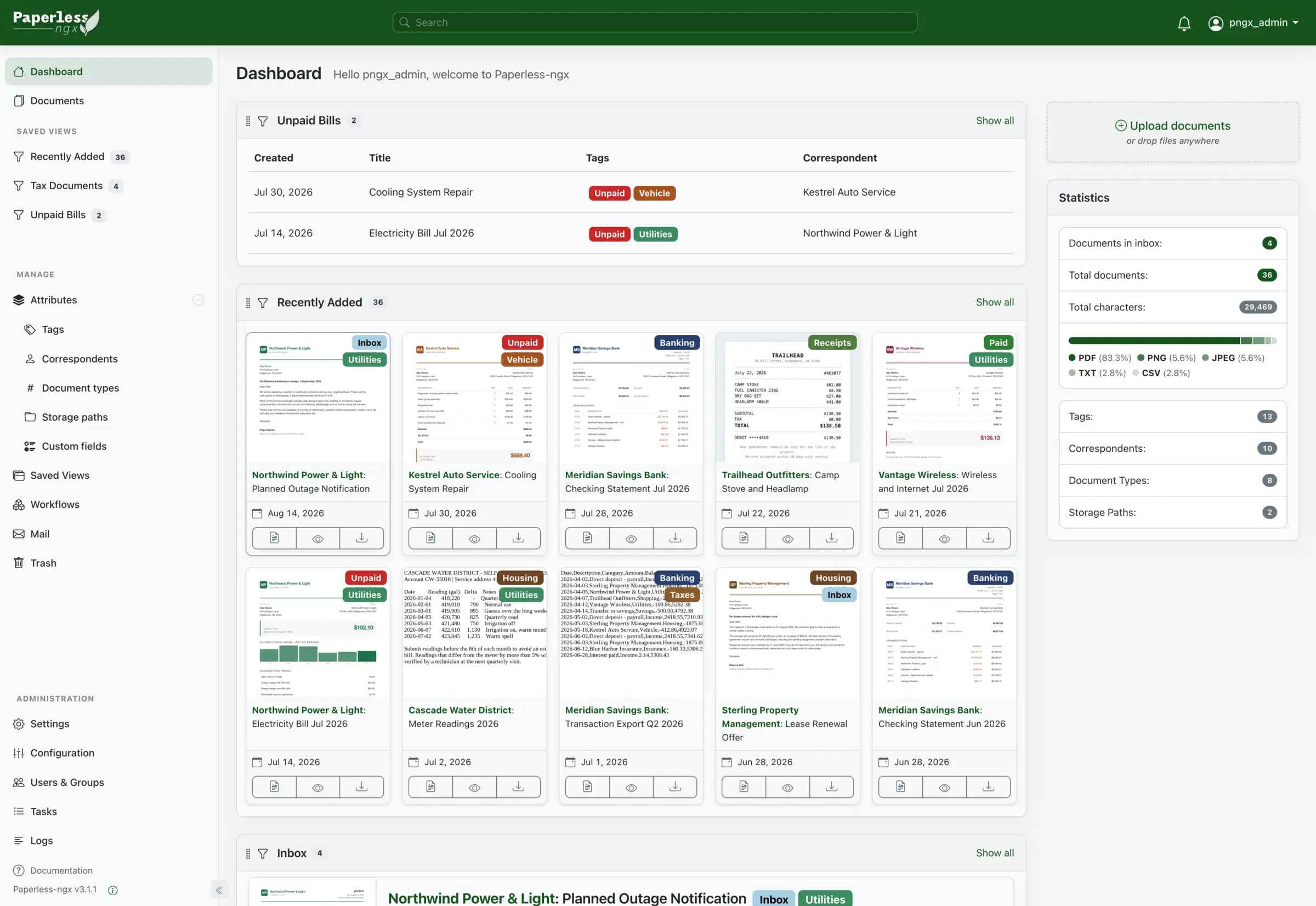
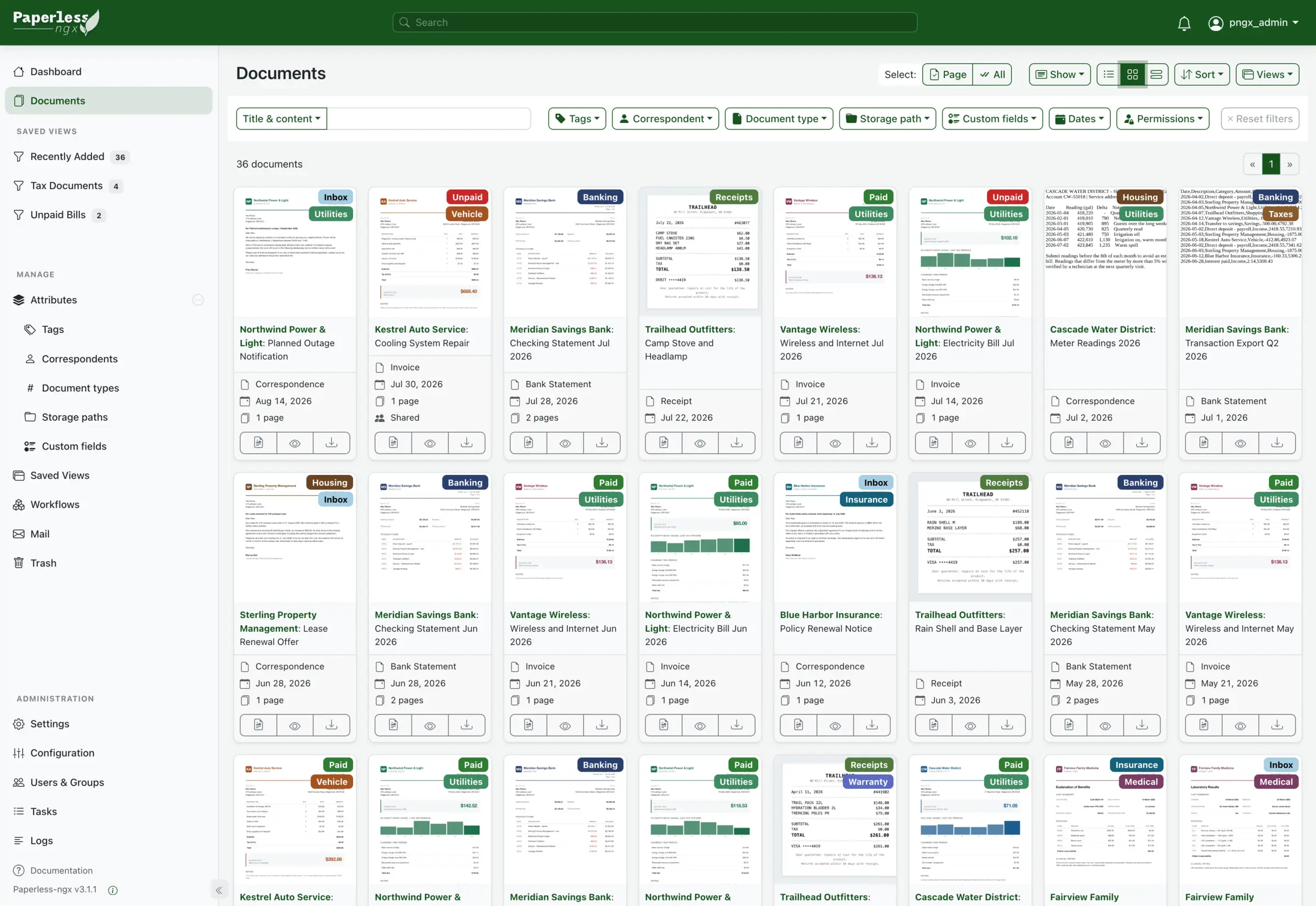
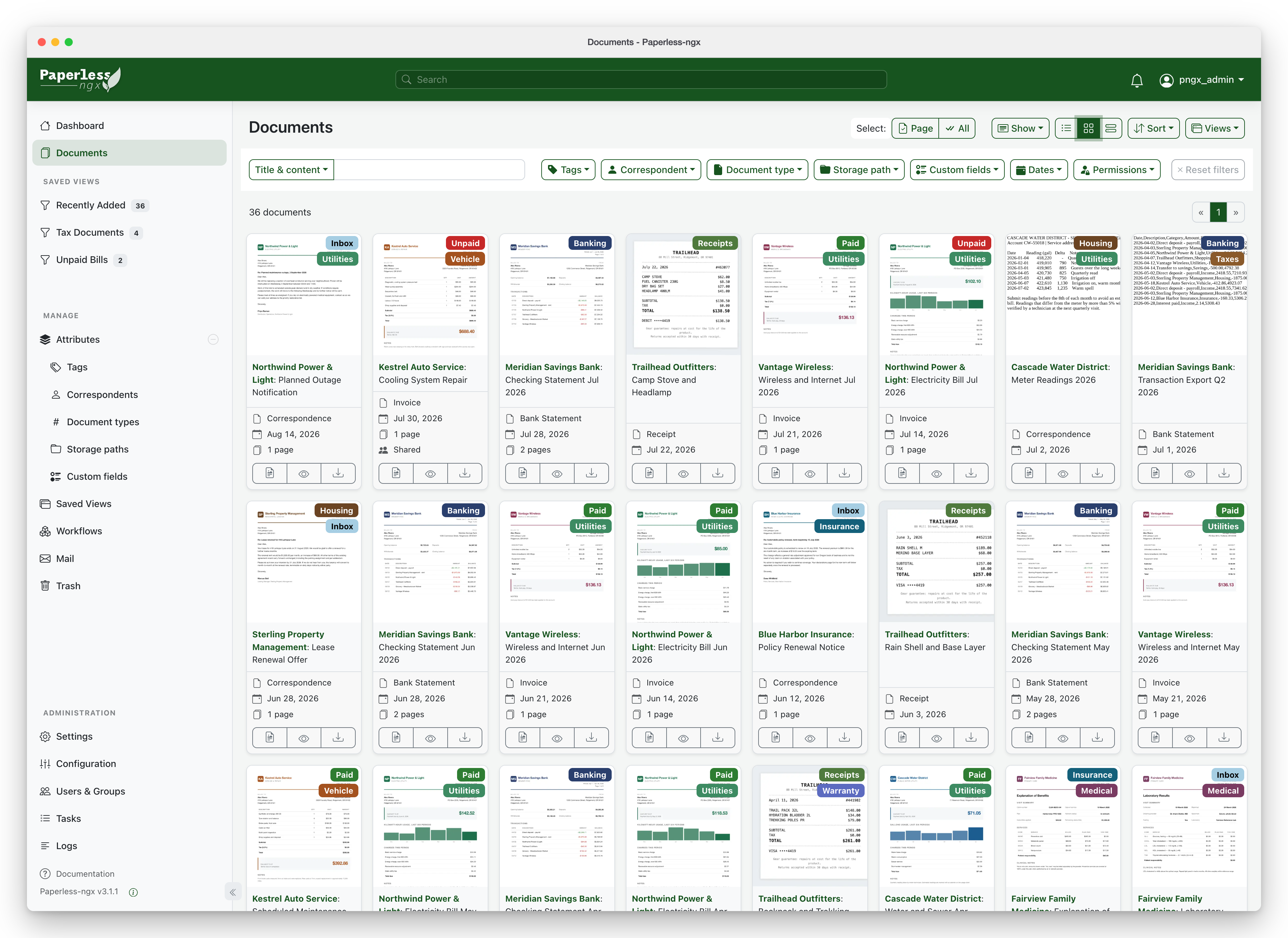
Self-hosted Paperless-ngx turns scanned bills, receipts and contracts into a searchable archive that tags and files itself, in place of a filing cabinet.
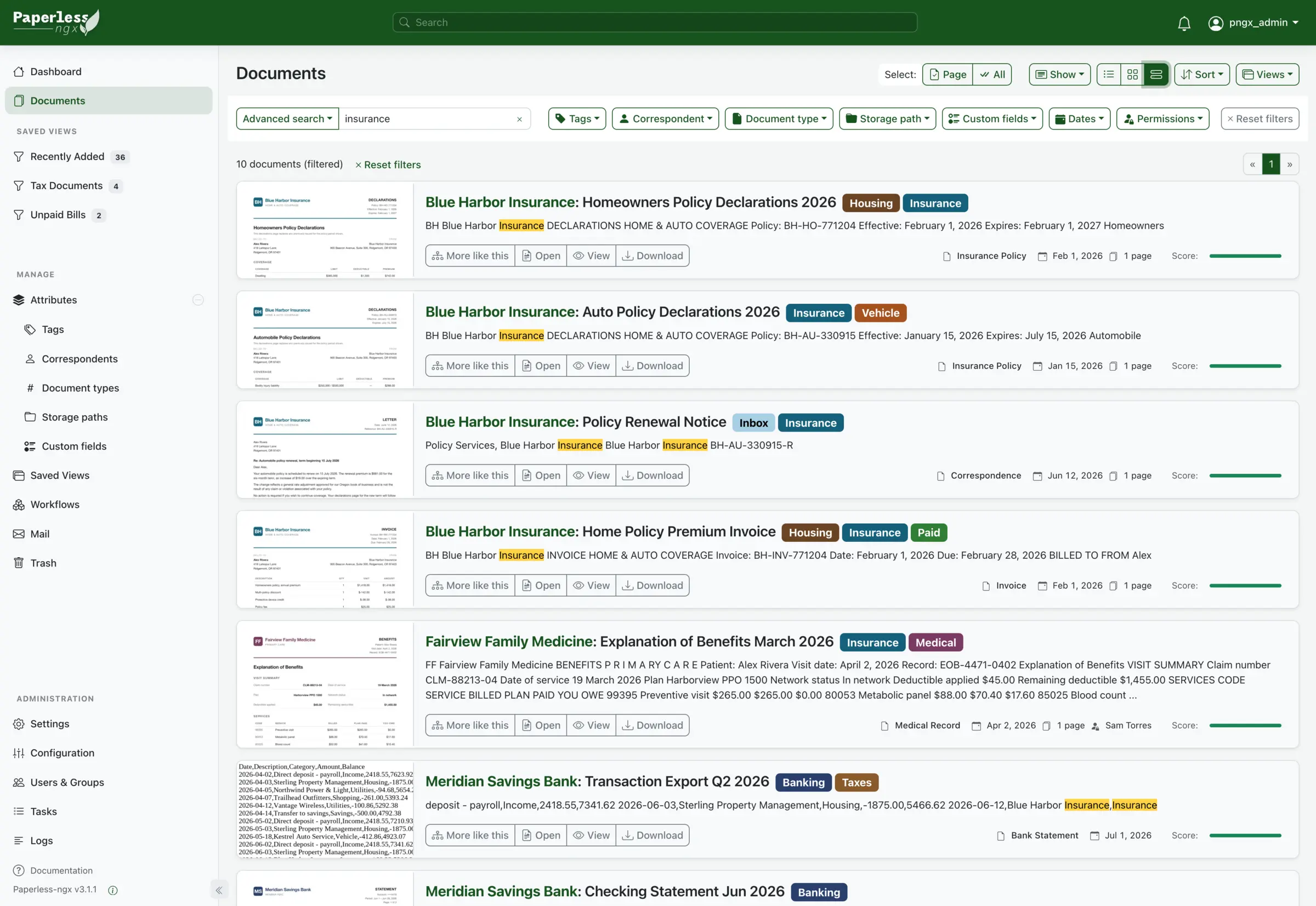
Paperless-ngx is a free, open-source, self-hosted document management system that turns scanned paper and PDFs into a searchable archive on your own server, replacing the filing cabinet and paid tools such as DocuWare. It reads the text on every page, keeps the original file, and learns to suggest tags, senders and document types for each new document.
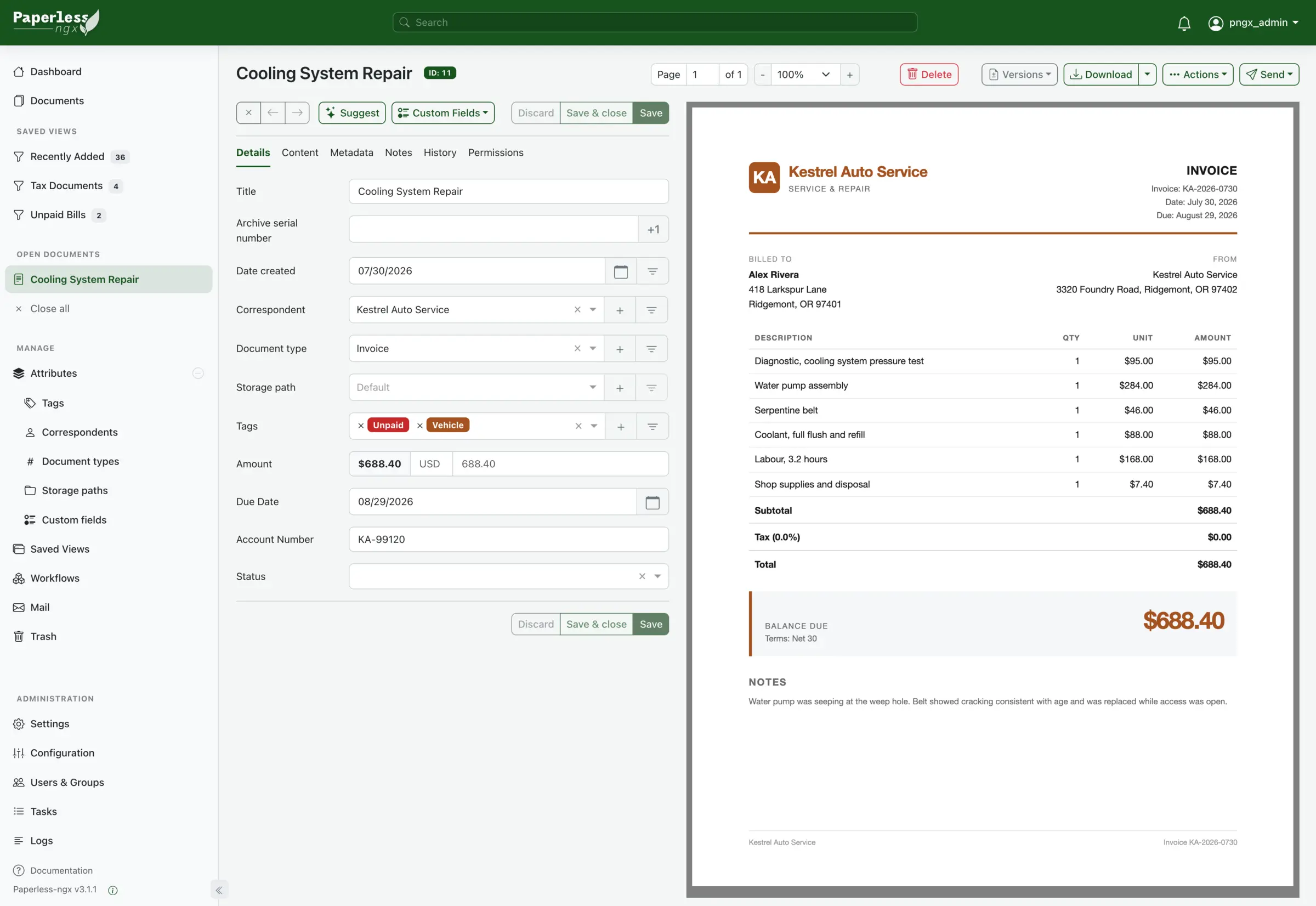
You bring documents in by uploading them in the browser, by email from a mailbox it checks, or with a community phone app. Paperless-ngx does not scan by itself, so you use a scanner or a phone scanning app first. A small accounting office, for example, could forward supplier invoices to one mailbox, have each one tagged "Unpaid" with its amount and due date, and find any bill from last year by typing a word from it.
This setup handles PDFs, photos and plain text; Word and Excel files need an optional add-on that is not included. Each person gets their own account and permissions, and there are community apps for iPhone and Android.
Cloudgate installs Paperless-ngx on a server Cloudgate provides or one you connect, together with its database, and gives it a secure web address. The first person to open that address creates the admin account. Documents are stored unencrypted, so use a server you trust and keep backups.
What you can do with Paperless-ngx
- Make every scan searchable Paperless-ngx reads the text on scanned pages and photos, so you can search inside them and copy from them.
- Let it file for you It learns how you sort documents and suggests the tags, sender and document type for each new one.
- Find any document in seconds Full-text search highlights the matching words and offers "More like this" to find related papers.
- Bring documents in by email Connect a mailbox and set rules, and attachments from your suppliers or bank are filed without you opening them.
- Keep the original safe The untouched original is kept next to a PDF/A copy made for long-term storage.
- Add your own fields and views Record amounts, due dates or account numbers, and pin a saved view such as "Unpaid bills" to the dashboard.
- Automate the routine Workflows can tag, assign or email someone when a document arrives or changes.
- Share and control access Give each person an account with their own permissions, or send a share link that expires.
Replaces DocuWare and Evernote
Paperless-ngx does the same job as DocuWare and Evernote. Here is what changes when you switch.
- No subscription; every feature is free and open source
- Your documents stay on your own server, and auto-tagging runs there too
- Text inside every scan becomes searchable, not just file names
- Your files are plain PDFs and images you can export at any time
- It does not scan; you need a scanner or a phone scanning app
- No official phone app, only community apps
- No e-signatures, retention rules or vendor support like DocuWare
- Not a note-taking app, so it replaces Evernote only for scanned paperwork
What happens when you click Deploy?
You do not need a server or any technical knowledge. Four steps, and Paperless-ngx is running at its own web address.
- Step 1 Click Deploy and create your account
Deploy takes you to Cloudgate. Create an account, or log in if you have one. Paperless-ngx itself is free.
- Step 2 Choose a server
No server? Get one from Cloudgate: pick a size and a country, and Cloudgate gets it ready. Already have one? Connect it instead.
- Step 3 Cloudgate sets up Paperless-ngx
It prepares the server, makes the passwords the app needs and starts it. There is nothing to install and nothing to write down.
- Step 4 Open your app and sign in
Your app gets a free web address to start, without https. Add your own domain, like app.yourshop.com, and Cloudgate secures it with https for you.
New to Cloudgate? See what Cloudgate is
Run Cloudgate yourself? Deploy from your own console
In your Cloudgate console, open Templates and choose Paperless-ngx.
Questions
Is Paperless-ngx free?
Yes. Paperless-ngx is free and open source under the GPL-3.0 licence, with no paid edition or locked features. You pay only for the server it runs on.
Does Paperless-ngx scan my documents?
No, Paperless-ngx does not scan by itself. You scan with a scanner or a phone app, then upload the files in the browser, send them by email, or use a community phone app; Paperless-ngx then reads the text and files them.
Is Paperless-ngx a good alternative to DocuWare or Evernote?
Yes, for archiving scanned paperwork. Paperless-ngx captures, reads, tags and searches documents like DocuWare, but has no e-signatures, retention rules or vendor support. Paperless-ngx replaces Evernote only as a home for scanned receipts and bills, because it is not a note-taking app.
Is there a Paperless-ngx phone app?
There is no official app, but community apps exist for iPhone and Android, such as Swift Paperless and Paperparrot for iPhone. Check that the app supports your Paperless-ngx version. The web app also works in a phone's browser.
Are my documents encrypted in Paperless-ngx?
No. Paperless-ngx stores your documents unencrypted on your server, so anyone with access to the server can read them. Run it only on a server you trust, keep backups, and give each person their own account. Auto-tagging runs on your server, and the optional AI features are off unless you turn them on.
How do I sign in to Paperless-ngx the first time?
The first person to open Paperless-ngx's web address is asked to create the admin account, so do this right after setup. The project suggests a separate, everyday account for daily use.
Can I move my documents out of Paperless-ngx later?
Yes. Paperless-ngx keeps your documents as ordinary files, and its exporter saves every file with its tags and details so you can move to another tool or restore a backup.
Do I need technical skills to run Paperless-ngx?
No. Click Deploy, create your Cloudgate account and choose a server, and Cloudgate sets up Paperless-ngx and gives it a web address. You use it in your browser like any other online tool.
Do I need my own server for Paperless-ngx?
No. When you deploy Paperless-ngx, hosted Cloudgate can provide a server. If you already rent one, you can connect it instead.
Related apps

A light, self-hosted archive for receipts, bills and contracts.
Document management with approvals, versions and OCR.

PDF tools that run in your browser, so files never upload.
Online office for Word, Excel and PowerPoint files.