

A

Open-source alternatives to Acuity Scheduling

Easy!Appointments is a free, open-source Acuity Scheduling alternative for service businesses: clients choose a service, a staff member and a free time slot on your booking page, without creating an account. Acuity is a monthly subscription whose plans limit the number of staff calendars; self-hosted Easy!Appointments has no such limit, though it does not take payments or send reminders.

3 alternatives Free apps Our pick: Easy!Appointments

At a glance

App Good for Code Ease of use
Easy!Appointments Salons, clinics and other service businesses with staff and set services Code Open source Some setup
OpenReception Medical practices and others who book sensitive appointments and want them encrypted Code Open source Some setup
Tymeslot Consultants, coaches, therapists and freelancers who take bookings on their own page Code Open source Some setup

Why look for an alternative to Acuity Scheduling?

Acuity Scheduling, from Squarespace, is online appointment booking for service businesses: clients book and pay on your booking page, and you manage staff calendars, intake forms, reminders and packages.

Businesses look for an alternative because Acuity is a monthly subscription that grows with the team. When we checked its pricing page in November 2026, plans started at $20 a month for one staff calendar, and more calendars needed the higher plans. There is no free plan. A self-hosted Easy!Appointments takes bookings for as many staff and services as you need, with no subscription, and keeps your clients' details on your own server. Tymeslot suits a single practitioner, with payments through Stripe and reminders.

The alternatives, compared

Let customers book a service with your staff online.

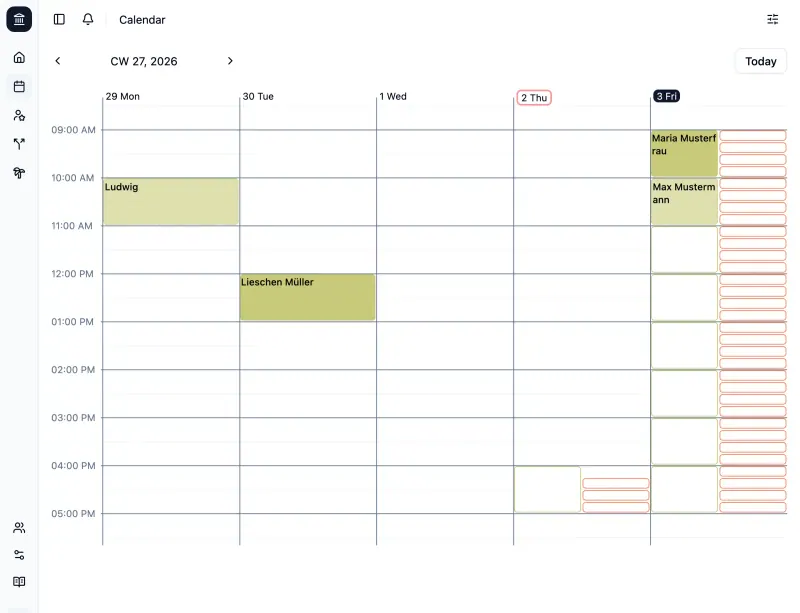
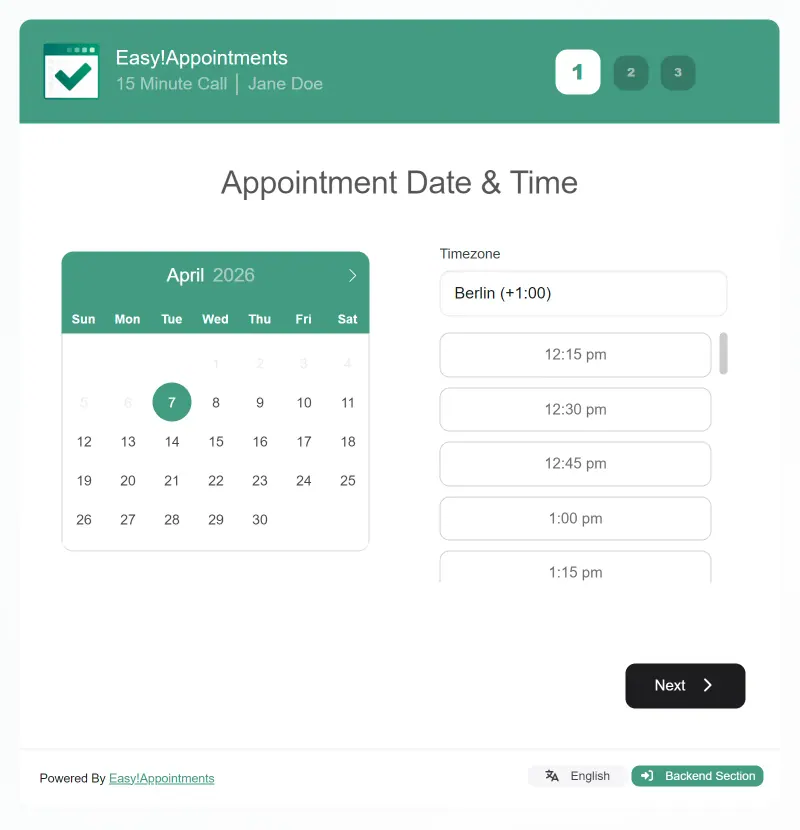
Does Acuity's core job for service businesses: a public booking page where clients choose a service, a staff member and a free time slot, plus a team calendar with working hours, breaks and a customer list. It syncs with Google Calendar and CalDAV and sends confirmation emails. It does not take payments, send reminders before appointments, or have intake forms or packages like Acuity's.

What you gain
  • No monthly fee per staff member
  • Your customers' details and bookings stay on your server
  • Bookings, customers and staff in one place
What is different
  • No online payments, reminder emails or text messages
  • No importer from Acuity or Calendly, so you set up services again
  • The look is plainer than Acuity's or Calendly's
Some setup Open source

Encrypted online appointment booking for practices and clinics.

Built for medical practices and clinics, it gives clients a booking page to choose an appointment type, a person and a free slot, with their details encrypted on their own device so only your staff can read them. You can require bookings to be confirmed first, and clients cancel through a portal with an email and PIN. It takes no payments, its interface is in English and German, and every staff member needs a passkey that supports the PRF extension.

Some setup Open source

Your own booking link, so clients pick a time without emails.

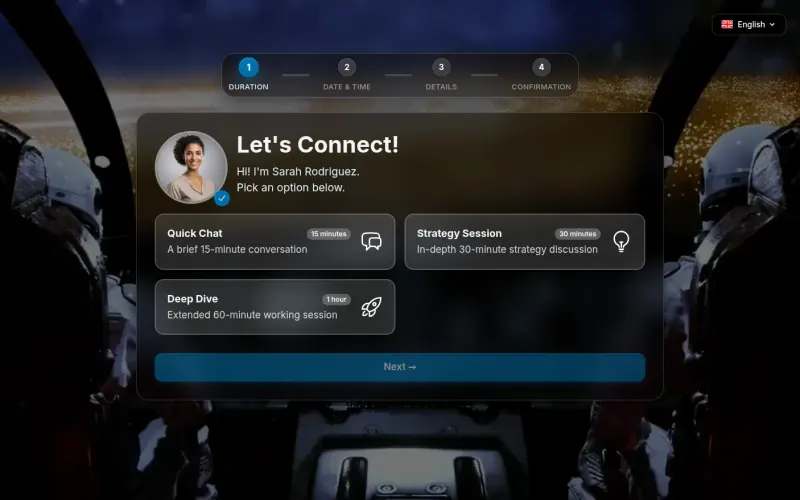
Suits one person taking client bookings rather than a team: clients pick a meeting type and a free slot, answer your booking questions, can pay through Stripe, and get confirmations and reminders, and you can approve new clients first. It has no staff calendars or service list for several people, and it needs an email sending service from the start.

Some setup Open source

Moving from Acuity Scheduling

There is no import from Acuity. Set up Easy!Appointments first: your working hours under Settings, then your services with their length and price, then each staff member as a provider with their own hours. Add your email server settings so confirmations go out. Then put the new booking link on your website and in your emails, and keep Acuity open until the appointments already booked there have passed.

With OpenReception, claim the admin account straight away, then add your organisation, the people who take appointments and your appointment types with their weekly hours. Give each staff member a supported passkey, such as iCloud Keychain, 1Password or a YubiKey 5, add your email settings and share the new booking link.

If you take bookings on your own, Tymeslot is set up the same way: create your account and confirm your email, connect your calendar, add a meeting type for each Acuity appointment type with its booking questions, connect Stripe if clients pay when they book, and put your new booking link on your website.

Questions

What is the best open-source alternative to Acuity Scheduling?

Start with Easy!Appointments. All 3 are free and open source.

Which Acuity alternative suits a medical practice?

OpenReception. It encrypts each booking on the client's device so only practice staff can read it, and it can hold bookings until staff confirm them. Easy!Appointments suits other service businesses better.

Can clients pay when they book in Easy!Appointments?

No. The free app does not take payments or send reminder emails or texts; its makers offer those only as paid custom work. Tymeslot can take payments through Stripe and sends reminders.

Do clients need an account to book?

No. In all three apps clients pick a time and enter their details without creating an account. OpenReception sends them a PIN to see or cancel their appointments later.

Should I choose Easy!Appointments or Tymeslot?

Easy!Appointments if several staff take bookings for a set list of services. Tymeslot if you take bookings yourself and want payments, reminders and booking questions.

Are these Acuity Scheduling alternatives really free?

Yes, Easy!Appointments, OpenReception and Tymeslot are free. To run them you need Cloudgate and a server. Use hosted Cloudgate, which can also provide the server, or install Cloudgate on a server of your own for free. Cloudgate's plans and prices are at cloudgate.octabyte.io/pricing. One server can run several apps.

Do I need a developer to replace Acuity Scheduling?

No. Cloudgate installs the app you choose on your server and gives it a secure web address, and you use it in your browser instead of Acuity Scheduling.