
OpenReception
Encrypted online appointment booking for practices and clinics.
No server needed to start: Cloudgate can provide one. What happens when you click Deploy



What is OpenReception?
OpenReception is self-hosted, end-to-end encrypted appointment booking for medical practices: patients book online, and only your staff can read their details.
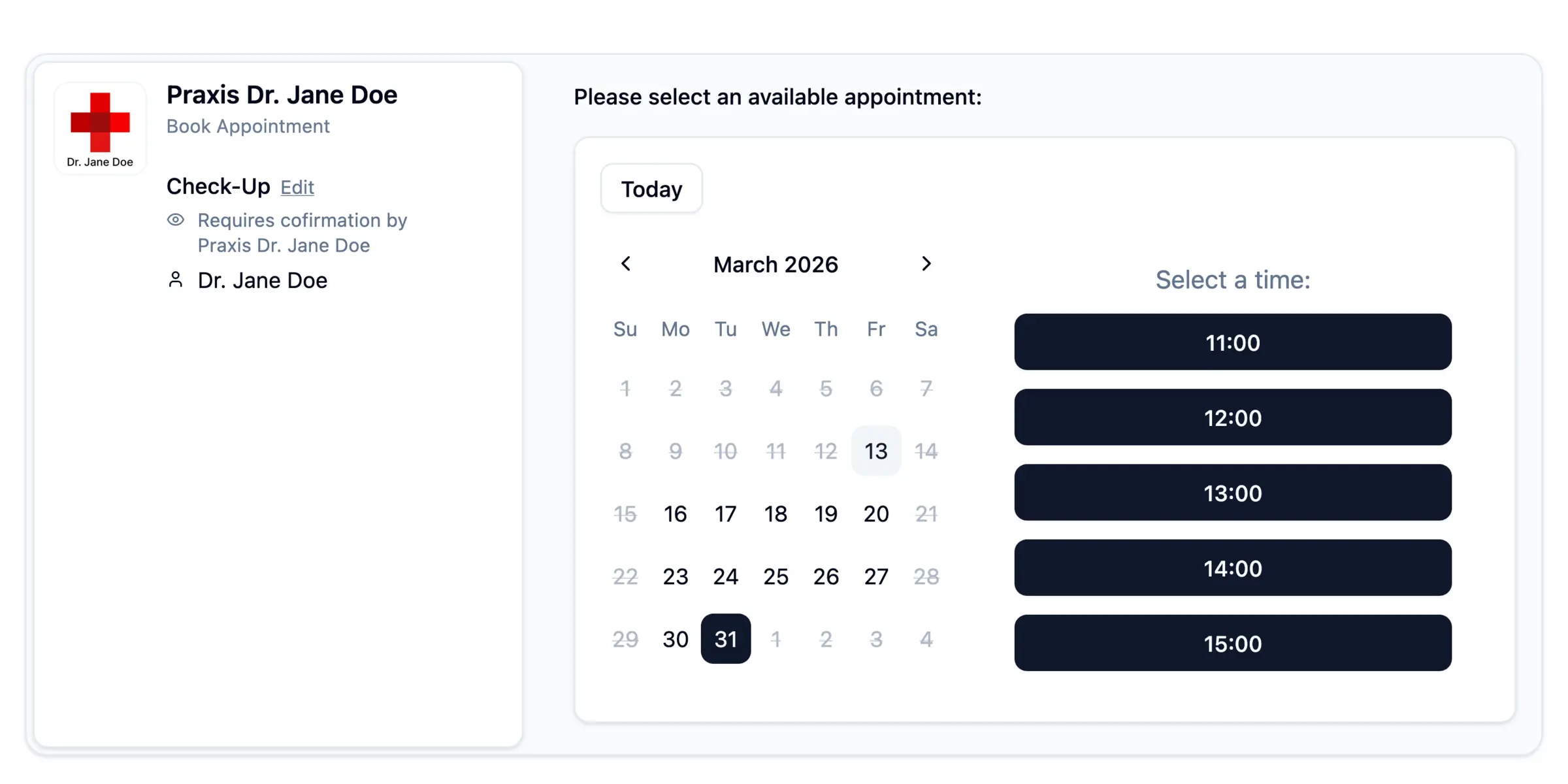
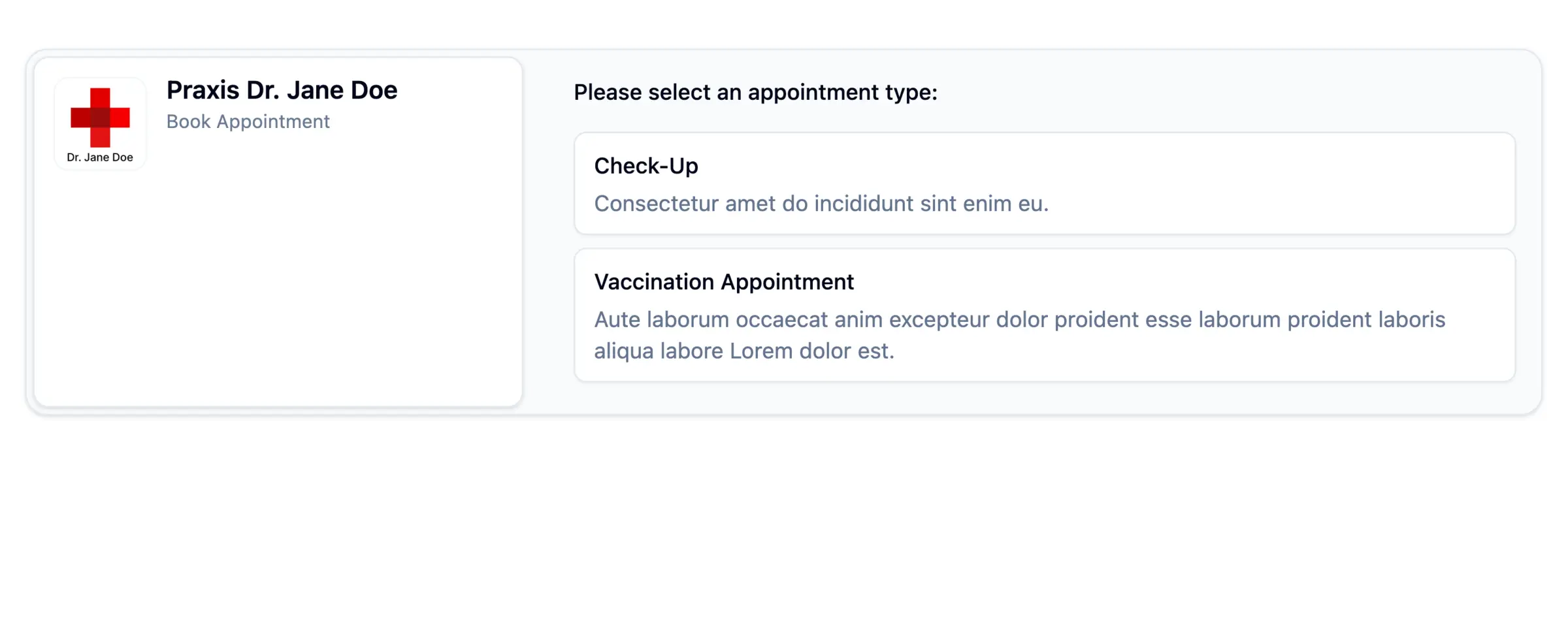
OpenReception is a free, open-source, self-hosted online appointment booking app for medical practices, an alternative to Doctolib that encrypts every booking. Patients choose an appointment type, the person they want to see and a free time on your own booking page, and their details are encrypted on their device so only your staff can read them.
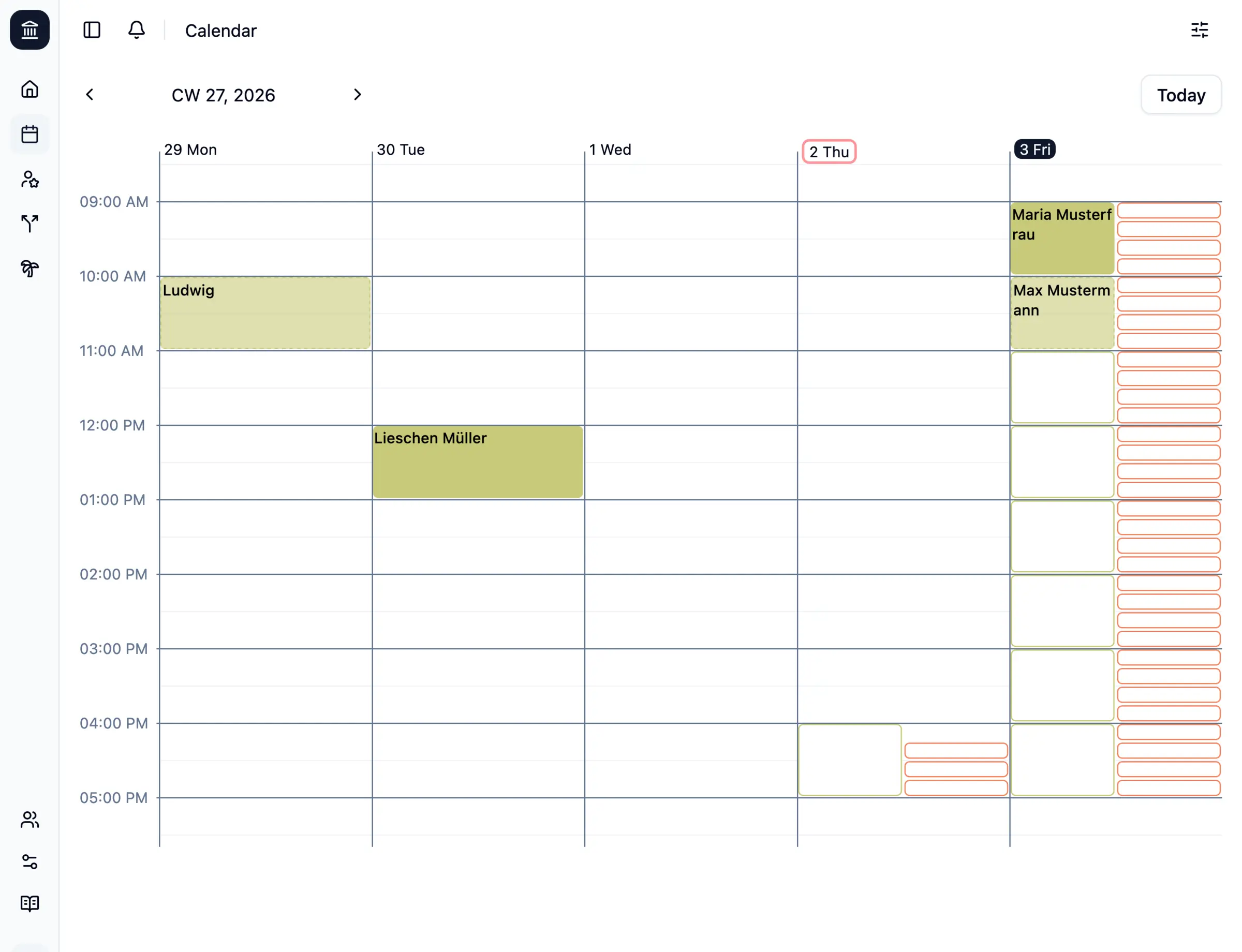
Your front desk works from one calendar that shows booked, requested and free slots for each doctor or team. You set the hours and slot length for each appointment type, mark holidays, and decide which bookings need your confirmation first. A family practice could let patients book check-ups online, take vaccination bookings only as requests, and still add appointments for people who phone in.
Patients can sign in with their email and a PIN to see or cancel their appointments. It works in any browser, on phones too, in English and German, and patients can save their booking to their own calendar. Every staff member needs a passkey that supports encryption, such as 1Password or a YubiKey. It does not send text messages or connect to practice software.
Cloudgate installs OpenReception on a server Cloudgate provides or one you connect, with the database it needs, and gives it a secure web address. Open that address right after setup to create the admin account.
What you can do with OpenReception
- A booking page for your patients Patients choose an appointment type, the person they want to see, a day and a free time, and book in a few steps.
- Encrypted from the patient's device Booking details are encrypted before they leave the patient's device, and only your staff can read them; whoever runs the server cannot.
- Appointment types with their own hours Set the weekdays, opening times and slot length for each type, such as a check-up or a vaccination, and who can take it.
- Requests you confirm first Make some appointment types requests that staff confirm or decline, or keep them off the public page so only staff can book them.
- One calendar for the front desk See booked, requested and free slots by day or week, filter by person or type, and add bookings for patients who call or walk in.
- Holidays and absences Add absences for each person so nobody can book them while they are away.
- Patients manage their own bookings Patients sign in with their email and a PIN to see their upcoming appointments and cancel them, and staff get a notice in the dashboard.
- Your practice's name and words Show your logo, description, address and links in English or German, and decide when past appointments are deleted.
Replaces Doctolib and Acuity Scheduling
OpenReception does the same job as Doctolib and Acuity Scheduling. Here is what changes when you switch.
- Patient details are encrypted, and only your staff can read them
- Your own booking page, with no marketplace, ratings or other practices beside you
- No monthly fee; you pay only for your server
- Every staff member needs a passkey that supports encryption, and losing all of them means losing access to appointments
- No text-message reminders, online payments or video consultations
- It does not connect to practice management software yet, and there is no importer from Doctolib
- Patients find you through your own website, not through a booking directory
What happens when you click Deploy?
You do not need a server or any technical knowledge. Four steps, and OpenReception is running at its own web address.
- Step 1 Click Deploy and create your account
Deploy takes you to Cloudgate. Create an account, or log in if you have one. OpenReception itself is free.
- Step 2 Choose a server
No server? Get one from Cloudgate: pick a size and a country, and Cloudgate gets it ready. Already have one? Connect it instead.
- Step 3 Cloudgate sets up OpenReception
It prepares the server, makes the passwords the app needs and starts it. There is nothing to install and nothing to write down.
- Step 4 Open your app and sign in
Your app gets a free web address to start, without https. Add your own domain, like app.yourshop.com, and Cloudgate secures it with https for you.
New to Cloudgate? See what Cloudgate is
Run Cloudgate yourself? Deploy from your own console
In your Cloudgate console, open Templates and choose OpenReception.
Questions
Is OpenReception free?
Yes, OpenReception is free, open-source software under the AGPL-3.0 licence, and every feature works when you host it yourself. Its makers also sell managed hosting and say some premium features may later be offered only there.
Is OpenReception a good alternative to Doctolib?
Yes, for a practice that wants its own online booking page and encrypted patient data. Unlike Doctolib, OpenReception has no patient directory, ratings, text-message reminders, video consultations or link to practice software.
Who can read the appointments in OpenReception?
Only your staff can. In OpenReception, patients' details are encrypted on their own device before they are sent, and staff unlock them with their passkey, so the server and its administrator cannot read them.
What do staff need to sign in to OpenReception?
Each staff member needs a passkey that supports the PRF extension, such as Apple Keychain, 1Password, Enpass, Windows Hello on Windows 11 25H2 or newer, a YubiKey 5 or a Nitrokey 3. Bitwarden and Dashlane passkeys do not work, and the makers recommend a spare hardware key in case one is lost.
How do I sign in to OpenReception the first time?
Open your OpenReception web address right after setup; the first person to open it creates the admin account with a passkey or a passphrase. Then you add your practice, its booking settings and your staff, who each get an email invitation.
Can patients see or cancel their appointments online?
Yes. Patients sign in on your OpenReception booking page with their email address and a PIN to see their upcoming appointments and cancel them, and staff are notified in the dashboard.
Can I move my appointments from Doctolib or connect my practice software?
No, OpenReception has no importer from Doctolib and does not connect to practice management software yet. You set up your appointment types and people once, and new bookings start from there.
Do I need technical skills to run OpenReception?
No. Click Deploy, create your Cloudgate account and choose a server, and Cloudgate sets up OpenReception and gives it a web address. You use it in your browser like any other online tool.
Do I need my own server for OpenReception?
No. When you deploy OpenReception, hosted Cloudgate can provide a server. If you already rent one, you can connect it instead.
Related apps

Your own booking link, so clients pick a time without emails.

Let customers book a service with your staff online.

Let clients book time with you from a simple link.

A light, self-hosted booking link for consultants and small teams.