Wishlist
Shared family gift lists, so no one buys the same present twice.
No server needed to start: Cloudgate can provide one. What happens when you click Deploy
What is Wishlist?
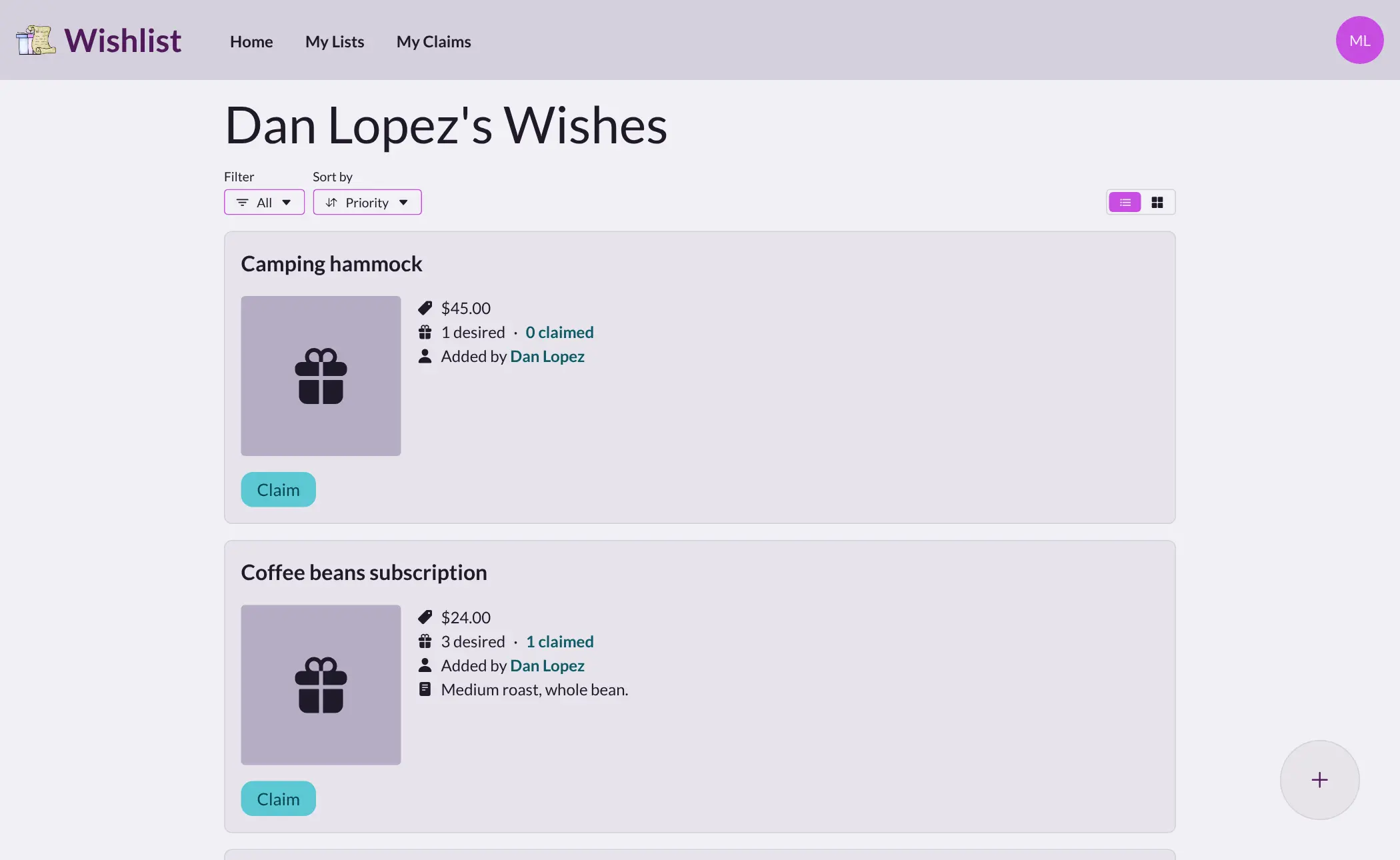
Wishlist is a self-hosted gift list app: family and friends share wish lists and claim gifts, so no one buys the same present twice.
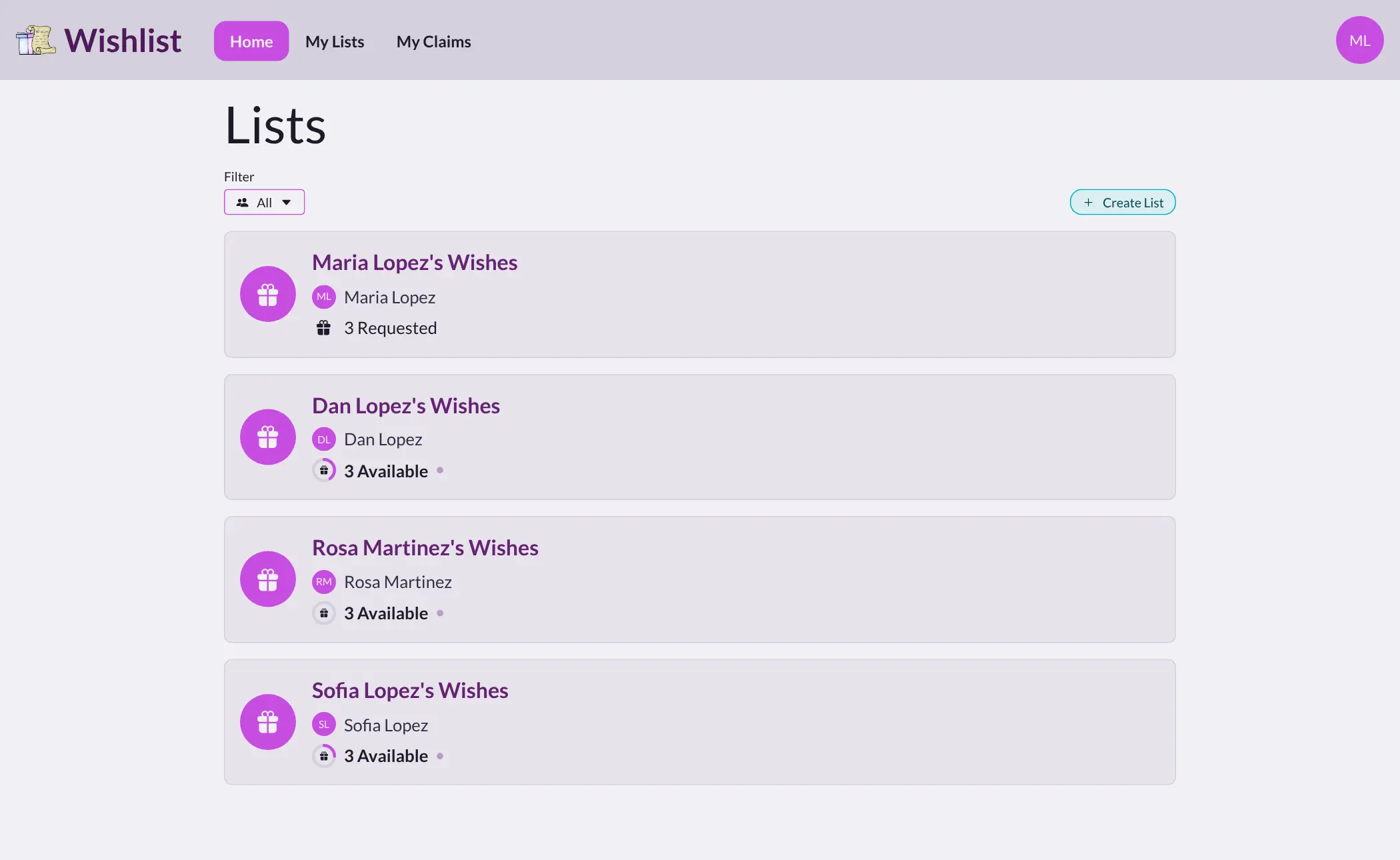
Wishlist is a free, self-hosted wish list app where your family or friends share gift lists and claim presents, an alternative to Giftster, Elfster and Amazon wish lists. Each person keeps a list of things they'd like, from any shop, and everyone else can see it and claim a gift so two people don't buy the same thing. The person whose list it is doesn't see the claims, so the surprise holds.
A family could set it up before the holidays: the grandparents open each grandchild's list, see that the paint set is already claimed, and pick the roller skates instead. Parents can add ideas to a child's list, and a group of friends can keep its own lists apart from the family's. For a wedding or a new baby, Registry mode gives one list a public link that guests can claim from without signing up.
Wishlist works in any web browser and can be installed on a phone's home screen. It has no ads and no shopping links. Cloudgate installs it on a server Cloudgate provides or one you connect, gives it a secure web address, and the first person to open it creates the admin account.
What you can do with Wishlist
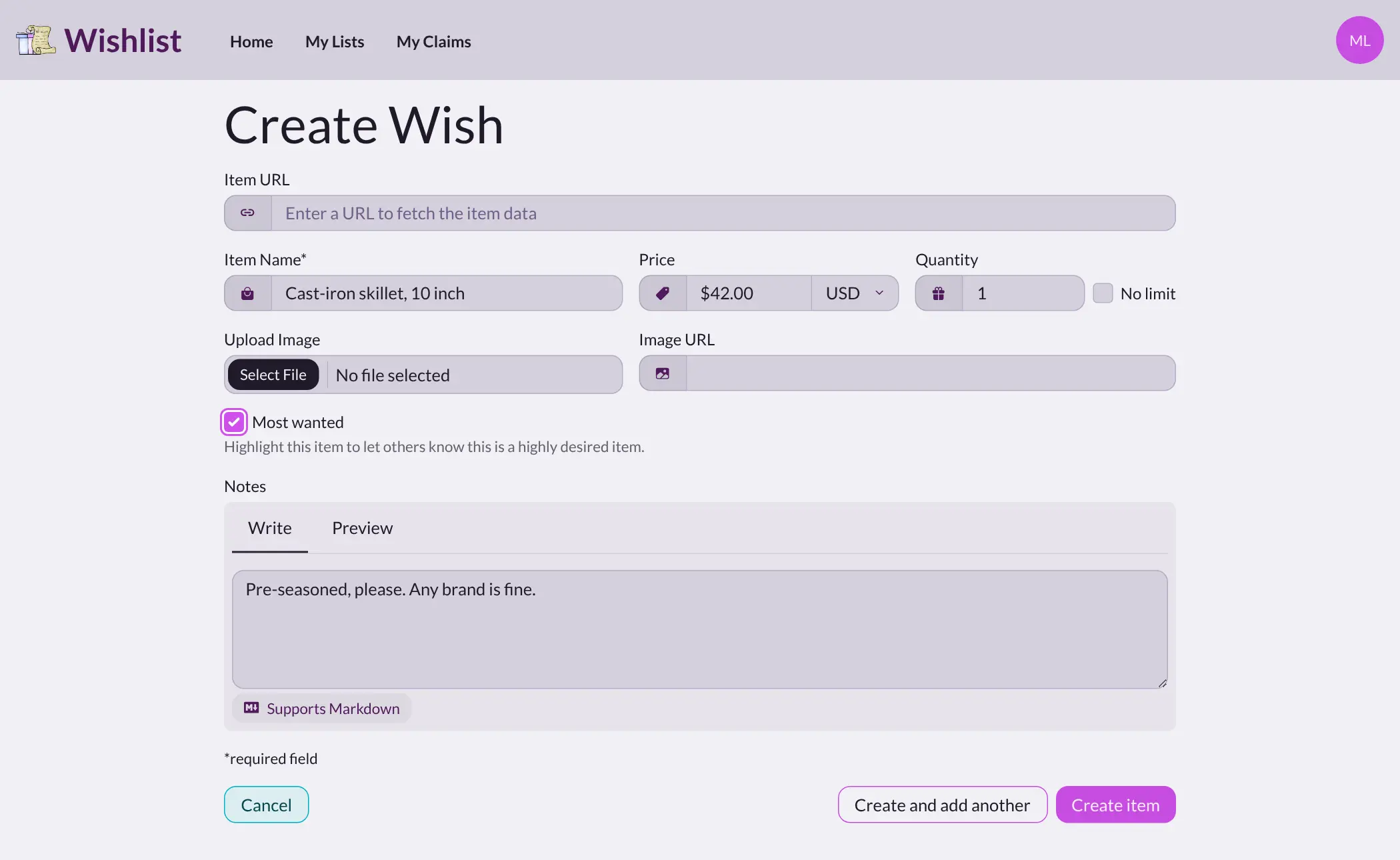
- Keep a list of things you'd like Add gifts with a price, a picture, a quantity and a note such as the size or colour, and star the ones you want most.
- Add gifts from any shop Paste a link to a product and Wishlist fills in the name, price and picture, or type the details yourself.
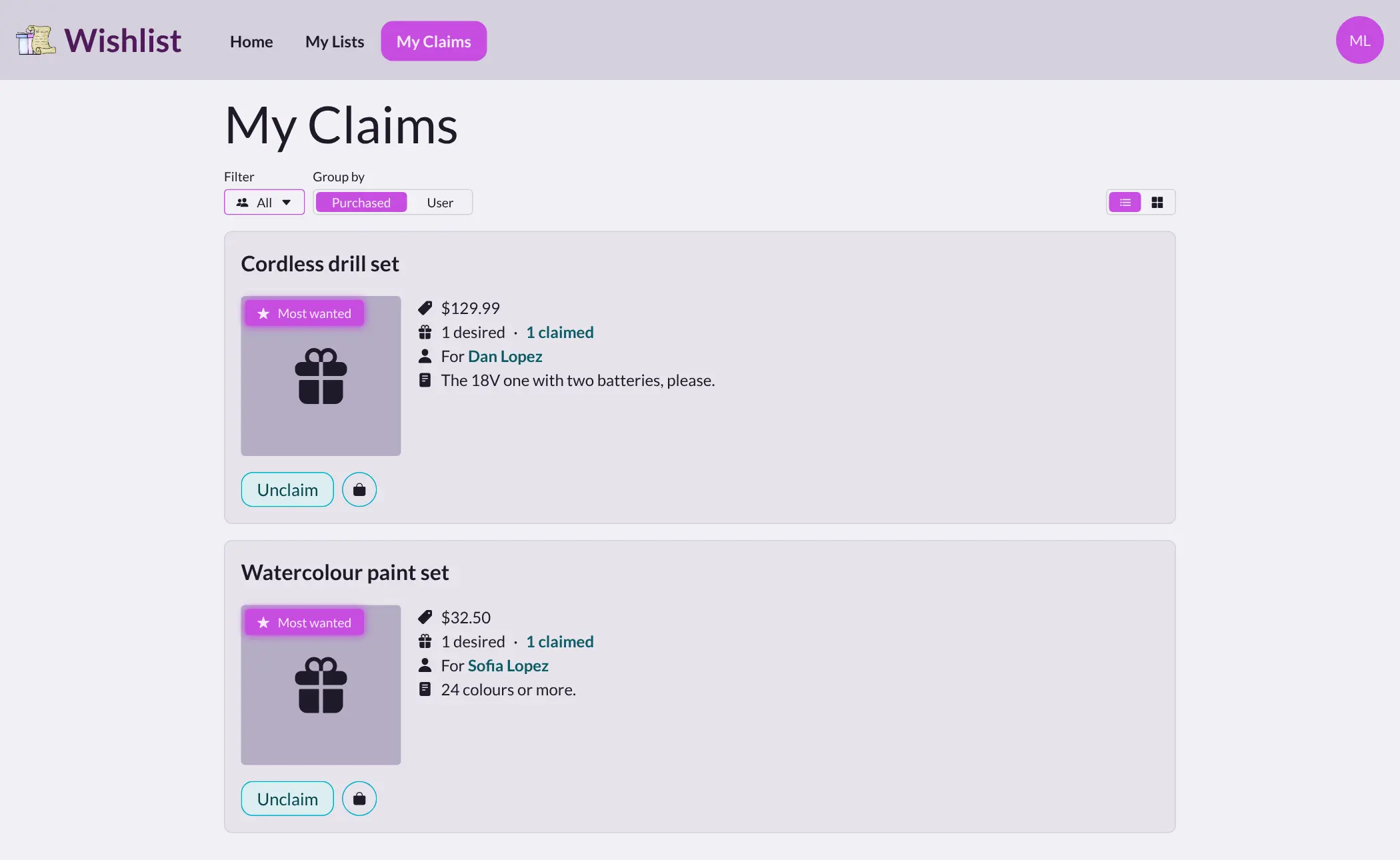
- Claim a gift so no one doubles up Claim an item on someone's list, then tick it off when you've bought it, and everyone else sees it's taken.
- Keep the surprise The person whose list it is doesn't see what was claimed, unless the admin turns that on.
- Suggest gifts for someone else Add ideas to another person's list, with their approval, straight onto it, or hidden from them as a surprise.
- Separate groups for family and friends Keep each group's lists apart, and let a group manager invite and remove its members.
- Share a registry with a public link Turn a group into a single registry, for a wedding or a new baby, that guests can claim from without an account.
- Use it on your phone Install Wishlist from the phone's browser to your home screen, in any of 20 languages.
Replaces Giftster and Amazon Wish List
Wishlist does the same job as Giftster and Amazon Wish List. Here is what changes when you switch.
- Lists and claims stay private to your family, on your own server
- No ads and no shopping links that earn someone a commission
- Gifts from any shop, not only one store
- Free for as many people and lists as you like
- No Secret Santa name draw
- No app in the App Store or Google Play; you install it from the browser instead
- Lists from Giftster, Elfster or Amazon don't move across; you add items again
- You or someone in the family looks after the server
What happens when you click Deploy?
You do not need a server or any technical knowledge. Four steps, and Wishlist is running at its own web address.
- Step 1 Click Deploy and create your account
Deploy takes you to Cloudgate. Create an account, or log in if you have one. Wishlist itself is free.
- Step 2 Choose a server
No server? Get one from Cloudgate: pick a size and a country, and Cloudgate gets it ready. Already have one? Connect it instead.
- Step 3 Cloudgate sets up Wishlist
It prepares the server, makes the passwords the app needs and starts it. There is nothing to install and nothing to write down.
- Step 4 Open your app and sign in
Your app gets a free web address to start, without https. Add your own domain, like app.yourshop.com, and Cloudgate secures it with https for you.
New to Cloudgate? See what Cloudgate is
Run Cloudgate yourself? Deploy from your own console
In your Cloudgate console, open Templates and choose Wishlist.
Questions
Is Wishlist free?
Yes, Wishlist is free and open source under the MIT licence, with no paid version and no limit on people or lists. You pay only for the server it runs on.
Can the owner of a Wishlist list see what has been claimed?
No, not by default. Wishlist hides claims from the list's owner so gifts stay a surprise, and the admin can change that in the settings if your family prefers.
Is Wishlist a good alternative to Giftster or Elfster?
Yes, for shared wish lists with hidden claims, suggestions and separate family and friend groups. Wishlist has no Secret Santa draw and no app-store app, so a group that mainly runs gift exchanges may still want Elfster or Giftster for the draw.
Can I add gifts to Wishlist from any shop, not just Amazon?
Yes, you can add an item from any shop by pasting its link, and Wishlist fills in the name, price and picture where the shop's page allows it. You can also type the details and upload a picture yourself.
How do I sign in to Wishlist the first time?
The first time you open Wishlist's address, a setup wizard asks you to create an account, and that first account is the administrator. There is no default password. Then invite your family, or let them sign up from the sign-in page.
Is there a Wishlist phone app?
No, there is no app-store app, but Wishlist can be installed from the phone's browser to the home screen, where it opens like an app. The whole site works in a phone's browser too.
Can I use Wishlist as a wedding or baby registry?
Yes, Wishlist's Registry mode turns a group into one list with a public link. Guests can see it and claim gifts without creating an account, by entering an email address or another way to identify themselves.
Do I need technical skills to run Wishlist?
No. Click Deploy, create your Cloudgate account and choose a server, and Cloudgate sets up Wishlist and gives it a web address. You use it in your browser like any other online tool.
Do I need my own server for Wishlist?
No. When you deploy Wishlist, hosted Cloudgate can provide a server. If you already rent one, you can connect it instead.
Can I move my data from Giftster to Wishlist?
Most people export from Giftster and import into Wishlist. The official guides at github.com walk through it.
Related apps

A self-hosted travel tracker, trip planner and world map in one.

A self-hosted flight tracker for every flight you take, on one map.

A self-hosted baby tracker the whole family can share.

A self-hosted habit tracker with daily ticks and streaks, no goals.