
useSend
Email sending for your app and newsletters, on Amazon SES.
No server needed to start: Cloudgate can provide one. What happens when you click Deploy




What is useSend?
useSend is a self-hosted, open-source email platform on Amazon SES: send app emails and marketing campaigns, and track every delivery, open and bounce.
useSend is an open-source email sending platform, an alternative to Resend, SendGrid and Postmark that you host yourself. It sends the emails your app or website needs, such as sign-up confirmations and receipts, and the newsletters and product updates you send to a contact list. It used to be called Unsend.
useSend does not deliver email on its own: it sends every message through Amazon SES on your own AWS account, so you need an AWS account and pay Amazon for what you send, with no charge per contact. In return you get one dashboard for both kinds of email, with delivery, open, click and bounce numbers, a searchable log, contact lists with one-click unsubscribe, and a suppression list that stops you emailing addresses that bounced. A small tour operator, for example, could send booking confirmations from its website and a monthly newsletter to past guests from the same place, and see which emails bounced.
Your developers send from your app with useSend's API, code libraries or React Email, and webhooks pass events on to your other tools. useSend is still labelled beta.
Cloudgate installs useSend on your server, with the database it needs, and gives it a secure web address. Sign in with GitHub, connect Amazon SES, verify your domain and create an API key.
What you can do with useSend
- Send emails from your app Send sign-up confirmations, receipts and password resets through a simple API, with ready-made code libraries for JavaScript, Python and Go.
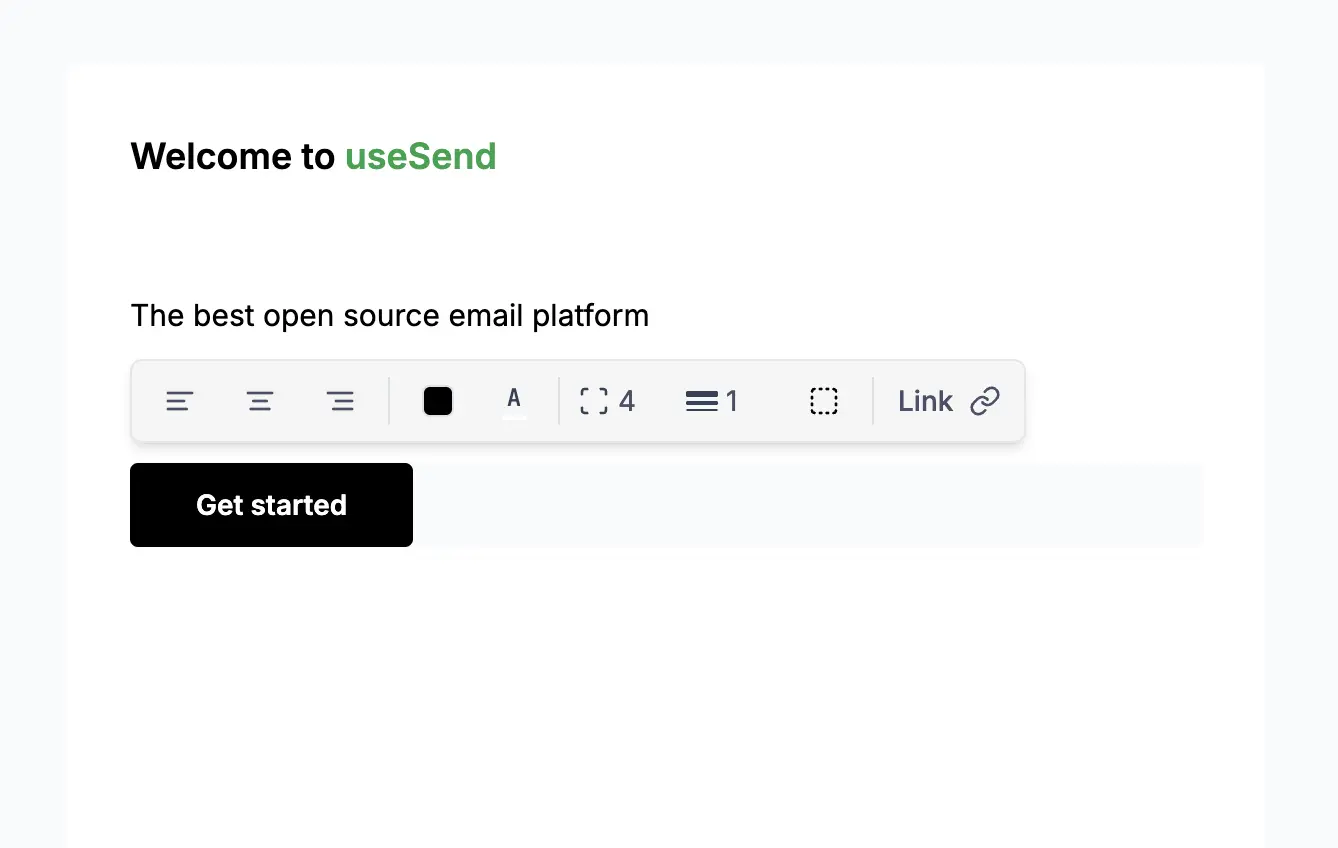
- Design and send campaigns Write newsletters and product updates in a visual editor, personalize them with each contact's details and send to a contact list.
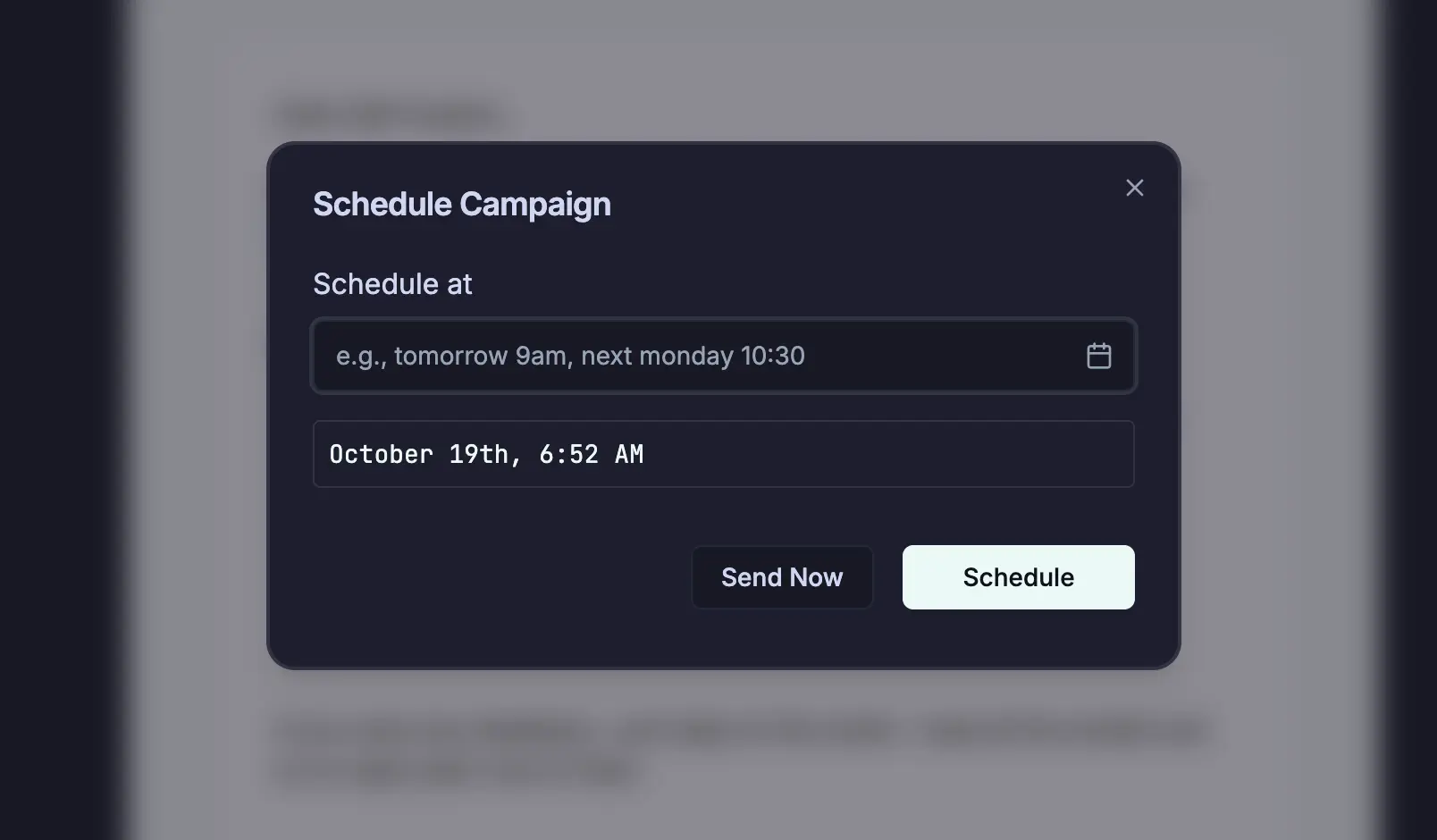
- Schedule in plain words Pick a send time by typing "tomorrow 9am" or "next Monday 10:30", and pause or resume a campaign while it sends.
- Keep your contact lists tidy Upload contacts from a CSV file, export them again, ask new subscribers to confirm their address, and let people unsubscribe in one click.
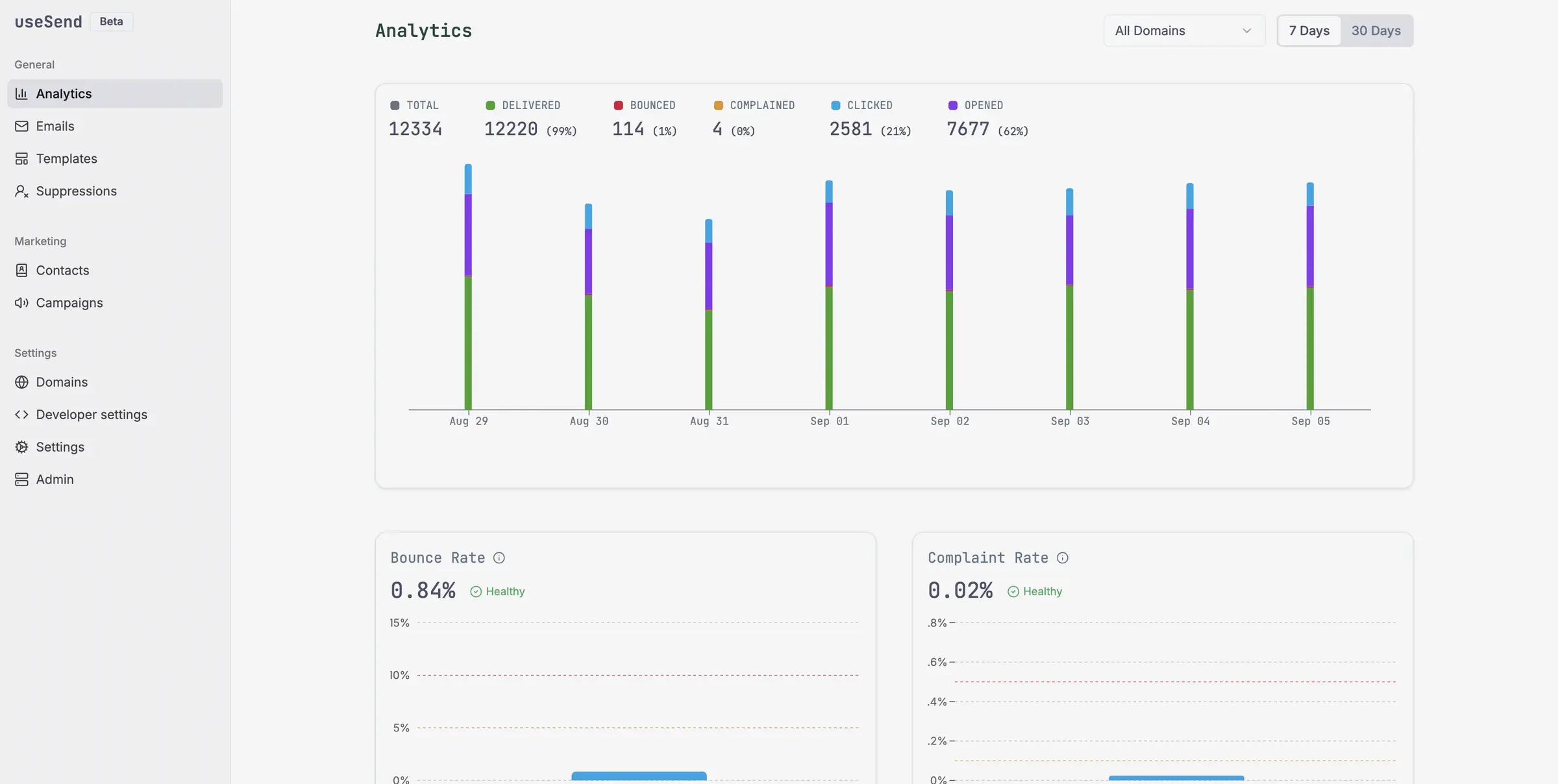
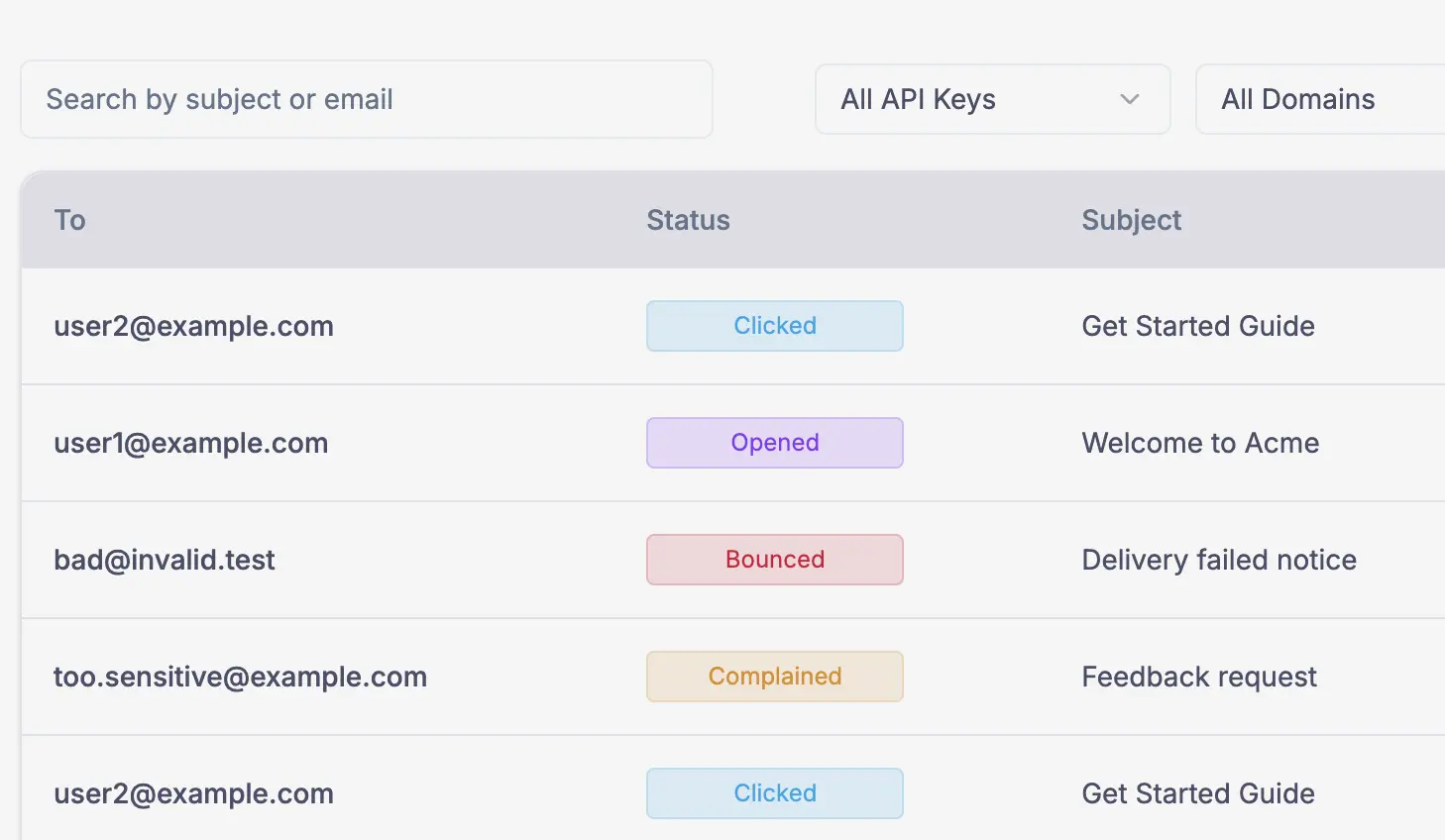
- See what happened to every email Track delivered, opened, clicked, bounced and complained emails on a dashboard, and search the log by address, subject, domain or API key.
- Protect your sender reputation Addresses that bounce or complain go on a suppression list automatically, and the dashboard shows your bounce and complaint rates.
- Get notified of events Webhooks tell your other tools when an email is delivered, opened, clicked or bounced, or when a contact changes.
- Work as a team Invite colleagues to your team and send from more than one domain.
Replaces Resend, SendGrid, Postmark and Mailchimp
useSend does the same job as Resend, SendGrid, Postmark and Mailchimp. Here is what changes when you switch.
- A Resend-style dashboard and email API that you own
- You pay Amazon per email sent, not a monthly plan or a fee per contact
- App emails and marketing campaigns in one place
- Your email log and contact lists stay on your server
- It only sends through Amazon SES, so you need an AWS account and must ask Amazon to lift the new-account sending limits
- Sign-in is with GitHub or Google, not an email and password
- It is still labelled beta, with fewer features than SendGrid, and no inbound email
- This setup has no SMTP relay and no image uploads in the email editor
What happens when you click Deploy?
You do not need a server or any technical knowledge. Four steps, and useSend is running at its own web address.
- Step 1 Click Deploy and create your account
Deploy takes you to Cloudgate. Create an account, or log in if you have one. useSend itself is free.
- Step 2 Choose a server
No server? Get one from Cloudgate: pick a size and a country, and Cloudgate gets it ready. Already have one? Connect it instead.
- Step 3 Cloudgate sets up useSend
It prepares the server, makes the passwords the app needs and starts it. There is nothing to install and nothing to write down.
- Step 4 Open your app and sign in
Your app gets a free web address to start, without https. Add your own domain, like app.yourshop.com, and Cloudgate secures it with https for you.
New to Cloudgate? See what Cloudgate is
Run Cloudgate yourself? Deploy from your own console
In your Cloudgate console, open Templates and choose useSend.
Questions
Is useSend free?
Yes, useSend is free and open source under the AGPL-3.0 licence. You pay for your server and for Amazon SES, which charges per email you send.
Do I need an AWS account to use useSend?
Yes, useSend sends every email through Amazon SES, so you need an AWS account and an AWS user with SES and SNS access. New SES accounts can only send to verified addresses until you ask Amazon for production access.
Is useSend a good alternative to Resend?
Yes, if you want Resend's kind of sending API and dashboard but run it yourself on Amazon SES. useSend also sends marketing campaigns to contact lists, but it is in beta and has fewer extras than Resend or SendGrid.
How do I sign in to useSend the first time?
You sign in to useSend with GitHub, using the GitHub app you created before installing, and Google sign-in can be added too. The first person to sign in becomes the admin, and others join by team invitation.
Can I import my contacts into useSend?
Yes, in useSend you can upload contacts to a contact list from a CSV or text file, one address per line. Email history from Resend, SendGrid or Postmark does not move across.
Can my app send through useSend with SMTP?
No, not with this setup. useSend's SMTP relay runs as a separate service that Cloudgate does not install, so your app sends through the useSend API or its code libraries instead.
What server size do I need for useSend?
A small server is enough, because useSend is one app with a PostgreSQL database and a Redis queue, and Amazon SES does the actual sending. Cloudgate sets them up together.
Do I need technical skills to run useSend?
No. Click Deploy, create your Cloudgate account and choose a server, and Cloudgate sets up useSend and gives it a web address. You use it in your browser like any other online tool.
Do I need my own server for useSend?
No. When you deploy useSend, hosted Cloudgate can provide a server. If you already rent one, you can connect it instead.
Related apps

An email API and campaigns, an alternative to Resend.

Newsletters, email automations and app emails together.

Newsletters with a friendly editor and sign-up forms.

Send newsletters to any size of list, without paying per subscriber.