
listmonk
Send newsletters to any size of list, without paying per subscriber.
No server needed to start: Cloudgate can provide one. What happens when you click Deploy

What is listmonk?
Self-hosted listmonk, the open-source Mailchimp alternative: send newsletters and email campaigns to lists of any size, with no fee per subscriber.
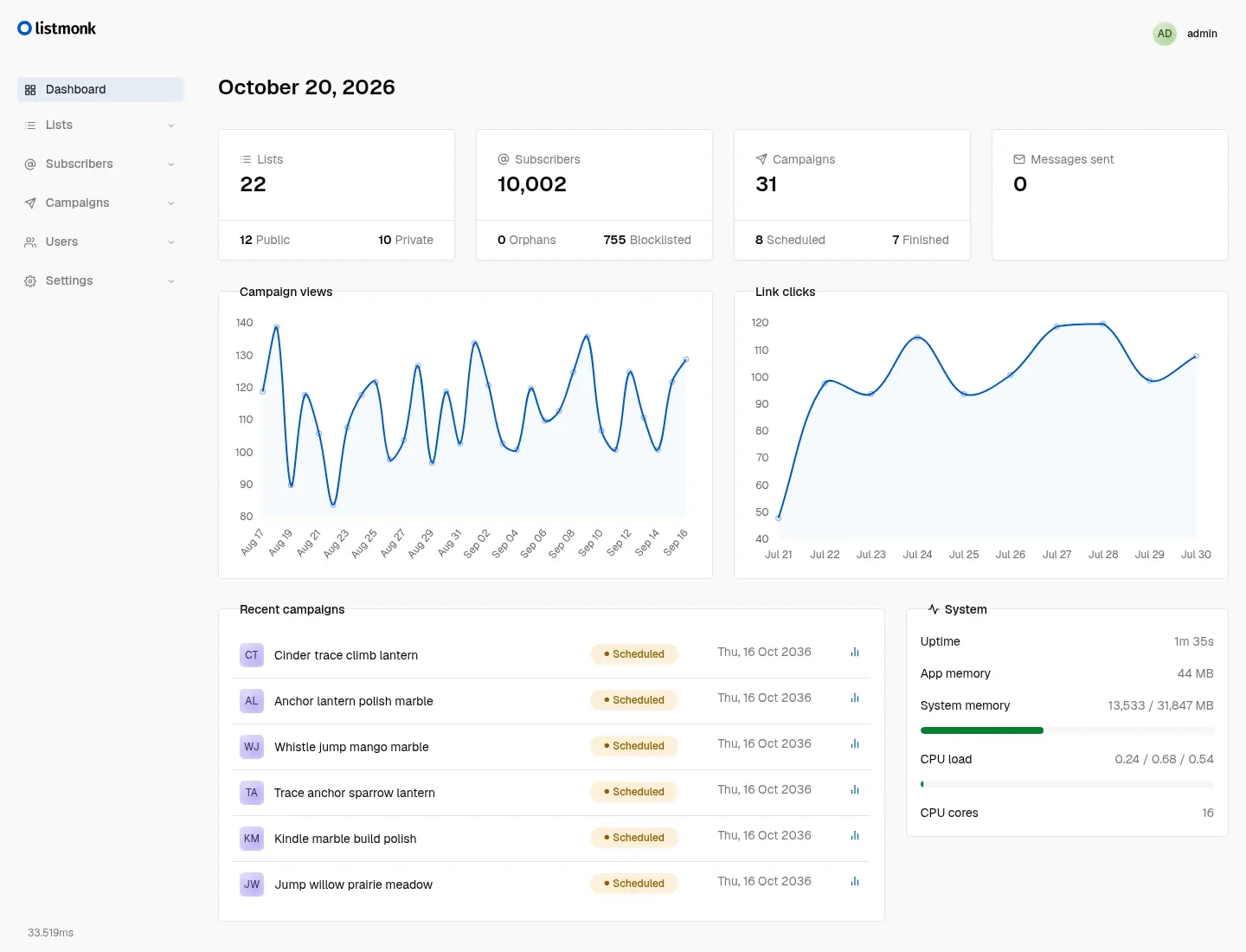
listmonk is an open-source newsletter and mailing list manager that sends email campaigns to your subscribers without charging per contact. You keep your contact lists in it, write emails in a visual editor, and send them now or on a schedule. Each campaign shows how many people opened it and clicked its links.
It suits businesses with large lists that send regularly and are tired of prices that rise with every new subscriber. A shop with 40,000 customers, for example, could send a monthly offer to all of them, or only to those who bought in the last year, for the cost of the emails alone.
listmonk sends mail through an email sending service you choose, such as Amazon SES, Postmark, Mailgun or your own mail server. You can add a sign-up form to your website so new subscribers join a list on their own, and other tools can add subscribers or send order and password emails through its API. It runs in your web browser on a computer, tablet or phone.
Cloudgate installs listmonk and its database on a server Cloudgate provides or one you connect, creates your admin account and gives it a secure web address. It also sets that address as the one used in unsubscribe and tracking links. You then sign in, add your email sending service in the settings and import your contacts.
What you can do with listmonk
- Manage subscriber lists Import contacts from a spreadsheet and sort them into public, private, single or double opt-in lists.
- Design your emails Build emails with the drag-and-drop editor, write in rich text or Markdown, or paste in your own HTML design.
- Schedule campaigns Write today and have the campaign go out on Tuesday morning in your time zone.
- Target the right people Send only to subscribers who match conditions you set, such as a country or a past purchase.
- See what works Track opens, clicks and bounces for every campaign, and remove addresses that keep bouncing.
- Handle sign-ups and unsubscribes Add a sign-up form to your website; every email gets an unsubscribe link and a page to manage preferences.
Replaces Mailchimp
listmonk does the same job as Mailchimp. Here is what changes when you switch.
- No price per subscriber, however big your list grows
- Your contact list stays on your own server
- You choose the email sending service and its price
- Unlimited lists, campaigns and team members
- You set up an email sending service yourself
- Fewer ready-made email designs than Mailchimp
- No built-in landing pages, ads or customer journeys
What happens when you click Deploy?
You do not need a server or any technical knowledge. Four steps, and listmonk is running at its own web address.
- Step 1 Click Deploy and create your account
Deploy takes you to Cloudgate. Create an account, or log in if you have one. listmonk itself is free.
- Step 2 Choose a server
No server? Get one from Cloudgate: pick a size and a country, and Cloudgate gets it ready. Already have one? Connect it instead.
- Step 3 Cloudgate sets up listmonk
It prepares the server, makes the passwords the app needs and starts it. There is nothing to install and nothing to write down.
- Step 4 Open your app and sign in
Your app gets a free web address to start, without https. Add your own domain, like app.yourshop.com, and Cloudgate secures it with https for you.
New to Cloudgate? See what Cloudgate is
Run Cloudgate yourself? Deploy from your own console
In your Cloudgate console, open Templates and choose listmonk.
Questions
Is listmonk free?
Yes. listmonk is free, open-source software under the AGPL licence, with no limit on subscribers or emails. You pay only for hosting and your email sending service, which usually charges a small amount per thousand emails.
Is listmonk a good alternative to Mailchimp?
Yes, for sending regular newsletters and campaigns to a large list at low cost. Mailchimp's price rises with the number of contacts, while listmonk costs the same however big your list grows. Mailchimp has more ready-made templates, landing pages and automations.
Can I import my subscribers from Mailchimp?
Yes. Export your audience from Mailchimp as a CSV file and import it into a listmonk list with their names and email addresses. Extra fields can come along as subscriber attributes.
How do I self-host listmonk?
Pick listmonk in Cloudgate's template list, choose an admin username and press Set up. Cloudgate installs listmonk and its database on your server, creates your admin account and gives it a secure web address; you then add your email sending service under Settings.
Which email sending services work with listmonk?
Any service that offers SMTP, such as Amazon SES, Postmark, Mailgun, Brevo or your own mail server. You can add several and listmonk spreads the sending between them.
Is my data private?
Yes. Your subscriber lists, campaigns and statistics are stored in a database on your own server. The email sending service you choose sees only the emails it delivers.
What server size do I need?
A small server (1 GB of memory) is enough for most businesses, as listmonk uses very little memory even with large lists.
Do I need technical skills?
No. Click Deploy, create your Cloudgate account and choose a server, and Cloudgate sets up listmonk and gives it a web address. You use it in your browser like any other online tool.
Do I need my own server?
No. When you deploy listmonk, hosted Cloudgate can provide a server. If you already rent one, you can connect it instead.
Related apps

Let clients book time with you from a simple link.

Answer website chat, email, WhatsApp and social in one inbox.

Publish a blog and paid newsletter on a site that you own.