
Twenty
A self-hosted CRM for your companies, contacts and sales deals.
No server needed to start: Cloudgate can provide one. What happens when you click Deploy
What is Twenty?
Self-hosted Twenty, the open-source Salesforce alternative: one CRM for your companies, contacts and sales deals, with a pipeline board and email sync.
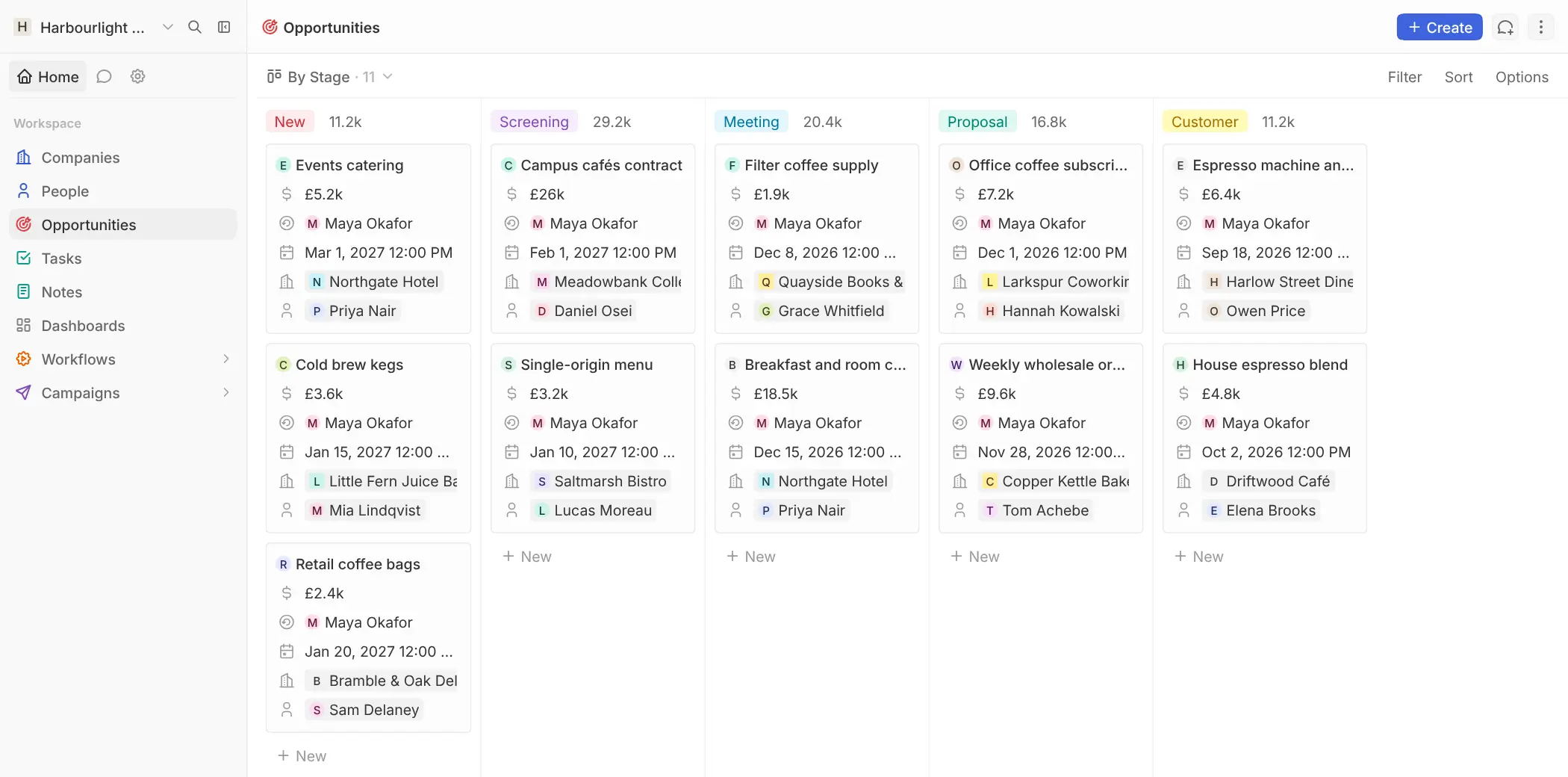
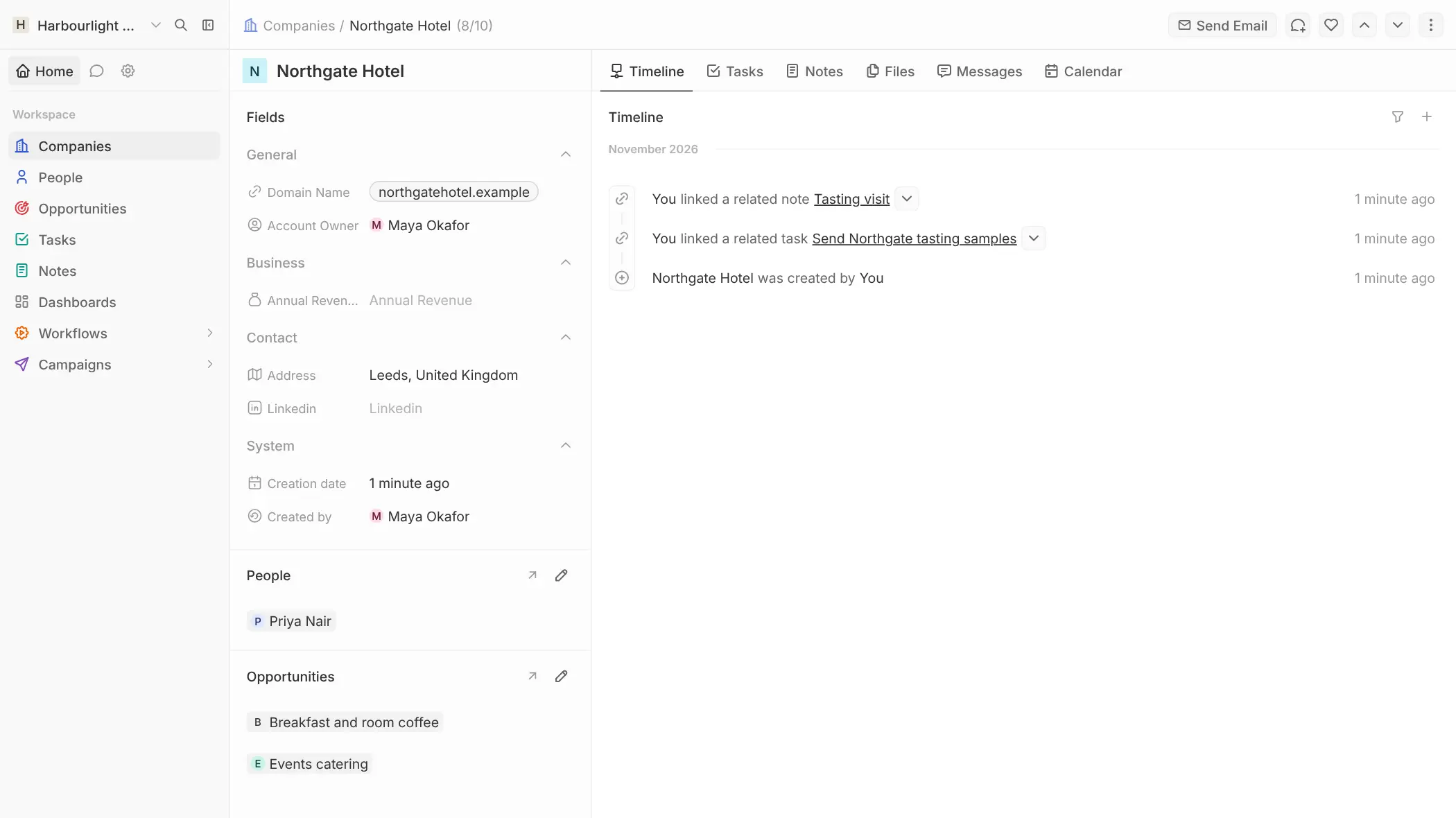
Twenty is an open-source CRM that keeps your companies, contacts and sales deals in one place, and a self-hosted alternative to Salesforce, HubSpot's sales CRM and Pipedrive. Each customer has one page with their people, deals, notes, tasks, emails and meetings, and your deals move across a pipeline board by stage.
You can shape Twenty around your business: add your own fields and record types, save filtered views for the team, build dashboards, and set up workflows that create a task or send an email when a deal moves. A coffee roaster selling to cafés and hotels, for example, could log each tasting visit on the hotel's page, track every contract from first call to signed customer, and see at a glance what is due to close this month.
Twenty runs in the web browser, including on a phone, with no official phone app. It syncs email and calendars from Gmail, Microsoft 365 or any IMAP mailbox, imports CSV and Excel files, and has an API for other tools.
Cloudgate installs Twenty on a server Cloudgate provides or one you connect, with the database it needs, and gives it a secure web address. The first person to sign up becomes the admin. The CRM is free to self-host; a paid licence adds single sign-on, audit logs and record-level permissions.
What you can do with Twenty
- Keep every customer in one place Companies, people and sales deals are linked to each other, with notes, tasks and files on each record.
- Follow deals on a pipeline board Drag each deal through your sales stages on a kanban board and see the total value in every stage.
- Shape it to your business Add your own fields and record types, such as suppliers or contracts, and link them to anything else.
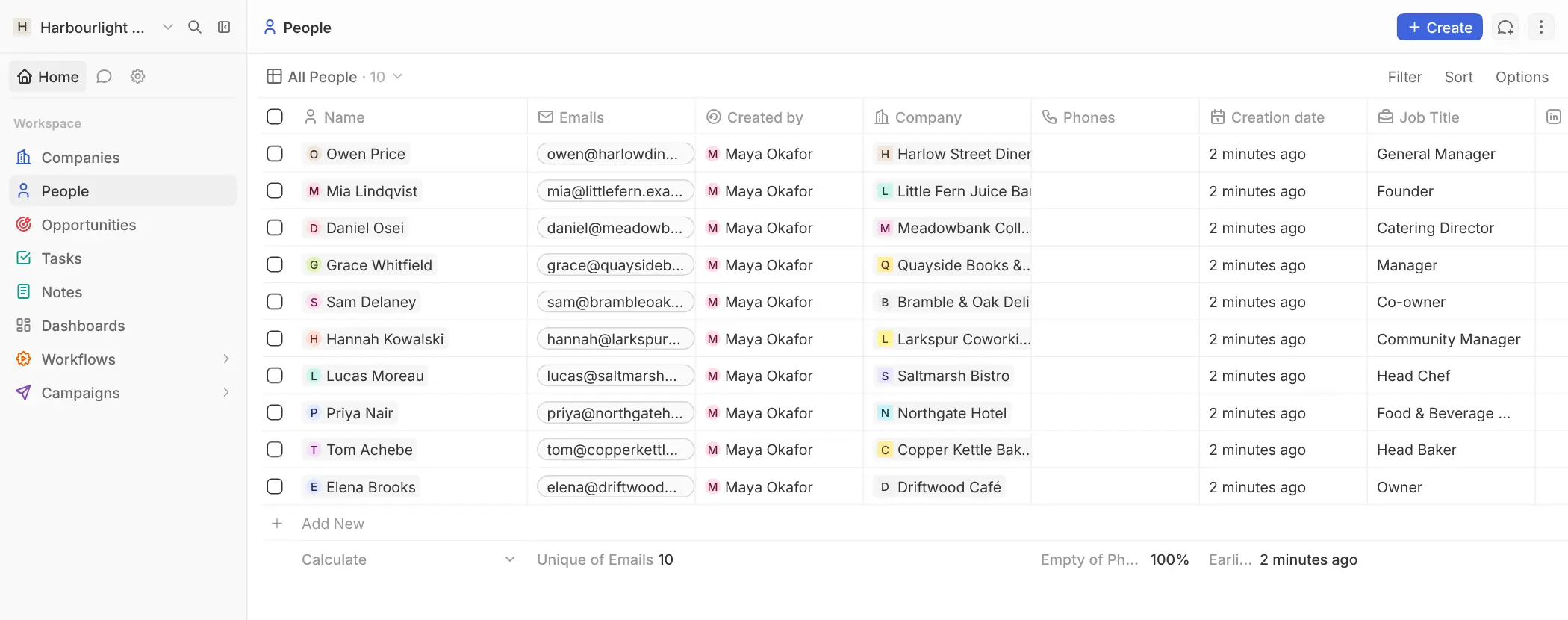
- Find the right list fast Filter, sort and group any table, then save the view for the whole team.
- See emails and meetings on the record Connect Gmail, Microsoft 365 or any IMAP mailbox, and each contact's emails and meetings appear on their page.
- Automate routine steps Build workflows that create tasks, update records or send an email when a deal changes or on a schedule.
- Track the numbers Make dashboards with charts and totals from your live CRM data.
- Choose who sees what Give each person a role, and limit custom roles to certain record types and fields.
Replaces Salesforce, HubSpot and Pipedrive
Twenty does the same job as Salesforce, HubSpot and Pipedrive. Here is what changes when you switch.
- No per-user fee for the CRM itself, however many people you invite
- Your customer list and deal history stay on your own server
- Your own fields, record types and views without a higher plan
- Workflows, dashboards and an API included at no extra cost
- No official phone app; you use it in the phone's browser
- Single sign-on, record-level permissions and audit logs need a paid licence key
- Far fewer built-in modules and marketing tools than Salesforce or HubSpot
- Gmail and Outlook sync needs your own Google or Microsoft app set up first
What happens when you click Deploy?
You do not need a server or any technical knowledge. Four steps, and Twenty is running at its own web address.
- Step 1 Click Deploy and create your account
Deploy takes you to Cloudgate. Create an account, or log in if you have one. Twenty itself is free.
- Step 2 Choose a server
No server? Get one from Cloudgate: pick a size and a country, and Cloudgate gets it ready. Already have one? Connect it instead.
- Step 3 Cloudgate sets up Twenty
It prepares the server, makes the passwords the app needs and starts it. There is nothing to install and nothing to write down.
- Step 4 Open your app and sign in
Your app gets a free web address to start, without https. Add your own domain, like app.yourshop.com, and Cloudgate secures it with https for you.
New to Cloudgate? See what Cloudgate is
Run Cloudgate yourself? Deploy from your own console
In your Cloudgate console, open Templates and choose Twenty.
Questions
Is Twenty CRM free?
Yes, the self-hosted Twenty is open source under the AGPL licence and includes the CRM features and custom roles at no cost, with no limit on users. It is open core, so a paid licence key adds row-level permissions, single sign-on, audit logs, more workspaces and support from the Twenty team.
Is Twenty a good alternative to Salesforce?
Yes, for small and mid-sized teams that need accounts, contacts, deals, a pipeline, custom fields and workflows. Twenty has far fewer built-in modules than Salesforce and no official phone app, so it suits teams that use the core of a sales CRM.
Can Twenty replace HubSpot?
Partly. Twenty matches HubSpot's CRM and sales side, with contacts, companies, a deal pipeline, tasks, email and calendar sync and automations. It does not replace HubSpot's marketing tools such as forms, landing pages and ads.
How do I sign in to Twenty the first time?
The first person to sign up for Twenty with an email and password creates the workspace and becomes its admin; there is no default account. A new workspace comes with example companies, people and deals, which you delete before adding your own, and others join by invitation.
Can Twenty import my data from Salesforce, HubSpot or Pipedrive?
Partly. There is no one-click importer, but you can export each list from your old CRM as a CSV or Excel file and import it into Twenty with column matching and duplicate checks. Views, workflows and permissions have to be set up again.
Does Twenty have a mobile app?
No, Twenty has no official phone app. The web app works in a phone's browser.
Does Twenty sync with Gmail and Outlook?
Yes, Twenty syncs email and calendars from Gmail, Microsoft 365 and any IMAP mailbox. On your own server, Gmail and Microsoft sync first need your own app set up in Google Cloud or Microsoft Azure, which takes some technical steps; IMAP needs only the mailbox details.
Do I need technical skills to run Twenty?
No. Click Deploy, create your Cloudgate account and choose a server, and Cloudgate sets up Twenty and gives it a web address. You use it in your browser like any other online tool.
Do I need my own server for Twenty?
No. When you deploy Twenty, hosted Cloudgate can provide a server. If you already rent one, you can connect it instead.
Related apps

A self-hosted CRM for sales, email, support cases and campaigns.

A self-hosted CRM for your deals, with an AI assistant you approve.

CRM, shared customer inbox and sales pipeline in one system.

Email campaigns, lead scoring and automation, no per-contact fee.