
EspoCRM
A self-hosted CRM for sales, email, support cases and campaigns.
No server needed to start: Cloudgate can provide one. What happens when you click Deploy
What is EspoCRM?
Self-hosted EspoCRM is a free, open-source CRM for leads, contacts, sales deals, email and support cases, with no per-user fee.
Self-hosted EspoCRM is a free, open-source CRM (customer relationship management) app that keeps your leads, contacts, companies, sales deals, emails and support cases in one place, as a self-hosted alternative to Salesforce, HubSpot, Pipedrive and Zoho CRM. It has a clean, quick interface, and an administrator can add fields and record types without code.
A small solar-installation firm, for example, could log every enquiry as a lead, move each roof project across the deal board from first call to signed contract, book site visits in the shared calendar, and track after-sales questions as support cases. Customers' emails land on their records, reminders and new mail arrive in the background, and colleagues see comments and assignments appear as they happen.
EspoCRM syncs with any mailbox that supports IMAP and SMTP and imports contacts from other CRMs by CSV file. Reports, workflows, quotes and invoices, and Google or Outlook sync are paid extensions from EspoCRM's makers. There is no official phone app, but it works in a phone's browser.
Cloudgate installs EspoCRM and its database on a server Cloudgate provides or one you connect, and gives it a secure web address. It sets itself up on the first start: sign in as admin with the password shown in Cloudgate.
What you can do with EspoCRM
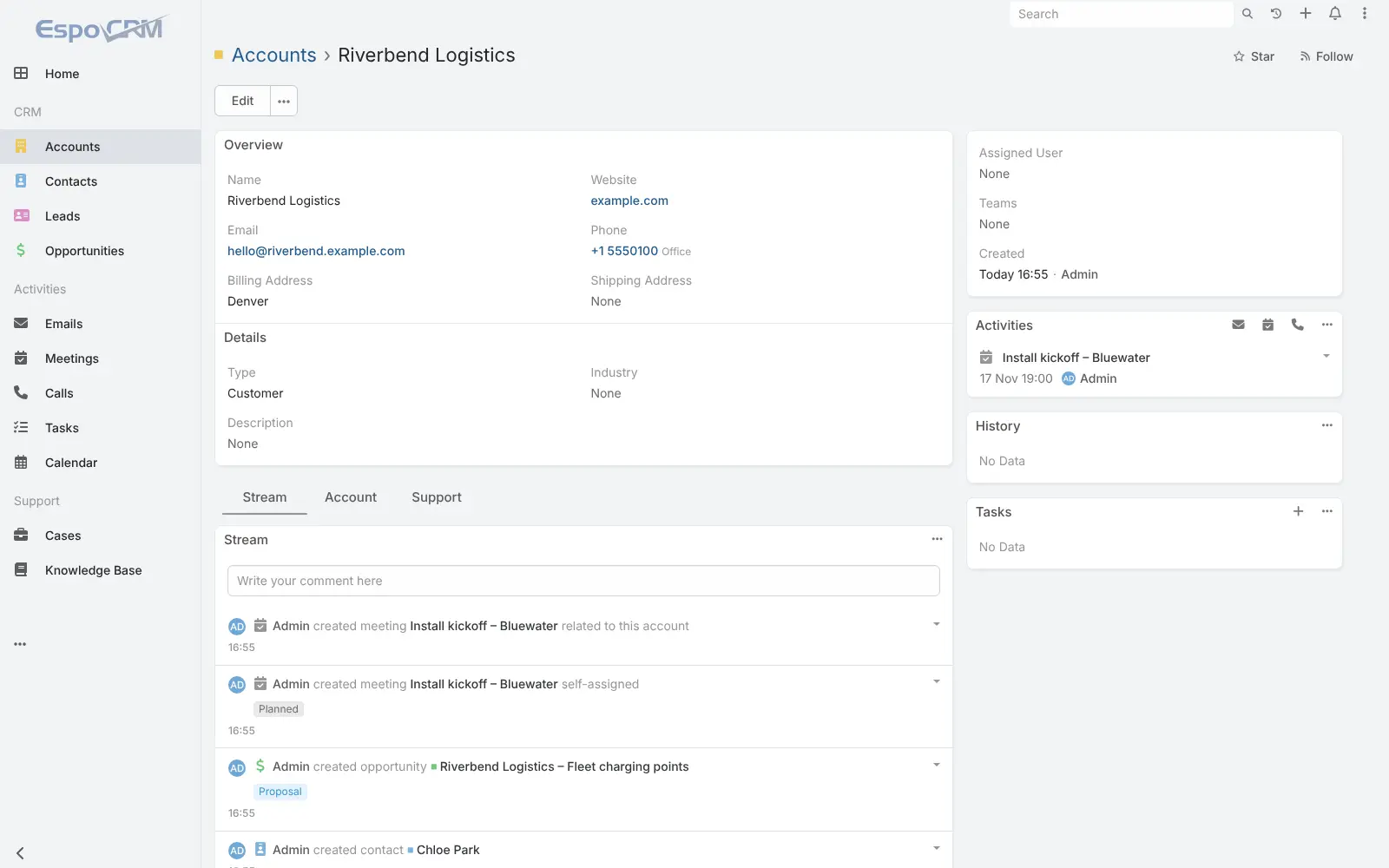
- Keep every customer in one place Leads, contacts, companies and sales deals are linked, with each record's emails, meetings, tasks and comments on one page.
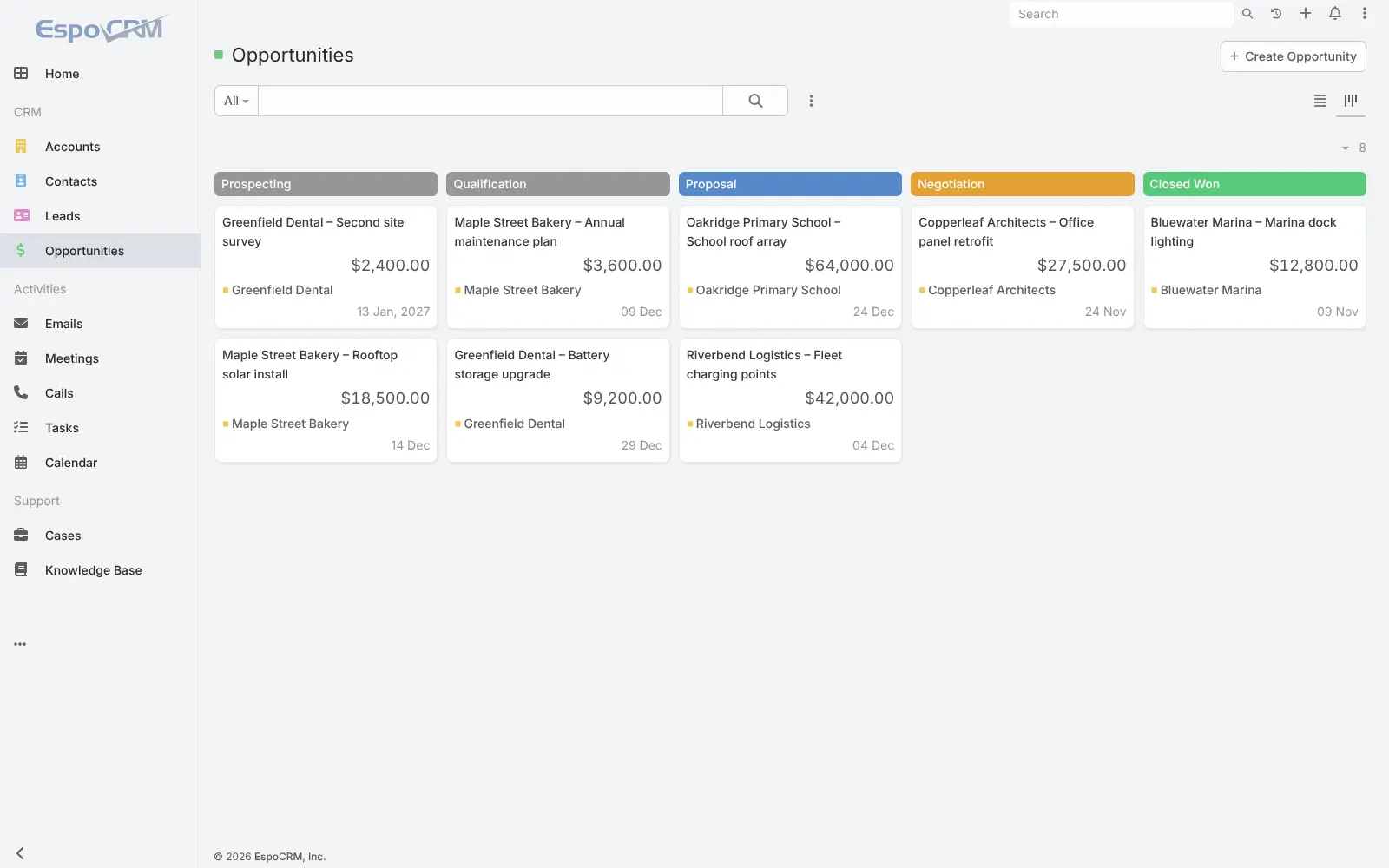
- Follow deals on a board Move each deal through your sales stages on a kanban board, with its amount, company and close date on the card.
- Send and file email Connect personal and shared mailboxes, send from the CRM with email templates, and see each customer's emails on their record.
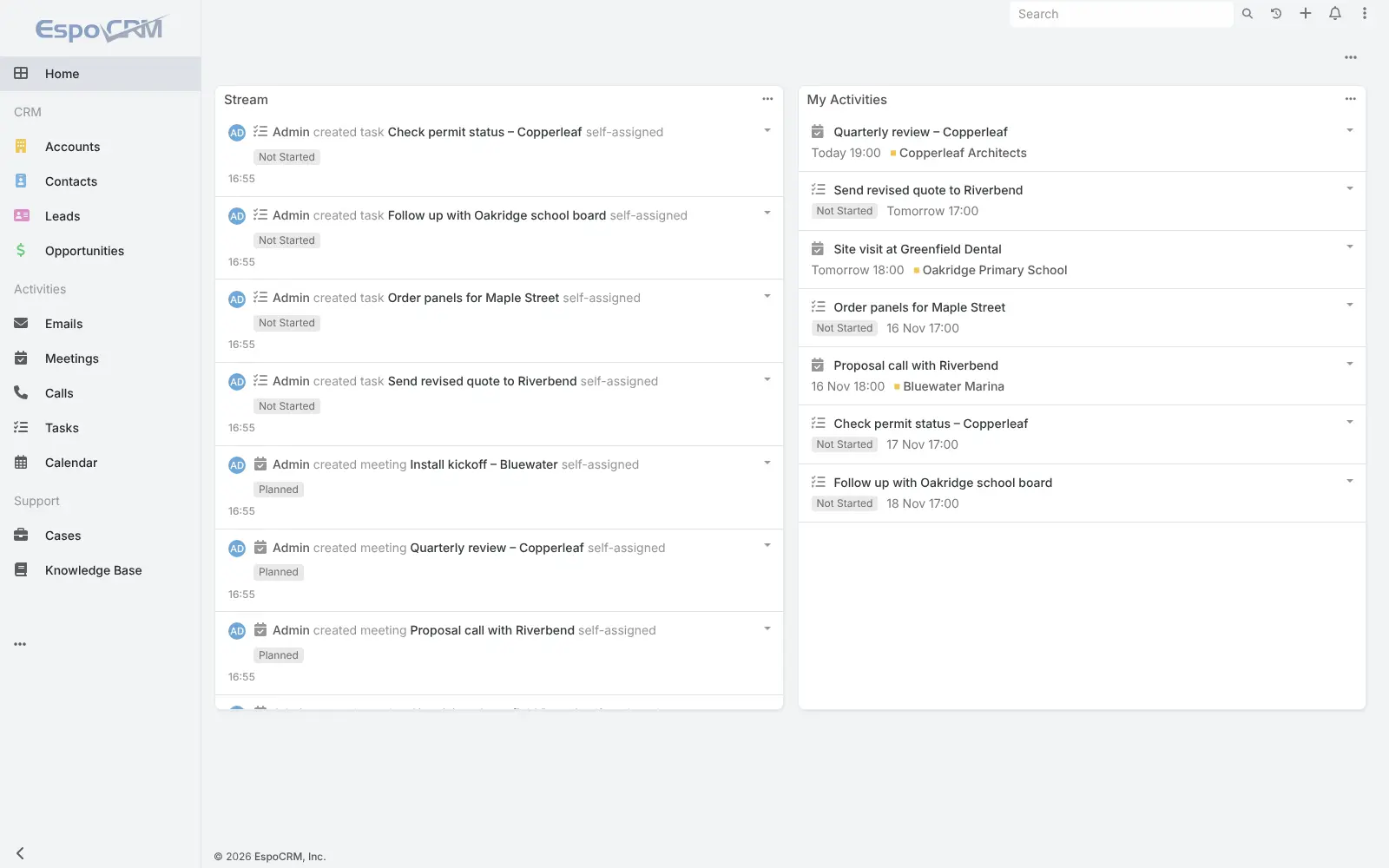
- Plan meetings, calls and tasks A shared calendar and activity lists remind everyone what is due, and colleagues' updates appear live.
- Handle support cases Track customer questions as cases, answer common ones in a knowledge base, and give customers their own portal.
- Run email campaigns Build target lists, send mass email campaigns and see how each campaign did.
- Shape it to your business Add your own fields, record types, relationships and layouts without writing code.
- Choose who sees what Roles and teams decide which records each person can see and edit, and two-step sign-in protects accounts.
Replaces Salesforce, HubSpot, Pipedrive and Zoho CRM
EspoCRM does the same job as Salesforce, HubSpot, Pipedrive and Zoho CRM. Here is what changes when you switch.
- No per-user fee for the CRM itself, however many people you add
- Your customer list and deal history stay on your own server
- Support cases, a customer portal and campaigns in the free core
- Your own fields and record types without a higher plan
- Reports, workflows, and quotes and invoices are paid EspoCRM extensions
- Google and Outlook calendar and contact sync are paid extensions too
- No official phone app; you use it in the phone's browser
- Far fewer ready-made integrations, and data from another CRM comes in by CSV file
What happens when you click Deploy?
You do not need a server or any technical knowledge. Four steps, and EspoCRM is running at its own web address.
- Step 1 Click Deploy and create your account
Deploy takes you to Cloudgate. Create an account, or log in if you have one. EspoCRM itself is free.
- Step 2 Choose a server
No server? Get one from Cloudgate: pick a size and a country, and Cloudgate gets it ready. Already have one? Connect it instead.
- Step 3 Cloudgate sets up EspoCRM
It prepares the server, makes the passwords the app needs and starts it. There is nothing to install and nothing to write down.
- Step 4 Open your app and sign in
Your app gets a free web address to start, without https. Add your own domain, like app.yourshop.com, and Cloudgate secures it with https for you.
New to Cloudgate? See what Cloudgate is
Run Cloudgate yourself? Deploy from your own console
In your Cloudgate console, open Templates and choose EspoCRM.
Questions
Is EspoCRM free?
Yes, EspoCRM's core is free and open source under the AGPL-3.0 licence, with no limit on users. It is open core, so EspoCRM sells paid extensions such as the Advanced Pack (reports and workflows), the Sales Pack (quotes and invoices), project management, AI, VoIP and Google or Outlook sync; this template installs the free core.
Is EspoCRM a good alternative to Salesforce or HubSpot?
Yes, for the everyday CRM work of a small business, such as contacts, companies, a sales pipeline, email, support cases, campaigns and a customer portal, with no per-user price. Reports and workflows cost extra, and EspoCRM has far fewer integrations and marketing tools than Salesforce or HubSpot.
Should I choose EspoCRM or Twenty?
Choose EspoCRM if you also handle support cases, want a customer portal, a knowledge base or email campaigns, since those are in its free core. Choose Twenty if you mainly track sales and want workflows and dashboards included at no cost; Twenty is newer and more sales-focused.
How do I sign in to EspoCRM the first time?
EspoCRM installs itself on the first start. Sign in with the username admin and the password Cloudgate created, which is shown in Cloudgate, then change it in your profile if you like and add your team.
Can I import my contacts from another CRM into EspoCRM?
Yes, by CSV file. Export your contacts, companies or deals from Salesforce, HubSpot, Pipedrive or Zoho CRM as CSV and bring them in with EspoCRM's import tool; there is no direct connector that copies them across.
Is there an EspoCRM phone app?
No official phone app was found. EspoCRM's web app adapts to small screens, so you use it in your phone's browser.
What server size do I need for EspoCRM?
A medium server with 2 GB of memory runs EspoCRM, its database and the background services for reminders, email fetching and live updates. Cloudgate sets them all up together.
Do I need technical skills to run EspoCRM?
No. Click Deploy, create your Cloudgate account and choose a server, and Cloudgate sets up EspoCRM and gives it a web address. You use it in your browser like any other online tool.
Do I need my own server for EspoCRM?
No. When you deploy EspoCRM, hosted Cloudgate can provide a server. If you already rent one, you can connect it instead.
Related apps

A self-hosted CRM for your companies, contacts and sales deals.

A self-hosted CRM for your deals, with an AI assistant you approve.

CRM, shared customer inbox and sales pipeline in one system.

Email campaigns, lead scoring and automation, no per-contact fee.