
Open-source alternatives to Salesforce

Twenty is a free, open-source Salesforce alternative for small and mid-sized sales teams: companies, contacts, deals and workflows in a CRM you can shape to fit. Salesforce is priced per user, with more features on each higher edition; self-hosted Twenty has no per-user price and keeps customer data on your server.

3 alternatives Free apps Our pick: Twenty

At a glance

App Good for Code Import from Salesforce Ease of use
Twenty Sales and account teams who want their own CRM without per-user fees Code Open source Import from Salesforce Partly Easy
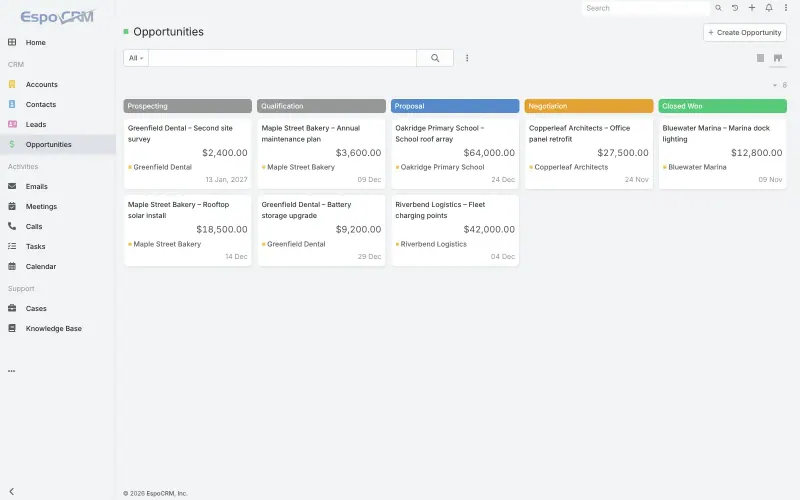
EspoCRM Small businesses that want one CRM for sales, support cases and email, shaped to their own records Code Open source Import from Salesforce Partly Easy
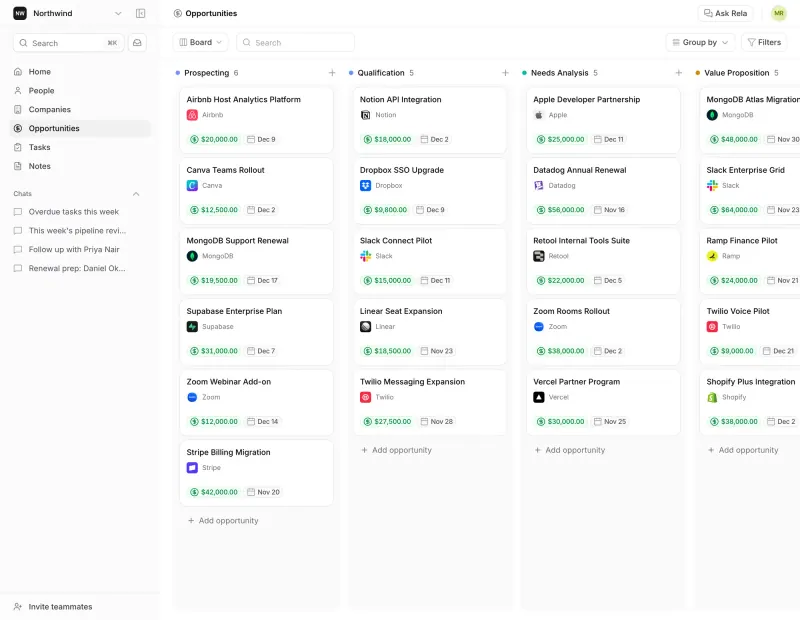
Relaticle Small sales teams and agencies who want a simple CRM their AI assistant can work in Code Open source Import from Salesforce Partly Some setup

Why look for an alternative to Salesforce?

Salesforce is the largest CRM: software for tracking a company's customers, contacts and sales opportunities. Its Sales Cloud adds pipelines, forecasting, quotes and automation, and thousands of add-ons are sold on its AppExchange marketplace.

Smaller teams look for an alternative because Salesforce is priced per user, with more features on each higher edition, and many useful pieces are add-ons on top. Setting it up often needs a consultant or an admin. A modern self-hosted CRM such as Twenty gives a small or mid-sized team the core of it, companies, contacts, deals, custom fields and workflows, with no per-user price and customer data on your own server. EspoCRM adds support cases, a knowledge base and a customer portal.

The alternatives, compared

Twenty

Our pick

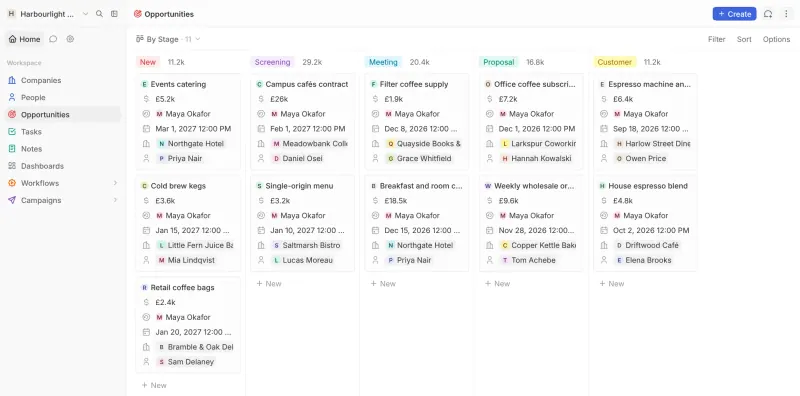
A self-hosted CRM for your companies, contacts and sales deals.

Covers the core of Sales Cloud for small and mid-sized teams: companies, contacts, opportunities on a pipeline board, custom objects and fields, workflows and dashboards. It has far fewer built-in modules (no CPQ, forecasting suite or service desk), no marketplace on the scale of AppExchange and no official phone app. It is open core: SSO, row-level permissions and audit logs need a paid key.

What you gain
  • No per-user fee for the CRM itself, however many people you invite
  • Your customer list and deal history stay on your own server
  • Your own fields, record types and views without a higher plan
What is different
  • No official phone app; you use it in the phone's browser
  • Single sign-on, record-level permissions and audit logs need a paid licence key
  • Far fewer built-in modules and marketing tools than Salesforce or HubSpot
Easy Open source

A self-hosted CRM for sales, email, support cases and campaigns.

Covers the core CRM with sales and service together: accounts, contacts, leads, opportunities on a kanban board, cases, a knowledge base, campaigns and a customer portal, plus your own record types and fields without code. Reports, workflows and quotes are paid extensions, its add-on ecosystem is far smaller than AppExchange, and it has no official phone app.

What you gain
  • No per-user fee for the CRM itself, however many people you add
  • Your customer list and deal history stay on your own server
  • Support cases, a customer portal and campaigns in the free core
What is different
  • Reports, workflows, and quotes and invoices are paid EspoCRM extensions
  • Google and Outlook calendar and contact sync are paid extensions too
  • No official phone app; you use it in the phone's browser
Easy Open source

A self-hosted CRM for your deals, with an AI assistant you approve.

Only for small teams: companies, people, opportunities on a pipeline board, tasks, notes and custom fields, with a built-in AI assistant and an MCP server for AI tools. Its record types are fixed, and it has no custom objects, workflows, forecasting, service desk, marketplace or phone apps, so it covers far less of Salesforce than Twenty or EspoCRM.

Some setup Open source

Moving from Salesforce

There is no Salesforce importer, so you move the data as CSV files, one object at a time. Export Accounts, Contacts and Opportunities from Salesforce, invite your team to Twenty first so records can be assigned to them, delete Twenty's example records, then import companies, then people, then opportunities, mapping Account to Company, Contact to People and Opportunity to Opportunity. Each file can hold up to 10,000 records; use the API for more. Add any custom fields in Twenty before importing. Views, reports, workflows and permissions do not carry over and need rebuilding. To see emails and meetings on each record, connect Gmail or Microsoft 365, which on a self-hosted copy needs your own Google or Microsoft app set up once. EspoCRM also imports CSV files, under Administration > Import: create custom fields in its Entity Manager, then import accounts, contacts and opportunities in that order. Its reports and workflows need the paid Advanced Pack. Relaticle imports Accounts, Contacts and Opportunities as CSV files in the same order, up to 10,000 rows per file.

Questions

What is the best open-source alternative to Salesforce?

Start with Twenty. All 3 are free and open source.

Can Twenty replace Salesforce for a small sales team?

Yes, for most small and mid-sized teams that use Salesforce for accounts, contacts and a deal pipeline. Teams that rely on CPQ, forecasting, Service Cloud or many AppExchange apps will miss them.

Does Twenty have a mobile app?

No official one. Twenty works in a phone's browser, but there is no app from Twenty for iOS or Android.

What does self-hosted Twenty charge for?

Nothing for the CRM itself, with no seat limit. SSO, row-level permissions, audit logs and support from the Twenty team need a paid Organization key.

Should I choose Twenty or EspoCRM?

Choose Twenty for a modern sales CRM with workflows included. Choose EspoCRM if you also want support cases, a knowledge base and a customer portal in the same app; its reports and workflows are paid extensions.

Are these Salesforce alternatives really free?

Yes, Twenty, EspoCRM and Relaticle are free. To run them you need Cloudgate and a server. Use hosted Cloudgate, which can also provide the server, or install Cloudgate on a server of your own for free. Cloudgate's plans and prices are at cloudgate.octabyte.io/pricing. One server can run several apps.

Do I need a developer to replace Salesforce?

No. Cloudgate installs the app you choose on your server and gives it a secure web address, and you use it in your browser instead of Salesforce.