
Mautic
Email campaigns, lead scoring and automation, no per-contact fee.
No server needed to start: Cloudgate can provide one. What happens when you click Deploy
What is Mautic?
Mautic is free, self-hosted marketing automation: email campaigns, segments, forms, landing pages and lead scoring, with no per-contact fee.
Mautic is a free, open-source, self-hosted marketing automation platform for email campaigns, lead scoring, forms and landing pages, used in place of HubSpot Marketing Hub, Mailchimp or ActiveCampaign. It keeps your contacts in one place and sends each person the right email, with no price that grows with your list.
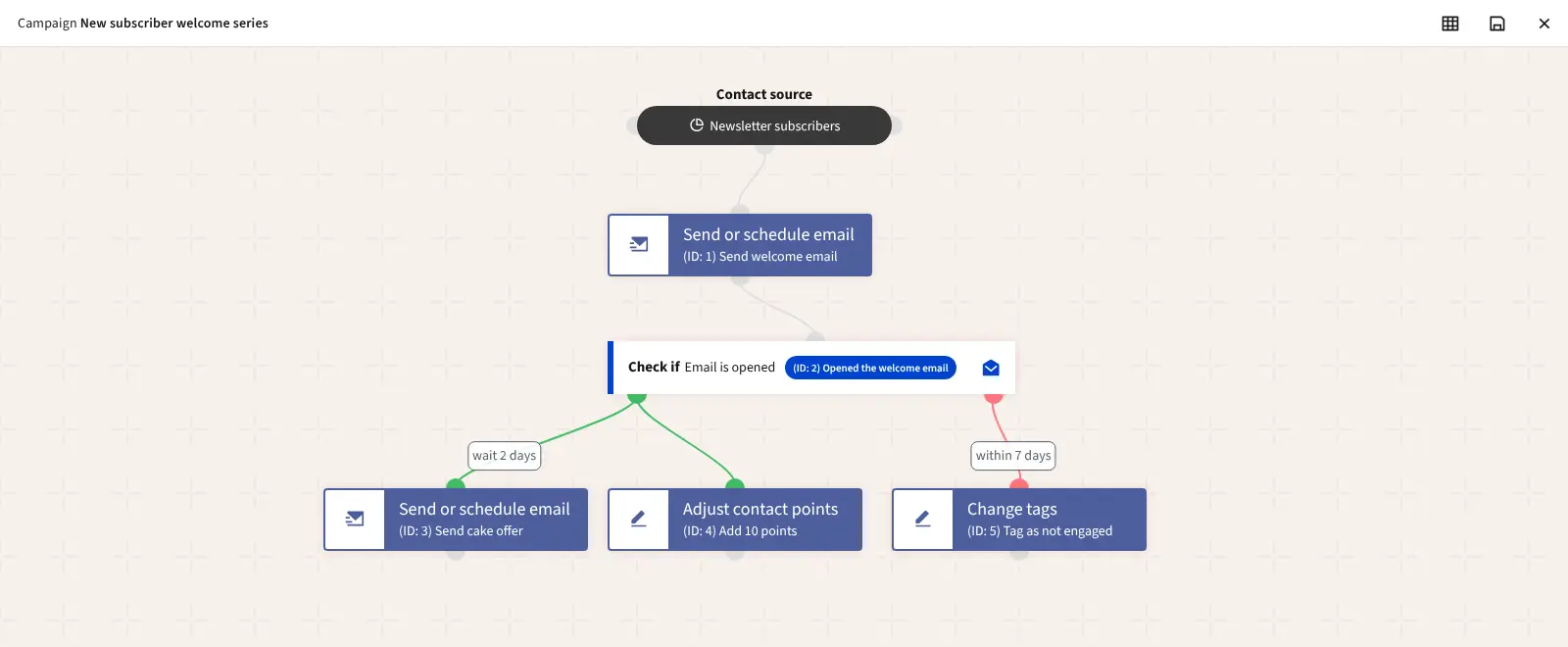
You group contacts into segments, send them newsletters, and build automated journeys in a drag-and-drop campaign builder: send a welcome email, wait, then take a different path depending on whether someone opened it or visited a page. Points show who is most interested. A bakery, for example, could welcome every newsletter sign-up, send a cake offer two days later to people who opened the first email, and tag the rest for a different message.
Mautic does not send email by itself: you connect your own sending service, such as an SMTP server or Amazon SES. To follow website visits, you add Mautic's tracking script to your site. Contacts from Mailchimp or HubSpot come across as a CSV file. There is no phone app.
Cloudgate installs Mautic on a medium server Cloudgate provides or one you connect, with its database and the background jobs that run campaigns and send segment emails, and gives it a secure web address. On your first visit, the installer creates your admin account.
What you can do with Mautic
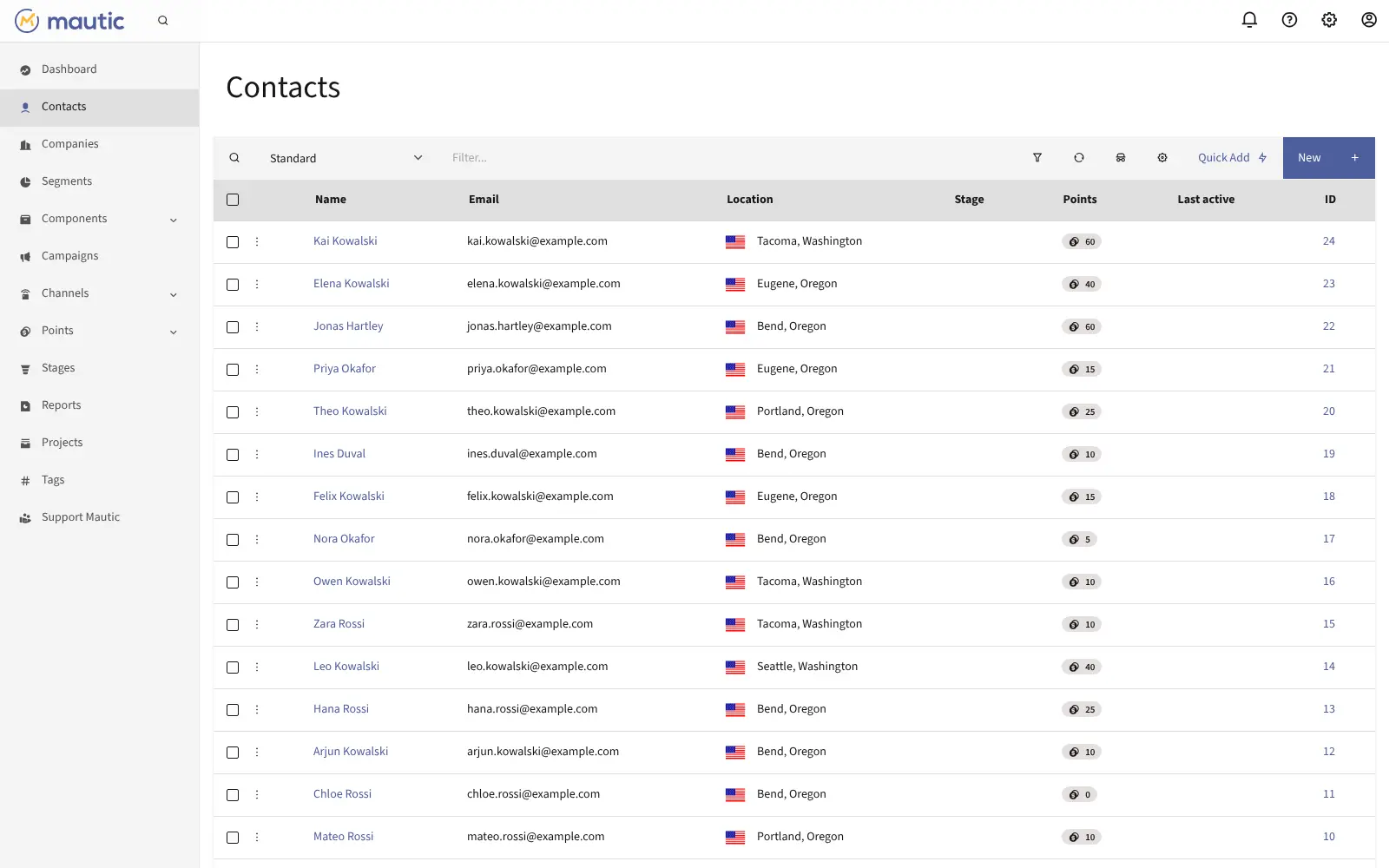
- Keep every contact in one place Contacts and companies with segments, tags, points and stages, with no limit on how many you store.
- Build automated journeys A drag-and-drop campaign builder sends people down different paths depending on whether they opened an email, clicked or visited a page.
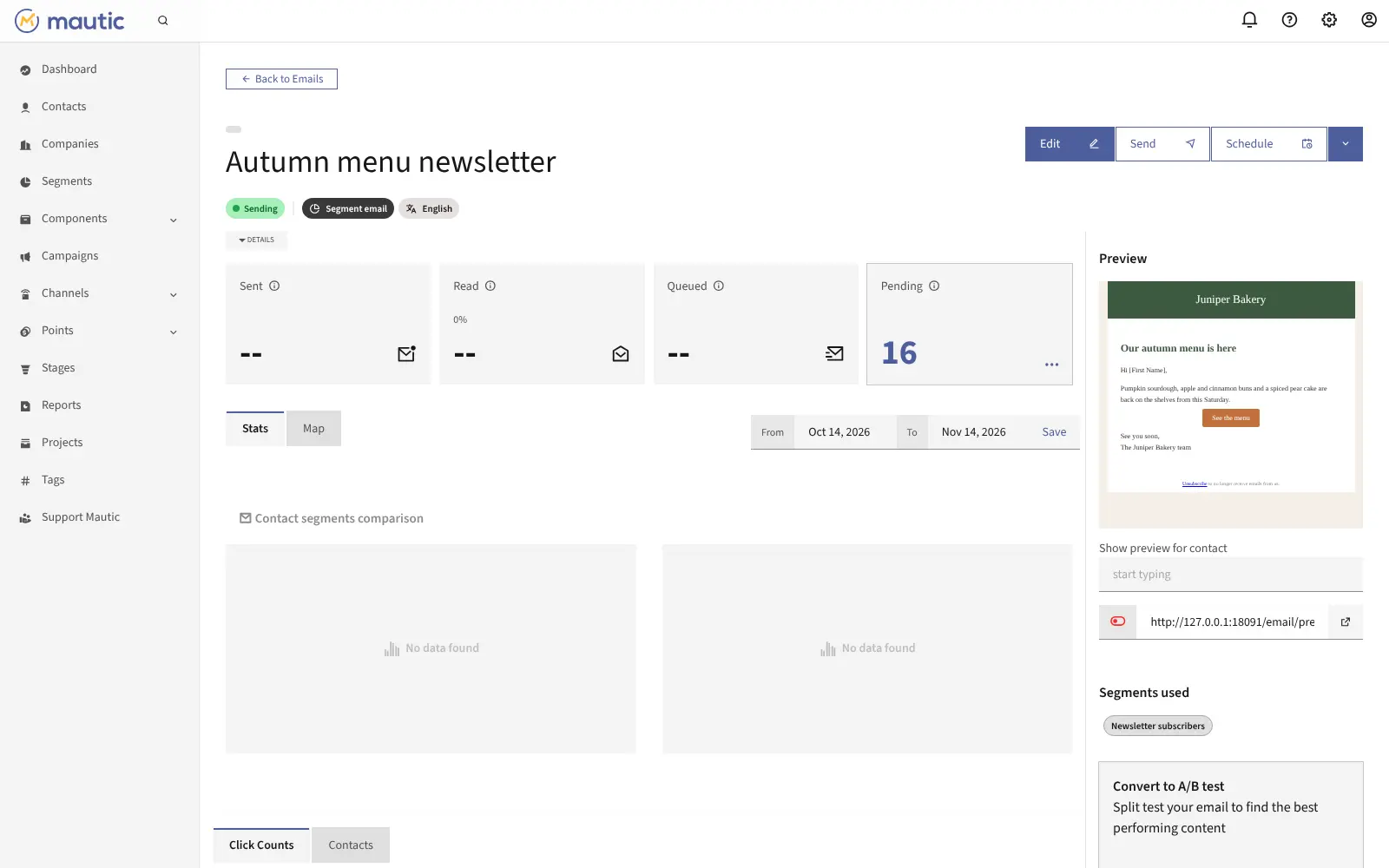
- Send newsletters and automated emails Design emails in a drag-and-drop builder, send them to a segment, and test two versions against each other.
- Score your leads Give points for opens, clicks, visits and form fills, so you can see who is ready to buy.
- Make forms and landing pages Build sign-up forms and landing pages inside Mautic, plus pop-ups and bars for your website.
- See who visits your website A tracking script on your site records page visits by known and anonymous visitors and feeds them into scores and campaigns.
- Measure what works Open and click stats, reports and a dashboard you arrange yourself.
Replaces HubSpot, Mailchimp and ActiveCampaign
Mautic does the same job as HubSpot, Mailchimp and ActiveCampaign. Here is what changes when you switch.
- No price per contact and no feature tiers; every feature is included
- Your contact list and its history stay in your own database
- Campaigns, forms, landing pages and lead scoring in one free tool
- You need your own email sending service, such as an SMTP server or Amazon SES, and must set it up for good delivery
- Its contact records are lighter than HubSpot's CRM; pair it with a CRM for sales
- It takes longer to learn than Mailchimp, and the screens are plainer
- Only contacts move across, by CSV; emails and automations are built again
What happens when you click Deploy?
You do not need a server or any technical knowledge. Four steps, and Mautic is running at its own web address.
- Step 1 Click Deploy and create your account
Deploy takes you to Cloudgate. Create an account, or log in if you have one. Mautic itself is free.
- Step 2 Choose a server
No server? Get one from Cloudgate: pick a size and a country, and Cloudgate gets it ready. Already have one? Connect it instead.
- Step 3 Cloudgate sets up Mautic
It prepares the server, makes the passwords the app needs and starts it. There is nothing to install and nothing to write down.
- Step 4 Open your app and sign in
Your app gets a free web address to start, without https. Add your own domain, like app.yourshop.com, and Cloudgate secures it with https for you.
New to Cloudgate? See what Cloudgate is
Run Cloudgate yourself? Deploy from your own console
In your Cloudgate console, open Templates and choose Mautic.
Questions
Is Mautic free?
Yes. Mautic is free, open-source software under the GPL-3.0 licence, and no feature is behind a paid plan. Paid hosting and support exist from the project and its partners, but you do not need them; you pay only for your server and email sending service.
Is Mautic a good alternative to HubSpot?
Yes, for HubSpot's marketing side. Mautic covers contacts, segments, email, forms, landing pages, campaigns and lead scoring with no contact limits. HubSpot is more polished and has a full CRM and sales tools, so pair Mautic with a CRM such as Twenty if you need those.
Should I use Mautic or listmonk to replace Mailchimp?
Use Mautic if you want automated journeys, lead scoring, forms and landing pages as well as newsletters. listmonk is lighter and simpler if you only send newsletters to your lists.
How do I sign in to Mautic the first time?
There is no default login. The first time you open Mautic's web address, its installer asks you to create the admin account with a name, username, email address and password.
Can Mautic send email on its own?
No. Mautic needs an email sending service, such as your own SMTP server or a provider like Amazon SES, SendGrid, Mailgun, Postmark or Brevo. Add it under Settings > Configuration > Email Settings, together with the "from" name and address.
Can I import my contacts from Mailchimp or HubSpot?
Yes, contacts come across as a CSV file. Export your list from Mailchimp or HubSpot and import it into Mautic, matching each column to a field. Emails, templates and automations do not import and have to be rebuilt.
What server size do I need for Mautic?
A medium server, with 2 GB of memory. Mautic runs several parts together, including background jobs that send campaigns and segment emails, so it is heavier than a simple newsletter tool.
Do I need technical skills to run Mautic?
No. Click Deploy, create your Cloudgate account and choose a server, and Cloudgate sets up Mautic and gives it a web address. You use it in your browser like any other online tool.
Do I need my own server for Mautic?
No. When you deploy Mautic, hosted Cloudgate can provide a server. If you already rent one, you can connect it instead.
Related apps

Newsletters with a friendly editor and sign-up forms.

Send newsletters to any size of list, without paying per subscriber.

Newsletters, email automations and app emails together.

Newsletters and mailing lists with no fee per subscriber.