
TREK
A shared travel planner for itineraries, bookings and trip costs.
No server needed to start: Cloudgate can provide one. What happens when you click Deploy


What is TREK?
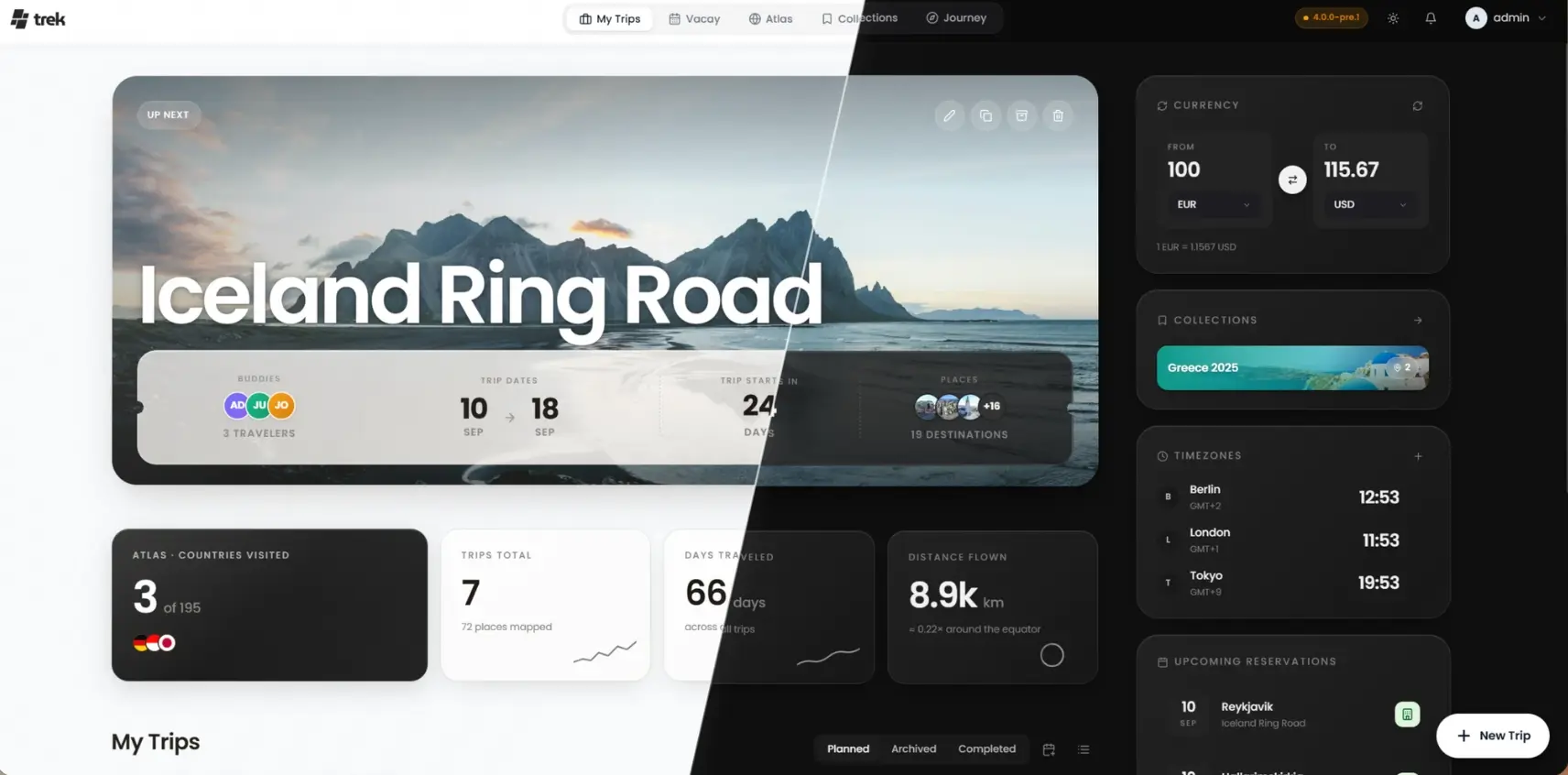
TREK is a self-hosted travel planner for groups: a shared itinerary on a map, bookings, cost splitting and packing lists, instead of Wanderlog or TripIt.
TREK is a free, self-hosted travel planner and an open-source alternative to Wanderlog and TripIt: one shared plan holds your day-by-day itinerary on a map, your bookings, shared costs and packing lists, on your own server. Everyone on the trip edits the same plan and sees changes as they happen.
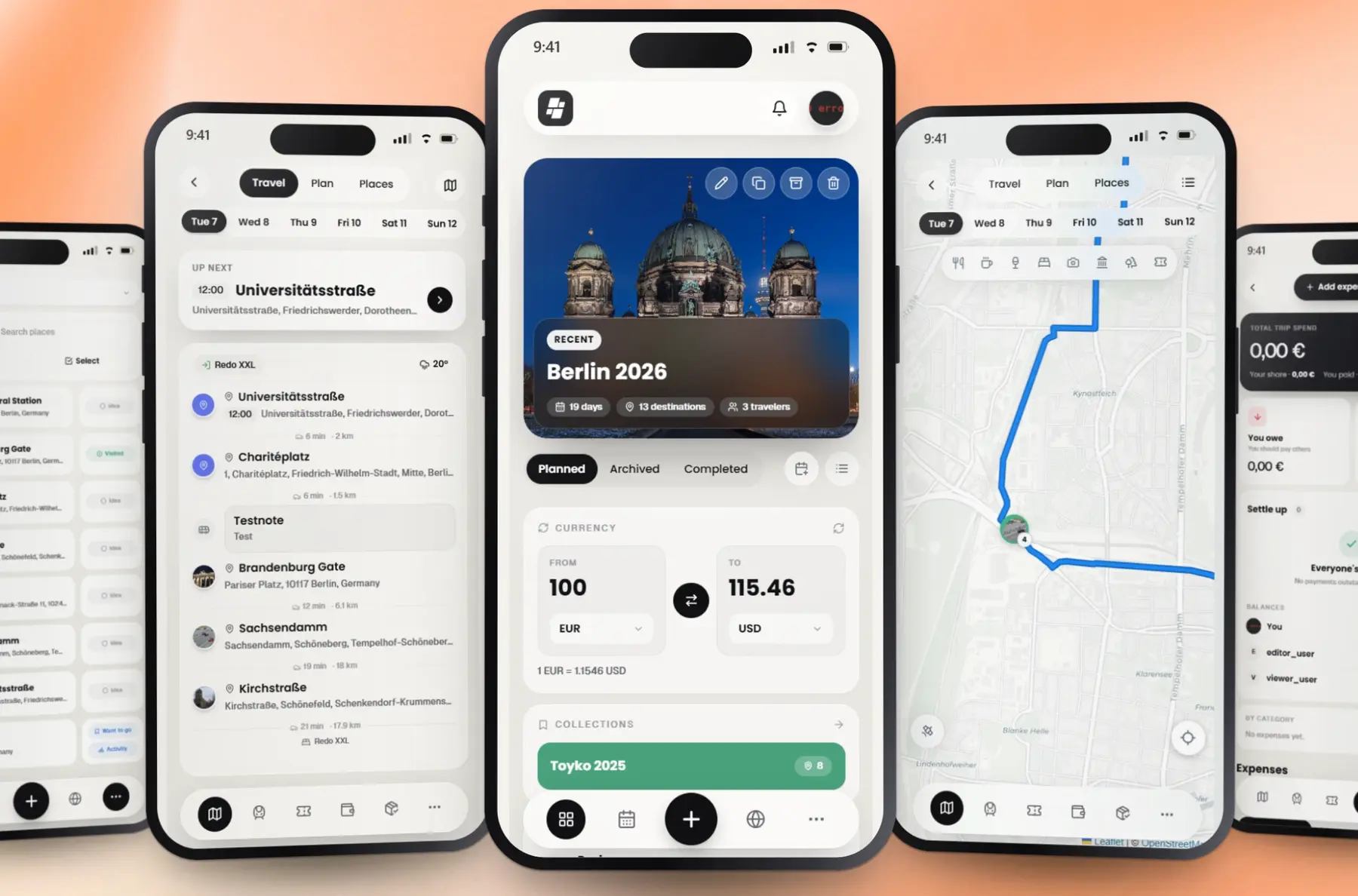
You add places to each day and see the route and travel times on the map, keep flights, trains and hotel stays with their confirmation codes and files, and record who paid for what so the costs split fairly at the end. A family planning two weeks in Italy, for example, could share one trip with the grandparents, let the teenagers suggest stops in a poll, keep every booking in one place, and settle up who paid for the rental car.
TREK has apps for iPhone, iPad and Android and installs on a phone's home screen, and your trips and maps open offline. It imports saved lists from Google Maps and GPX files, reads bookings from confirmation emails and PDFs, and can connect to Immich for trip photos.
Cloudgate installs TREK on a server Cloudgate provides or one you connect and gives it a secure web address. Sign in with your admin email, choose a new password, and start your first trip.
What you can do with TREK
- Plan each day on a map Drag places, notes and bookings between the days of a trip, and see each day's route and travel times on the map.
- Find places without an API key Search places and addresses worldwide, with descriptions, photos and opening hours, plus a 16-day weather forecast.
- Keep every booking in one place Flights, trains, hotels and other bookings with confirmation codes and files, read in from confirmation emails, PDFs or wallet passes.
- Split the costs fairly Record who paid what in any currency, split equally or by share, and see who owes whom at the end.
- Pack and share the to-dos Packing lists and to-dos with templates, people assigned to each item and reminders.
- Plan together in real time Everyone on the trip sees changes as they happen, with a group chat, polls and a read-only link for people without an account.
- Take it with you offline Apps for iPhone, iPad and Android, and a web app that opens your trips and maps with no signal.
- Keep a travel journal Turn your trip into a journal with photos and lay it out as a printable photo book.
Replaces Wanderlog and TripIt
TREK does the same job as Wanderlog and TripIt. Here is what changes when you switch.
- Your itineraries, bookings and travel documents stay on your own server
- The whole planner is free, with no paid tier to unlock features
- Itinerary, bookings, shared costs and packing lists in one shared plan
- Guests can follow the trip without making an account
- No live flight alerts or seat tracking like TripIt Pro
- No email address to forward confirmations to; you upload them or drop them in
- Trips in Wanderlog or TripIt do not move across; you start fresh
- No built-in travel guides or hotel and flight booking
What happens when you click Deploy?
You do not need a server or any technical knowledge. Four steps, and TREK is running at its own web address.
- Step 1 Click Deploy and create your account
Deploy takes you to Cloudgate. Create an account, or log in if you have one. TREK itself is free.
- Step 2 Choose a server
No server? Get one from Cloudgate: pick a size and a country, and Cloudgate gets it ready. Already have one? Connect it instead.
- Step 3 Cloudgate sets up TREK
It prepares the server, makes the passwords the app needs and starts it. There is nothing to install and nothing to write down.
- Step 4 Open your app and sign in
Your app gets a free web address to start, without https. Add your own domain, like app.yourshop.com, and Cloudgate secures it with https for you.
New to Cloudgate? See what Cloudgate is
Run Cloudgate yourself? Deploy from your own console
In your Cloudgate console, open Templates and choose TREK.
Questions
Is TREK free?
Yes, TREK is free and open source under the AGPL-3.0 licence, and the self-hosted version includes every feature. You pay only for your server.
Is TREK a good alternative to Wanderlog?
Yes, if you plan trips with other people and want the plan on your own server. TREK covers the shared day-by-day itinerary on a map, bookings, budgets with cost splitting, packing lists and offline use, but it has no built-in travel guides and does not import Wanderlog trips.
Can TREK replace TripIt?
Partly, TREK keeps your flights, trains and hotel bookings in one itinerary and reads them from confirmation emails, PDFs or wallet passes you upload. It does not watch your inbox, and it has no live flight alerts, seat tracking or check-in reminders like TripIt Pro.
How do I sign in to TREK the first time?
Cloudgate asks for an admin email when it installs TREK and creates a first password, shown on the app's variables page. Sign in with them, and TREK asks you to choose a new password straight away.
Does TREK have a phone app and work offline?
Yes, the TREK Travel Planner app for iPhone, iPad and Android connects to your own TREK, and the website installs on a phone's home screen too. Trips, places and maps you download ahead open with no signal, and changes made offline sync when you are back online.
Can I import my saved places and bookings into TREK?
Yes, TREK imports saved lists from Google Maps, GPX and KML files, and bookings from confirmation emails, PDFs, wallet passes and photos of confirmations. You check each booking before it is saved.
Can friends see the trip without an account?
Yes, TREK lets you add guests who have no login, or share a read-only trip page by link and choose whether it shows the map, bookings, packing list and costs.
Do I need technical skills to run TREK?
No. Click Deploy, create your Cloudgate account and choose a server, and Cloudgate sets up TREK and gives it a web address. You use it in your browser like any other online tool.
Do I need my own server for TREK?
No. When you deploy TREK, hosted Cloudgate can provide a server. If you already rent one, you can connect it instead.
Related apps

A self-hosted travel tracker, trip planner and world map in one.

A self-hosted flight tracker for every flight you take, on one map.

A self-hosted baby tracker the whole family can share.

A self-hosted habit tracker with daily ticks and streaks, no goals.