
titra
Simple, self-hosted time tracking for freelancers and small teams.
No server needed to start: Cloudgate can provide one. What happens when you click Deploy
What is titra?
titra is simple, self-hosted time tracking for freelancers and small teams: book hours to projects, see turnover at your rates and export to CSV or Excel.
titra is a free, open-source, self-hosted time tracker for freelancers and small teams: you book hours to customers and projects, see what they're worth at your rates, and export the results. It covers the everyday time tracking people use Toggl Track, Clockify or Harvest for, on your own server with no per-user fee.
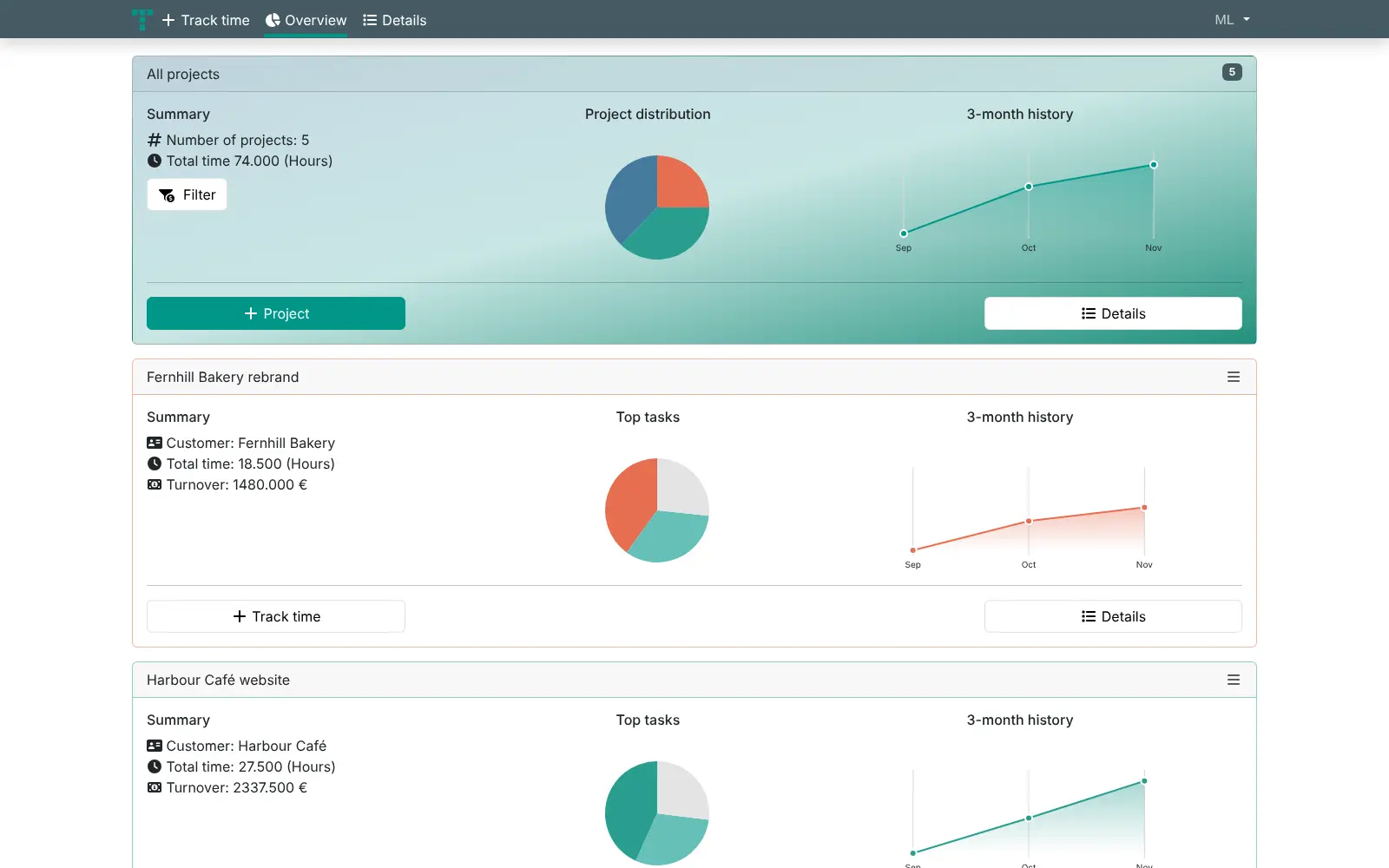
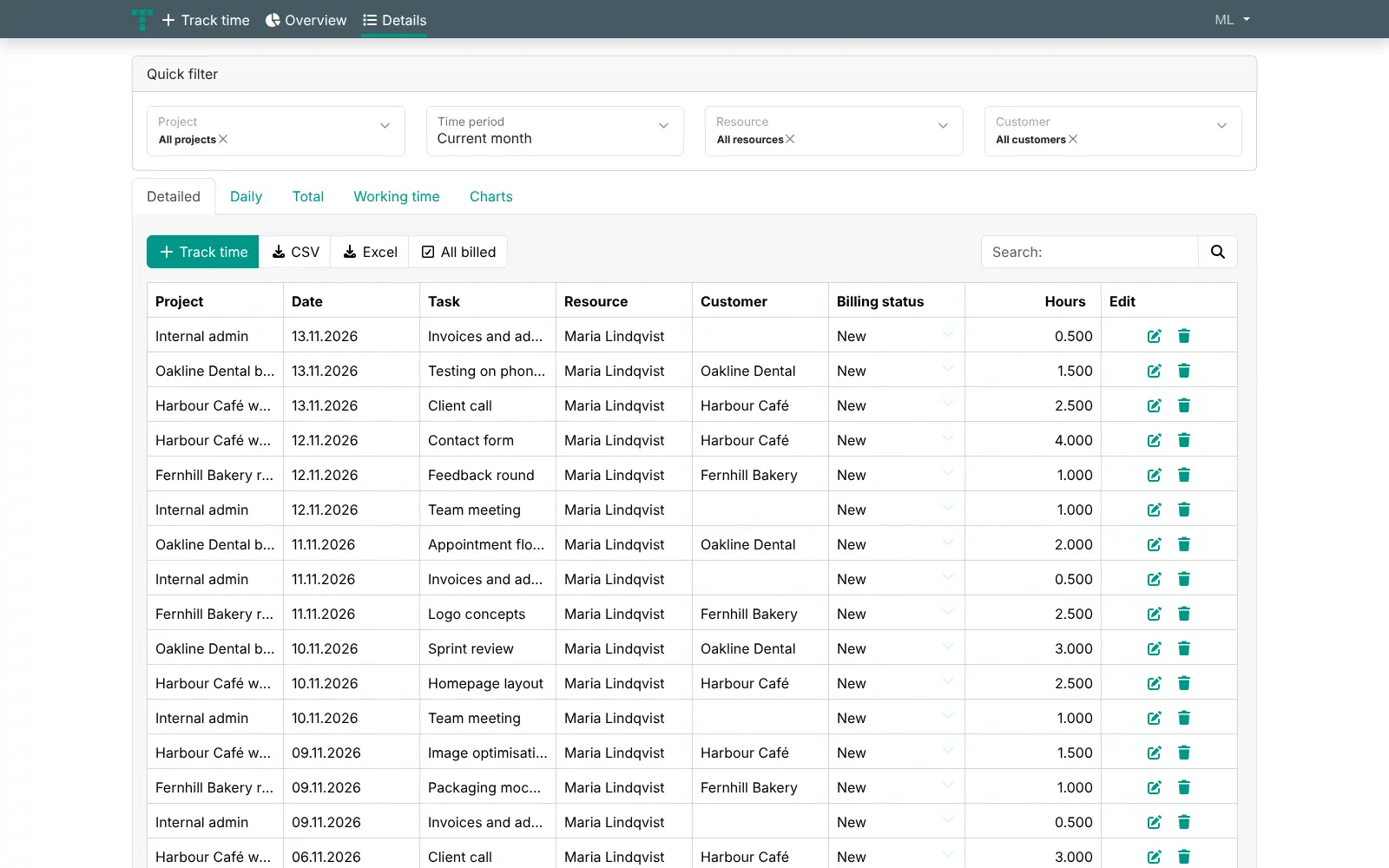
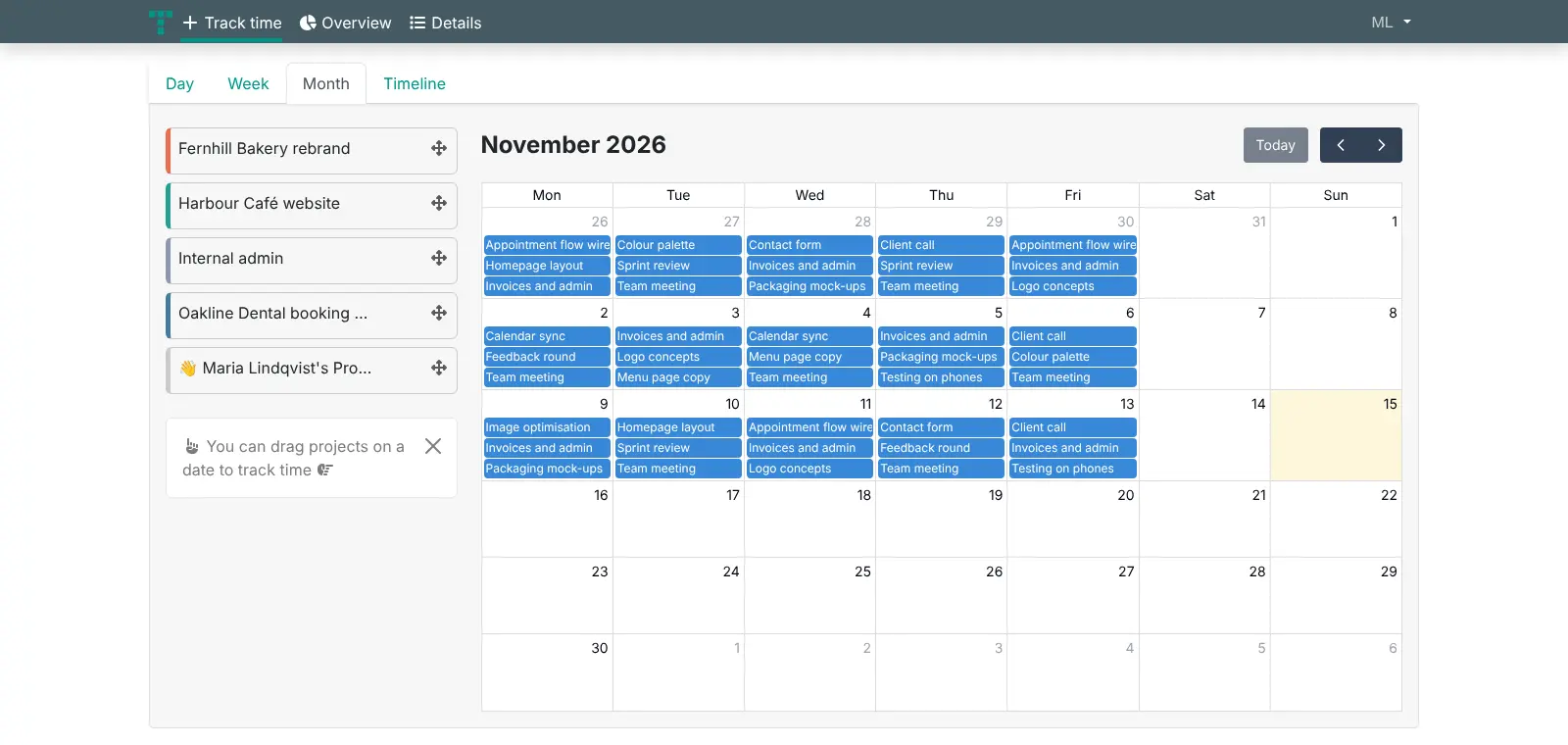
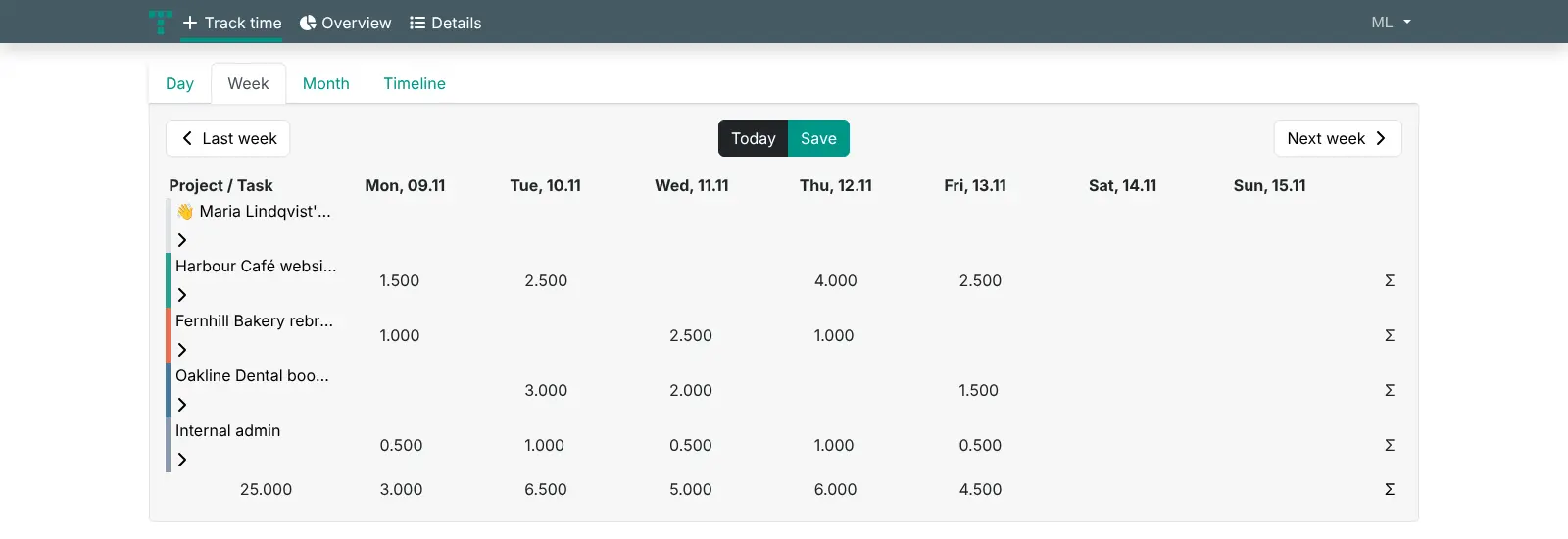
You pick a project, type the task and the hours, or run the stopwatch, and titra shows your time by day, week or month. The overview adds up hours and turnover for each project, and the details page filters every entry by project, period, person or customer and exports it to CSV or Excel. A freelance designer, for example, could book work for a café and a bakery all month, then export each customer's hours to write the invoices.
titra keeps to time tracking: it has no invoices, expenses or phone apps of its own, though it can pass hours to the Siwapp invoicing app and works in a phone's browser.
Cloudgate installs titra on a server Cloudgate provides or one you connect, with a secure web address. Register the first account, claim admin rights, and start tracking.
What you can do with titra
- Log time in seconds Pick a project, type a task (earlier tasks are suggested as you type) and enter the hours, or start the stopwatch.
- Day, week and month views Fill in a weekly timesheet grid, or drag a project onto a date in the month calendar.
- Hours and turnover per project Give each project a customer, an hourly rate and a target, and see its total hours, turnover and three-month trend.
- Reports you can filter and export Filter entries by project, period, person and customer, view them daily, in total or as charts, and export to CSV or Excel.
- Track as a team Share projects with team members, set a rate per person, and mark entries as billed once you've invoiced them.
- Show clients their numbers Create a read-only dashboard link for a project, so a client can see the hours booked without an account.
- Connect other tools Send hours to the open-source Siwapp invoicing app, pick tasks from Wekan, GitLab or Zammad, and sign in with LDAP, OpenID Connect or Google Workspace.
Replaces Toggl Track, Clockify and Harvest
titra does the same job as Toggl Track, Clockify and Harvest. Here is what changes when you switch.
- No per-user monthly fee, however many people track time
- Your timesheets, rates and client list stay on your own server
- A short, fast form for booking hours, with day, week and month views
- CSV and Excel exports of every entry, filtered the way you need
- No invoices of its own; you bill from another tool such as Siwapp
- No phone or desktop apps or browser extensions; the web app works in a phone's browser
- No importer for Toggl, Clockify or Harvest; you can only upload a simple CSV of tasks, dates and hours per project
- No expense tracking, and fewer reports and connections than the paid tools
What happens when you click Deploy?
You do not need a server or any technical knowledge. Four steps, and titra is running at its own web address.
- Step 1 Click Deploy and create your account
Deploy takes you to Cloudgate. Create an account, or log in if you have one. titra itself is free.
- Step 2 Choose a server
No server? Get one from Cloudgate: pick a size and a country, and Cloudgate gets it ready. Already have one? Connect it instead.
- Step 3 Cloudgate sets up titra
It prepares the server, makes the passwords the app needs and starts it. There is nothing to install and nothing to write down.
- Step 4 Open your app and sign in
Your app gets a free web address to start, without https. Add your own domain, like app.yourshop.com, and Cloudgate secures it with https for you.
New to Cloudgate? See what Cloudgate is
Run Cloudgate yourself? Deploy from your own console
In your Cloudgate console, open Templates and choose titra.
Questions
Is titra free?
Yes, self-hosted titra is free and open source under the AGPL-3.0 licence, with every feature included and no paid edition. You pay only for the server it runs on.
Is titra a good alternative to Toggl Track or Clockify?
Yes, if you mainly need to book hours to projects and report on them. titra has a stopwatch, day, week and month views, hourly rates and CSV or Excel exports, with no per-user fee. It has no phone apps, browser extensions or importer, which Toggl Track and Clockify offer.
How is titra different from Kimai?
titra is the simpler of the two, focused on booking and reporting time. Kimai has more features, including invoices made from your hours, while titra leaves invoicing to another app such as Siwapp.
How do I sign in to titra the first time?
Open your titra address and register an account; there is no default password. As the first person on the server, you can then claim admin rights, turn off open sign-up in the administration settings, and add your team from there.
Can I import my data from Toggl, Clockify or Harvest?
No, titra has no importer for those apps. You can upload a CSV file with task, date and hours columns into a project, so simple exports can be rearranged to fit, but customers, rates and other details don't come across.
Can titra create invoices?
No, titra doesn't make invoices itself. It can send hours to Siwapp, a separate open-source invoicing app, or you can export billable hours to CSV or Excel and invoice from your usual tool, then mark the entries as billed.
Is there a titra phone app?
No, there is no titra app for phones or desktops. The web app works in a phone's browser.
Do I need technical skills to run titra?
No. Click Deploy, create your Cloudgate account and choose a server, and Cloudgate sets up titra and gives it a web address. You use it in your browser like any other online tool.
Do I need my own server for titra?
No. When you deploy titra, hosted Cloudgate can provide a server. If you already rent one, you can connect it instead.
Related apps

Time tracking for freelancers and teams, with billable rates.
Time tracking that turns your hours into invoices.
Time tracking with invoices, expenses and mileage.

Time tracking on a timeline, with tags and PDF reports.