
Kimai
Time tracking that turns your hours into invoices.
No server needed to start: Cloudgate can provide one. What happens when you click Deploy
What is Kimai?
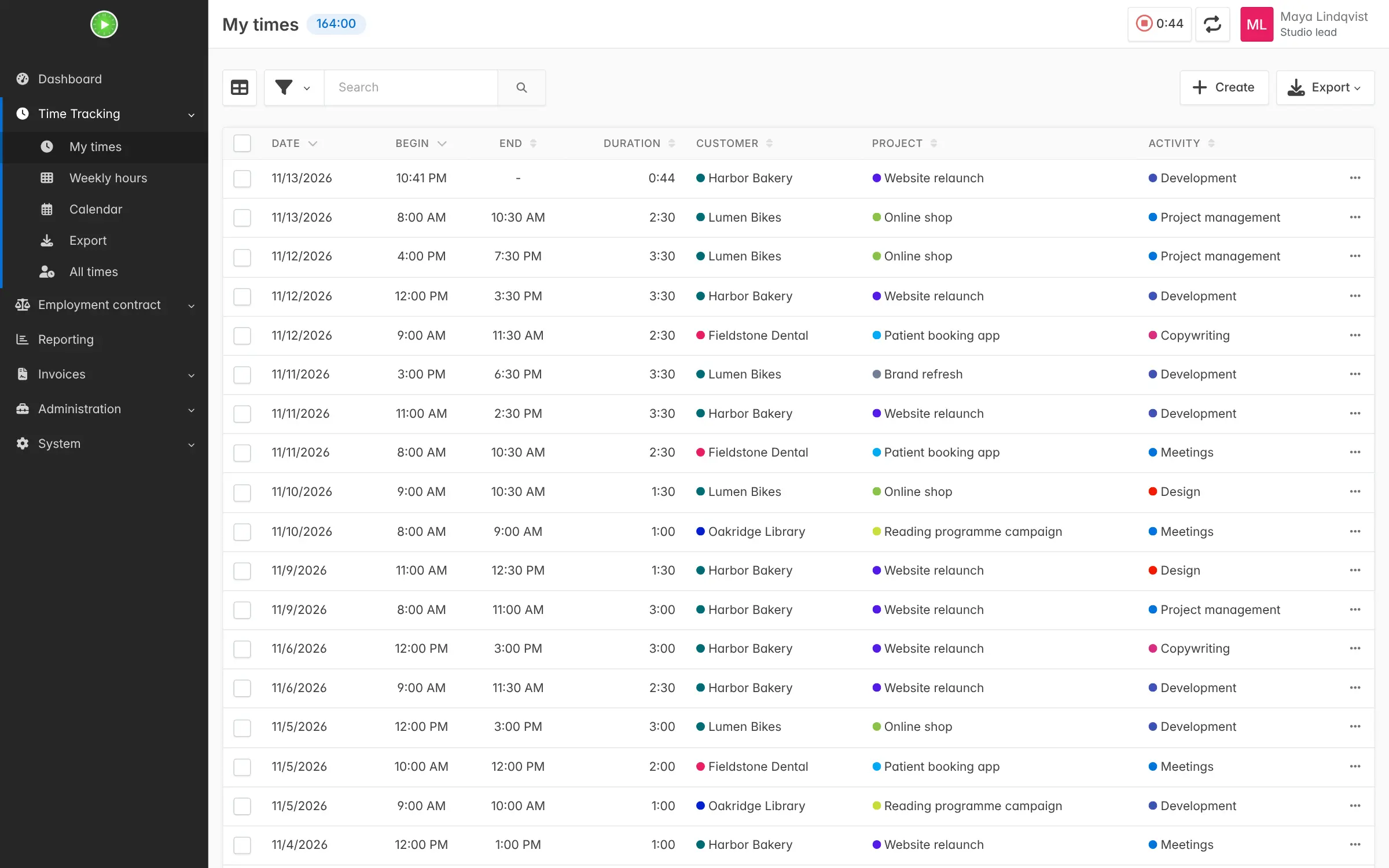
Kimai is self-hosted, open-source time tracking: log hours by customer and project, watch budgets, and turn billable time into reports and invoices.
Kimai is free, open-source, self-hosted time tracking software that records the hours your team works for each customer and project, then turns them into reports and invoices. It covers much of what people use Harvest, Toggl Track or Clockify for, on your own server and without a per-user monthly fee.
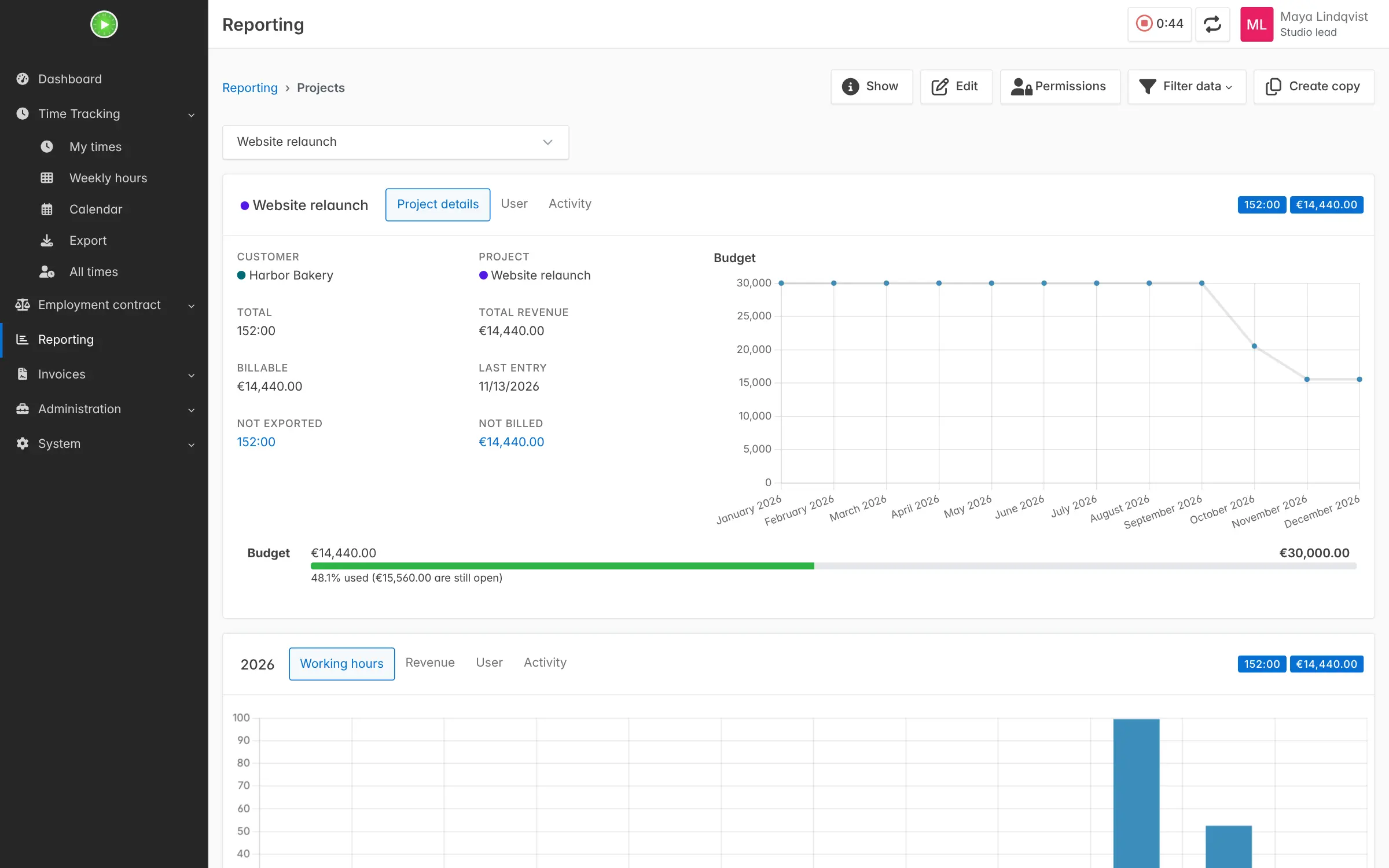
You start a timer when you begin a task, or type the hours in afterwards, and book them to a customer, a project and an activity. Kimai adds up the billable amount at the hourly rate you set, shows how much of each budget is left, and creates a numbered invoice from the hours. A small design studio, for example, could track every client job, check at a glance that the website relaunch for a bakery is under budget, and send that month's invoice.
Kimai works in any web browser, including on a phone, in more than 30 languages. There are no official phone or desktop apps, but third-party apps connect to it. The core is free; optional paid plugins add expenses, holiday tracking and task planning.
Cloudgate installs Kimai on a server Cloudgate provides or one you connect, together with its database, and gives it a secure web address. Sign in as admin with the password Cloudgate created, add your customers and projects, and start tracking.
What you can do with Kimai
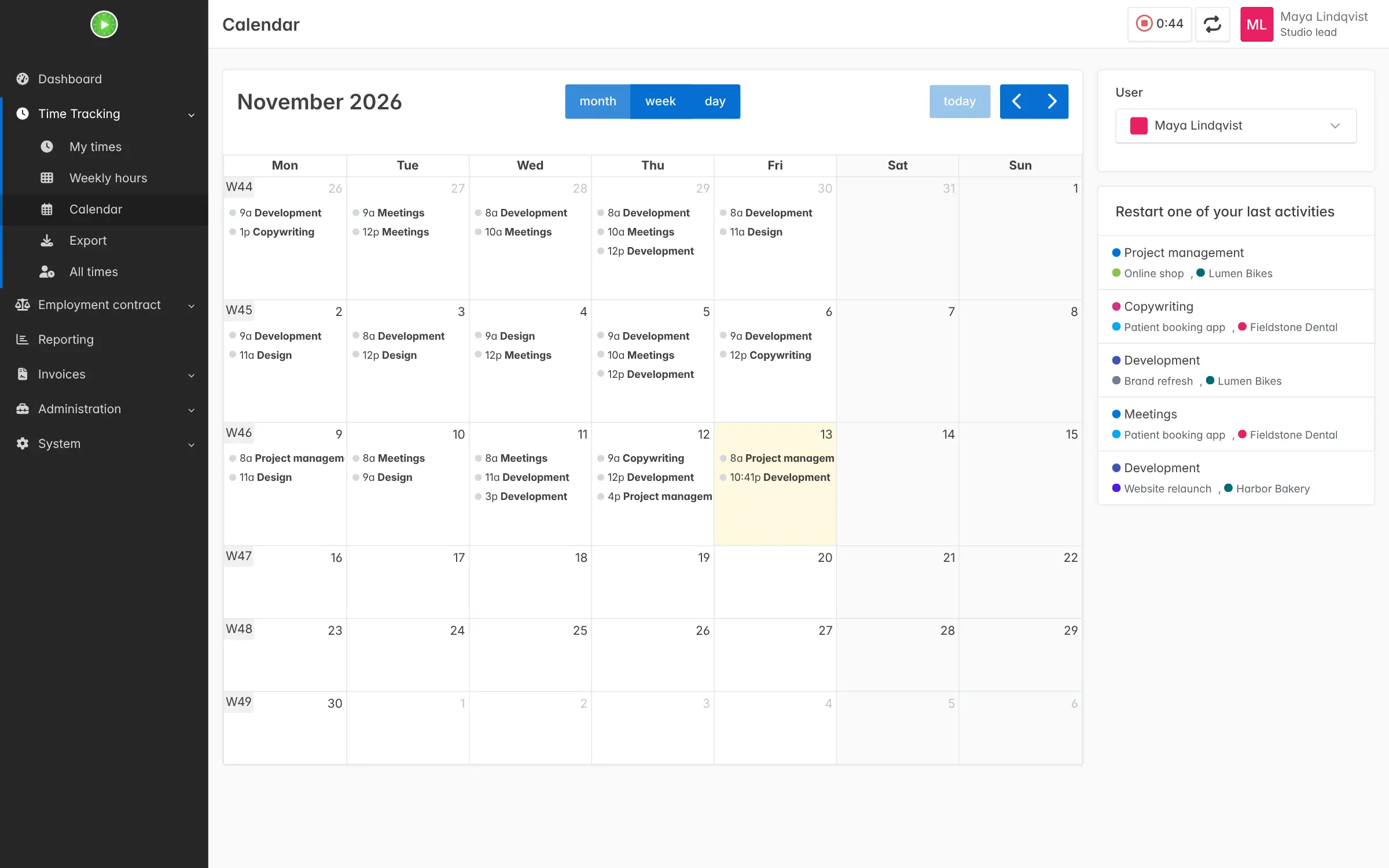
- Track time your way Start and stop a timer, run several at once, enter hours by hand, or punch in and out.
- Book hours to customers and projects Organise work by customer, project and activity, with hourly rates per person, customer or project.
- Keep an eye on budgets Set money and time budgets per customer or project and watch what's left on a chart.
- See where the time went Report by person, customer, project, activity, tag or period, and export to Excel, PDF, CSV or HTML.
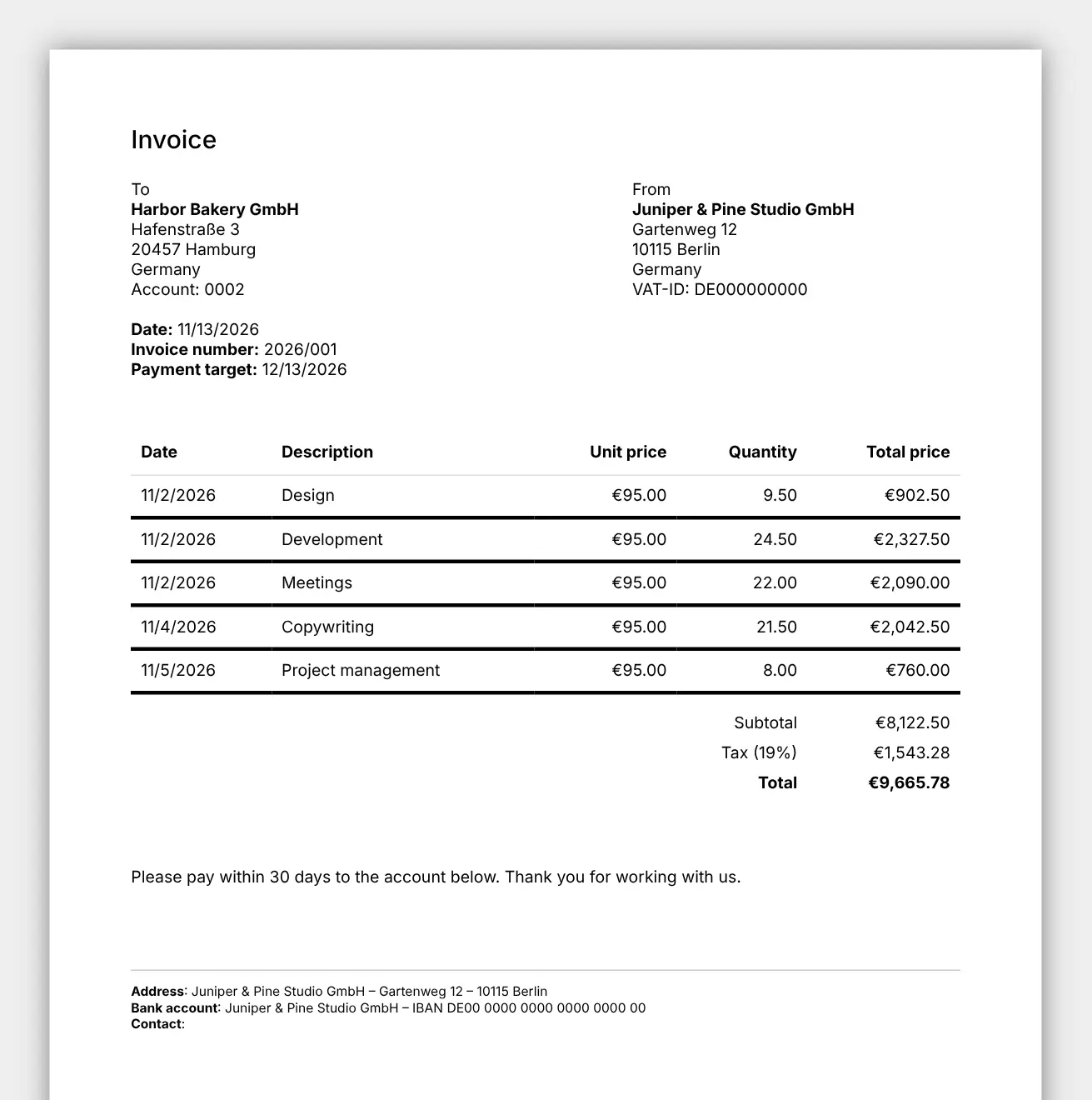
- Send invoices from tracked time Turn billable hours into numbered invoices with tax, from your own template, as PDF or Word files.
- Work as a team Give each person a role, group people into teams and decide who sees which customers and projects.
- Sign in safely Turn on two-step sign-in with an authenticator app, or let staff sign in with your company's LDAP or SAML login.
Replaces Harvest, Toggl Track and Clockify
Kimai does the same job as Harvest, Toggl Track and Clockify. Here is what changes when you switch.
- No per-user monthly fee for time tracking, reports and invoicing
- Your timesheets and client data stay on your server
- Invoicing is part of the free core, not a higher plan
- Teams, roles and permissions for as many people as you need
- Expenses, absence and holiday tracking, and task planning are paid plugins
- No official phone or desktop apps; third-party ones exist, some paid
- Fewer built-in connections than Toggl or Harvest, with no built-in QuickBooks, Xero or payment links
- Bringing old data across is a CSV import, not a one-click switch
What happens when you click Deploy?
You do not need a server or any technical knowledge. Four steps, and Kimai is running at its own web address.
- Step 1 Click Deploy and create your account
Deploy takes you to Cloudgate. Create an account, or log in if you have one. Kimai itself is free.
- Step 2 Choose a server
No server? Get one from Cloudgate: pick a size and a country, and Cloudgate gets it ready. Already have one? Connect it instead.
- Step 3 Cloudgate sets up Kimai
It prepares the server, makes the passwords the app needs and starts it. There is nothing to install and nothing to write down.
- Step 4 Open your app and sign in
Your app gets a free web address to start, without https. Add your own domain, like app.yourshop.com, and Cloudgate secures it with https for you.
New to Cloudgate? See what Cloudgate is
Run Cloudgate yourself? Deploy from your own console
In your Cloudgate console, open Templates and choose Kimai.
Questions
Is Kimai free?
Yes, Kimai is free and open source under the AGPL-3.0 licence, with optional paid plugins. Time tracking, reports, budgets, invoicing and teams are in the free core; extras such as expenses, holiday tracking and task planning are plugins sold by Kimai's makers. You pay for your server and any plugins you choose.
Is Kimai a good alternative to Harvest?
Yes, if you mainly need time tracking, budgets and invoices on your own server without a per-user fee. Harvest has more built-in connections and first-party apps, and in Kimai expenses are a paid plugin, but hours, rates, reports and invoices are all included.
How do I sign in to Kimai the first time?
Sign in with the username admin, or the admin email you entered during setup, and the password Cloudgate generated for you. You'll find that password on the app's variables page in Cloudgate, and you can change it later in your Kimai profile.
Can I import my data from Toggl, Clockify or Harvest?
Partly. Kimai's free Importer plugin reads CSV exports, and its instructions cover Toggl and Clockify files. A Harvest CSV may need its columns renamed first, and the people in your team need Kimai accounts before you import.
Is there a Kimai phone app?
No, Kimai has no official phone or desktop app, but its website works in a phone's browser. Third-party apps for iPhone, Android, Windows, macOS and Linux connect to your Kimai, some free and some paid.
Can Kimai create invoices?
Yes, Kimai creates invoices from your tracked hours, with invoice numbers, tax and your own template, as PDF or Word files. Set up an invoice template and your company details once before the first invoice.
What server size do I need for Kimai?
Cloudgate sets Kimai up on a medium server with about 2 GB of memory, which covers the app and its database. You can move to a bigger server later if your team grows.
Do I need technical skills to run Kimai?
No. Click Deploy, create your Cloudgate account and choose a server, and Cloudgate sets up Kimai and gives it a web address. You use it in your browser like any other online tool.
Do I need my own server for Kimai?
No. When you deploy Kimai, hosted Cloudgate can provide a server. If you already rent one, you can connect it instead.
Related apps

Time tracking for freelancers and teams, with billable rates.

Simple, self-hosted time tracking for freelancers and small teams.

Time tracking with invoices, expenses and mileage.

Time tracking on a timeline, with tags and PDF reports.