
TaxHacker
AI bookkeeping that reads your receipts and invoices.
No server needed to start: Cloudgate can provide one. What happens when you click Deploy




What is TaxHacker?
TaxHacker is self-hosted AI bookkeeping: upload receipts and invoices, and it reads the amounts, dates, VAT and vendors into a searchable ledger.
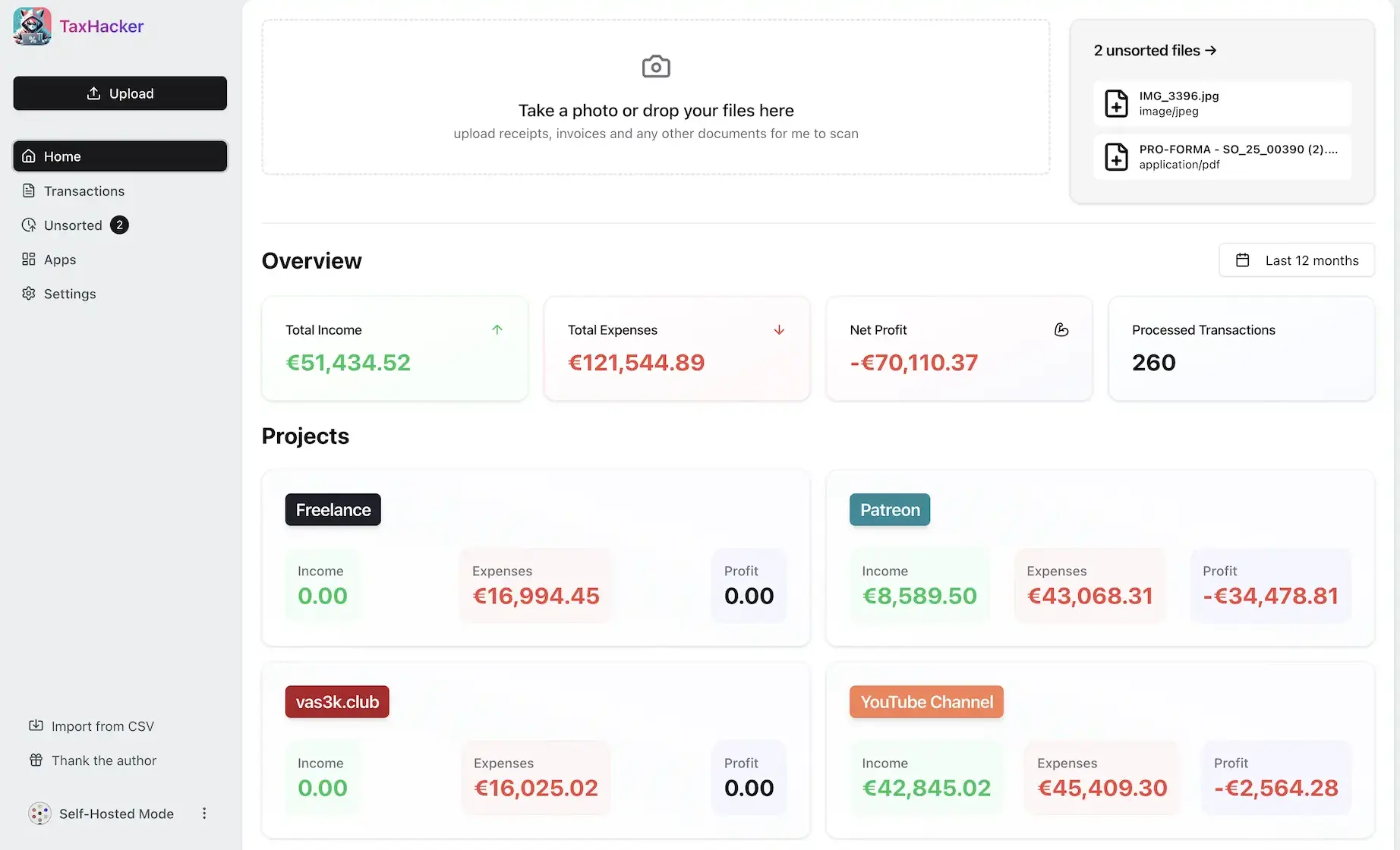
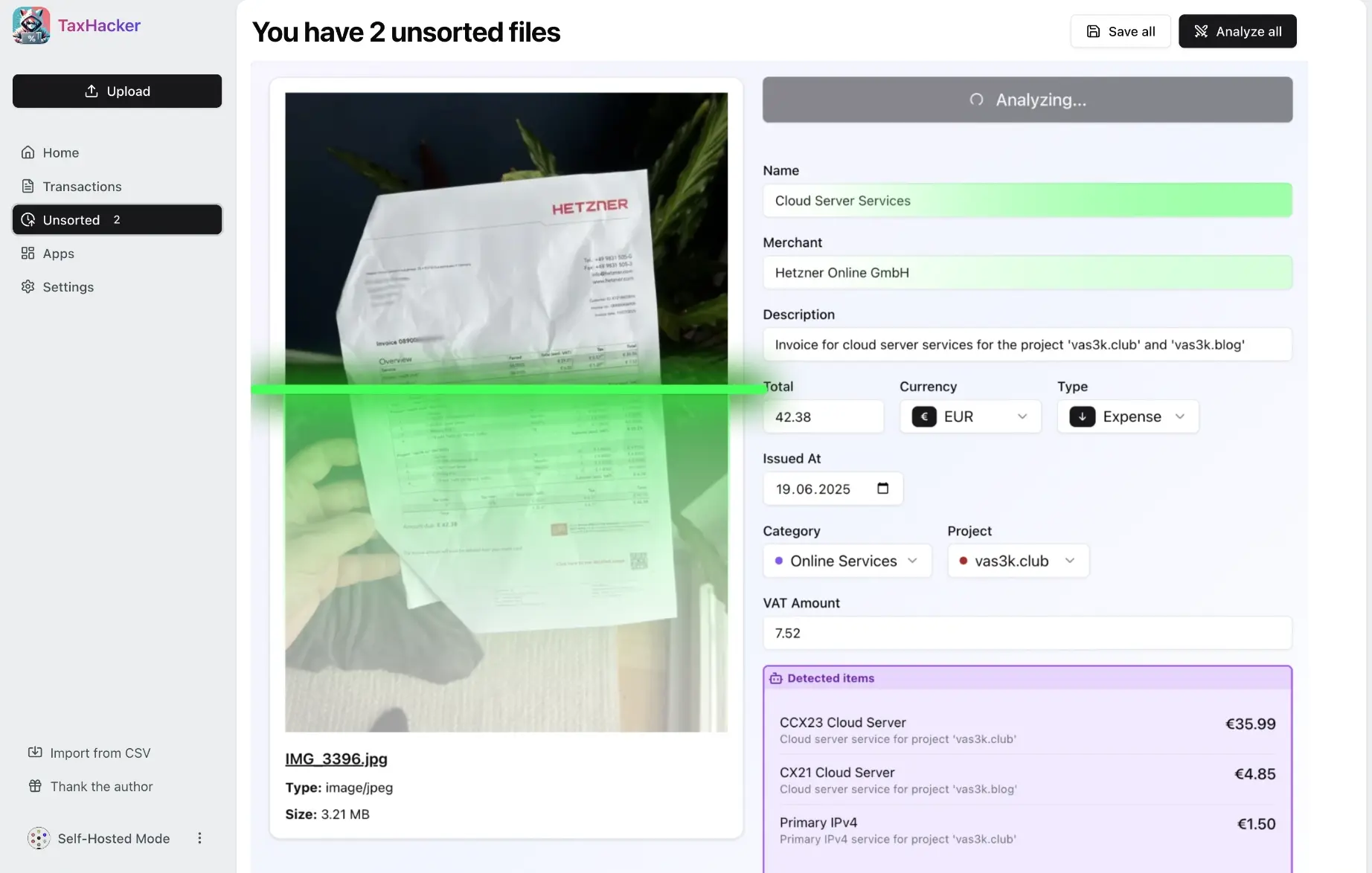
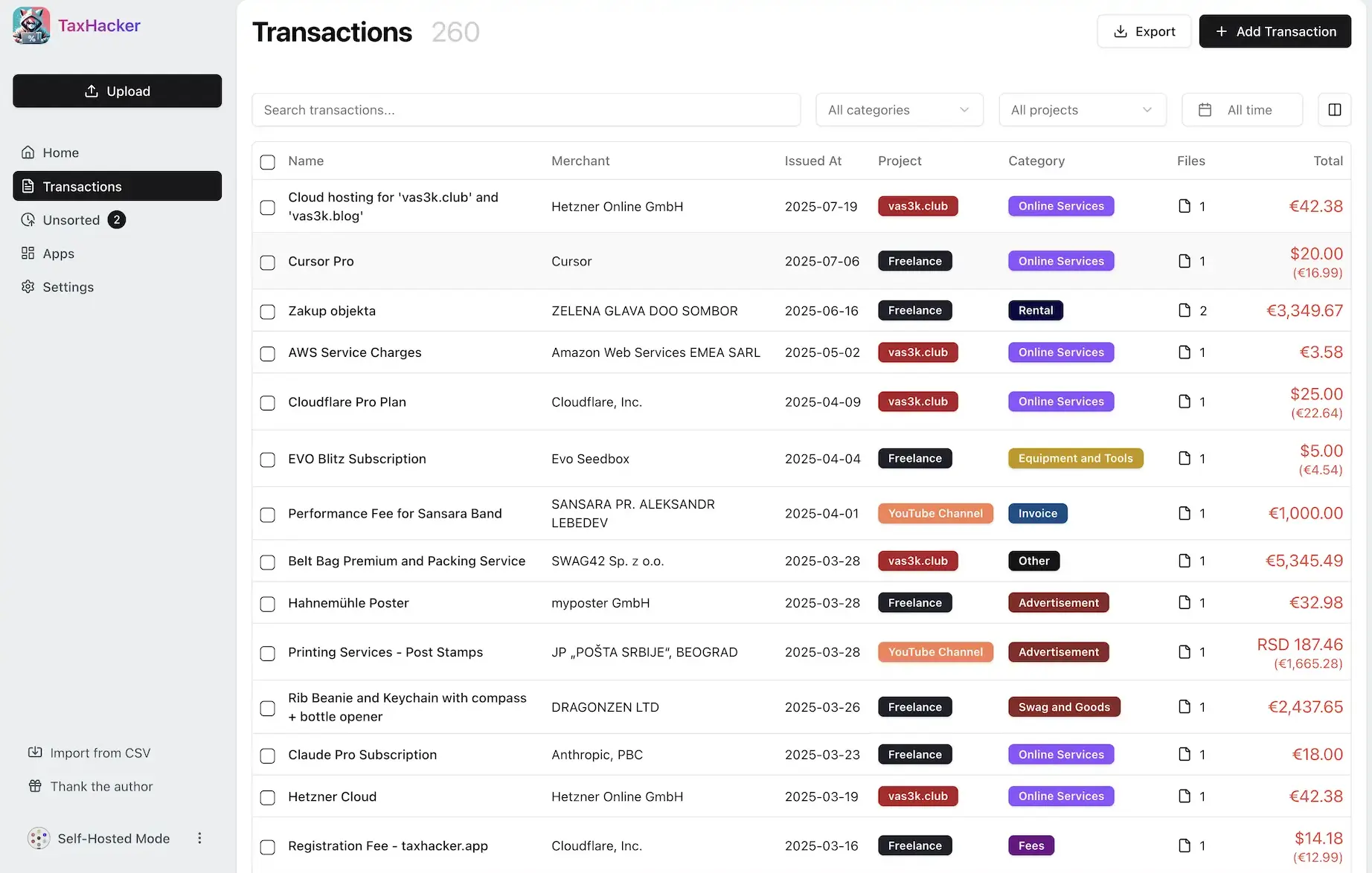
TaxHacker is a free, open-source, self-hosted AI accounting app that reads your receipts and invoices and turns them into a searchable list of income and expenses, an alternative to paid receipt tools such as Dext and Expensify. You upload a photo or a PDF, and the AI you choose picks out the merchant, date, total, VAT, line items and category.
It suits freelancers and one-person businesses who do their own books. A freelance photographer, for example, could snap each receipt on her phone through the month, let TaxHacker sort them into "equipment", "travel" and "software", and at tax time send her accountant one CSV file with every receipt attached. Bills in other currencies are converted at the rate on the day she paid.
TaxHacker works with OpenAI, Google Gemini and Mistral, or with a model you run yourself, and you pay that provider for what you scan. It can also collect receipts from the attachments in a Gmail, Outlook or iCloud mailbox, and it includes an invoice maker. There is no phone app, but uploading from a phone's browser works. It has one user, and the makers say it is still in early development.
Cloudgate installs TaxHacker on your server with a secure web address and puts a password in front of it, so only you can open your books.
What you can do with TaxHacker
- Scan receipts and invoices with AI Upload a photo or PDF and TaxHacker fills in the merchant, date, total, VAT, category and project for you.
- Split an invoice into its items It lists each line of an invoice and can turn the items into separate transactions.
- Convert foreign currencies Amounts in other currencies, including 14 cryptocurrencies, are converted at the rate on the day of the purchase.
- Sort by project and category Make your own categories, projects and extra fields, and see income, expenses and profit for each project.
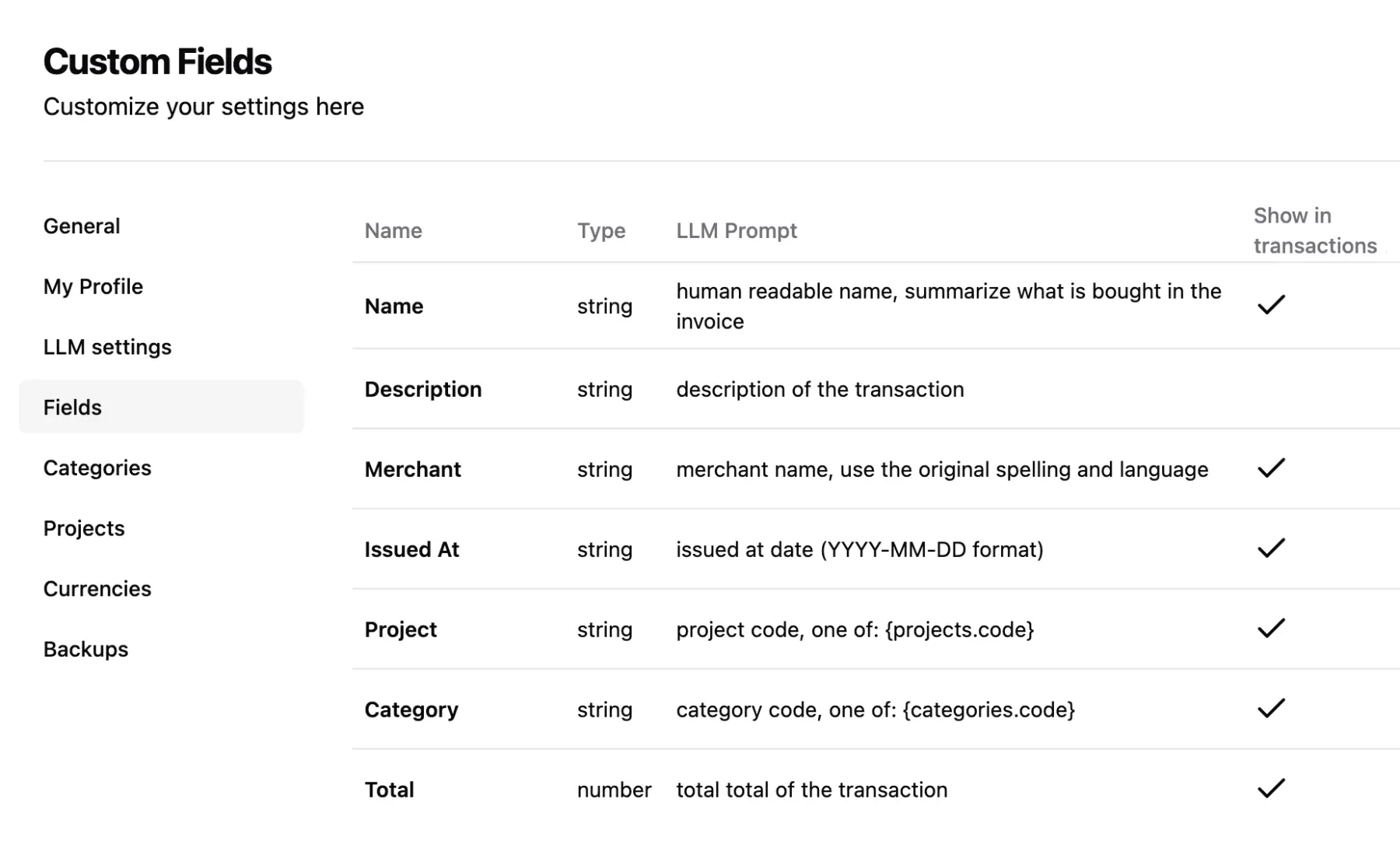
- Tell the AI what to look for Every field has its own plain-language instruction, so you can ask it to pick out a VAT number or a project code.
- Search every document Search the text of your receipts and filter by date, category, project, amount or any field you added.
- Hand your accountant one file Export the transactions you filtered to CSV together with the receipt files, or download a full backup.
- Collect receipts from your inbox Connect Gmail, Outlook, iCloud or another mailbox, and attachments arrive in TaxHacker on a schedule you choose.
Replaces Dext and Expensify
TaxHacker does the same job as Dext and Expensify. Here is what changes when you switch.
- No monthly subscription; you pay only the AI provider for what you scan
- Your receipts and invoices stay on your own server
- You choose the AI, including a model that runs on your own computer
- Fields, categories and AI instructions you can change to fit your business
- One user only, with no team accounts, approvals or reimbursements
- No bank feeds and no direct link to Xero or QuickBooks
- No phone app; you upload from the phone's browser instead
- The makers say it is still in early development
What happens when you click Deploy?
You do not need a server or any technical knowledge. Four steps, and TaxHacker is running at its own web address.
- Step 1 Click Deploy and create your account
Deploy takes you to Cloudgate. Create an account, or log in if you have one. TaxHacker itself is free.
- Step 2 Choose a server
No server? Get one from Cloudgate: pick a size and a country, and Cloudgate gets it ready. Already have one? Connect it instead.
- Step 3 Cloudgate sets up TaxHacker
It prepares the server, makes the passwords the app needs and starts it. There is nothing to install and nothing to write down.
- Step 4 Open your app and sign in
Your app gets a free web address to start, without https. Add your own domain, like app.yourshop.com, and Cloudgate secures it with https for you.
New to Cloudgate? See what Cloudgate is
Run Cloudgate yourself? Deploy from your own console
In your Cloudgate console, open Templates and choose TaxHacker.
Questions
Is TaxHacker free?
Yes, TaxHacker is free and open source under the MIT licence, with no paid features in the self-hosted version. You pay for your server and for the AI provider you choose, which charges by how much you scan.
Is TaxHacker a good alternative to Dext or Expensify?
Yes, if one person needs receipts and invoices read into a tidy, searchable list. TaxHacker has no bank feeds, team approvals, company cards or link to Xero and QuickBooks, so firms that rely on those should stay with Dext or Expensify.
Do I need an AI API key for TaxHacker?
Yes, to read documents TaxHacker needs an API key from OpenAI, Google Gemini or Mistral, or a model you run yourself, such as one in Ollama or LM Studio. The makers say results with your own models are not guaranteed, and you can still type transactions in by hand without a key.
How do I sign in to TaxHacker the first time?
Open your TaxHacker address and sign in with the username admin and the password Cloudgate shows on the app's variables page. A short setup screen then asks for your AI provider, its API key and your main currency.
Where does TaxHacker keep my receipts?
Your receipts, invoices and transactions are stored on your own server. To read a document, TaxHacker sends it to the AI provider you picked, unless you use a model that runs on your own computer.
Can my team use TaxHacker?
No, the self-hosted TaxHacker has one user and no team accounts or roles. Anyone who knows the password sees everything, so share it only with people you trust with your books.
Can I bring my old transactions into TaxHacker?
Partly. TaxHacker imports transactions from a CSV file, so you can bring in a spreadsheet or another app's CSV export. It has no direct import from Dext or Expensify, and receipt images do not come across that way.
Do I need technical skills to run TaxHacker?
No. Click Deploy, create your Cloudgate account and choose a server, and Cloudgate sets up TaxHacker and gives it a web address. You use it in your browser like any other online tool.
Do I need my own server for TaxHacker?
No. When you deploy TaxHacker, hosted Cloudgate can provide a server. If you already rent one, you can connect it instead.
Can I move my data from Dext to TaxHacker?
Most people export from Dext and import into TaxHacker. The official guides at github.com walk through it.
Related apps

Invoicing for freelancers, with estimates and payments.

A free envelope budget app, like YNAB, on your own server.

ERP for sales, stock, accounting and HR in one place.

Accounting with invoices, inventory and reports.