
Open-source alternative to Expensify

TaxHacker is a free, open-source Expensify alternative for one person: upload a photo of a receipt and the AI model you choose reads the merchant, date, amount, tax and category into your own list of expenses. Expensify is built around company expense reports in its own cloud; self-hosted TaxHacker keeps your receipts on your server, though it has no approvals, company cards or reimbursements.

Free app Code: Open source Import from Expensify: No Some setup

Why look for an alternative to Expensify?

Expensify is an expense management service: people photograph receipts in its app, the details are read automatically, and expenses go into reports that managers approve and the company reimburses, with company cards and accounting links on top.

People look for an alternative when they work alone and need only the receipt scanning, not reports, approvals and cards for a whole company, or when they want their receipts kept on their own server rather than in Expensify's cloud. A self-hosted TaxHacker reads receipts and invoices with the AI model you choose and keeps every record with you.

How TaxHacker compares

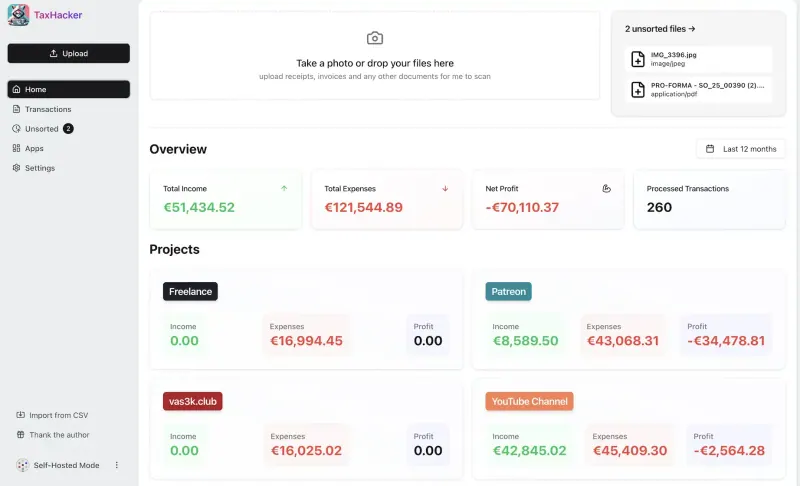
AI bookkeeping that reads your receipts and invoices.

Covers receipt scanning for one person: snap or upload a receipt and an AI model you choose reads the merchant, date, amount, tax and category, converting foreign currencies at the rate on the day. It has one user, so there are no expense reports to submit, approvals, company cards or reimbursements, and it needs your own AI provider key.
Some setup Open source

Moving from Expensify

TaxHacker has no Expensify import. Export your expenses from Expensify as a CSV file and bring them in with TaxHacker's CSV import, matching the date, merchant, amount and category columns; receipt images do not come across, so download the ones you need to keep. Set your main currency, AI provider and categories first. From then on, upload each new receipt from your phone's browser, or connect your mailbox in the Email Monitoring app so emailed receipts arrive on their own.

Questions

What is the best open-source alternative to Expensify?

TaxHacker is the free, open-source alternative to Expensify for scanning receipts and tracking expenses in the catalogue today. Covers receipt scanning for one person: snap or upload a receipt and an AI model you choose reads the merchant, date, amount, tax and category, converting foreign currencies at the rate on the day. It has one user, so there are no expense reports to submit, approvals, company cards or reimbursements, and it needs your own AI provider key.

Can my team submit expense reports in TaxHacker?

No. The self-hosted TaxHacker has one user, with no expense reports, approval flows, company cards or reimbursements. It suits a freelancer or sole trader tracking their own receipts.

Does TaxHacker have a phone app like Expensify?

No. TaxHacker works in your phone's browser, where you can take a photo of a receipt and upload it, but there is no app in the app stores.

Can TaxHacker handle receipts in other currencies?

Yes. It reads the currency from the receipt and converts the amount to your main currency at the historical rate for the transaction's date, with over 170 currencies supported.

Is TaxHacker really free compared with Expensify?

TaxHacker is free and open source under the MIT licence, with no paid features in the self-hosted version. Reading receipts uses an AI provider you choose, such as OpenAI, Google Gemini or Mistral, which charges you by how much you scan, unless you run a model yourself. To run TaxHacker you need Cloudgate and a server: use hosted Cloudgate, which can also provide the server, or install Cloudgate on a server of your own for free. Cloudgate's plans and prices are at cloudgate.octabyte.io/pricing.

Do I need a developer to replace Expensify?

No. Cloudgate installs TaxHacker on your server and gives it a secure web address, and you use it in your browser instead of Expensify.