
InvoiceShelf
Invoicing for freelancers, with estimates and payments.
No server needed to start: Cloudgate can provide one. What happens when you click Deploy
What is InvoiceShelf?
Self-hosted InvoiceShelf: free invoicing for freelancers and small businesses, with estimates, payments, expenses and recurring invoices.
InvoiceShelf is free, open-source, self-hosted invoicing software for freelancers and small businesses: estimates, invoices, payments and expenses in one simple web app, as an alternative to FreshBooks, Zoho Books or the invoicing side of QuickBooks. It shows what each customer still owes, and it started as a fork of the Crater invoicing app.
A small design studio, for example, could send a yoga studio an estimate for a new website, turn it into an invoice, and record the first half when it is paid. The yoga studio sees the invoice and what is left to pay in its customer portal, and the studio's monthly hosting fee goes out as a recurring invoice.
InvoiceShelf does invoicing and nothing more: it keeps no double-entry books and has no bank feeds or time tracking. For full accounting, Bigcapital is the closer fit. The version Cloudgate installs gets security fixes until 1 September 2027. There is no phone app, but it works in any web browser.
Cloudgate installs InvoiceShelf on a server Cloudgate provides or one you connect and gives it a secure web address. Open it straight away and finish the setup wizard to create your admin account and company.
What you can do with InvoiceShelf
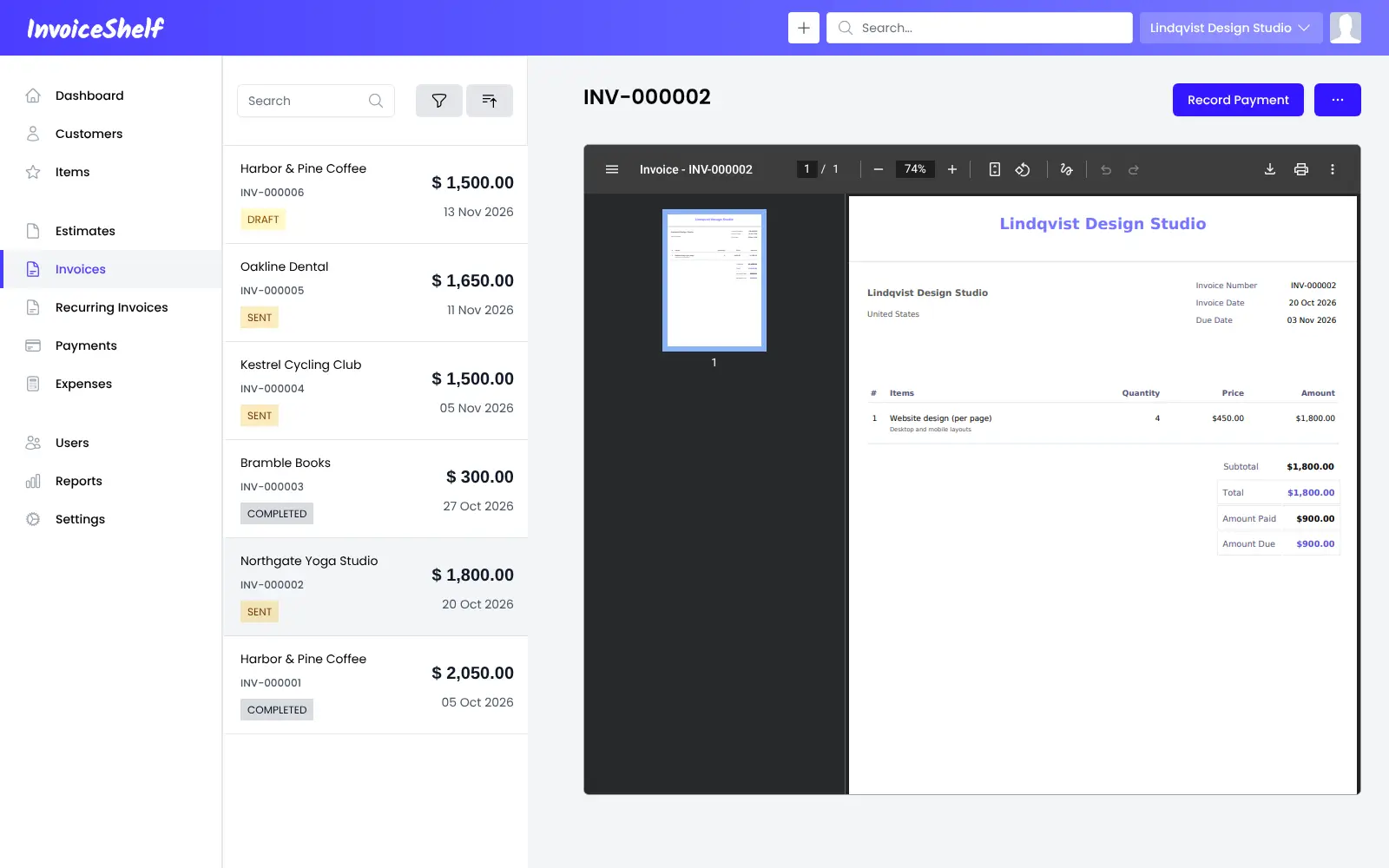
- Send estimates and invoices Build estimates and invoices with items, taxes, discounts and notes, and email them to customers as PDFs.
- Bill regular customers automatically Set up recurring invoices that go out on a schedule you choose.
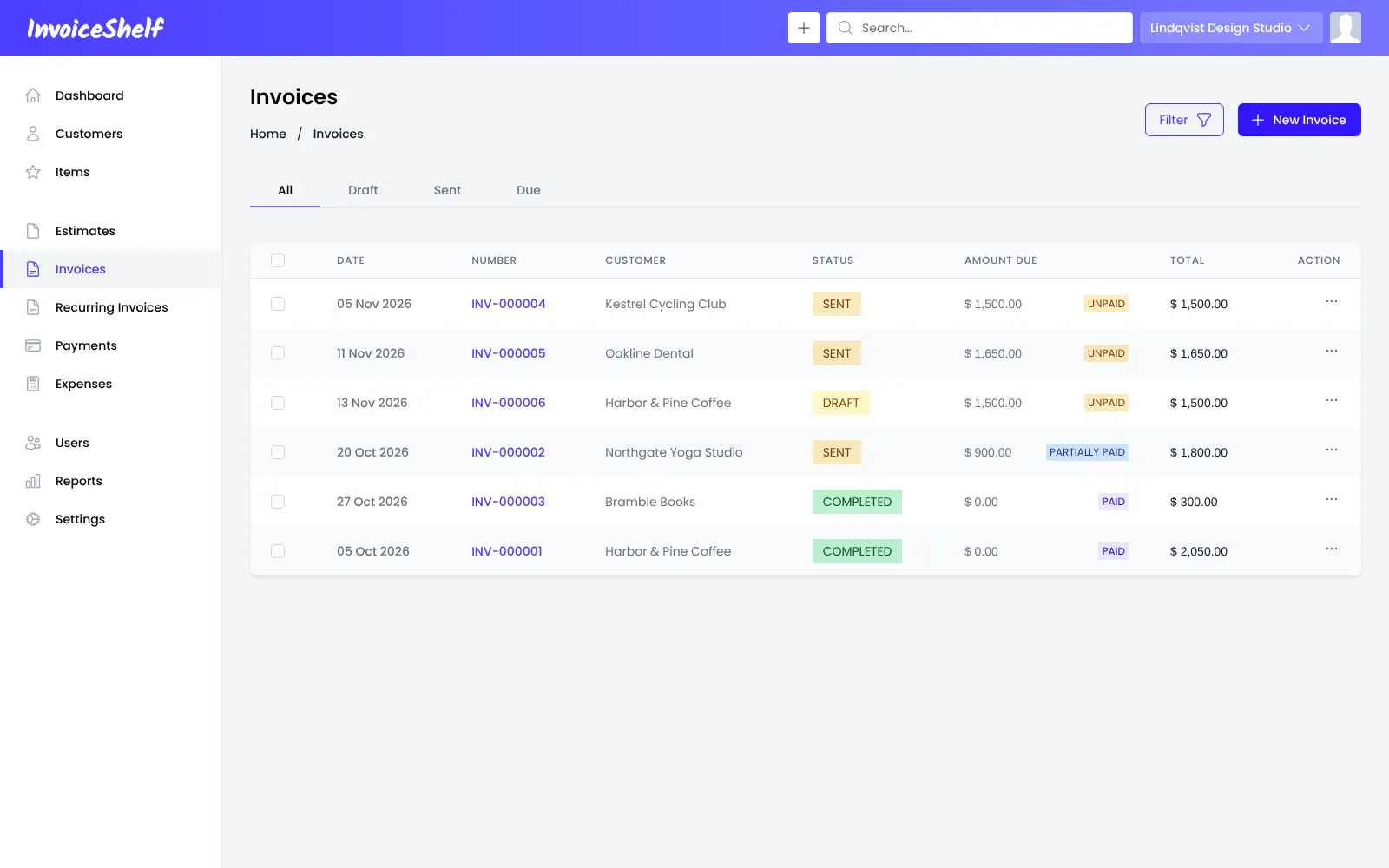
- Record payments Log full or partial payments and see at a glance what each invoice still owes.
- Track expenses Record expenses by category, so you can compare what came in with what went out.
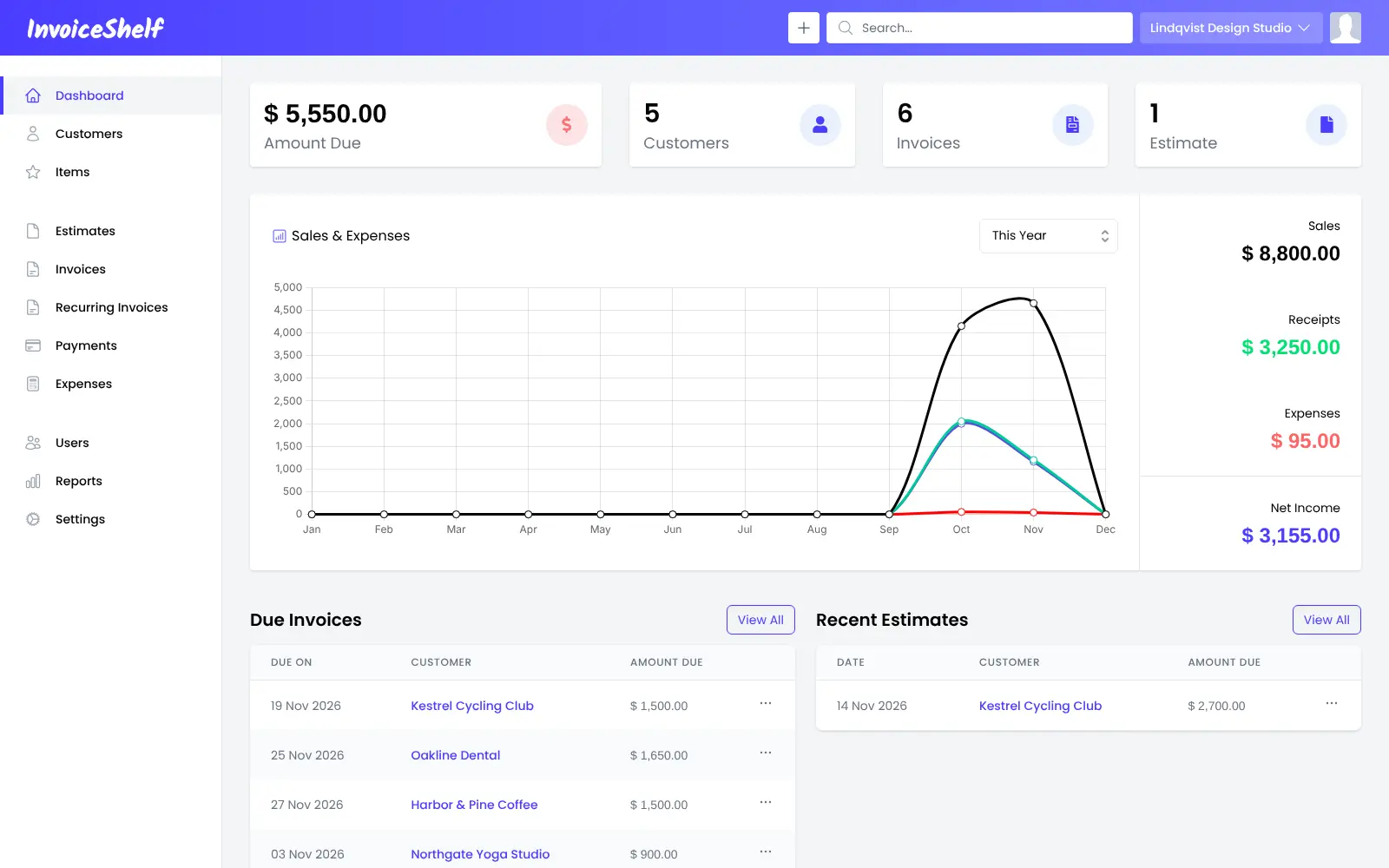
- See where you stand The dashboard and reports show sales, expenses, profit and loss, taxes and the invoices that are due.
- Give customers their own portal Customers can sign in to see their invoices, estimates and payments.
- Run several companies Keep more than one company in one install, invite users with roles, and invoice in other currencies.
- Make it yours Add custom fields, adjust the PDF templates, and use the app in one of more than 40 languages.
Replaces FreshBooks
InvoiceShelf does the same job as FreshBooks. Here is what changes when you switch.
- No monthly fee or per-person charge, with no limit on customers or invoices
- Your customers and invoices stay on your own server
- A customer portal and several companies are included
- A simple app that does invoicing and nothing more
- No time tracking, projects or bank feeds
- No bookkeeping; for double-entry accounts, Bigcapital or Dolibarr fit better
- No phone app; it works in a phone's web browser
- Version 2 gets security fixes only, until 1 September 2027, while the next version is prepared
What happens when you click Deploy?
You do not need a server or any technical knowledge. Four steps, and InvoiceShelf is running at its own web address.
- Step 1 Click Deploy and create your account
Deploy takes you to Cloudgate. Create an account, or log in if you have one. InvoiceShelf itself is free.
- Step 2 Choose a server
No server? Get one from Cloudgate: pick a size and a country, and Cloudgate gets it ready. Already have one? Connect it instead.
- Step 3 Cloudgate sets up InvoiceShelf
It prepares the server, makes the passwords the app needs and starts it. There is nothing to install and nothing to write down.
- Step 4 Open your app and sign in
Your app gets a free web address to start, without https. Add your own domain, like app.yourshop.com, and Cloudgate secures it with https for you.
New to Cloudgate? See what Cloudgate is
Run Cloudgate yourself? Deploy from your own console
In your Cloudgate console, open Templates and choose InvoiceShelf.
Questions
Is InvoiceShelf free?
Yes, InvoiceShelf is free and open source under the AGPL-3.0 licence, with no paid edition, seats or subscription. You pay only for your server.
Is InvoiceShelf a good alternative to FreshBooks?
Yes, for invoicing. InvoiceShelf covers estimates, invoices, recurring invoices, payments, expenses and a customer portal, like FreshBooks does, without a monthly fee. It has no time tracking, projects, bank feeds or bookkeeping.
How do I set up InvoiceShelf the first time?
Open your InvoiceShelf address right after install and finish the setup wizard, because whoever reaches it first can complete it. The database details are already filled in; you confirm the domain, add or skip email settings, create your admin account and enter your company. Choose the company currency carefully, because it can't be changed later.
Is InvoiceShelf the same as Crater?
No, InvoiceShelf started as a fork of the Crater invoicing app and has since been developed on its own, with a focus on stability, updates and new features.
Does InvoiceShelf do bookkeeping?
No, InvoiceShelf does invoicing, payments and expenses but keeps no double-entry accounts and has no bank sync. If you need full books, Bigcapital is accounting software, and Dolibarr adds stock and customer management.
How long will InvoiceShelf get updates?
InvoiceShelf 2, the version Cloudgate installs, gets security fixes until 1 September 2027. New features, such as e-invoicing, are going into version 3, which is still a preview and not ready for real data.
Is there an InvoiceShelf phone app?
No, InvoiceShelf has no supported phone app. It is a web app, so you and your customers can open it in a phone's web browser.
Do I need technical skills to run InvoiceShelf?
No. Click Deploy, create your Cloudgate account and choose a server, and Cloudgate sets up InvoiceShelf and gives it a web address. You use it in your browser like any other online tool.
Do I need my own server for InvoiceShelf?
No. When you deploy InvoiceShelf, hosted Cloudgate can provide a server. If you already rent one, you can connect it instead.
Can I move my data from FreshBooks to InvoiceShelf?
Most people export from FreshBooks and import into InvoiceShelf. The official guides at docs.invoiceshelf.com walk through it.
Related apps

Invoicing with online payments and phone apps.

Quotes, invoices and online payments for small firms.

Quotes, invoices and receipts, with quotes signed online.

Invoices clients pay online, with automatic reminders.