
Snipe-IT
Know who has every laptop, licence and accessory in your company.
No server needed to start: Cloudgate can provide one. What happens when you click Deploy
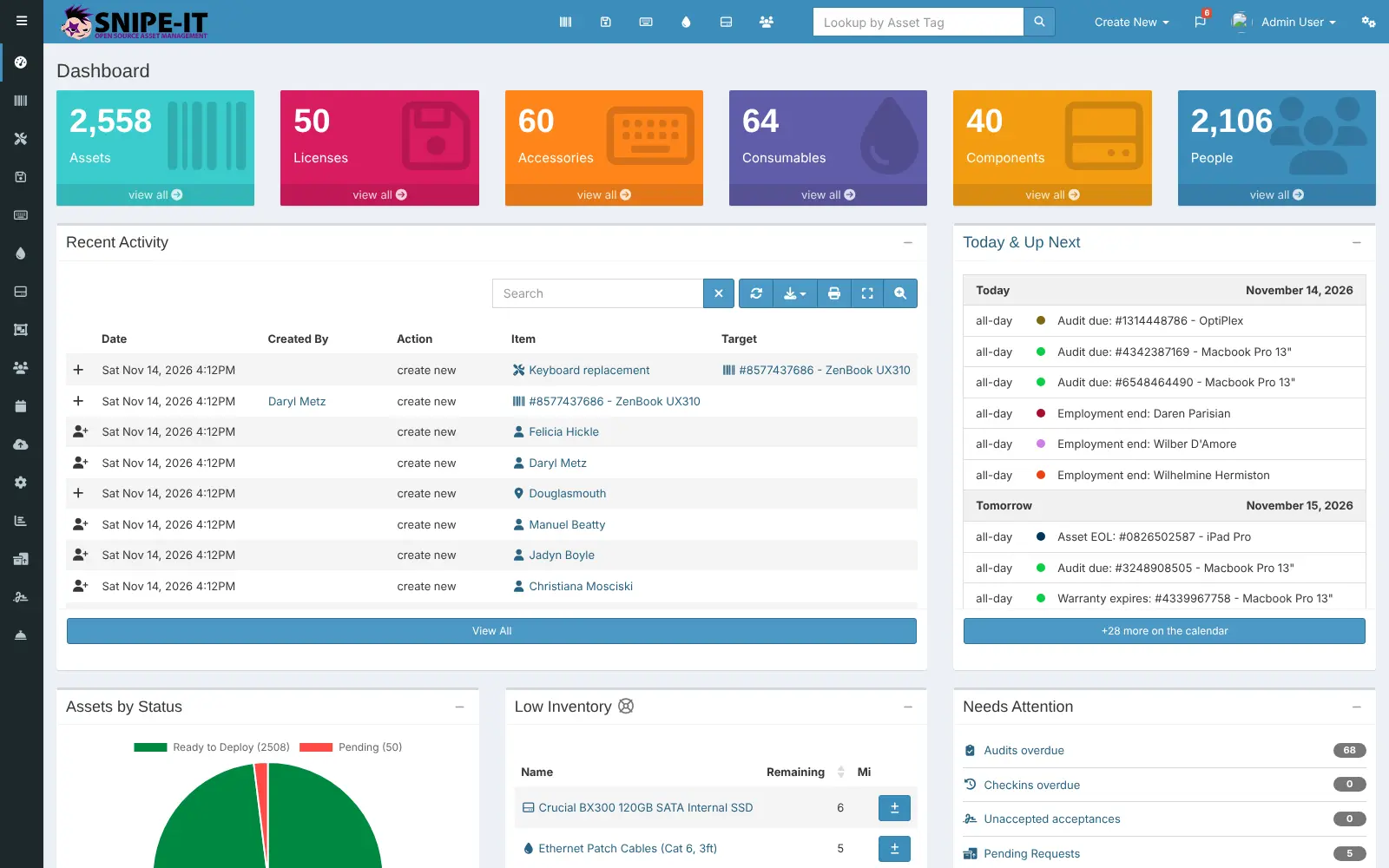
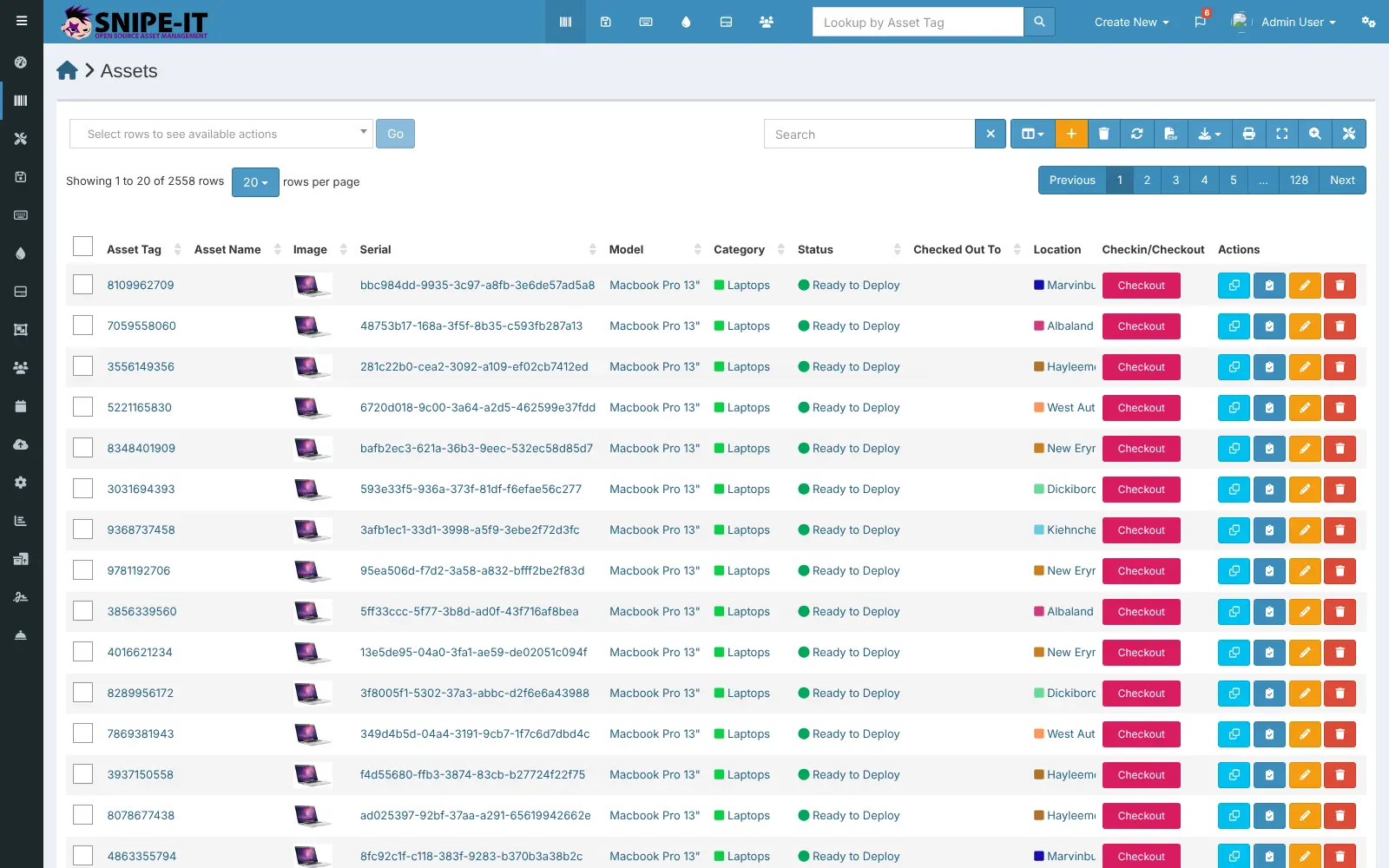
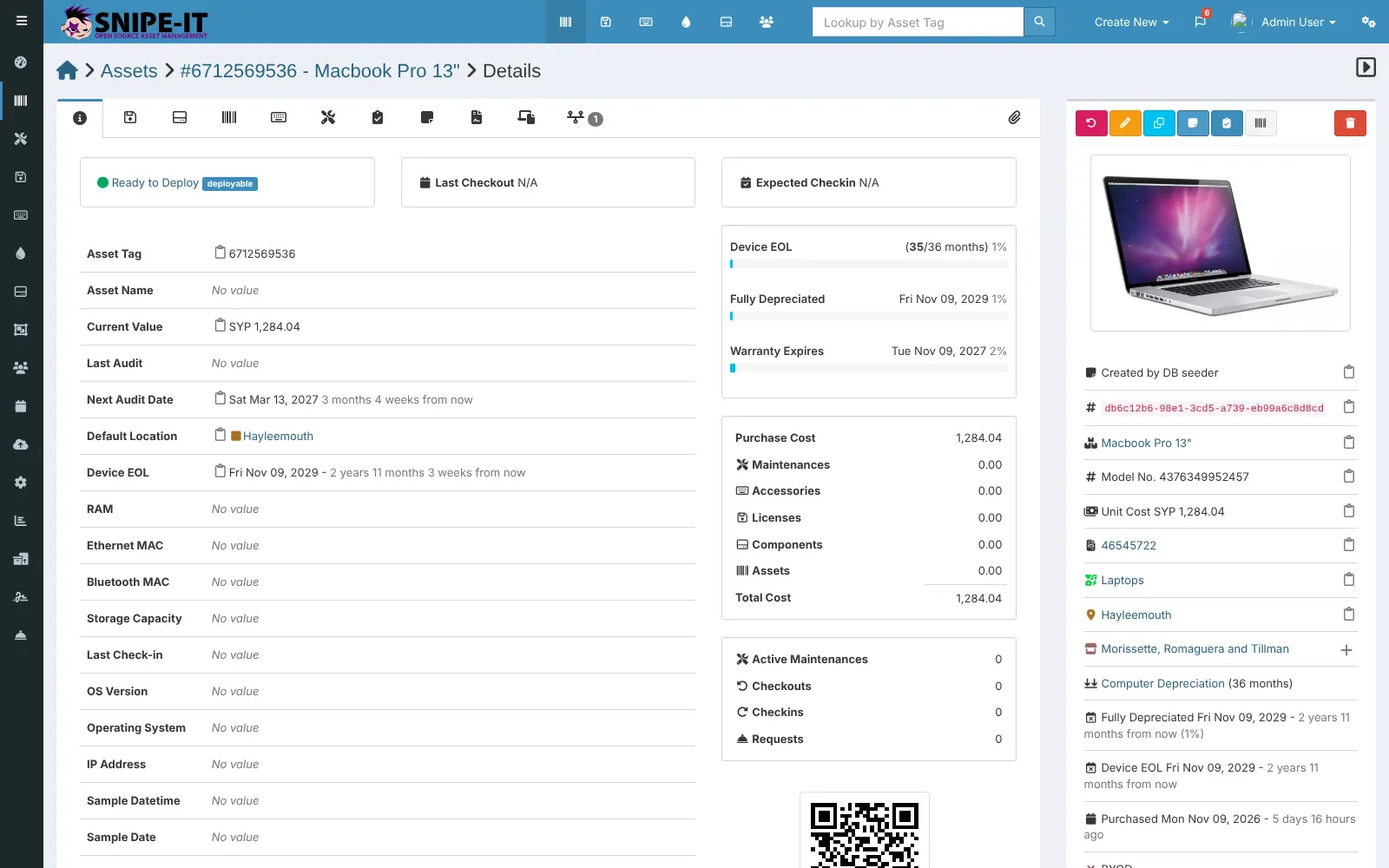
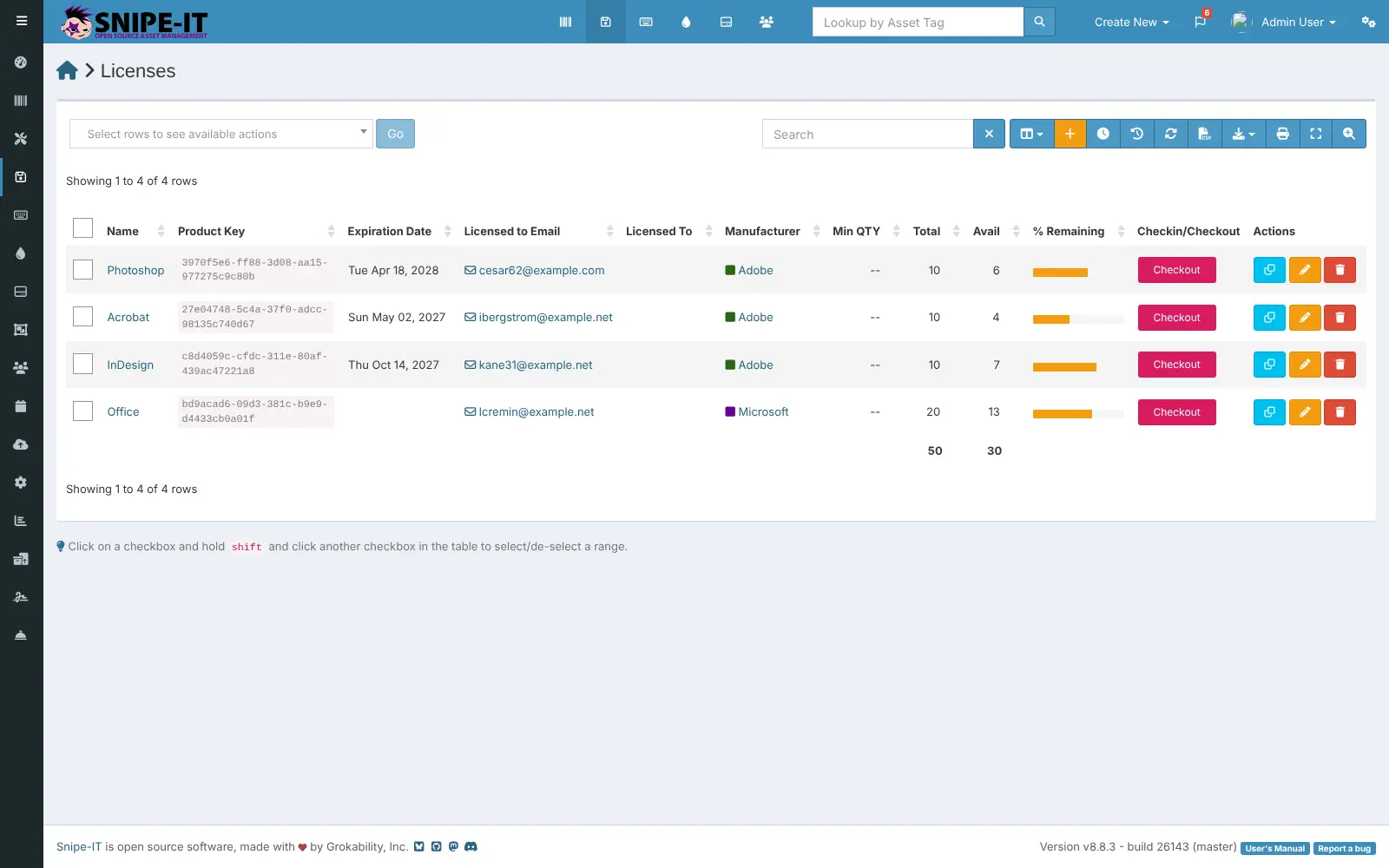
What is Snipe-IT?
Snipe-IT is self-hosted IT asset management: track laptops, software licences and accessories, who has each one, and when audits are due.
Snipe-IT is a free, open-source IT asset management app you can self-host, used in place of Asset Panda or EZOfficeInventory to track which laptops, phones, software licences and accessories your company owns and who has each one. Every item has its own record with its serial number, cost, warranty, location and history.
You check equipment out to a person or a location in one click and check it back in when they return it. Snipe-IT reminds you by email when audits are due, licences or warranties are about to expire, or spare stock runs low, and it works out what each asset is worth as it depreciates. A school's IT lead, for example, could label 40 laptops with QR codes, check them out to teachers at the start of term and see in seconds who still has one at the end.
Snipe-IT imports your existing spreadsheets as CSV files, lets staff sign in with Active Directory, LDAP or SAML, and has an API for other tools. It is translated into more than 55 languages and works in a phone's browser.
Cloudgate installs Snipe-IT on a server Cloudgate provides or one you connect, together with its database, and gives it a secure web address. Open that address right away to run the setup wizard and create your admin account.
What you can do with Snipe-IT
- Track every device Record each laptop, phone or monitor with its serial number, model, cost, warranty, end-of-life date and status.
- Check items in and out Hand equipment to a person, a location or another asset in one click, and have staff accept your terms with a signature.
- Manage software licences Keep product keys, seats and expiry dates in one place, and assign seats to people or machines.
- Watch stock levels Count accessories, consumables and spare parts, and get an alert when stock runs low.
- Audit and get reminders Schedule audits and get email alerts before audits are due and before licences and warranties expire.
- Print barcode and QR labels Label each asset and look it up later with a phone's browser or a handheld barcode scanner.
- Follow depreciation and costs See what each asset is worth today and when it is fully depreciated, and log repairs and maintenance.
- Sign in with your company accounts Let staff sign in and sync users from Active Directory or LDAP, or use SAML single sign-on.
Replaces Asset Panda and EZOfficeInventory
Snipe-IT does the same job as Asset Panda and EZOfficeInventory. Here is what changes when you switch.
- No limit on assets or users, and no subscription for the self-hosted app
- Your inventory and staff records stay on your own server
- Licences, accessories, consumables and components alongside your hardware
- Imports your existing spreadsheets as CSV files
- The interface looks plainer and older than hosted tools
- No native phone app; you use the website on a phone or a barcode scanner
- It does not scan your network for devices; you add, import or sync them
- Email alerts and password resets need email settings added first
What happens when you click Deploy?
You do not need a server or any technical knowledge. Four steps, and Snipe-IT is running at its own web address.
- Step 1 Click Deploy and create your account
Deploy takes you to Cloudgate. Create an account, or log in if you have one. Snipe-IT itself is free.
- Step 2 Choose a server
No server? Get one from Cloudgate: pick a size and a country, and Cloudgate gets it ready. Already have one? Connect it instead.
- Step 3 Cloudgate sets up Snipe-IT
It prepares the server, makes the passwords the app needs and starts it. There is nothing to install and nothing to write down.
- Step 4 Open your app and sign in
Your app gets a free web address to start, without https. Add your own domain, like app.yourshop.com, and Cloudgate secures it with https for you.
New to Cloudgate? See what Cloudgate is
Run Cloudgate yourself? Deploy from your own console
In your Cloudgate console, open Templates and choose Snipe-IT.
Questions
Is Snipe-IT free?
Yes, Snipe-IT is free and open source under the AGPL-3.0 licence, and the self-hosted app has every feature with no limit on assets or users. Its maker, Grokability, sells hosting and support plans, which you do not need. You pay only for your server.
Is Snipe-IT a good alternative to Asset Panda or EZOfficeInventory?
Yes, for tracking IT equipment, software licences and who has what. Snipe-IT covers check-in and check-out, audits, barcode labels, depreciation and email alerts. Asset Panda has native phone apps, and EZOfficeInventory has a reservation calendar for equipment loans, which Snipe-IT does not include.
How do I sign in to Snipe-IT the first time?
Snipe-IT has no default login; the first visit to its web address opens a setup wizard that checks the installation and asks for your company name, currency and admin account. Whoever reaches the address first can create the admin, so finish the wizard right after setup.
Can I import my asset list from a spreadsheet?
Yes. Snipe-IT imports CSV files for assets, users, licences, accessories, consumables, components and locations, so you can save your current spreadsheet as CSV and bring it in. Lists can be exported again from the tables.
Does Snipe-IT find devices on my network automatically?
No, Snipe-IT does not scan your network or install an agent on computers. You add assets by hand, import them from a CSV file or sync them from other tools through its API.
Is there a Snipe-IT phone app?
No, there is no official Snipe-IT phone app, but the website works on phones. Staff can scan an asset's QR code with a phone, or use a handheld barcode scanner at a desk.
What server size do I need for Snipe-IT?
A small server with 1 GB of memory is what Cloudgate asks for, for the app and its MariaDB database. Snipe-IT publishes no official figure, but it stayed light in our test with about 2,500 assets.
Do I need technical skills to run Snipe-IT?
No. Click Deploy, create your Cloudgate account and choose a server, and Cloudgate sets up Snipe-IT and gives it a web address. You use it in your browser like any other online tool.
Do I need my own server for Snipe-IT?
No. When you deploy Snipe-IT, hosted Cloudgate can provide a server. If you already rent one, you can connect it instead.
Related apps

A self-hosted IT service desk with an inventory of every device.

Track parts, stock, suppliers and builds for your workshop.

Warehouse inventory with lots and expiry dates.

Manage and secure every Mac, PC and Linux computer you own.