
OpenBoxes
Warehouse inventory with lots and expiry dates.
No server needed to start: Cloudgate can provide one. What happens when you click Deploy
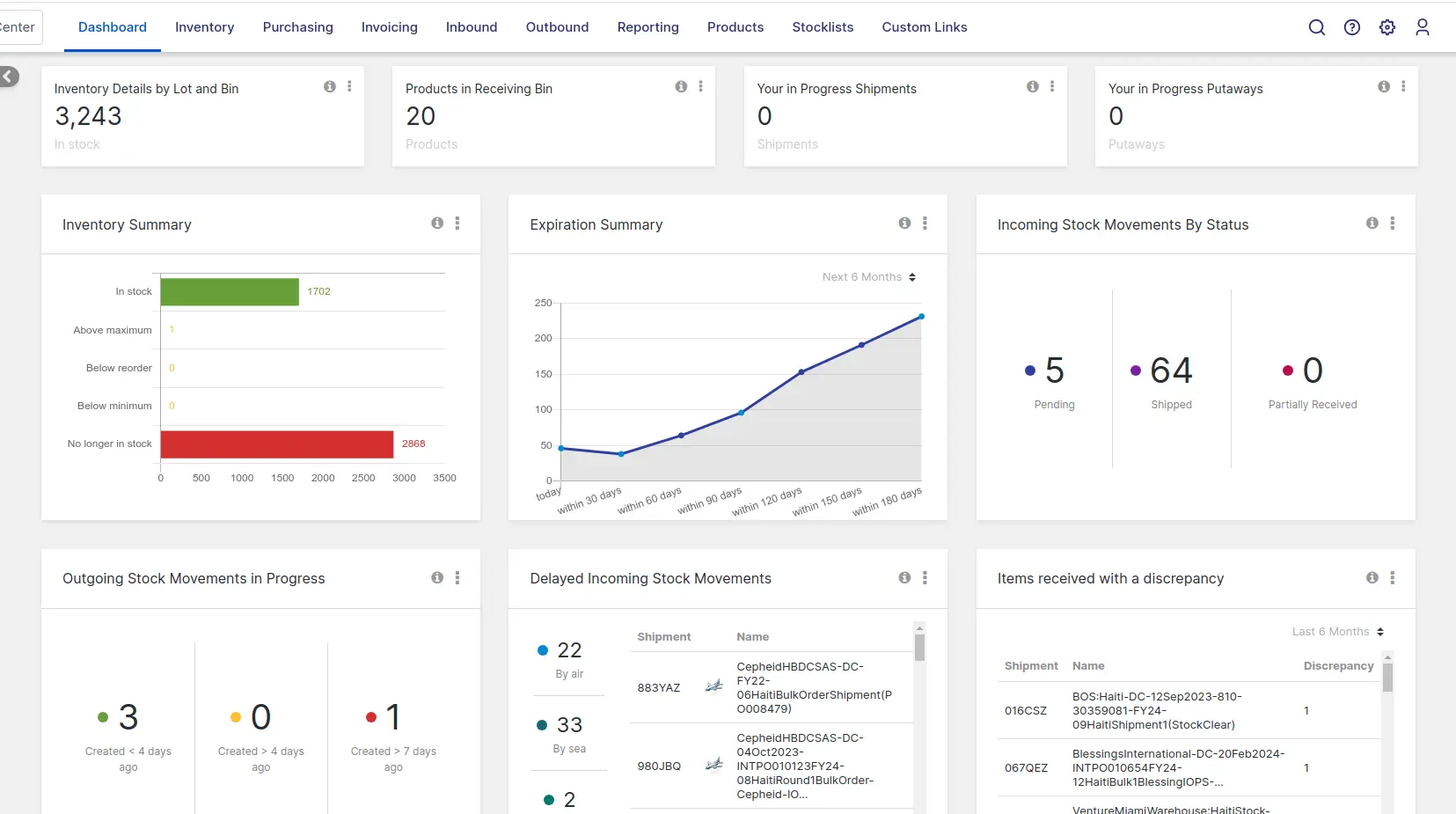

What is OpenBoxes?
Self-hosted OpenBoxes: open-source warehouse inventory with lots, expiry dates and shipments between sites, and a Fishbowl and Cin7 alternative.
OpenBoxes is a free, open-source warehouse and inventory management system you can self-host, used in place of Fishbowl or Cin7 to track stock across several warehouses, with lots, expiry dates and shipments between sites. Partners In Health first built it for medical supplies in Haiti; today it serves warehouses in many trades.
It follows stock from purchase order to delivery: receive goods with their lot and expiry date, put them in bins, let clinics or stores request what they need from their stock lists, then pick, pack and ship. A charity that runs a central depot and five rural clinics, for example, could see which antibiotics expire within 90 days, send those to the busiest clinic first, and reorder when the depot drops below its minimum.
OpenBoxes imports products, stock and orders from CSV or Excel files, prints barcode labels, works with handheld scanners and phone cameras, and connects to other systems through its API, webhooks and DHIS2. There is no app in the app stores, but its warehouse screens work in a phone's browser.
Cloudgate installs OpenBoxes on a server Cloudgate provides or one you connect, together with its database, and gives it a secure web address. The first start takes several minutes; then sign in as admin with the password Cloudgate shows you.
What you can do with OpenBoxes
- Know what is on every shelf Track stock by warehouse, bin, lot or serial number and expiry date, with a full history of every movement.
- Use the oldest stock first See what expires in the coming months, pick by first expiry, and find every unit of a recalled lot across all your sites.
- Buy and receive Raise purchase orders to suppliers, receive deliveries with their lots and expiry dates, and put stock away in suggested bins.
- Supply your sites Clinics and stores request stock from a central warehouse from their own stock lists, with approval, picking, packing and shipping.
- Count and reorder Run cycle counts, set minimum and maximum levels, and get alerts for low stock, stockouts and expiring items.
- Scan and print labels Print barcode labels for products, bins and shipments, and scan them with handheld scanners or a phone camera.
- Report on stock and use A dashboard and reports show stock value, expiring stock, fill rate and consumption by product and site, with CSV exports.
- Bring in your data Import products, suppliers, stock levels, locations and purchase orders from CSV or Excel files, with a report of any errors.
Replaces Fishbowl and Cin7
OpenBoxes does the same job as Fishbowl and Cin7. Here is what changes when you switch.
- No subscription, no fee per user and no cap on orders, warehouses or users
- Lots, expiry dates, first-expiry picking and recalls are built in
- Requests and shipments between your own warehouses and clinics, with approvals
- Your stock and supplier records stay on your own server
- There is no QuickBooks or Xero sync, and no customer invoicing or accounting
- It has no online store, marketplace or point-of-sale connections
- It has no manufacturing work orders or production planning, only kits and bills of materials
- There is no Fishbowl or Cin7 importer; you move your data over as CSV or Excel files
What happens when you click Deploy?
You do not need a server or any technical knowledge. Four steps, and OpenBoxes is running at its own web address.
- Step 1 Click Deploy and create your account
Deploy takes you to Cloudgate. Create an account, or log in if you have one. OpenBoxes itself is free.
- Step 2 Choose a server
No server? Get one from Cloudgate: pick a size and a country, and Cloudgate gets it ready. Already have one? Connect it instead.
- Step 3 Cloudgate sets up OpenBoxes
It prepares the server, makes the passwords the app needs and starts it. There is nothing to install and nothing to write down.
- Step 4 Open your app and sign in
Your app gets a free web address to start, without https. Add your own domain, like app.yourshop.com, and Cloudgate secures it with https for you.
New to Cloudgate? See what Cloudgate is
Run Cloudgate yourself? Deploy from your own console
In your Cloudgate console, open Templates and choose OpenBoxes.
Questions
Is OpenBoxes free?
Yes, OpenBoxes is free and open source under the Eclipse Public License 1.0, with no paid edition and no limit on users or locations. You pay only for your server; the project sells managed hosting and support separately if you want them.
Is OpenBoxes a good alternative to Fishbowl or Cin7?
Yes, for warehouse stock, purchasing and shipping between sites, especially goods with lots and expiry dates, and with no fee per user or order. Fishbowl and Cin7 do more around selling and accounting, with QuickBooks and Xero sync, online store connections and, in Fishbowl's case, manufacturing; OpenBoxes has none of those.
Can I import my inventory from Fishbowl or Cin7?
Partly. OpenBoxes imports products, suppliers, stock levels, locations, bins and purchase orders from CSV or Excel files, so you can export your data and bring it in. There is no direct Fishbowl or Cin7 importer, and order history does not come across.
Does OpenBoxes track lot numbers and expiry dates?
Yes. Every OpenBoxes stock entry can carry a lot or serial number and an expiry date, picking follows first expiry, first out, and a recall finds a lot at every location. This is why clinics and health programmes use it for medicines and medical supplies.
How do I sign in to OpenBoxes the first time?
Sign in with the user name admin and the password Cloudgate generates, shown on the app's variables page. OpenBoxes normally starts with the password "password"; Cloudgate replaces it before the app's address opens. The first start takes several minutes.
Is there an OpenBoxes phone app?
No, OpenBoxes has no app in the app stores, but it works in a phone's browser and its warehouse screens are made for phones and handheld scanners, for picking, putaway, receiving and stock lookups.
What server size do I need for OpenBoxes?
OpenBoxes needs a large server with 4 GB of memory, which is what Cloudgate asks for and the project's stated minimum. The project recommends 8 to 16 GB for busy production use.
Do I need technical skills to run OpenBoxes?
No. Click Deploy, create your Cloudgate account and choose a server, and Cloudgate sets up OpenBoxes and gives it a web address. You use it in your browser like any other online tool.
Do I need my own server for OpenBoxes?
No. When you deploy OpenBoxes, hosted Cloudgate can provide a server. If you already rent one, you can connect it instead.
Related apps

Track parts, stock, suppliers and builds for your workshop.

Know who has every laptop, licence and accessory in your company.

Manage and secure every Mac, PC and Linux computer you own.

Dispatch deliveries, track drivers live and run your own fleet.