
Skyvern
AI that fills in forms and gathers data on websites.
No server needed to start: Cloudgate can provide one. What happens when you click Deploy


What is Skyvern?
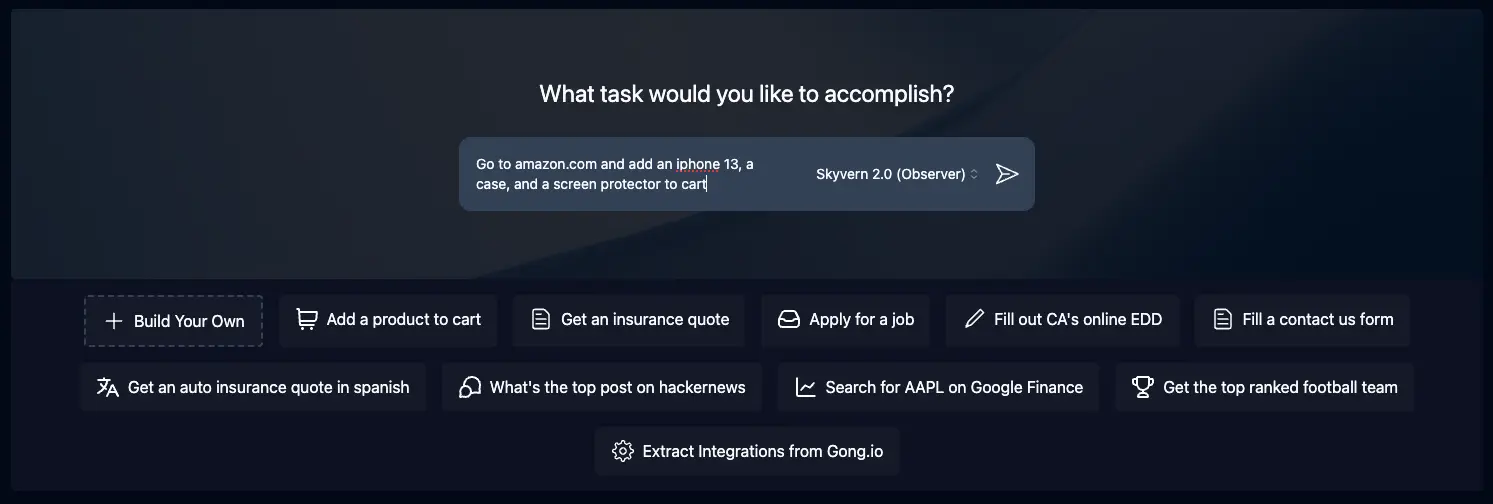
Skyvern is self-hosted AI browser automation: describe a task and it fills in forms, downloads files and extracts data on websites for you.
Skyvern is a free, open-source, self-hosted AI browser automation tool: you describe a job on a website in plain words, and it opens a real browser, reads the page with an AI model and clicks, types, fills in forms, downloads files and pulls out data, instead of paying for a service such as Browse AI.
Because Skyvern looks at each page the way a person does, it can work on websites it has never seen and keeps working when their layout changes. Workflows chain steps together and repeat them for every item in a list. A small insurance broker, for example, could have Skyvern request the same quote from five insurers' websites each morning and collect the prices in one place.
Skyvern logs in with stored passwords, handles two-step sign-in codes and connects to Bitwarden. It also works with Zapier, Make and n8n. You need an API key from OpenAI, Anthropic or Google, and each task costs money there. Anti-bot protection and CAPTCHA solving are only in the paid Skyvern Cloud.
Cloudgate installs Skyvern on a server Cloudgate provides or one you connect and gives it a secure web address behind a password prompt. Enter your AI provider and key at setup, then sign in with admin and the password Cloudgate shows.
What you can do with Skyvern
- Describe the task in plain words Give a starting web address and say what you want done, and Skyvern works out the clicks and typing itself.
- Fill in forms Skyvern fills in website forms from the information you give it, such as quote requests, applications or contact forms.
- Pull data out of websites Ask for the facts you need, like prices or order numbers, and get them back in a fixed, structured format.
- Download files Fetch invoices, statements or reports from supplier and bank portals.
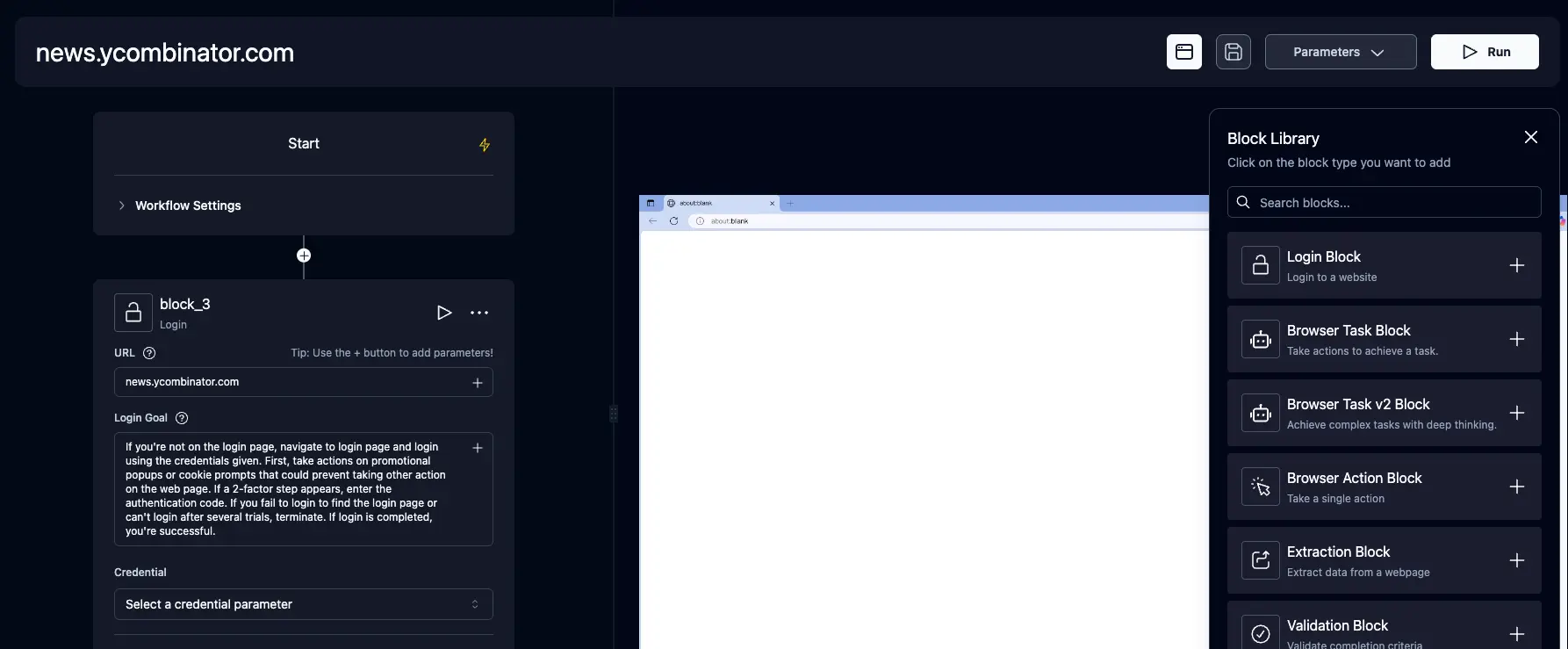
- Chain steps into workflows Build workflows from blocks such as log in, run a browser task, extract data, check a result and repeat for each item in a list.
- Log in to portals Store logins for sites, handle two-step sign-in codes, or connect a Bitwarden vault.
- Watch it work Follow the browser live while a task runs, and step in if something looks wrong.
Replaces Browse AI
Skyvern does the same job as Browse AI. Here is what changes when you switch.
- No monthly plan or credit limit; you pay your AI provider for what you run
- Copes with websites it has never seen, without recording each click
- Logins, files and results stay on your server
- You need an API key from OpenAI, Anthropic or Google, and every task costs money there
- Anti-bot protection, proxies and CAPTCHA solving are only in the paid Skyvern Cloud
- It automates websites only, not desktop programs
- An AI agent can make mistakes, so check results before relying on them
What happens when you click Deploy?
You do not need a server or any technical knowledge. Four steps, and Skyvern is running at its own web address.
- Step 1 Click Deploy and create your account
Deploy takes you to Cloudgate. Create an account, or log in if you have one. Skyvern itself is free.
- Step 2 Choose a server
No server? Get one from Cloudgate: pick a size and a country, and Cloudgate gets it ready. Already have one? Connect it instead.
- Step 3 Cloudgate sets up Skyvern
It prepares the server, makes the passwords the app needs and starts it. There is nothing to install and nothing to write down.
- Step 4 Open your app and sign in
Your app gets a free web address to start, without https. Add your own domain, like app.yourshop.com, and Cloudgate secures it with https for you.
New to Cloudgate? See what Cloudgate is
Run Cloudgate yourself? Deploy from your own console
In your Cloudgate console, open Templates and choose Skyvern.
Questions
Is Skyvern free?
Yes. Skyvern is free, open-source software under the AGPL-3.0 licence, and you pay only for your server. Each task sends screenshots of the website to the AI provider you choose, which charges for that use.
Is Skyvern a good alternative to Browse AI?
Yes, if you are happy to supply your own AI key. Browse AI replays robots you record on a website, while Skyvern reads each page with an AI model, so it handles new or changed pages without re-recording. You pay your AI provider per task instead of a monthly plan.
How do I sign in to Skyvern the first time?
Skyvern has no user accounts, so Cloudgate puts a password prompt in front of it. Sign in with the username admin and the password Cloudgate shows for this app; there is no other setup wizard.
Which AI models does Skyvern work with?
This setup works with OpenAI, Anthropic or Google Gemini, using the API key you enter. Skyvern itself also supports Azure OpenAI, AWS Bedrock, OpenRouter and local models through Ollama.
What is the difference between self-hosted Skyvern and Skyvern Cloud?
Self-hosted Skyvern has the same core tasks and workflows, free on your own server. The paid Skyvern Cloud adds anti-bot protection, a proxy network, CAPTCHA solving and many browsers running at once.
Can Skyvern log in to websites with two-step sign-in?
Yes. Skyvern can use codes from an authenticator app, and codes sent by email or text message, and it can take logins from a Bitwarden vault.
Can I import my Browse AI robots into Skyvern?
No. Browse AI robots can't be imported, so you describe each job to Skyvern in plain words instead, run it once to check the result, and save it as a workflow.
What server size do I need for Skyvern?
Cloudgate asks for a large server with 4 GB of memory, because Skyvern runs a real web browser for each task.
Do I need technical skills to run Skyvern?
No. Click Deploy, create your Cloudgate account and choose a server, and Cloudgate sets up Skyvern and gives it a web address. You use it in your browser like any other online tool.
Do I need my own server for Skyvern?
No. When you deploy Skyvern, hosted Cloudgate can provide a server. If you already rent one, you can connect it instead.
Related apps
A no-code web scraper that collects website data on a schedule.

A self-hosted AI agent with its own computer that does tasks for you.

Private AI chat over your own documents, for staff and your website.

One private AI chat for many models, using your own API keys.