
Sharkey
A Misskey-based social network that works with Mastodon apps.
No server needed to start: Cloudgate can provide one. What happens when you click Deploy
What is Sharkey?
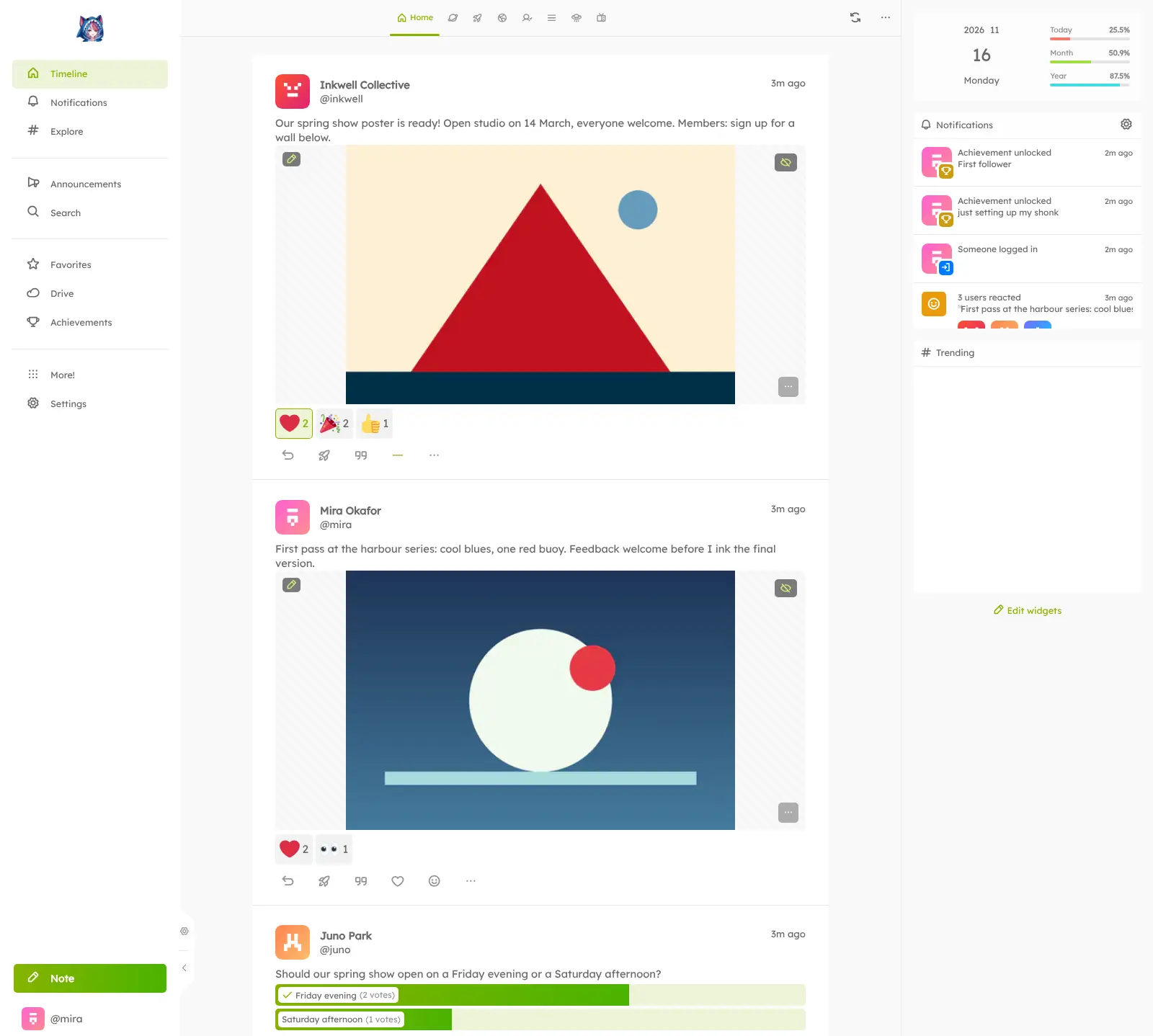
Sharkey is a self-hosted social network and Misskey fork: post notes, react with emoji, use Mastodon apps and import your old posts from X.
Sharkey is free, open-source, self-hosted software for running your own social network: a fork of Misskey where members post short notes, like and react with emoji and follow each other on your own web address, much like X (Twitter) without ads or an algorithm. It connects to Mastodon and the rest of the fediverse, and, unlike Misskey, it also works with apps made for Mastodon.
Sharkey keeps Misskey's channels, file Drive and customisable screen, and adds what many communities miss there: notes you can edit after posting, sign-ups that a moderator approves, more moderation tools, and importing your old posts from an X, Instagram or Facebook archive.
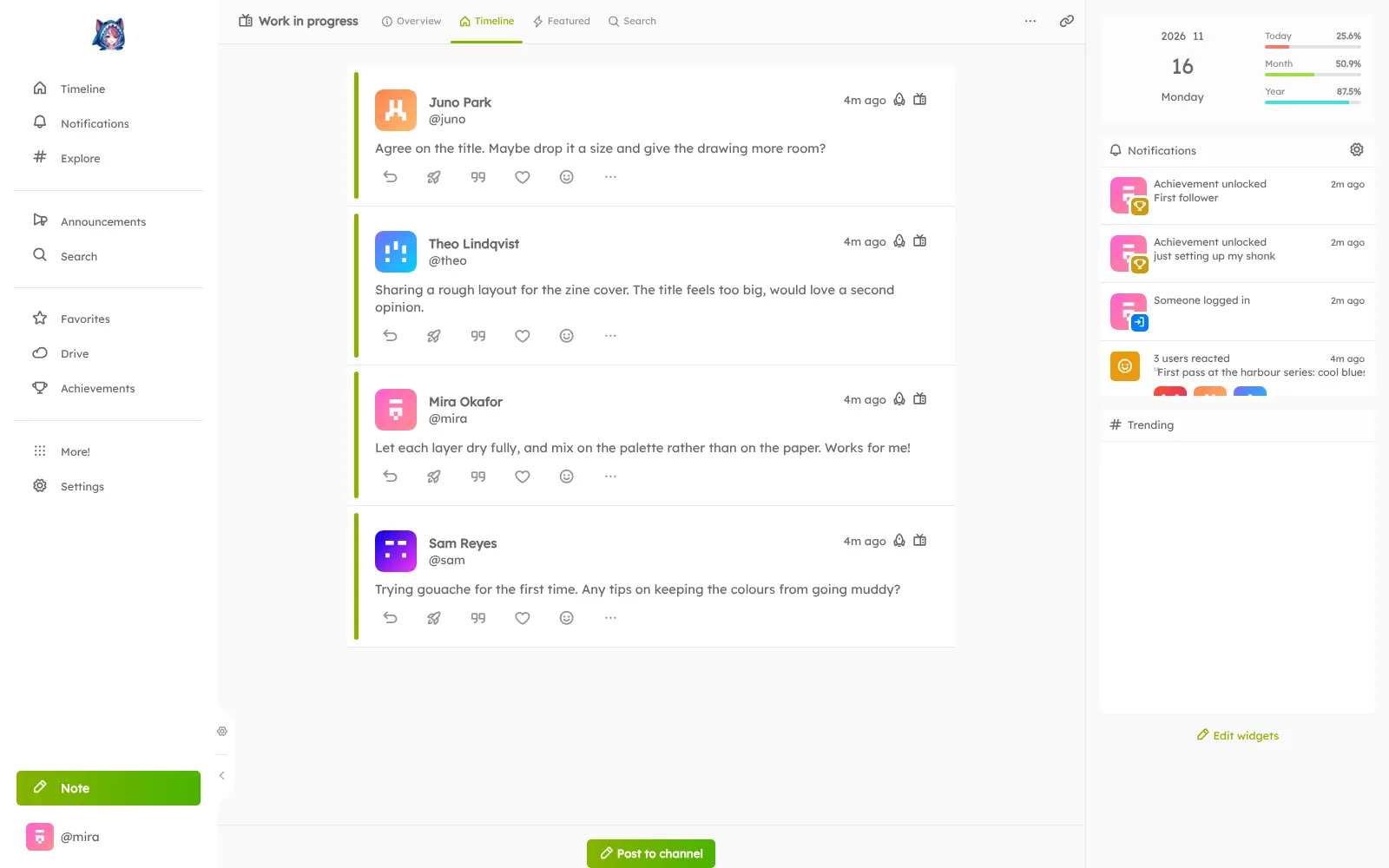
An art collective, for example, could run its own server: members import their old X posts, share work in progress, collect emoji reactions from followers on Mastodon, and the collective approves each new member before they can post.
Cloudgate installs Sharkey on a server Cloudgate provides or one you connect and gives it a secure web address. Choose that address carefully: it becomes part of every member's handle and can't be changed after the first start.
What you can do with Sharkey
- Post notes with pictures, files and polls Write short notes with photos, video, audio or other files attached, quote someone else's note or ask a quick poll.
- Like or react with emoji Members tap one button to like a note or answer it with an emoji, including custom emoji you add for your server.
- Edit a note after posting Fix a typo or add a detail; everyone who saw the note gets the new version, and earlier versions stay viewable.
- Use Mastodon apps Sharkey speaks Mastodon's app language, so members can sign in with apps made for Mastodon as well as the web app.
- Bring your old posts with you Members can import the posts in their exported archive from X (Twitter), Mastodon, Misskey, Instagram or Facebook, pictures included.
- Approve who joins Open sign-ups, make them invite-only, or ask each newcomer for a reason and have a moderator approve them.
- Talk to Mastodon and the wider fediverse Members can follow and be followed by people on Mastodon, Pixelfed and other fediverse servers.
- Make it look like yours Set your own server name, logo and colours, and let members pick themes, fonts, columns and widgets.
Replaces X (Twitter) and Circle
Sharkey does the same job as X (Twitter) and Circle. Here is what changes when you switch.
- A social space on your own address, under rules you set
- No ads and no algorithm choosing what members see
- Your old X posts can come with you from your archive
- No monthly or per-member fee, only your server
- Your X followers do not move across, and the audience starts small
- There are no courses, events or paid memberships as in Circle
- Some Sharkey extras, such as emoji reactions, may not show in Mastodon apps
- You handle moderation, and you set up an email service yourself for sign-up emails
What happens when you click Deploy?
You do not need a server or any technical knowledge. Four steps, and Sharkey is running at its own web address.
- Step 1 Click Deploy and create your account
Deploy takes you to Cloudgate. Create an account, or log in if you have one. Sharkey itself is free.
- Step 2 Choose a server
No server? Get one from Cloudgate: pick a size and a country, and Cloudgate gets it ready. Already have one? Connect it instead.
- Step 3 Cloudgate sets up Sharkey
It prepares the server, makes the passwords the app needs and starts it. There is nothing to install and nothing to write down.
- Step 4 Open your app and sign in
Your app gets a free web address to start, without https. Add your own domain, like app.yourshop.com, and Cloudgate secures it with https for you.
New to Cloudgate? See what Cloudgate is
Run Cloudgate yourself? Deploy from your own console
In your Cloudgate console, open Templates and choose Sharkey.
Questions
Is Sharkey free?
Yes. Sharkey is open-source software under the AGPL-3.0 licence, with every feature in the free version; its developers are supported by donations through Open Collective. Running it costs only your server.
How is Sharkey different from Misskey?
Sharkey is a fork of Misskey with extra features. It works with apps made for Mastodon, lets people edit notes after posting, can import old posts from X, Instagram or Facebook archives, and lets you approve each new member. Misskey gets new versions sooner, since Sharkey follows its changes later.
Can I bring my posts from X (Twitter) to Sharkey?
Yes, your own posts. Download your archive from X and import it in Sharkey's settings; pictures come along, though threads may not join up perfectly and other people's replies are left behind. Your followers on X do not move.
Do Mastodon apps work with Sharkey?
Yes, Sharkey offers Mastodon's app sign-in and interface, so apps made for Mastodon can connect to it. Sharkey-only extras, such as emoji reactions, may not appear in those apps; the web app shows everything and can be added to a phone's home screen.
How do I sign in to Sharkey the first time?
The first person to open your Sharkey address creates the admin account, after entering a setup password that Cloudgate generates and shows on the app's variables page; there is no default login. Sharkey advises keeping that first account for administration and posting from a second account.
Can I approve who joins my Sharkey server?
Yes. On a Sharkey server you can keep sign-ups open, make them invite-only, or require approval, where each newcomer gives a reason for joining and a moderator approves them before they can post.
What server size do I need for Sharkey?
Cloudgate puts Sharkey on a medium server with about 2 GB of memory, which its first database setup needs. Sharkey's install guide asks for more than 2 GB of free memory and recommends 4 GB, so pick a bigger server for a busy community.
Do I need technical skills to run Sharkey?
No. Click Deploy, create your Cloudgate account and choose a server, and Cloudgate sets up Sharkey and gives it a web address. You use it in your browser like any other online tool.
Do I need my own server for Sharkey?
No. When you deploy Sharkey, hosted Cloudgate can provide a server. If you already rent one, you can connect it instead.
Can I move my data from X (Twitter) to Sharkey?
Most people export from X (Twitter) and import into Sharkey. The official guides at docs.joinsharkey.org walk through it.
Related apps

Your own social network in the fediverse.

Your own fediverse network, with privacy set post by post.

Post short updates to your own public timeline on your own domain.

A Facebook-style social network of your own, linked to the fediverse.