
Friendica
A Facebook-style social network of your own, linked to the fediverse.
No server needed to start: Cloudgate can provide one. What happens when you click Deploy
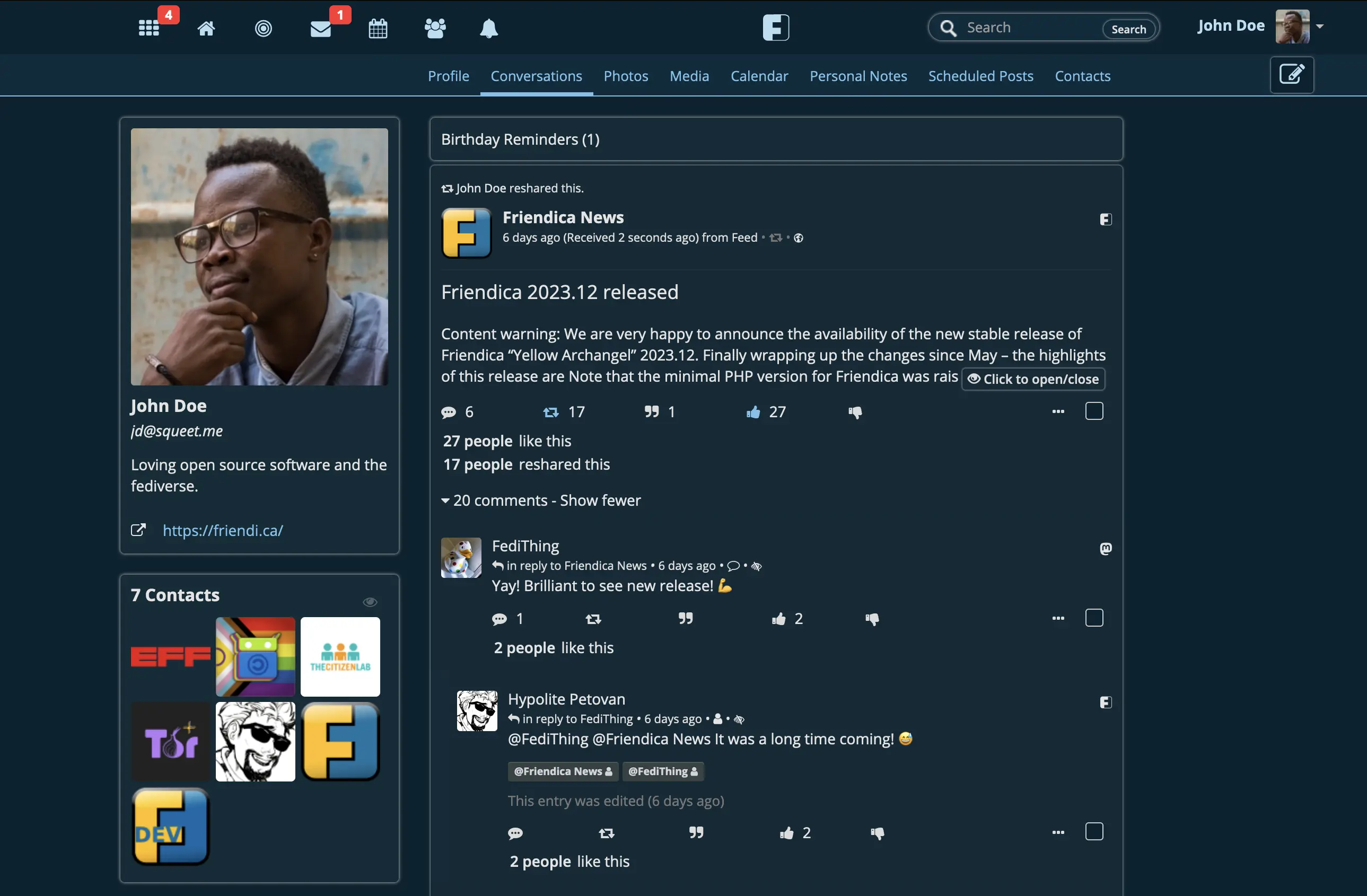

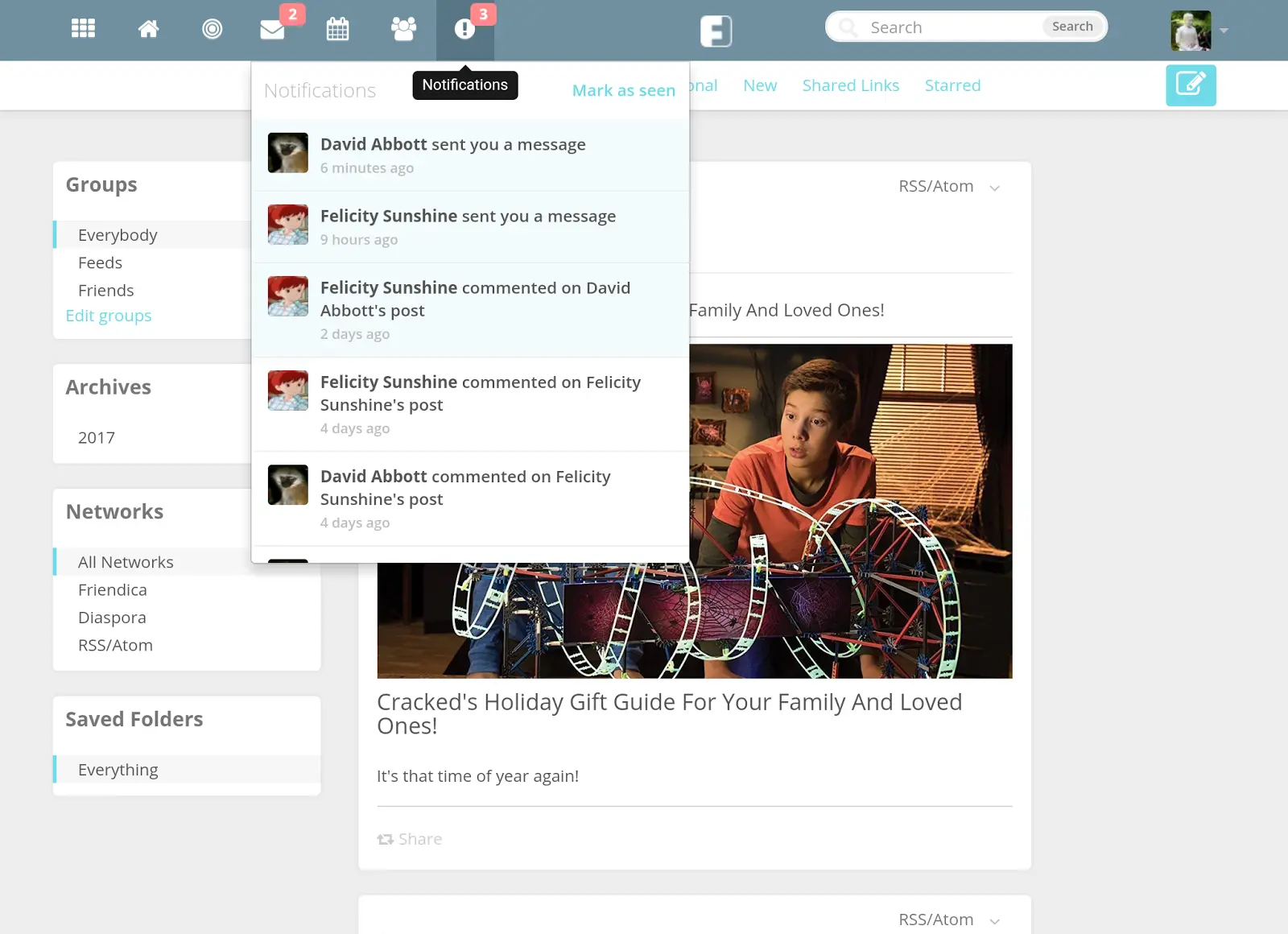

What is Friendica?
Self-hosted Friendica: a Facebook-style social network with profiles, groups, events and photo albums, connected to Mastodon and the fediverse.
Friendica is a free, open-source, self-hosted social network: a Facebook alternative with profiles, walls, photo albums, events, groups and private messages, on your own server. It is part of the fediverse, so your members can also follow and talk to people on Mastodon, diaspora* and other independent servers.
Every post can go to everyone or only to the people and circles you pick, and there are no ads or algorithm deciding what members see. A cycling club, for example, could give each member an account, run a group for ride plans, post events on the shared calendar, and keep photo albums of past rides visible only to members.
Friendica also follows any website's RSS feed, can post to Bluesky and Tumblr through add-ons, and works with Mastodon phone apps. Your old Facebook posts and friends do not move across.
Cloudgate installs Friendica on a server Cloudgate provides or one you connect, with its database and background worker, and gives it a secure web address. Register first with the admin email you chose at setup to become the admin, then decide who else can join.
What you can do with Friendica
- Profiles, walls and photo albums Each member gets a profile with a wall, photo albums and a timeline of posts, comments, likes and shares.
- Choose who sees each post Put contacts into circles and pick, post by post, which people or circles can see it.
- Groups and pages Run community groups that people join, plus pages for a club or organisation and announcement channels.
- Talk to the whole fediverse Follow and reply to people on Mastodon, Pleroma, diaspora* and other fediverse servers, and they can follow you back.
- Events and birthdays Share events on a calendar and get birthday reminders for your contacts.
- Private messages Send one-to-one messages to people on Friendica, diaspora*, Mastodon and Pleroma.
- Follow websites and blogs Bring any site's RSS or Atom feed into your stream, and post to Bluesky or Tumblr through add-ons.
Replaces Facebook
Friendica does the same job as Facebook. Here is what changes when you switch.
- No ads, and no algorithm choosing what you see
- Your members' posts and photos stay on your server
- Per-post control over who can see what
- Contact with people on Mastodon and the wider fediverse
- Your Facebook posts, photos and friends do not move across
- Far fewer people than on Facebook; friends need a fediverse account to follow you
- You run moderation, updates and backups yourself
- The interface is plainer and less polished than Facebook's
What happens when you click Deploy?
You do not need a server or any technical knowledge. Four steps, and Friendica is running at its own web address.
- Step 1 Click Deploy and create your account
Deploy takes you to Cloudgate. Create an account, or log in if you have one. Friendica itself is free.
- Step 2 Choose a server
No server? Get one from Cloudgate: pick a size and a country, and Cloudgate gets it ready. Already have one? Connect it instead.
- Step 3 Cloudgate sets up Friendica
It prepares the server, makes the passwords the app needs and starts it. There is nothing to install and nothing to write down.
- Step 4 Open your app and sign in
Your app gets a free web address to start, without https. Add your own domain, like app.yourshop.com, and Cloudgate secures it with https for you.
New to Cloudgate? See what Cloudgate is
Run Cloudgate yourself? Deploy from your own console
In your Cloudgate console, open Templates and choose Friendica.
Questions
Is Friendica free?
Yes. Friendica is free, open-source software under the AGPL licence, with every feature in the one version. You pay only for your server and domain.
Is Friendica a good alternative to Facebook?
Yes, if you want a Facebook-style network you control, with profiles, photo albums, groups, events and per-post privacy and no ads. The trade-off is a much smaller audience, and your friends need a Friendica or other fediverse account to follow you.
Can Friendica talk to Mastodon?
Yes. Friendica connects to the fediverse, so your members can follow, reply to and message people on Mastodon, Pleroma, diaspora* and other servers, and those people can follow them back.
Can I import my Facebook data into Friendica?
No. Friendica has no Facebook importer, so your old posts, photos and friends stay on Facebook. Between Friendica servers you can move an account, and you can import a list of followed accounts from Mastodon.
How do I become the admin of my Friendica server?
Register a Friendica account using the admin email you entered at setup; that account becomes the admin. Do it straight away, because sign-ups are open to anyone until you change the registration setting.
Is there a Friendica app for phones?
Yes. Friendica works in a phone's browser, and it supports Mastodon apps such as Tusky and Fedilab, as well as Friendica clients for Android.
Does Friendica need an email service?
No, but it helps. Without one, new members see their password on screen after signing up; with an outside email service, Friendica can send sign-up details, notifications and password resets.
Do I need technical skills to run Friendica?
No. Click Deploy, create your Cloudgate account and choose a server, and Cloudgate sets up Friendica and gives it a web address. You use it in your browser like any other online tool.
Do I need my own server for Friendica?
No. When you deploy Friendica, hosted Cloudgate can provide a server. If you already rent one, you can connect it instead.
Related apps

Your own fediverse network, with privacy set post by post.

Photo sharing like Instagram, with no ads or algorithm.

Your own social network in the fediverse.

A Misskey-based social network that works with Mastodon apps.