
rotki
Crypto portfolio tracking and profit and loss reports.
No server needed to start: Cloudgate can provide one. What happens when you click Deploy
What is rotki?
Self-hosted rotki is a private crypto portfolio tracker that reads your exchanges and wallets and runs profit and loss reports, encrypted on your server.
Self-hosted rotki is an open-source crypto portfolio tracker and accounting tool, and a private alternative to Koinly, CoinTracker and CoinTracking. It reads your balances and trades from exchanges through read-only API keys and from your wallet addresses on the blockchain, turns that history into plain events, and produces profit and loss reports with the cost basis method and tax rules you choose. Everything is stored in a database encrypted with your own password, on your server rather than a tax company's cloud.
A web designer paid partly in crypto might hold coins on two exchanges and in a hardware wallet. rotki shows her one total, lists every send, swap and fee in order, and at year end exports a profit and loss report as a CSV file for her accountant.
The free edition covers 1,000 events in history and reports and a two-week chart; a paid rotki Premium plan raises those limits and adds detailed graphs and sync between devices. rotki is not a tax filing service and has no phone app; you use it in any browser.
Cloudgate installs rotki on a server Cloudgate provides or one you connect, gives it a secure web address, and puts a password in front of it, so only you can reach it.
What you can do with rotki
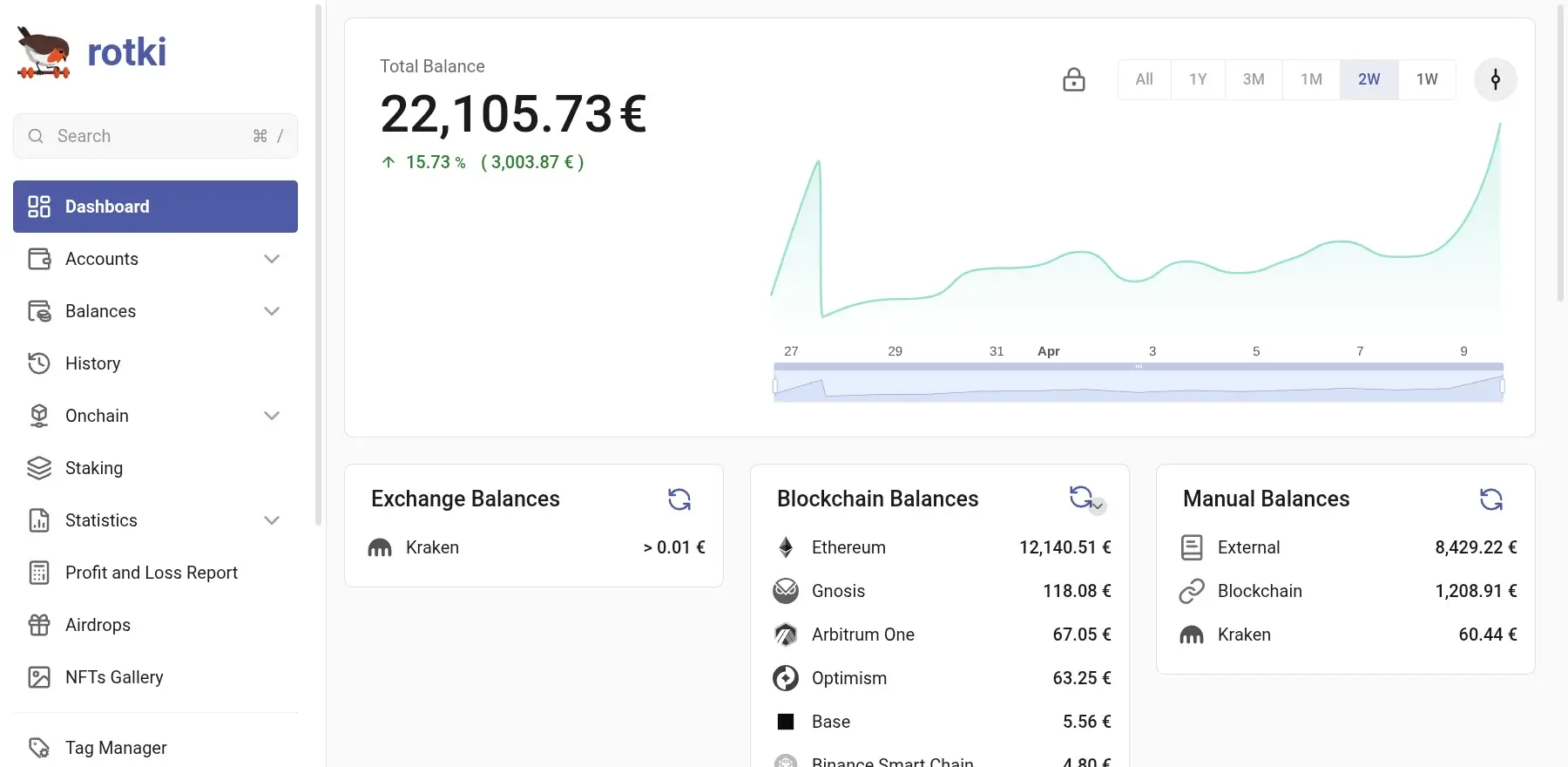
- See every balance in one dashboard Your exchange accounts, blockchain wallets and manually entered assets add up to one total, broken down by exchange, chain and asset.
- Connect exchanges with read-only keys rotki reads balances and trades from your exchanges through read-only API keys, so it can see your history but not move funds.
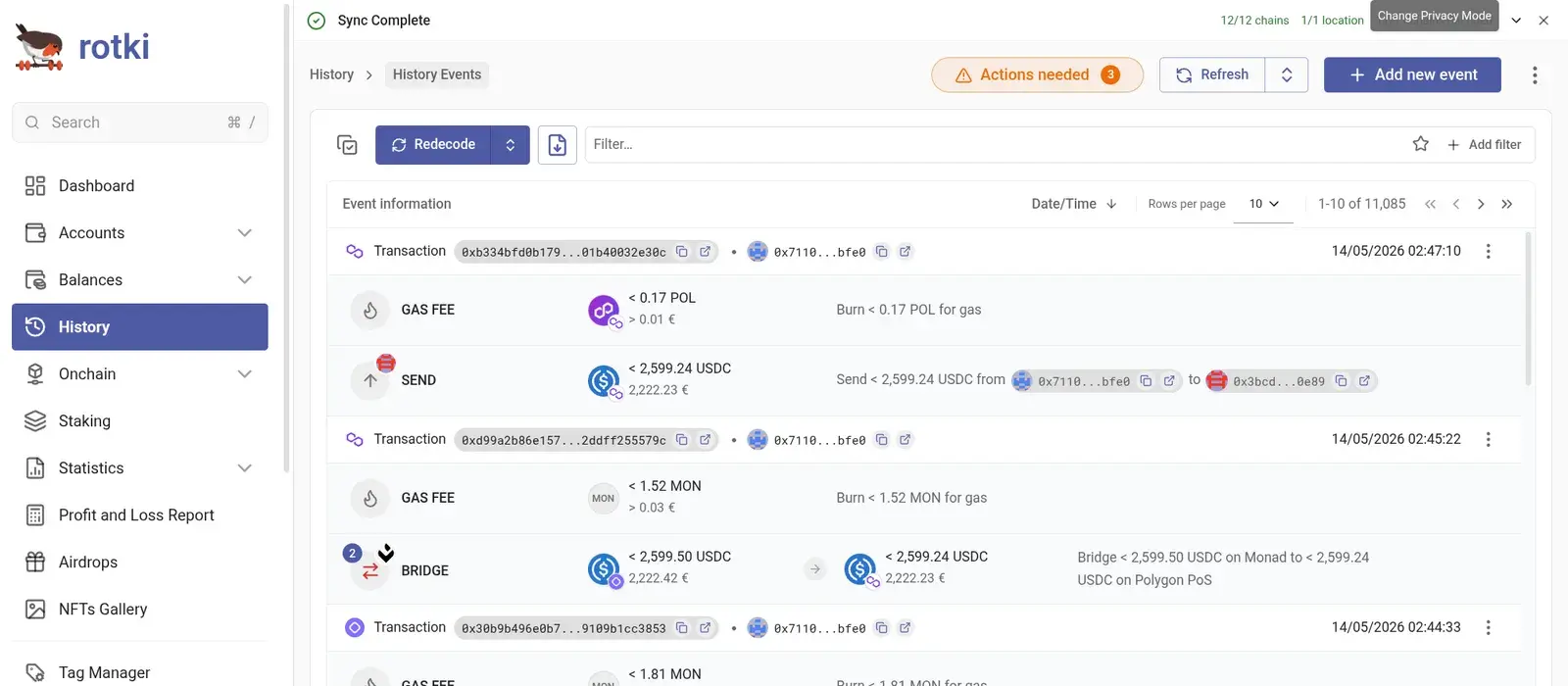
- Understand your blockchain transactions Wallet history is decoded into plain events such as send, swap, bridge and gas fee, with the euro or dollar value of each.
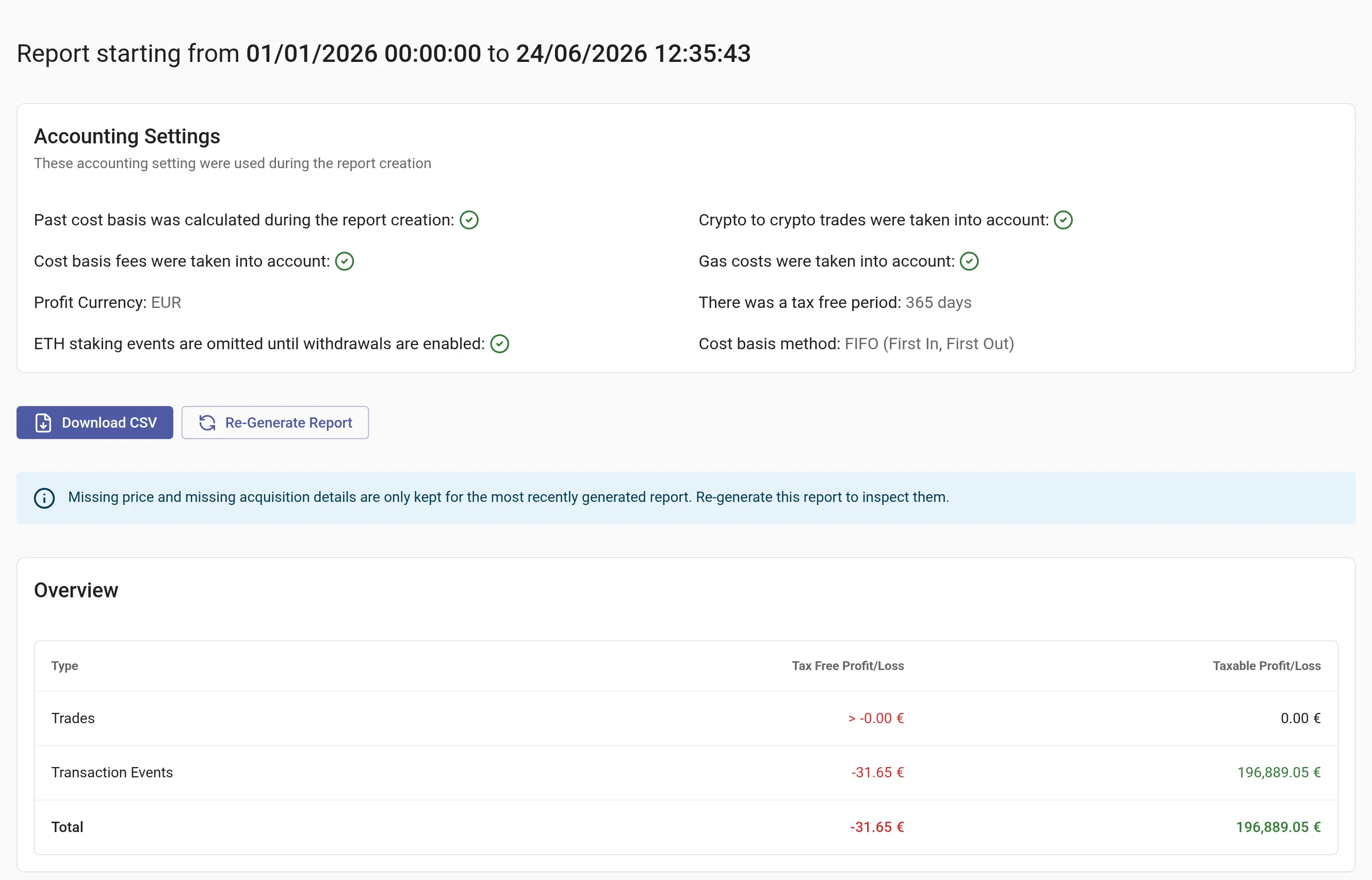
- Run profit and loss reports Pick any date range and get taxable and tax-free profit or loss, then download it as a CSV file for your accountant.
- Set the accounting rules Choose FIFO, LIFO, HIFO or average cost basis, a tax-free holding period, and whether crypto-to-crypto trades and fees count.
- Import from other tools Load CSV files from CoinTracking, CoinLedger, Blockpit, Bitcoin.tax, Binance, Nexo, the Crypto.com app and others, or a generic CSV.
- Track assets it can't read Add manual balances for things like property, shares or coins on chains it doesn't support, so your total is complete.
- Keep your data encrypted Each account is a local database locked with your own password, and your financial data never passes through rotki's servers.
Replaces Koinly, CoinTracker and CoinTracking
rotki does the same job as Koinly, CoinTracker and CoinTracking. Here is what changes when you switch.
- Your full transaction history stays on your own server, encrypted with your password, instead of in a tax company's cloud
- Open-source code you can read, with no account at rotki needed to use it
- The same profit and loss engine with your choice of cost basis method and tax rules
- A free edition with no subscription; paid rotki Premium is optional
- The free edition covers 1,000 events in history and profit and loss reports, and the net value chart shows two weeks; more needs a paid rotki Premium plan
- It is not a tax filing service and has fewer ready-made country tax forms than Koinly, so check the results against your local rules
- No phone app; you use it in a browser
- No direct import from Koinly or CoinTracker; CoinTracking's trade export imports, but with less detail
What happens when you click Deploy?
You do not need a server or any technical knowledge. Four steps, and rotki is running at its own web address.
- Step 1 Click Deploy and create your account
Deploy takes you to Cloudgate. Create an account, or log in if you have one. rotki itself is free.
- Step 2 Choose a server
No server? Get one from Cloudgate: pick a size and a country, and Cloudgate gets it ready. Already have one? Connect it instead.
- Step 3 Cloudgate sets up rotki
It prepares the server, makes the passwords the app needs and starts it. There is nothing to install and nothing to write down.
- Step 4 Open your app and sign in
Your app gets a free web address to start, without https. Add your own domain, like app.yourshop.com, and Cloudgate secures it with https for you.
New to Cloudgate? See what Cloudgate is
Run Cloudgate yourself? Deploy from your own console
In your Cloudgate console, open Templates and choose rotki.
Questions
Is rotki free?
Yes, rotki is free and open source under the AGPL-3.0 licence, and the free edition tracks balances, decodes your history and runs profit and loss reports. It is limited to 1,000 events in history and reports and a two-week net value chart; a paid rotki Premium plan raises those limits and adds detailed graphs, encrypted sync between devices and ETH validator tracking.
Is rotki a good alternative to Koinly?
Yes, if privacy matters most to you. Like Koinly, rotki connects to your exchanges and wallets, reconciles trades and transfers, and produces profit and loss reports, but it keeps everything on your own server instead of in a hosted cloud. Koinly offers more ready-made country tax forms.
Is rotki a good alternative to CoinTracker?
Yes, for tracking your crypto portfolio and preparing profit and loss reports without storing your history in a vendor's cloud. CoinTracker has phone apps and syncs automatically in the cloud; rotki has no phone app and you open it in a browser.
Can I import my history from CoinTracking or other tools?
Partly. rotki imports CSV files from CoinTracking, CoinLedger, Blockpit, Bitcoin.tax and several exchanges, plus a generic CSV format, and it reads most exchange and wallet history directly. rotki's docs note that CoinTracking's export lacks detail, and there is no Koinly or CoinTracker importer.
Does rotki file my crypto taxes?
No, rotki is not a tax filing service. It calculates your profit and loss with the accounting rules you choose and exports a CSV report that you or your accountant use for your return; check the results against your country's rules.
How do I sign in to rotki the first time?
Your browser first asks for the user name admin and a password Cloudgate creates, shown on the app's variables page as ADMIN_PASSWORD. Then click Create account in rotki and choose a name and password; that password encrypts your data and can't be recovered if you lose it.
Is my financial data private with rotki?
Yes, your balances and history are stored in an encrypted database on your own server and never pass through rotki's servers. rotki does send anonymous usage statistics by default, which you can turn off in the settings, and it looks up prices and blockchain data from outside services.
Do I need technical skills to run rotki?
No. Click Deploy, create your Cloudgate account and choose a server, and Cloudgate sets up rotki and gives it a web address. You use it in your browser like any other online tool.
Do I need my own server for rotki?
No. When you deploy rotki, hosted Cloudgate can provide a server. If you already rent one, you can connect it instead.
Related apps

A self-hosted portfolio tracker for stocks, ETFs and crypto.
A free envelope budget app, like YNAB, on your own server.

ERP for sales, stock, accounting and HR in one place.

Accounting with invoices, inventory and reports.