
Zammad
A self-hosted help desk that turns customer messages into tickets.
No server needed to start: Cloudgate can provide one. What happens when you click Deploy
What is Zammad?
Self-hosted Zammad: an open-source help desk that turns customer emails, chat, phone calls and social messages into tickets your team answers together.
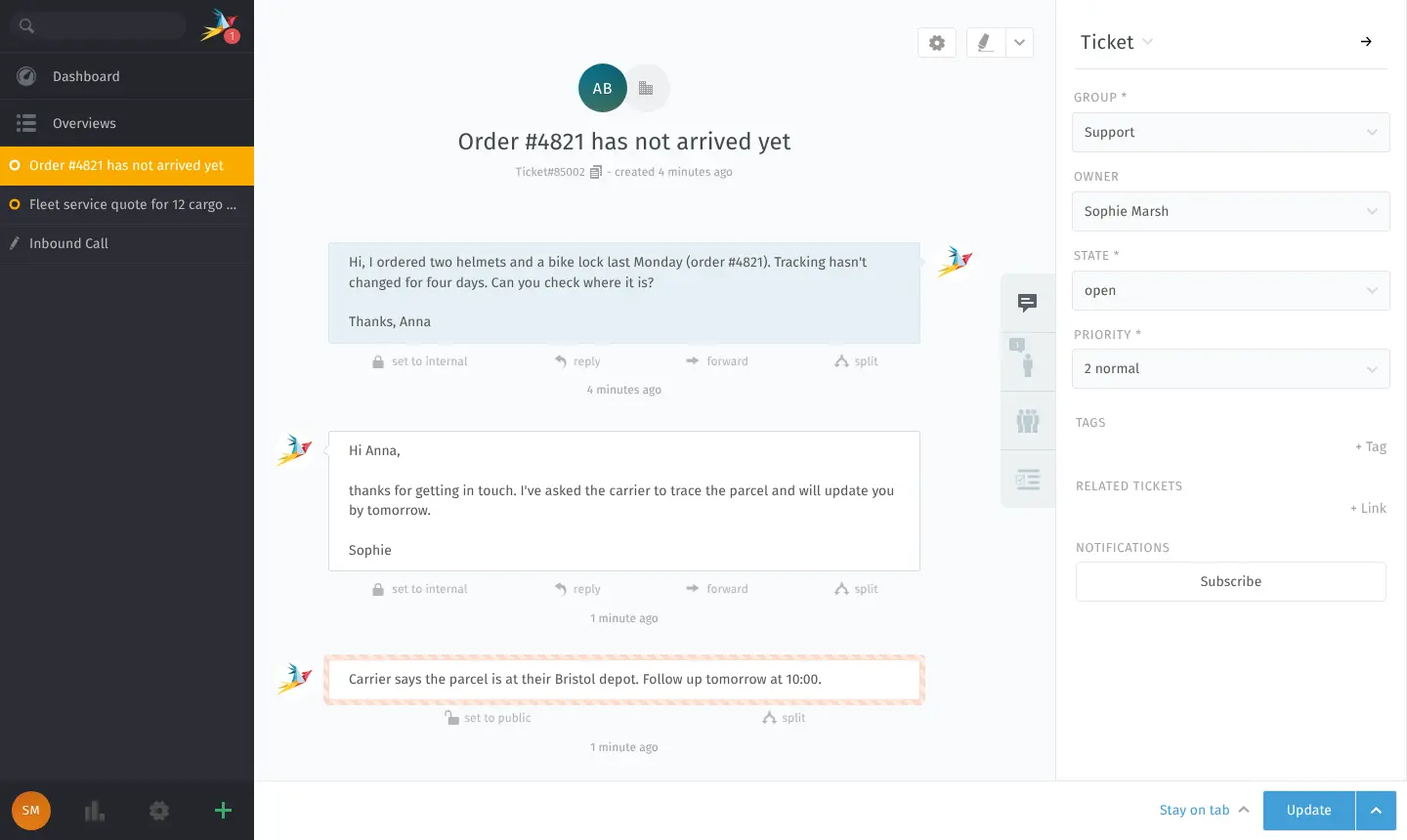
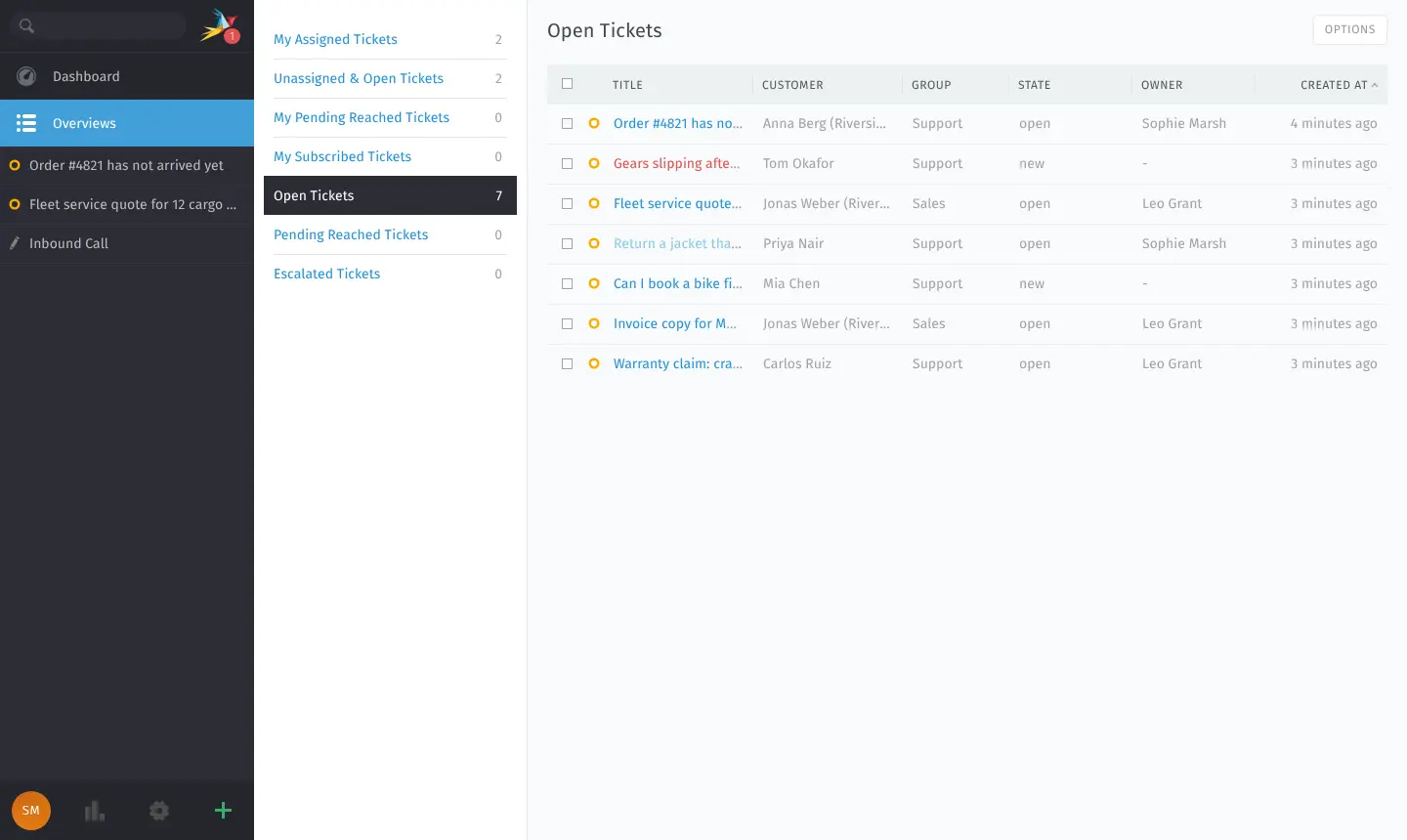
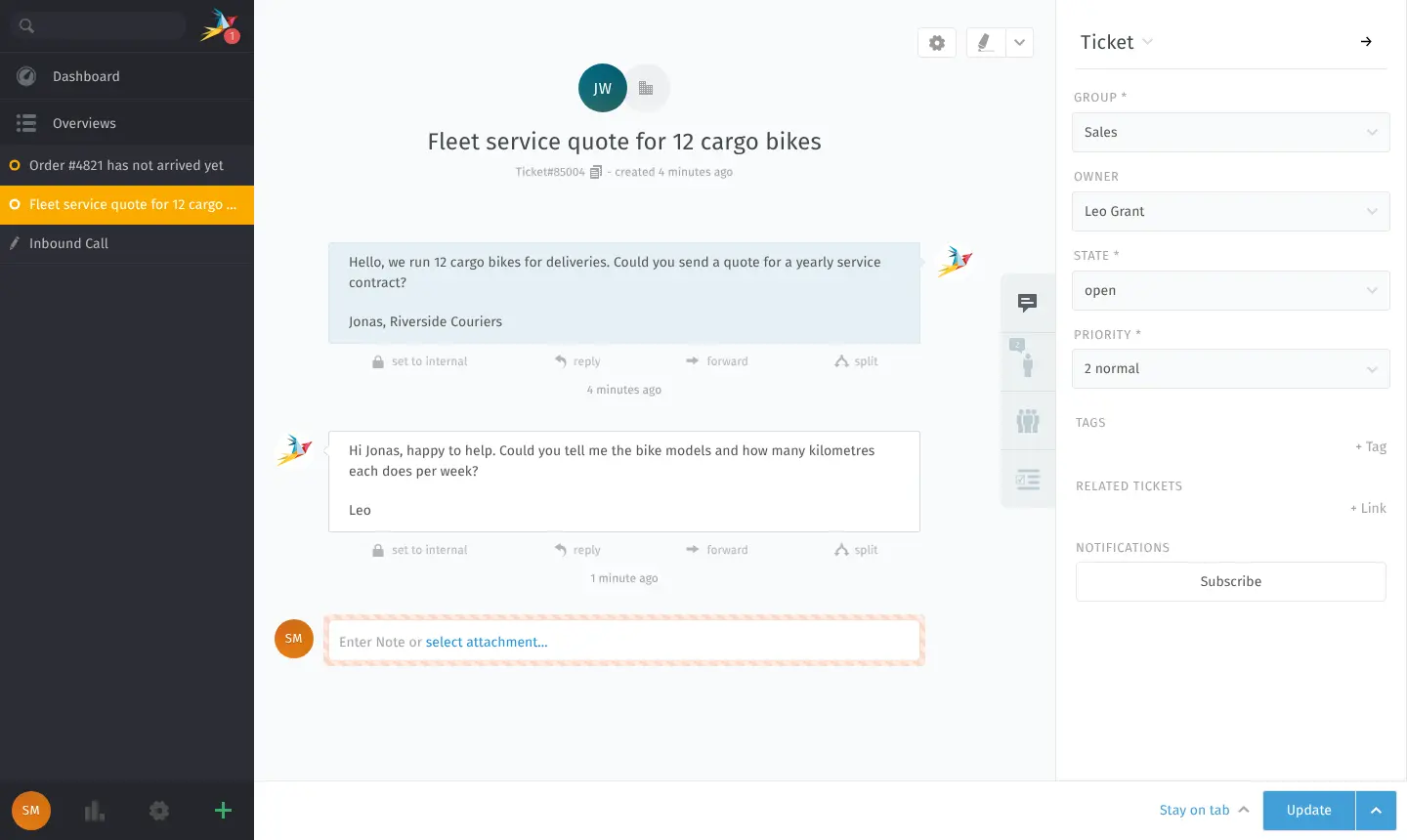
Self-hosted Zammad is a free, open-source help desk and ticket system, an alternative to Zendesk and Freshdesk with no fee per agent. Customer emails, website chat, phone calls, SMS and messages from WhatsApp, Telegram and Facebook arrive as tickets in one place, where your team assigns, answers and tracks them.
It is a full ticket system rather than a simple shared inbox. You can set response times with escalations, automate routine steps, keep internal notes, publish a knowledge base and let customers follow their requests online. A bike shop, for example, can route order questions to its support group and fleet quotes to sales, and see straight away which tickets are close to missing their promised reply time.
Zammad imports tickets and customers from Zendesk, Freshdesk, OTRS and Kayako, and connects to mailboxes such as Microsoft 365 or Google, your company directory and single sign-on. Its AI features use Zammad's paid AI service or an AI provider you choose. There is no phone app, but it works in a phone's browser.
Cloudgate installs Zammad with its database and search on a server Cloudgate provides or one you connect, and gives it a secure web address. It needs a large server. Open the address right after setup to create the admin account in Zammad's setup wizard.
What you can do with Zammad
- Every channel becomes a ticket Email, a web form, website chat, phone calls, SMS, WhatsApp, Telegram and Facebook messages arrive as tickets in one place.
- Share the work fairly Assign tickets to people or groups, add internal notes, and work from shared lists such as unassigned, my tickets and escalated.
- Keep your promises Set response and resolution times, and Zammad escalates tickets that are about to miss them.
- Automate the routine Triggers, scheduled jobs, macros and text snippets handle repetitive steps and common answers.
- Publish a knowledge base Write help articles for customers or for your own team, in one or several languages.
- Let customers follow their requests Customers can sign in to see the state of their tickets and add replies.
- Find any old conversation Search across all tickets, customers and articles, and track the time spent on each ticket.
- Sign in the way your company does Connect your company directory or single sign-on, and turn on two-step sign-in.
Replaces Zendesk, Freshdesk and Help Scout
Zammad does the same job as Zendesk, Freshdesk and Help Scout. Here is what changes when you switch.
- No price per agent, whatever the size of your team
- Tickets, customers and attachments stay on your own server
- Built-in import of your tickets and customers from Zendesk or Freshdesk
- The self-hosted version is the full software, with no paid edition
- It needs a large server, bigger than most apps in this catalogue
- Far fewer ready-made integrations than the Zendesk marketplace
- No phone app; agents use the website in a phone's browser
- AI features need a paid Zammad AI service or your own AI provider
What happens when you click Deploy?
You do not need a server or any technical knowledge. Four steps, and Zammad is running at its own web address.
- Step 1 Click Deploy and create your account
Deploy takes you to Cloudgate. Create an account, or log in if you have one. Zammad itself is free.
- Step 2 Choose a server
No server? Get one from Cloudgate: pick a size and a country, and Cloudgate gets it ready. Already have one? Connect it instead.
- Step 3 Cloudgate sets up Zammad
It prepares the server, makes the passwords the app needs and starts it. There is nothing to install and nothing to write down.
- Step 4 Open your app and sign in
Your app gets a free web address to start, without https. Add your own domain, like app.yourshop.com, and Cloudgate secures it with https for you.
New to Cloudgate? See what Cloudgate is
Run Cloudgate yourself? Deploy from your own console
In your Cloudgate console, open Templates and choose Zammad.
Questions
Is Zammad free?
Yes. Zammad is free and open source under the AGPL-3.0 licence, and there is no paid self-hosted edition, so you get the full software with no fee per agent. Zammad's company sells hosting, support contracts and its Zammad AI service, all optional.
Is Zammad a good alternative to Zendesk?
Yes, for teams that want a full ticket system on their own server. Zammad has the core of Zendesk, with tickets from many channels, SLAs, automations and a knowledge base, and no fee per agent. Zendesk has far more marketplace apps, and Zammad needs a large server that you look after.
Can I import my tickets from Zendesk or Freshdesk?
Yes. Zammad has built-in importers for Zendesk, Freshdesk, OTRS and Kayako. The Zendesk import copies groups, organisations, users and tickets, but not passwords, it runs once rather than syncing, and it needs a Zendesk plan with API access.
How do I sign in to Zammad the first time?
The first person to open Zammad's web address runs its setup wizard and creates the admin account, so do it right after setup. The wizard also asks for your organisation's name and lets you connect a support mailbox or skip that step.
What server size does Zammad need?
Zammad needs a large server with at least 4 GB of memory, which Cloudgate plans for it. Zammad's own guide recommends about 10 GB of memory when its search runs on the same server, so a busy help desk should choose a bigger server.
Should I choose Zammad, FreeScout or Chatwoot?
Choose Zammad for a full ticket system with SLAs, a knowledge base and many channels. FreeScout is a lighter shared inbox for customer email that runs on a small server, and Chatwoot is built around live chat and messaging apps.
Is there a Zammad phone app?
No, Zammad has no native iPhone or Android app. Agents and customers use its mobile view in a phone's browser.
Do I need technical skills to run Zammad?
No. Click Deploy, create your Cloudgate account and choose a server, and Cloudgate sets up Zammad and gives it a web address. You use it in your browser like any other online tool.
Do I need my own server for Zammad?
No. When you deploy Zammad, hosted Cloudgate can provide a server. If you already rent one, you can connect it instead.
Related apps

Self-hosted help desk for email tickets, SLAs and a customer portal.

A self-hosted shared inbox for customer email, like Help Scout.

A self-hosted shared inbox for email, live chat and WhatsApp.

An open-source ticketing system for support, IT and ops requests.