
Pocket ID
One passkey sign-in for all your team's apps, with no passwords.
No server needed to start: Cloudgate can provide one. What happens when you click Deploy


What is Pocket ID?
Pocket ID is a self-hosted single sign-on provider: your team signs in to all its apps with a passkey instead of a password.
Pocket ID is a free, open-source, self-hosted single sign-on provider and an alternative to Okta and JumpCloud: your team signs in once with a passkey instead of a password and opens all its apps from one page. You add and remove people in one place, and groups decide who may open which app.
A passkey is unlocked with a fingerprint, face scan or PIN on a phone or laptop, or kept on a security key, so there is no password to forget, reuse or have stolen. Any app with OpenID Connect sign-in, often shown as SSO or OIDC, can use Pocket ID, and its guides cover about a hundred apps, such as Nextcloud, Immich, BookStack and Paperless-ngx. A bakery owner, for example, could give the office and the kitchen staff one passkey sign-in for the shared files, the recipe wiki and the rota app, and turn off a leaver's access to all of them at once.
Pocket ID does one job. It has no passwords, no SAML and no device management; for those, a broader tool such as authentik fits better.
Cloudgate installs Pocket ID on a server Cloudgate provides or one you connect and gives it a secure web address, which passkeys need. Open the setup page, create the admin account and its passkey, then connect your first app.
What you can do with Pocket ID
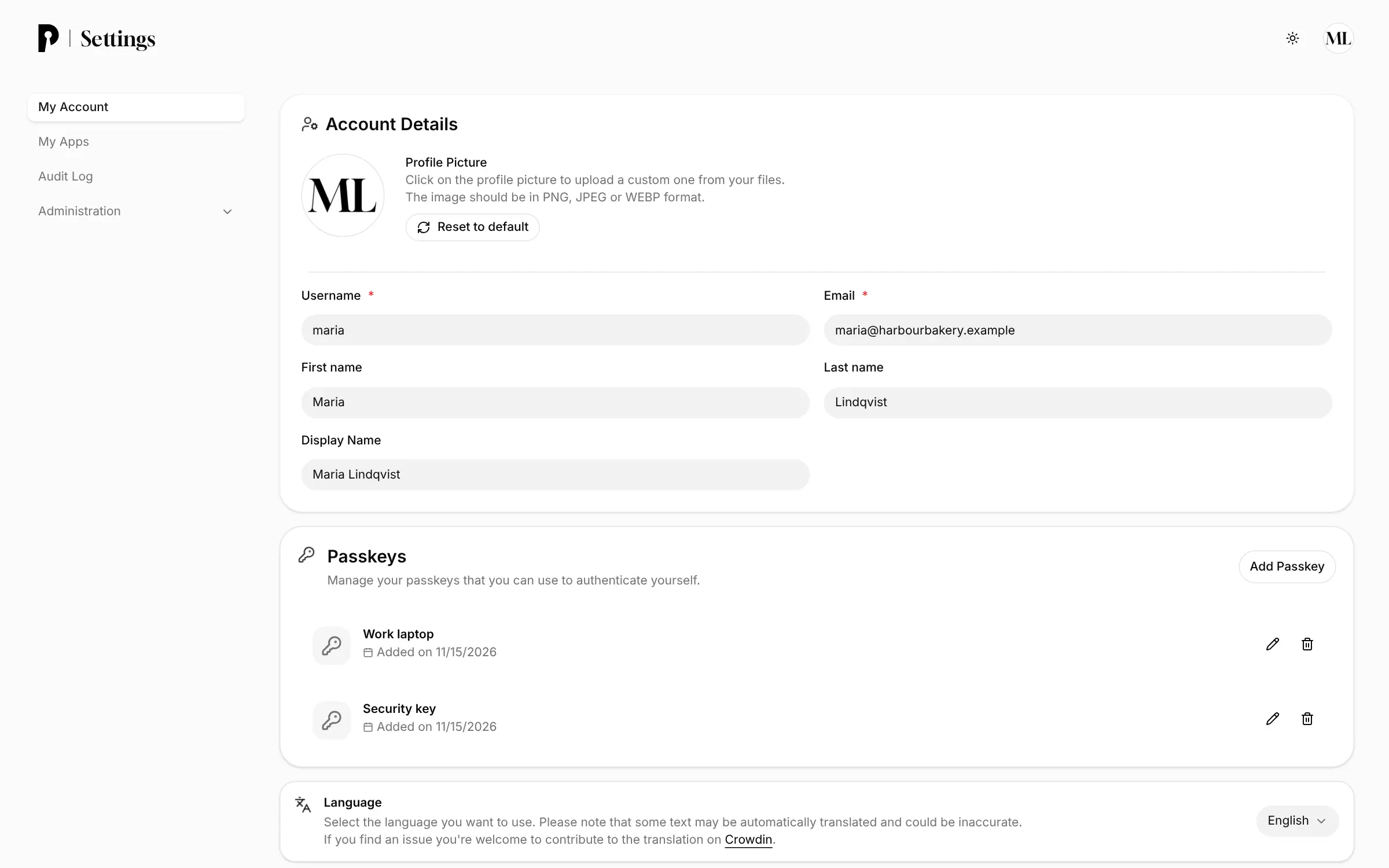
- Sign in with a passkey, not a password People unlock a passkey with a fingerprint, face scan or PIN on their phone or laptop, in a password manager, or on a security key such as a YubiKey.
- Give your apps single sign-on Any app with OpenID Connect sign-in, often labelled SSO or OIDC, signs people in through Pocket ID, with setup guides for about a hundred apps.
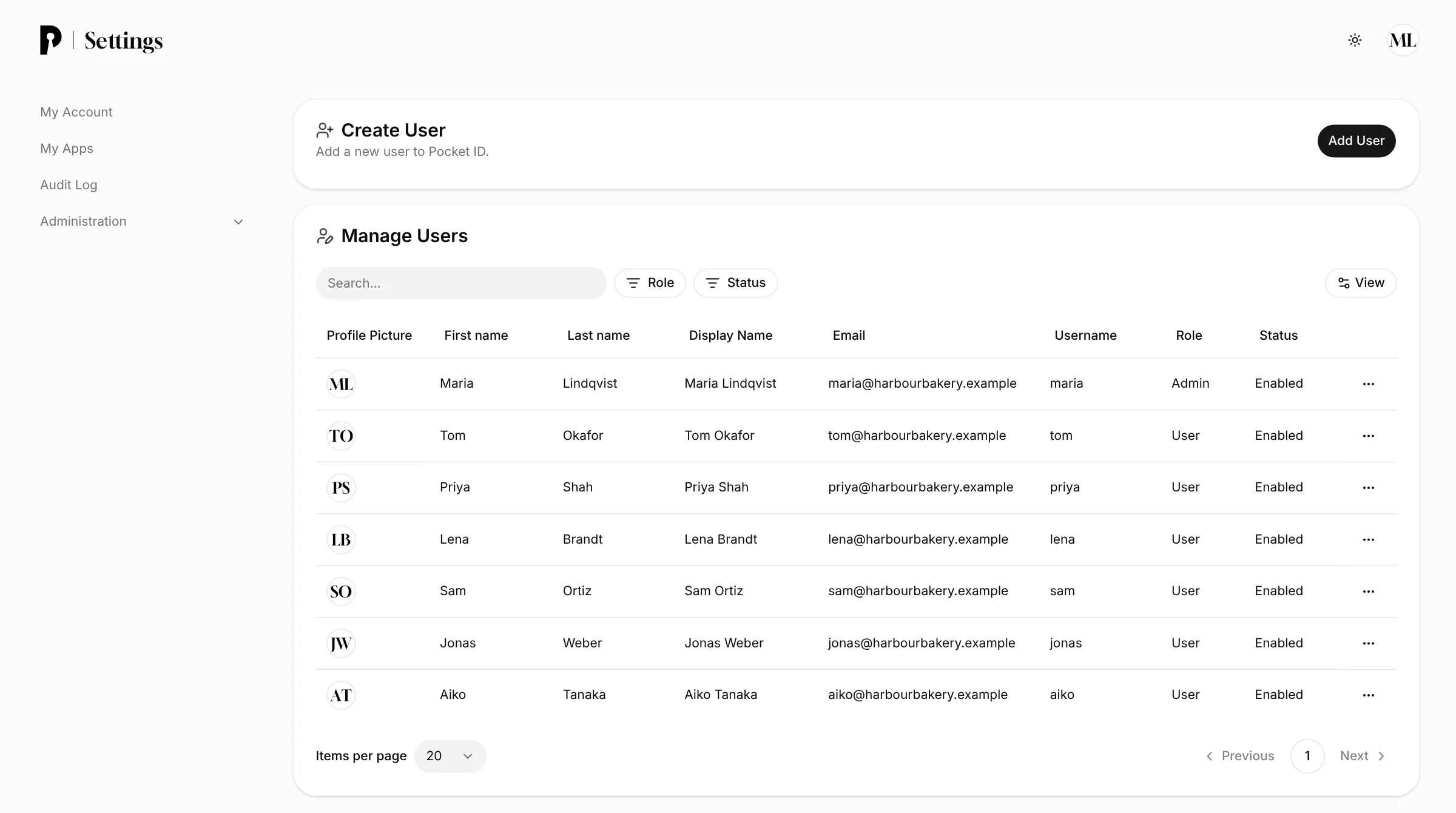
- Decide who opens which app Put people in groups and choose which groups may sign in to each app; everyone else is turned away.
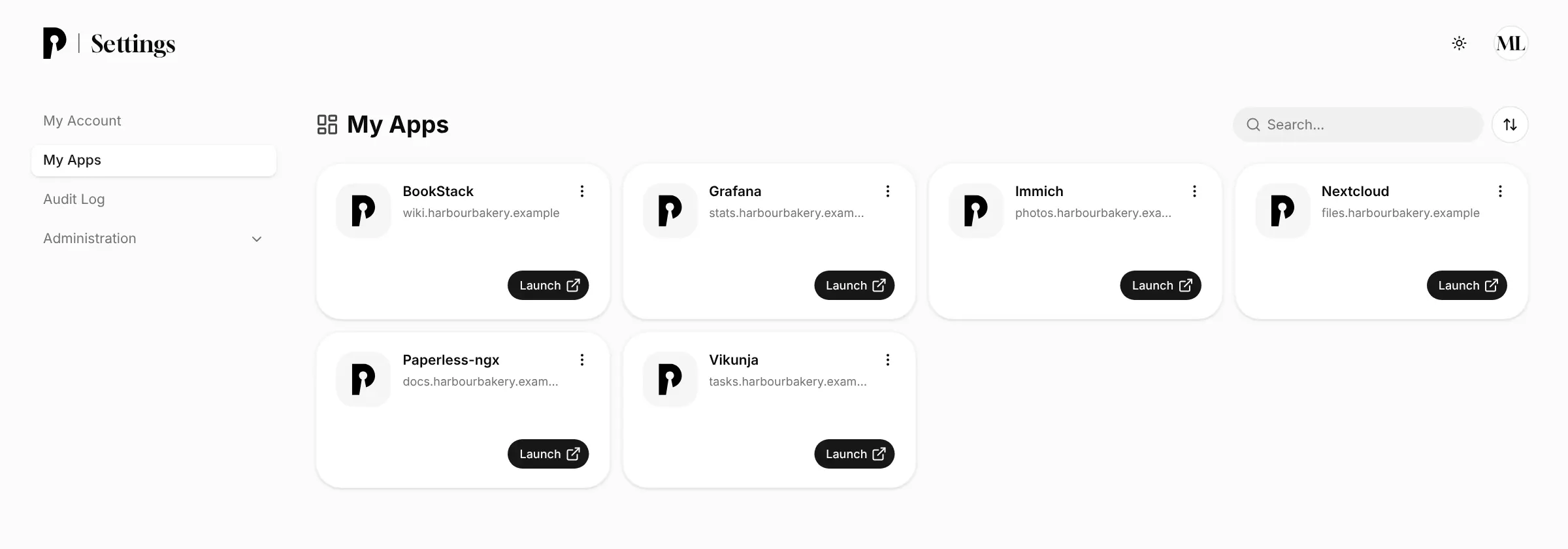
- Open every app from one page Each person sees the apps they may use on their own My Apps page, with a button to launch each one.
- Get new people started safely Send a one-time login code or a signup link, and the person adds their own passkey; the same code lets someone back in who lost theirs.
- Sign in on a borrowed computer Scan a QR code with your phone and approve the sign-in with your passkey.
- See who signed in An audit log lists sign-ins, and Pocket ID can email people when their account is used.
- Bring in people from your directory Sync users and groups from Active Directory or another LDAP directory, and pass them on to apps that support SCIM.
Replaces Okta
Pocket ID does the same job as Okta. Here is what changes when you switch.
- No per-user fee for single sign-on, and no paid edition
- No passwords for your team to reuse, forget or have stolen
- User accounts and sign-in records stay on your own server
- One small app that is quick to set up and look after
- Only passkeys, so everyone needs a phone, computer or security key that supports them
- Only OpenID Connect, so apps that need SAML or have no sign-in of their own need an extra sign-in proxy
- You connect each app yourself, with a guide rather than a one-click catalogue, and there is no device management
- If Pocket ID is down, nobody can sign in to the connected apps, so keep it backed up
What happens when you click Deploy?
You do not need a server or any technical knowledge. Four steps, and Pocket ID is running at its own web address.
- Step 1 Click Deploy and create your account
Deploy takes you to Cloudgate. Create an account, or log in if you have one. Pocket ID itself is free.
- Step 2 Choose a server
No server? Get one from Cloudgate: pick a size and a country, and Cloudgate gets it ready. Already have one? Connect it instead.
- Step 3 Cloudgate sets up Pocket ID
It prepares the server, makes the passwords the app needs and starts it. There is nothing to install and nothing to write down.
- Step 4 Open your app and sign in
Your app gets a free web address to start, without https. Add your own domain, like app.yourshop.com, and Cloudgate secures it with https for you.
New to Cloudgate? See what Cloudgate is
Run Cloudgate yourself? Deploy from your own console
In your Cloudgate console, open Templates and choose Pocket ID.
Questions
Is Pocket ID free?
Yes, Pocket ID is free and open source under the BSD-2-Clause licence, with no paid edition and no limit on users or apps. You pay only for your server.
Is Pocket ID a good alternative to Okta?
Yes, for a small team that wants one passkey sign-in for its own apps without a per-user fee. Pocket ID covers single sign-on, users and groups and an app dashboard; Okta is a managed service with SAML, many more ready-made app connections and device tools.
Can people sign in to Pocket ID with a password?
No, Pocket ID has no passwords. People sign in with a passkey on their phone, computer, password manager or security key, and an admin can send a one-time login code when someone has no passkey at hand.
Which apps work with Pocket ID?
Any app that offers sign-in with OpenID Connect, often labelled SSO, OAuth or OIDC, works with Pocket ID. Its documentation has setup guides for about a hundred apps, including Nextcloud, Immich, Jellyfin, BookStack, Paperless-ngx, Grafana and WordPress. Apps that only support SAML or LDAP need a separate sign-in proxy.
How do I sign in to Pocket ID the first time?
There is no default password. Open your Pocket ID address with /setup at the end, enter your username, email and name, then add a passkey. The setup page closes once this first admin account exists.
What happens if someone loses their Pocket ID passkey?
A Pocket ID admin creates a one-time login code for them, and they use it to sign in once and add a new passkey. Each person can add several passkeys, such as one on their phone and one on a security key, so losing one does not lock them out.
Should I choose Pocket ID or authentik?
Choose Pocket ID if you want the simplest passkey-only sign-in for apps that support OpenID Connect. Choose authentik if you need passwords and two-step codes, SAML, LDAP for older software, or a login in front of apps that have none.
Do I need technical skills to run Pocket ID?
No. Click Deploy, create your Cloudgate account and choose a server, and Cloudgate sets up Pocket ID and gives it a web address. You use it in your browser like any other online tool.
Do I need my own server for Pocket ID?
No. When you deploy Pocket ID, hosted Cloudgate can provide a server. If you already rent one, you can connect it instead.
Can I move my data from Okta to Pocket ID?
Most people export from Okta and import into Pocket ID. The official guides at pocket-id.org walk through it.
Related apps

Simple self-hosted single sign-on, with passkeys and invitations.
One sign-in with two-step login for the apps you host yourself.

Single sign-on and one user list for all your apps, on your server.

Single sign-on for all your apps, with realms for staff and customers.