
Keycloak
Single sign-on for all your apps, with realms for staff and customers.
No server needed to start: Cloudgate can provide one. What happens when you click Deploy
What is Keycloak?
Self-hosted Keycloak gives your apps single sign-on with passkeys and two-step sign-in, LDAP logins and realms for staff and customers. Replaces Okta or Auth0.
Keycloak is a free, open-source, self-hosted single sign-on and identity server, an alternative to Okta and Auth0 for single sign-on: your people sign in once, with two-step verification, and open all your apps. You add, change and remove accounts in one place, and their access to every connected app follows.
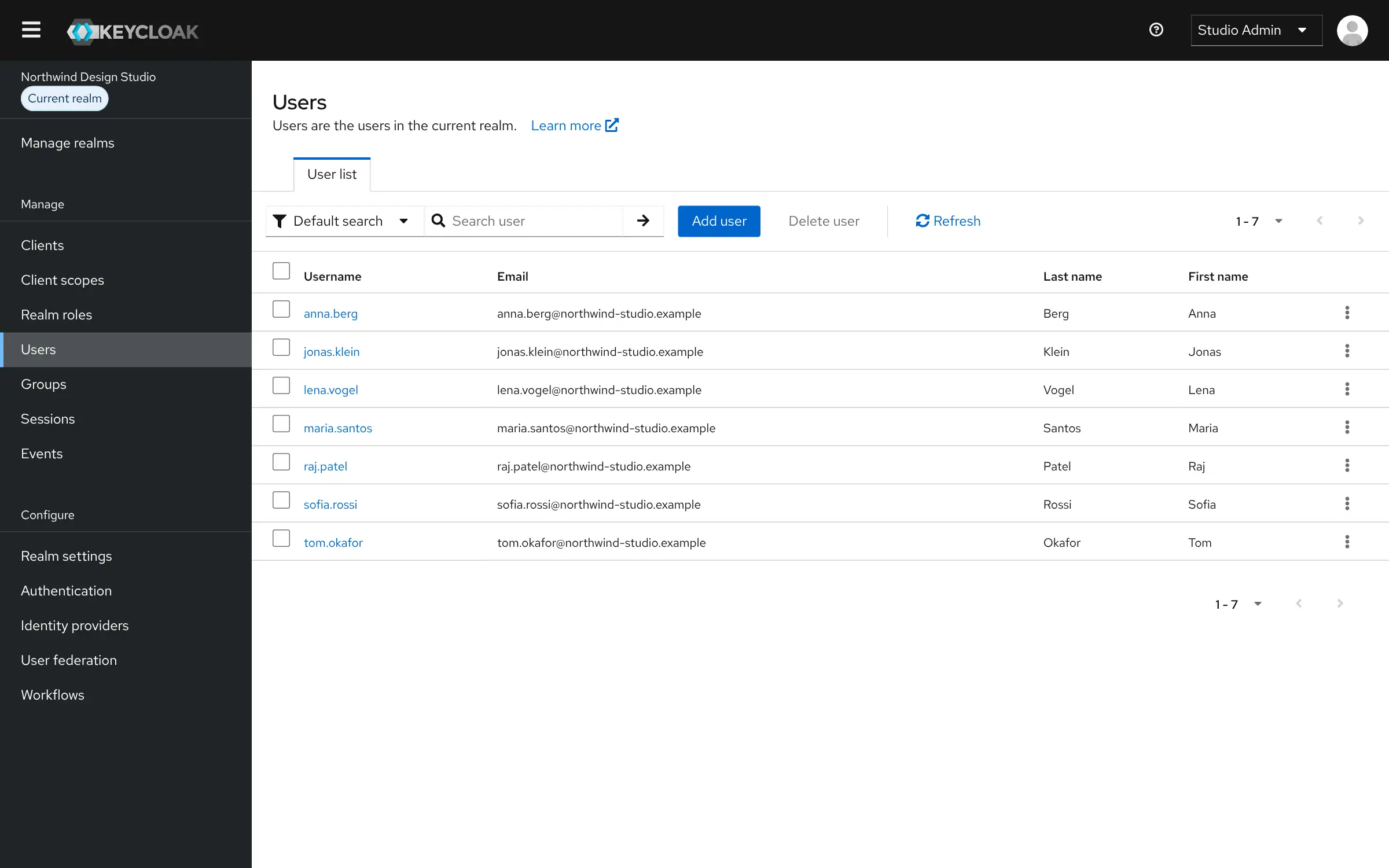
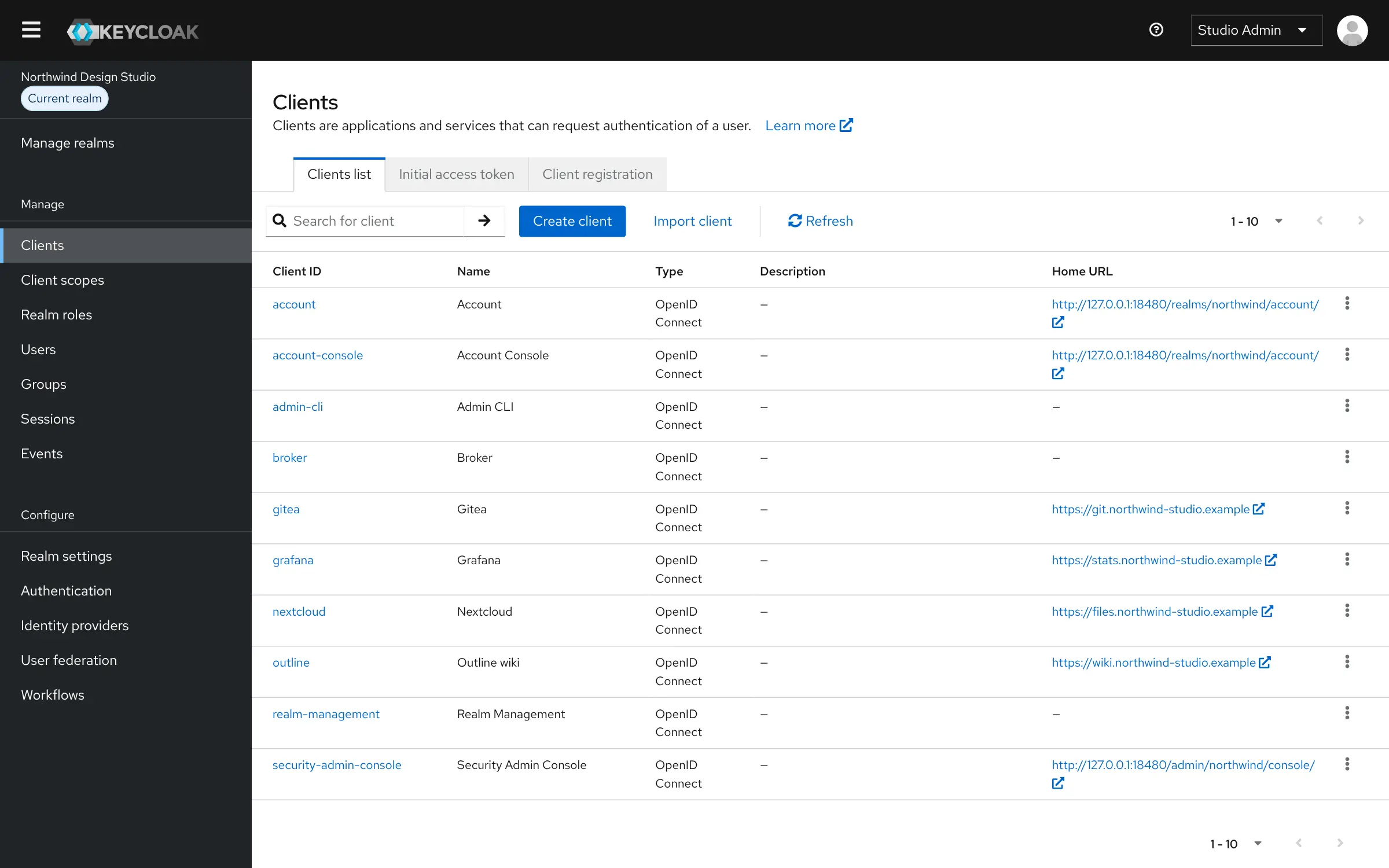
Apps that support OpenID Connect, OAuth 2.0 or SAML, which includes many self-hosted tools, hand their login to Keycloak. People can sign in with an authenticator app, a security key or a passkey, log in with Google, Microsoft or GitHub, and reset their own password. A design studio with ten staff, for example, could give everyone one login for Nextcloud, the wiki and Grafana, and turn off a freelancer's access to all three when their project ends.
Keycloak is a Cloud Native Computing Foundation project under the Apache 2.0 licence, with every feature in the free version. It can also use the LDAP or Active Directory you already run, and keep separate realms for staff and customers.
Cloudgate installs Keycloak on a server Cloudgate provides or one you connect, together with its database, and gives it a secure web address. Sign in with the temporary admin account, create your own admin, then connect your first app.
What you can do with Keycloak
- Give your apps single sign-on People sign in once and open every connected app, and signing out of one signs them out of all.
- Connect almost any app Apps that support OpenID Connect, OAuth 2.0 or SAML hand their login to Keycloak.
- Turn on two-step sign-in Authenticator app codes, security keys and passkeys, for everyone or only for some apps.
- Manage people in one place Add users, groups and roles, see who is signed in, and turn off a leaver's access to every app at once.
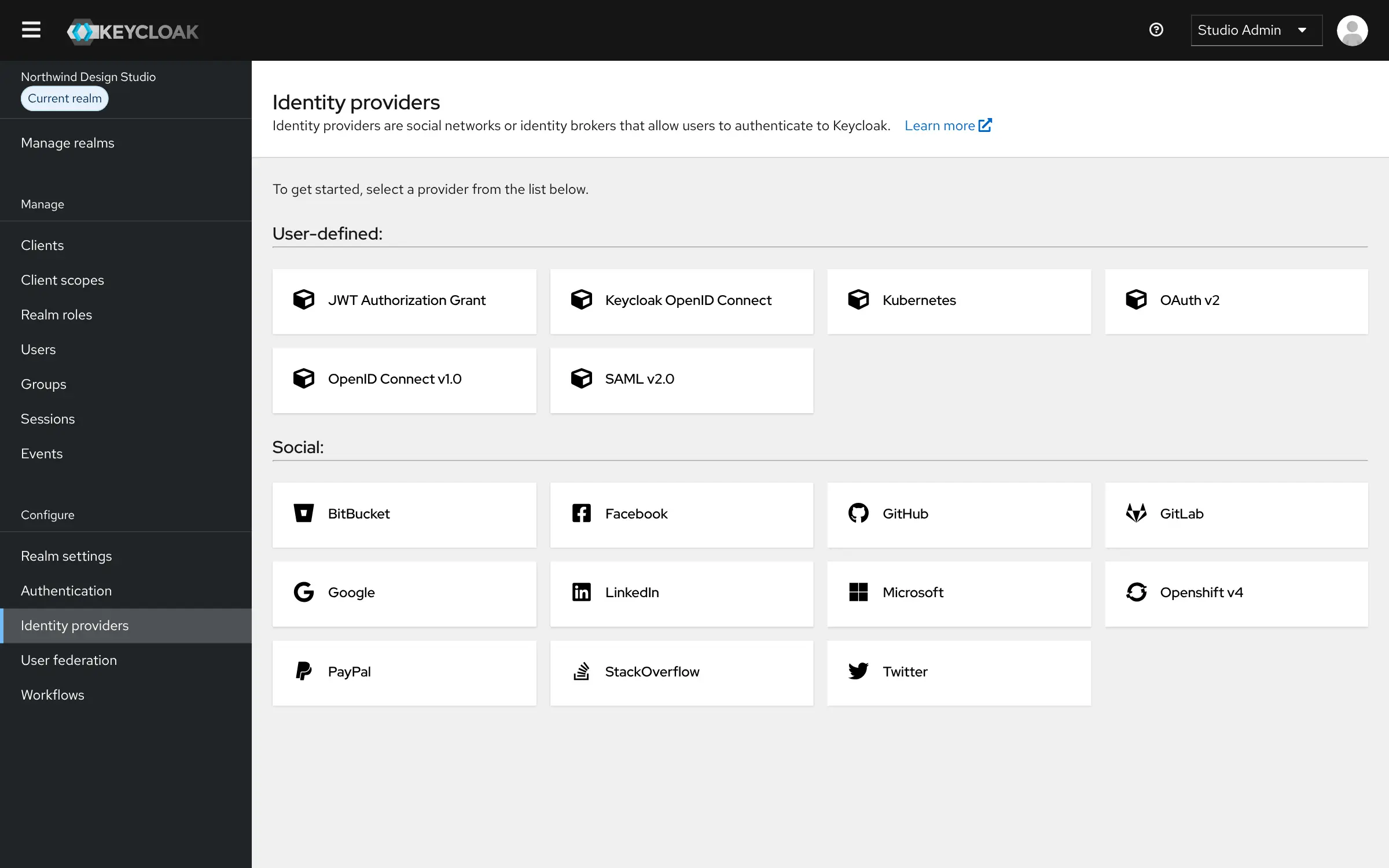
- Sign in with existing accounts Let people log in with Google, Microsoft, GitHub or another company's login, or use your LDAP or Active Directory.
- Let people help themselves Users reset a forgotten password, update their profile and set up two-step sign-in in their own account page.
- Keep separate groups apart Realms give staff, customers or each client their own users, settings and login page on one server.
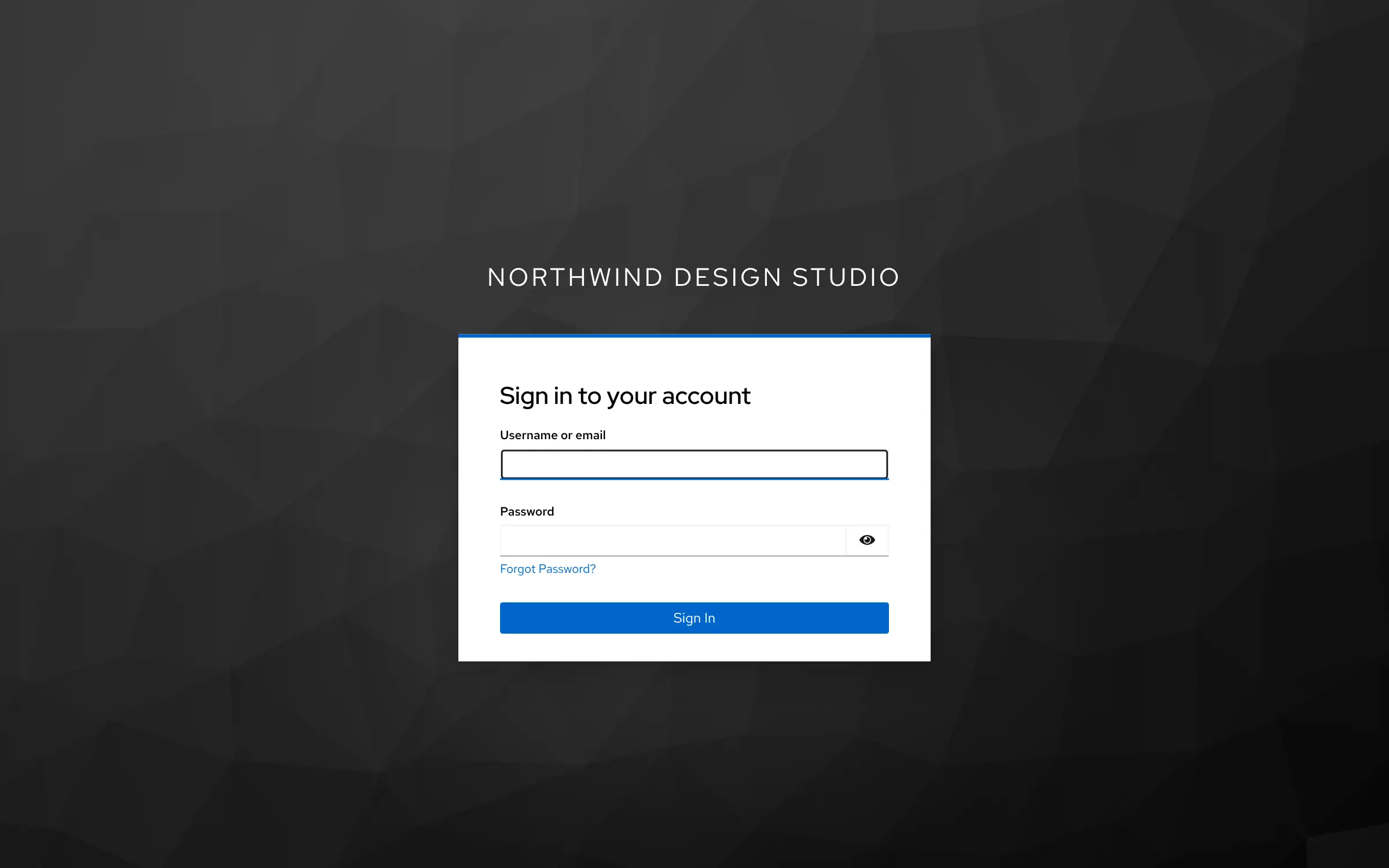
- Make the login page yours Change the sign-in steps, password rules, wording and look of the login page and emails.
Replaces Okta and Auth0
Keycloak does the same job as Okta and Auth0. Here is what changes when you switch.
- No per-user fee, with every feature in the free project
- Your users' accounts and sign-in records stay on your own server
- Works with self-hosted apps and with LDAP or Active Directory you already run
- Sign-in steps, password rules and login pages you can change yourself
- You connect each app yourself, without a catalogue of ready-made app connections
- The admin console uses technical terms such as realms and clients, so it takes time to learn
- If Keycloak is down, nobody can sign in to the connected apps, so keep it backed up
- No tool to import users and settings from Okta or Auth0
What happens when you click Deploy?
You do not need a server or any technical knowledge. Four steps, and Keycloak is running at its own web address.
- Step 1 Click Deploy and create your account
Deploy takes you to Cloudgate. Create an account, or log in if you have one. Keycloak itself is free.
- Step 2 Choose a server
No server? Get one from Cloudgate: pick a size and a country, and Cloudgate gets it ready. Already have one? Connect it instead.
- Step 3 Cloudgate sets up Keycloak
It prepares the server, makes the passwords the app needs and starts it. There is nothing to install and nothing to write down.
- Step 4 Open your app and sign in
Your app gets a free web address to start, without https. Add your own domain, like app.yourshop.com, and Cloudgate secures it with https for you.
New to Cloudgate? See what Cloudgate is
Run Cloudgate yourself? Deploy from your own console
In your Cloudgate console, open Templates and choose Keycloak.
Questions
Is Keycloak free?
Yes, Keycloak is free and open source under the Apache 2.0 licence, with no limit on users or apps and no paid edition of its own. You pay only for your server. Red Hat and other companies sell support if you want it.
Is Keycloak a good alternative to Okta?
Yes, for an organisation that wants single sign-on and two-step sign-in without a per-user fee and has someone technical to set it up. Keycloak covers single sign-on, a user directory, social and LDAP logins on your own server; Okta is a managed service with many more ready-made app connections.
Can Keycloak replace Auth0 for my own app?
Yes, Keycloak gives your own website or app sign-up, sign-in, social logins and two-step verification over standard OpenID Connect or SAML. Unlike Auth0 it runs on your server, so you look after updates and backups yourself.
How do I sign in to Keycloak the first time?
Open the app's web address, which goes to the admin console (the first start takes a minute or two), and sign in with the admin username you chose at install and the password Cloudgate created, shown on the app's variables page. Keycloak marks this account as temporary, so create your own admin user, give it the admin role, then delete the temporary one.
Can I move my users from Okta or Auth0 to Keycloak?
Not with a built-in tool. You can add your existing directory through LDAP or Active Directory, or let people sign in through the old service while you switch, and create other accounts in Keycloak.
What happens if Keycloak is down?
Signing in to every app that hands its login to Keycloak stops until it is back, so treat it as a core service. Back up its database regularly, and keep a local admin account in your most important apps as a way in.
What server size do I need for Keycloak?
Keycloak needs about 2 GB of memory, so Cloudgate asks for a medium server. That is enough for a small or mid-sized organisation; choose a larger one for many thousands of users.
Do I need technical skills to run Keycloak?
No. Click Deploy, create your Cloudgate account and choose a server, and Cloudgate sets up Keycloak and gives it a web address. You use it in your browser like any other online tool.
Do I need my own server for Keycloak?
No. When you deploy Keycloak, hosted Cloudgate can provide a server. If you already rent one, you can connect it instead.
Related apps
Single sign-on and one user list for all your apps, on your server.
Sign-in, passkeys and single sign-on for your apps and customers.

Sign-in, single sign-on and user roles for your own apps.
One sign-in with two-step login for the apps you host yourself.