
PinePods
A self-hosted podcast player that syncs every device you own.
No server needed to start: Cloudgate can provide one. What happens when you click Deploy




What is PinePods?
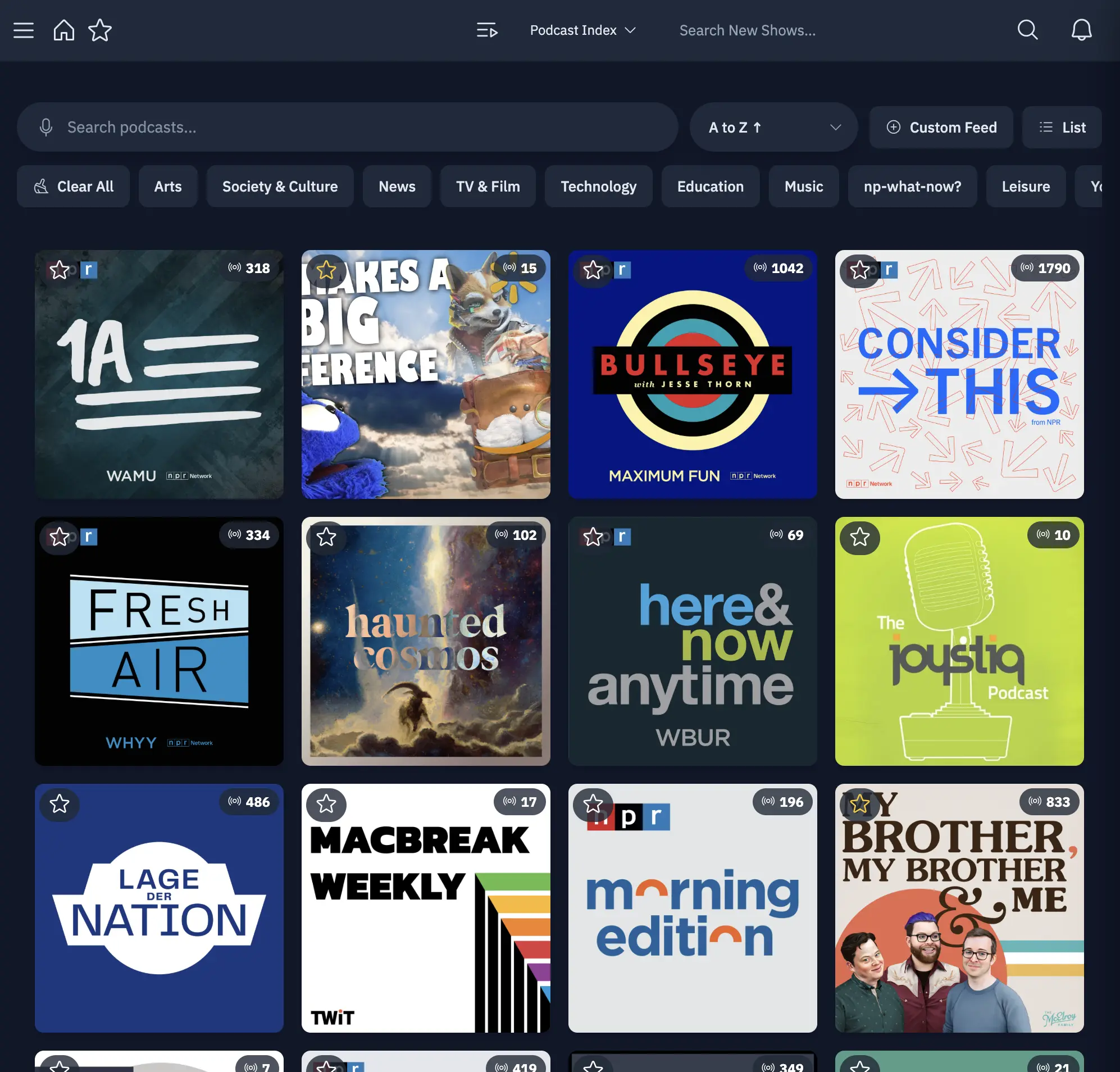
PinePods is a self-hosted podcast player: subscribe, stream and download episodes, and sync your queue and progress across web, desktop and phone apps.
PinePods is a free, open-source, self-hosted podcast player: you subscribe to shows, stream or download episodes, and keep your queue and progress in sync on every device, much like Pocket Casts or Overcast but from your own server. Everything you listen to is stored there, not in someone else's account.
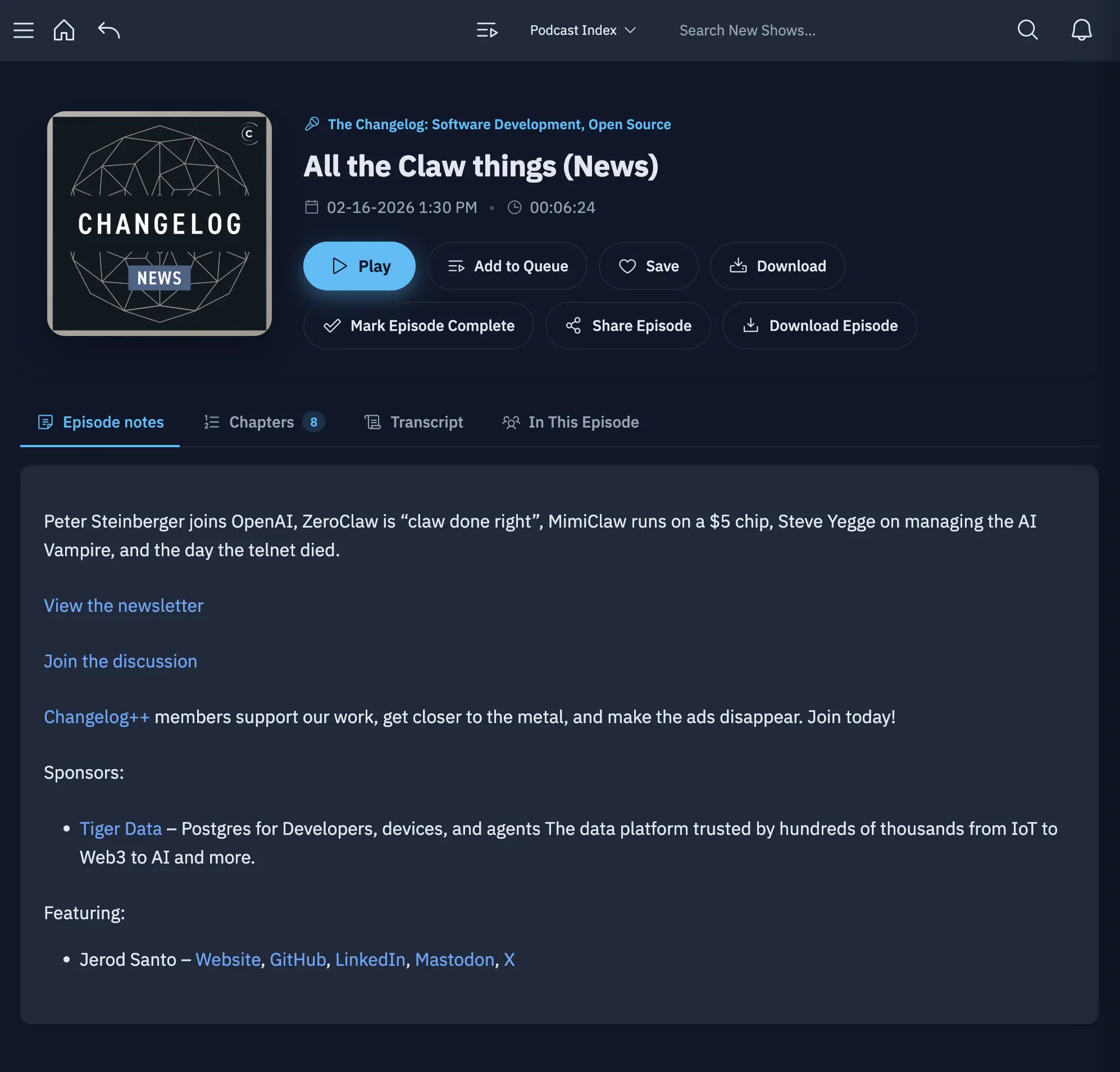
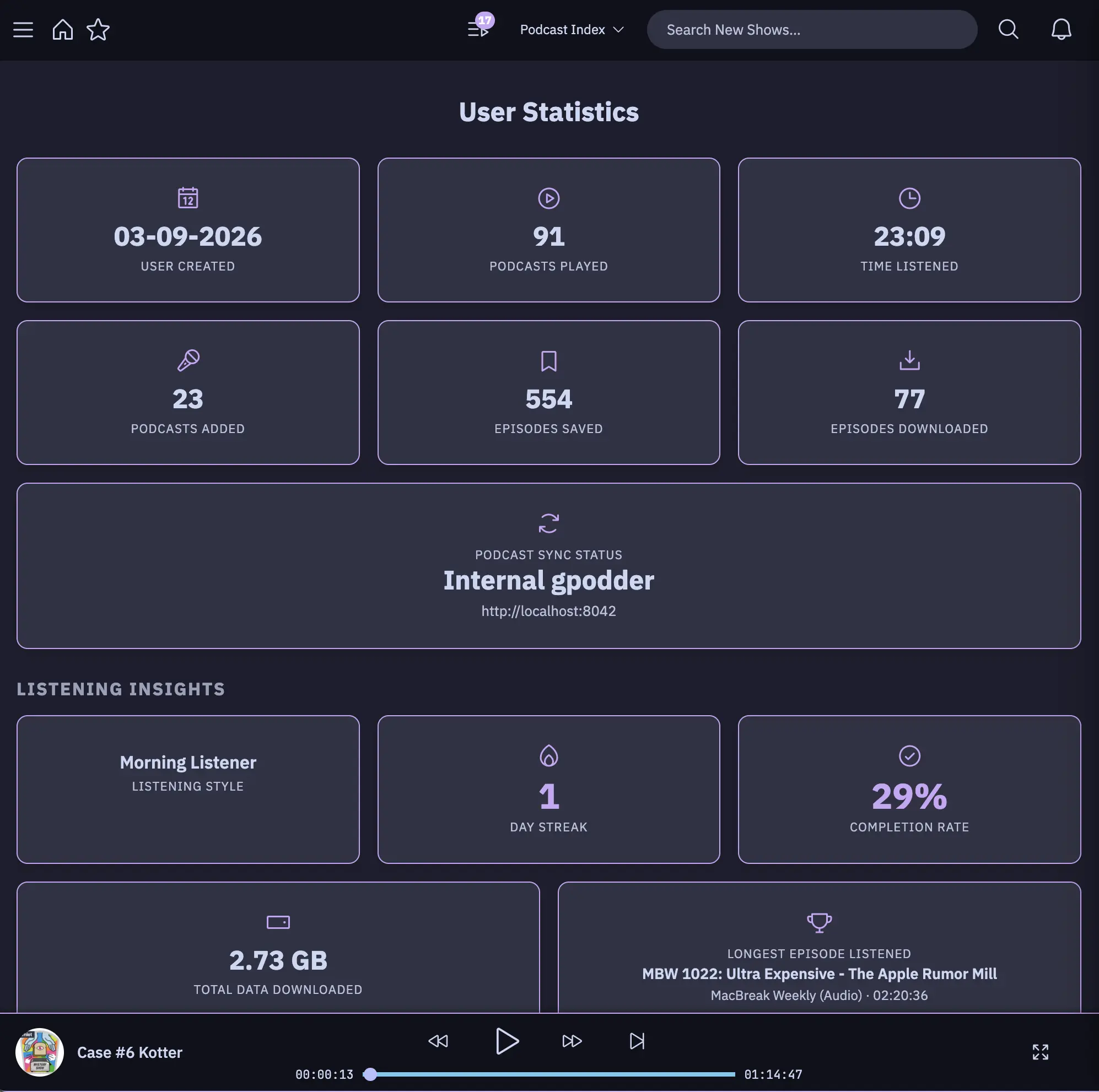
You can listen in the browser, in desktop apps for Windows, macOS and Linux, or in the free iPhone and Android apps, which work with CarPlay and Android Auto. Stop an episode in the car and carry on at your desk from the same second. Smart playlists, saved episodes, chapters, transcripts and listening stats are built in. A family could share one server, with each person keeping their own subscriptions and queue.
Moving across is simple: export an OPML file from your old podcast app and import it into PinePods. If you prefer another player such as AntennaPod, PinePods' built-in gPodder sync keeps it in step.
Cloudgate installs PinePods on a server Cloudgate provides or one you connect, together with its database, and gives it a secure web address. Sign in with the admin password Cloudgate creates, then add the other listeners in your household or team.
What you can do with PinePods
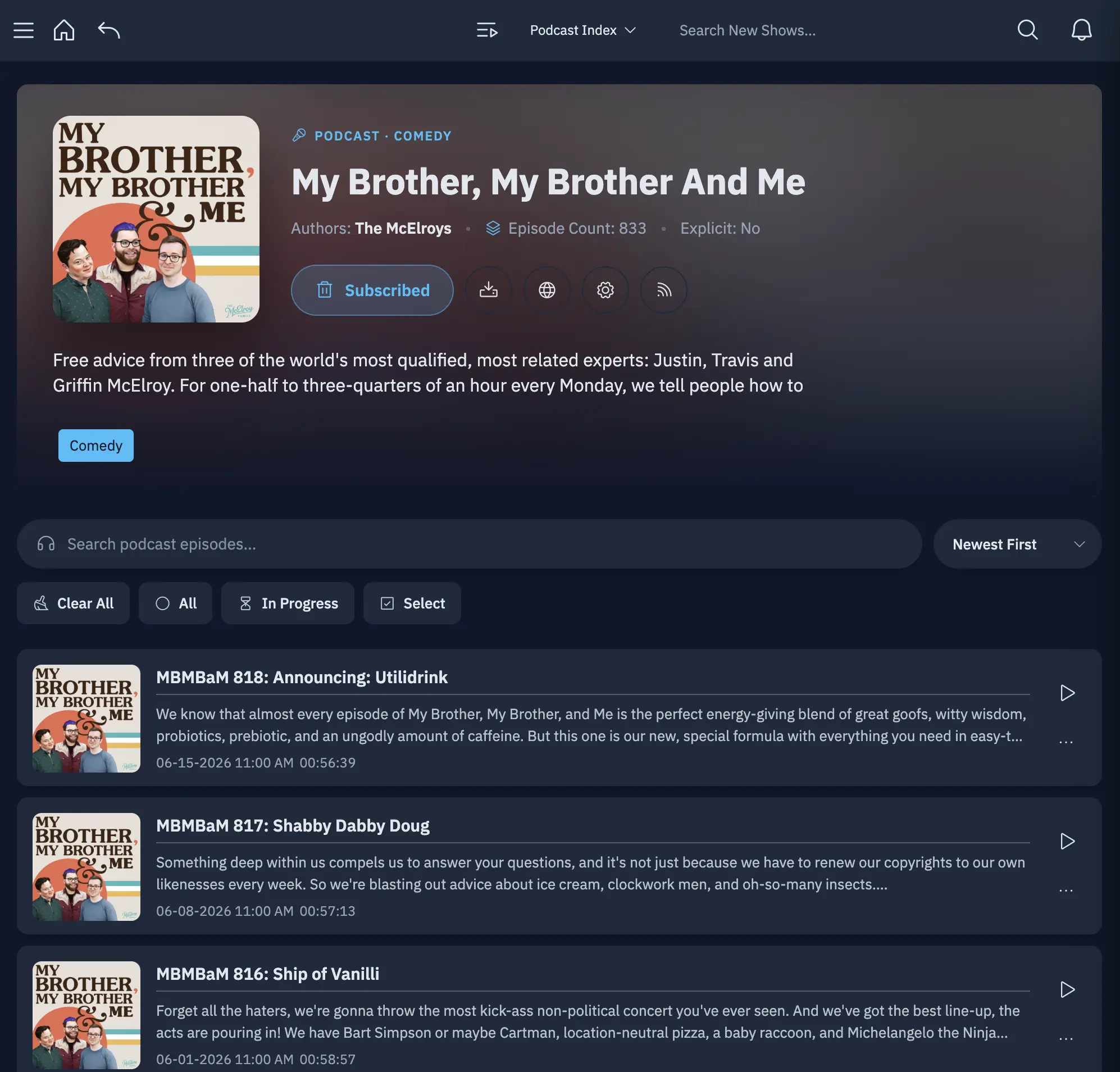
- Subscribe, stream and download Find shows in Podcast Index or iTunes, then play or download audio and video episodes with chapters and transcripts.
- Pick up where you stopped Your queue, history and place in each episode follow you between the browser, desktop and phone apps.
- Organize your listening Keep a queue, save and favourite episodes, and build smart playlists that fill themselves.
- Phone apps for the car Free apps for iPhone and Android work with CarPlay and Android Auto.
- Keep using AntennaPod A built-in gPodder sync server keeps AntennaPod, Kasts and other gPodder apps in step with PinePods.
- One server for the household Each person gets their own subscriptions, queue, settings and listening stats.
- Bring your podcasts with you Import an OPML list from your old podcast app, and export one whenever you like.
Replaces Pocket Casts and Overcast
PinePods does the same job as Pocket Casts and Overcast. Here is what changes when you switch.
- No subscription or app account; your listening history stays on your own server
- Web, desktop and phone apps on every platform, including Android and Windows
- Several people share one server, each with a private library
- Other gPodder apps can sync with it, so you are not tied to one player
- Only your subscriptions move across; listening history from the old app stays behind
- There are no curated charts or editor picks to discover new shows
- Podcast search uses the PinePods project's public search service
- PinePods is young and changes quickly, with new releases every few months
What happens when you click Deploy?
You do not need a server or any technical knowledge. Four steps, and PinePods is running at its own web address.
- Step 1 Click Deploy and create your account
Deploy takes you to Cloudgate. Create an account, or log in if you have one. PinePods itself is free.
- Step 2 Choose a server
No server? Get one from Cloudgate: pick a size and a country, and Cloudgate gets it ready. Already have one? Connect it instead.
- Step 3 Cloudgate sets up PinePods
It prepares the server, makes the passwords the app needs and starts it. There is nothing to install and nothing to write down.
- Step 4 Open your app and sign in
Your app gets a free web address to start, without https. Add your own domain, like app.yourshop.com, and Cloudgate secures it with https for you.
New to Cloudgate? See what Cloudgate is
Run Cloudgate yourself? Deploy from your own console
In your Cloudgate console, open Templates and choose PinePods.
Questions
Is PinePods free?
Yes. PinePods is free, open-source software under the GPL-3.0 licence, and its iPhone and Android apps are free too. There is no paid tier; you pay only for the server it runs on.
Is PinePods a good alternative to Pocket Casts?
Yes. PinePods does what most people use Pocket Casts for, syncing subscriptions, queue and progress across the web, desktop and phone apps, from a server you control instead of a Pocket Casts account. It lacks Pocket Casts' curated discovery, so you find new shows by searching.
Can I move my podcasts from Pocket Casts or Overcast to PinePods?
Yes, your subscriptions. Export an OPML file from Pocket Casts or from your Overcast account on overcast.fm, then import it in PinePods' settings and choose which shows to add. Your listening history does not come across.
Does PinePods have an iPhone app?
Yes. PinePods has free apps for iPhone, with CarPlay, and for Android, with Android Auto, plus desktop apps for Windows, macOS and Linux. Each app signs in with your server's web address, username and password.
Can I keep using AntennaPod or another podcast app with PinePods?
Yes. PinePods has its own gPodder sync server, so AntennaPod, Kasts and other apps that support gPodder sync keep subscriptions, play position and played episodes in step with PinePods. Each app gets its own password that you can revoke.
How do I sign in to PinePods the first time?
Sign in to PinePods with the admin username you chose during setup, admin by default, and the password Cloudgate creates, shown on the app's variables page in Cloudgate. There is no open sign-up page; the admin adds other listeners and can change the password in Settings.
What server size do I need for PinePods?
A small server is enough, because PinePods uses little memory. Plan the disk for the episodes you download; streaming takes no extra space.
Do I need technical skills to run PinePods?
No. Click Deploy, create your Cloudgate account and choose a server, and Cloudgate sets up PinePods and gives it a web address. You use it in your browser like any other online tool.
Do I need my own server for PinePods?
No. When you deploy PinePods, hosted Cloudgate can provide a server. If you already rent one, you can connect it instead.
Related apps
A self-hosted podcast manager that downloads and keeps every episode.
A self-hosted music server that works with almost any music app.
A self-hosted audiobook and podcast server with synced progress.

Sound-based playlists and music discovery for your music server.