Audiobookshelf
A self-hosted audiobook and podcast server with synced progress.
No server needed to start: Cloudgate can provide one. What happens when you click Deploy
What is Audiobookshelf?
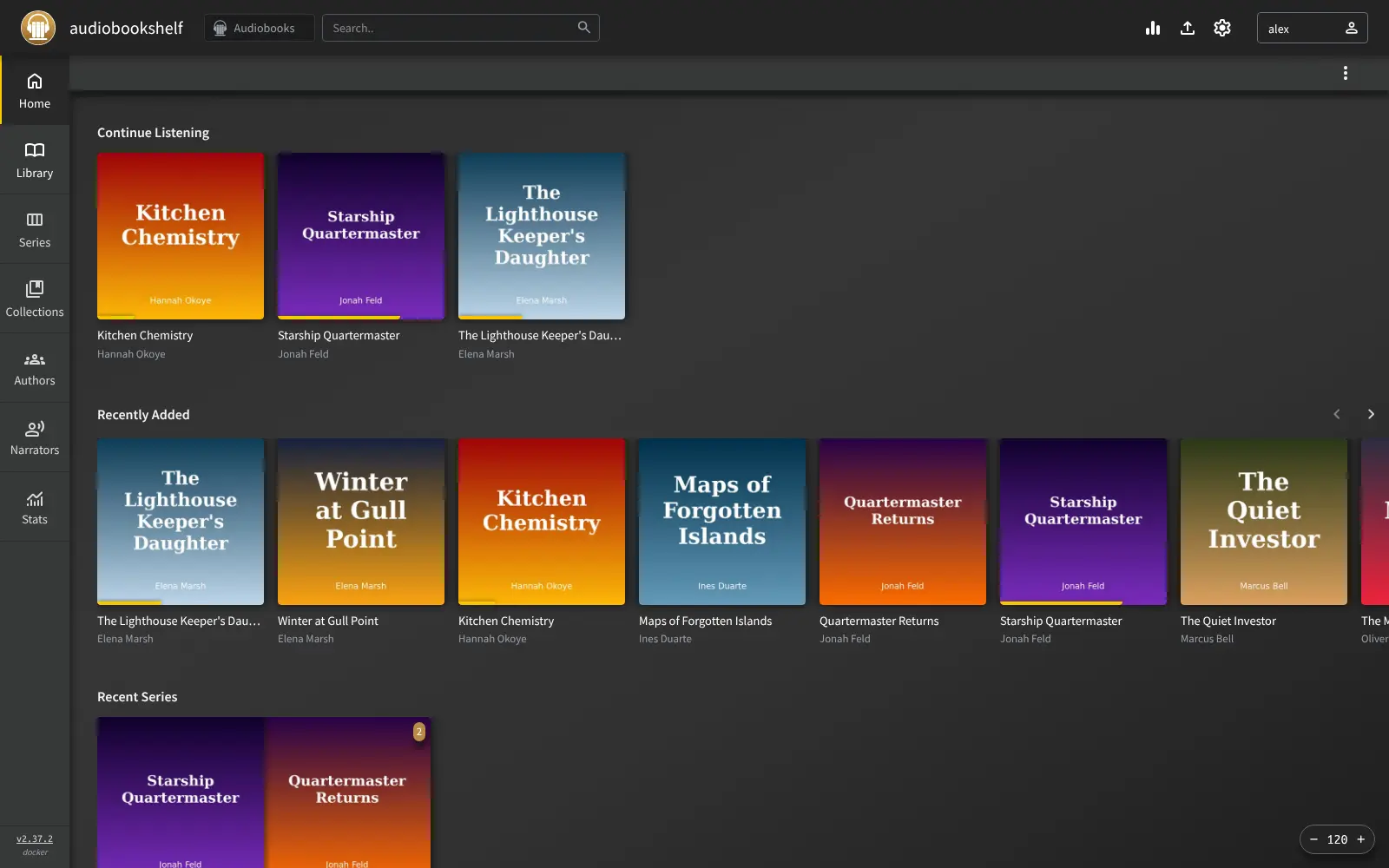
Audiobookshelf is a self-hosted audiobook and podcast server: stream the books you own on any device and keep your listening progress in sync.
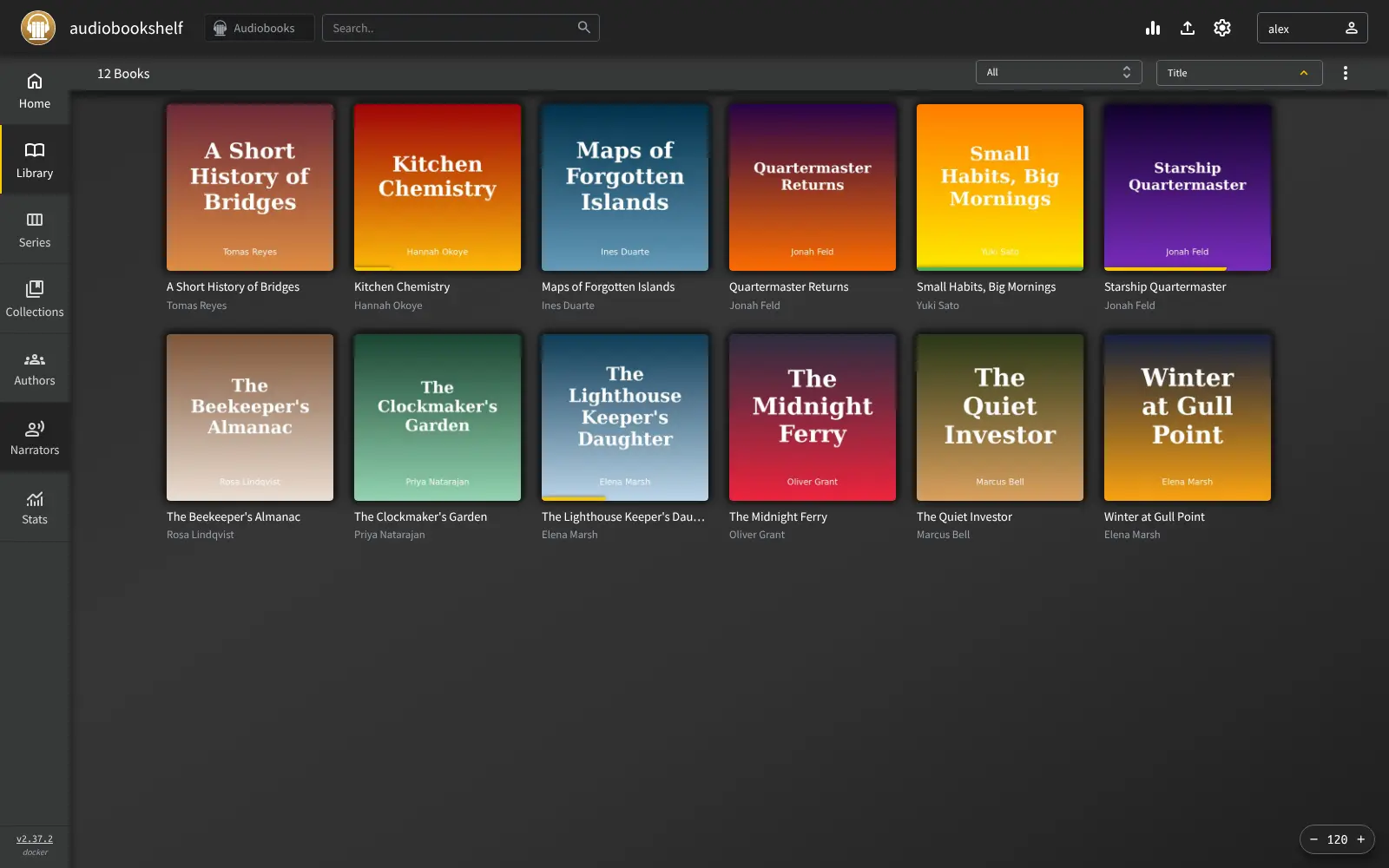
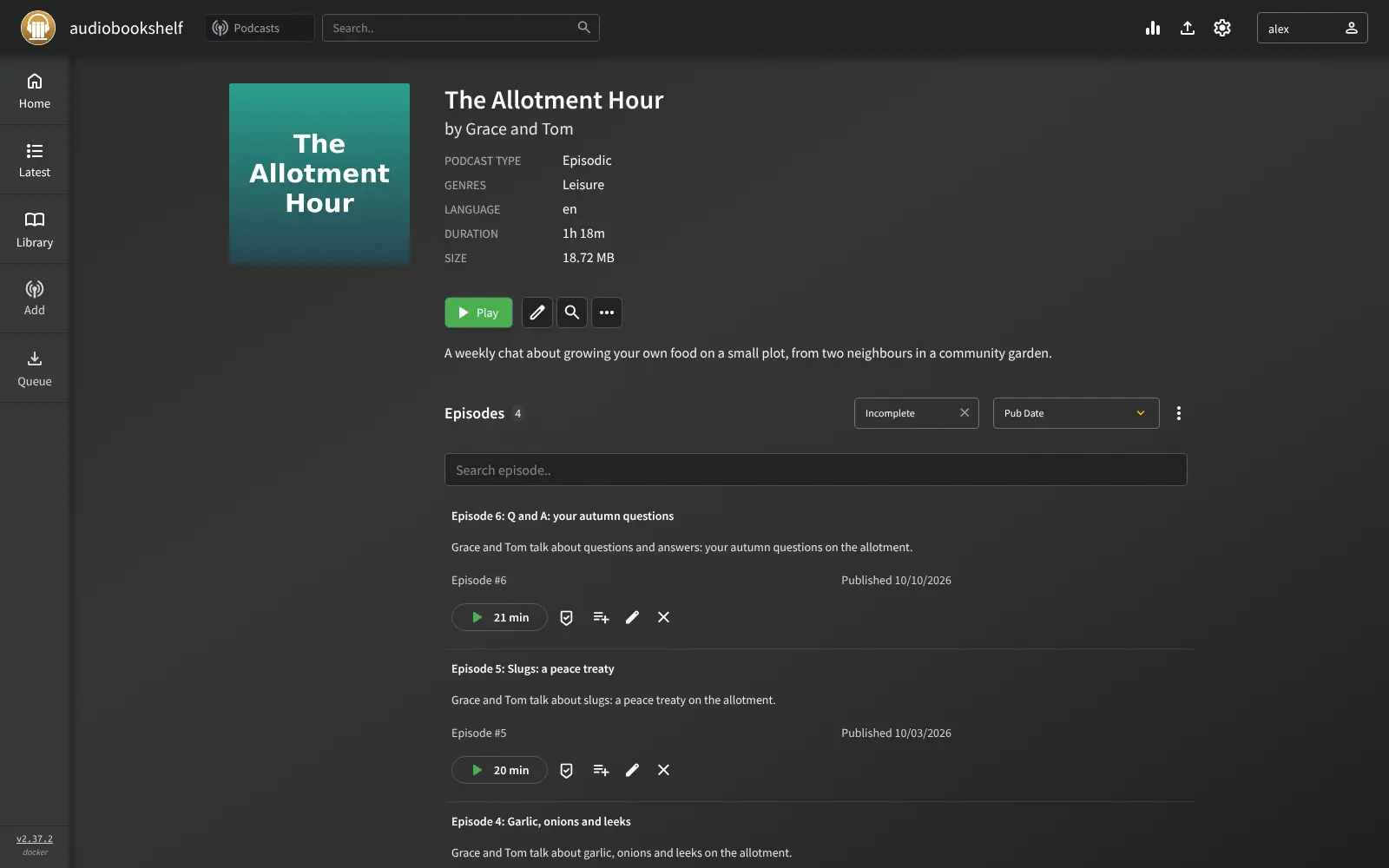
Audiobookshelf is a free, open-source, self-hosted audiobook and podcast server: it streams the audiobooks you own to any browser or phone and remembers where you stopped, much like the Audible app but for your own files. You add your MP3, M4B and other audiobook files, and it builds a library with covers, authors, narrators, series and chapters.
It is also a podcast server. Search for a show or paste its RSS feed, and new episodes download to your server on a schedule. Each person gets their own account and keeps their own place in every book. A family that has collected audiobooks on CD and from DRM-free shops, for example, could put them all in one place, so each parent and child picks up their own book on their own phone, in the car or at bedtime.
You can listen in the web player or in Audiobookshelf's own apps for Android and iPhone, which are both still in beta. There is no store: you bring your own DRM-free audiobooks, and Audible purchases can't be imported.
Cloudgate installs Audiobookshelf on a server Cloudgate provides or one you connect and gives it a secure web address. Open it right after setup to create the root user, add a library, and upload your books on the Upload page.
What you can do with Audiobookshelf
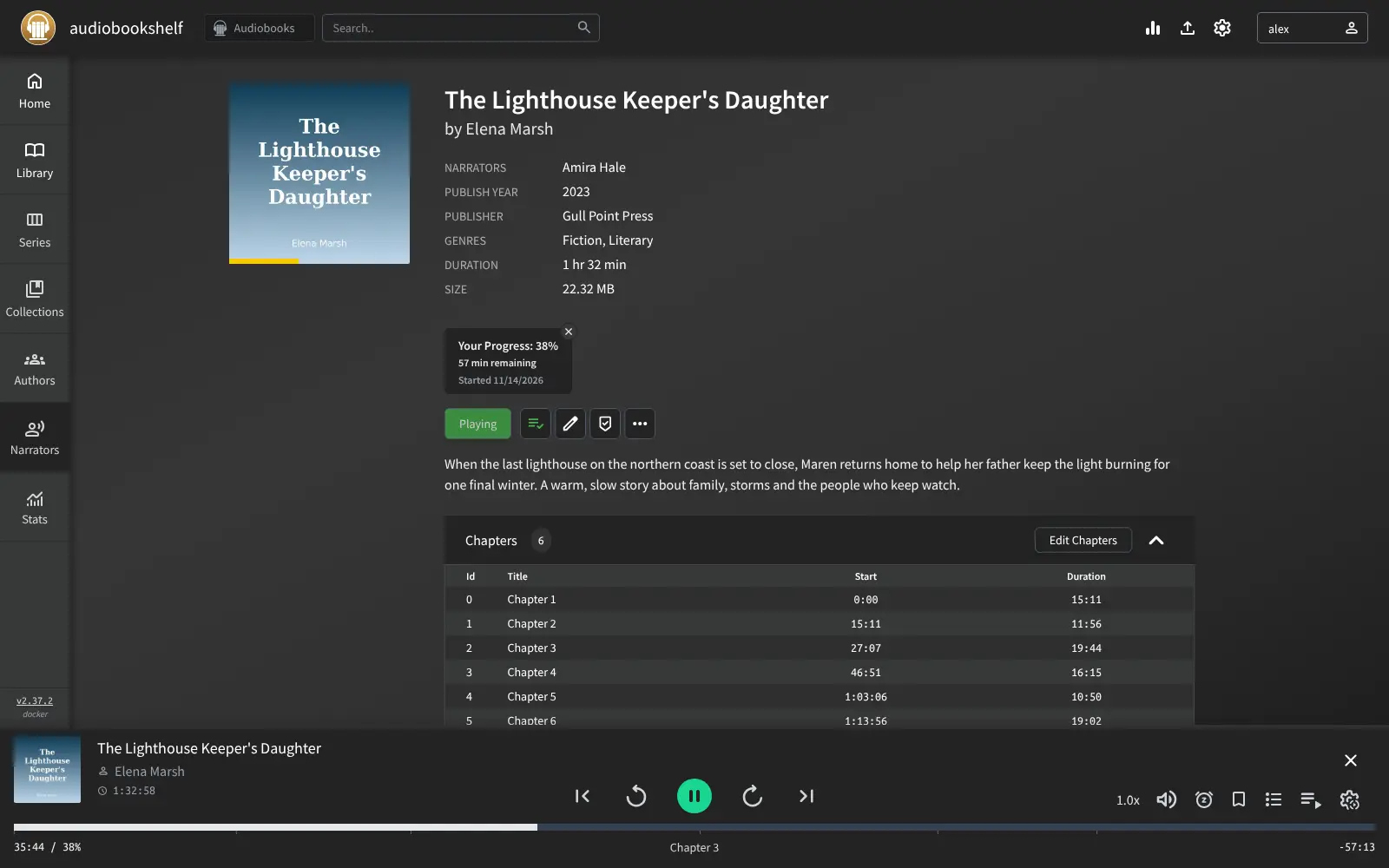
- Listen anywhere and pick up where you stopped Audiobookshelf remembers each listener's place in every book and episode, across the browser and phones.
- A tidy audiobook library Browse by author, narrator, series and collection, with covers and descriptions fetched from sources such as Audible, Google Books and Open Library.
- Follow podcasts Search for a podcast or paste its RSS feed, and new episodes download to your server on a schedule.
- Upload in the browser Drag audiobook folders or files onto the Upload page, and Audiobookshelf stores and adds them to your library.
- Chapters, bookmarks and a sleep timer The player has a chapter list, bookmarks, playback speed and a sleep timer, and you can edit a book's chapters.
- An account for everyone Each person gets their own login and progress, and the admin sets what they can do.
- Read e-books too A built-in reader opens EPUB, PDF and comic files, and can send an e-book to an e-reader such as a Kindle by email.
Replaces Audible
Audiobookshelf does the same job as Audible. Here is what changes when you switch.
- No monthly membership, and nothing disappears when you cancel a subscription
- Plays DRM-free audiobooks from any shop, CD or free source, not only one store
- Podcasts and audiobooks in the same app, with each family member's progress kept apart
- There is no store or catalogue; you bring your own DRM-free audiobook files
- Audible purchases can't be imported, because they are copy-protected
- The iPhone app is a beta through Apple's TestFlight, and the Android app is labelled beta
- Uploading a large library through the browser takes a while
What happens when you click Deploy?
You do not need a server or any technical knowledge. Four steps, and Audiobookshelf is running at its own web address.
- Step 1 Click Deploy and create your account
Deploy takes you to Cloudgate. Create an account, or log in if you have one. Audiobookshelf itself is free.
- Step 2 Choose a server
No server? Get one from Cloudgate: pick a size and a country, and Cloudgate gets it ready. Already have one? Connect it instead.
- Step 3 Cloudgate sets up Audiobookshelf
It prepares the server, makes the passwords the app needs and starts it. There is nothing to install and nothing to write down.
- Step 4 Open your app and sign in
Your app gets a free web address to start, without https. Add your own domain, like app.yourshop.com, and Cloudgate secures it with https for you.
New to Cloudgate? See what Cloudgate is
Run Cloudgate yourself? Deploy from your own console
In your Cloudgate console, open Templates and choose Audiobookshelf.
Questions
Is Audiobookshelf free?
Yes. Audiobookshelf is free, open-source software under the GPL-3.0 licence, including its Android and iOS apps, with no paid edition. You pay only for your server and its storage.
Is Audiobookshelf a good alternative to Audible?
Yes, for audiobooks you already own as DRM-free files. Audiobookshelf plays them on any device and syncs your place with no membership (Audible Premium costs $14.95 a month as of November 2026), but it has no store, so you buy or borrow books elsewhere.
Can I import my Audible library into Audiobookshelf?
No, not directly. Audible titles are copy-protected, and Audiobookshelf plays DRM-free files only. It can use Audible to look up covers and details for books you add.
How do I sign in to Audiobookshelf the first time?
Audiobookshelf has no default password. The first person to open its web address creates the root user with a username and password of their choice, so open it right after setup. Then create a library and add other users under Settings.
Is there an Audiobookshelf app for iPhone and Android?
Yes, with limits. The Audiobookshelf Android app is on Google Play and labelled beta; the iPhone app is a beta through Apple's TestFlight, and as of November 2026 that beta is full. The web app works in any phone browser and can be added to the home screen.
Can Audiobookshelf manage my podcasts?
Yes. You search for podcasts or add them by RSS feed or an OPML file from another podcast app, and Audiobookshelf downloads new episodes to your server automatically.
What server size do I need for Audiobookshelf?
A small server with 1 GB of memory is enough to run Audiobookshelf. Plan the disk for your audiobooks and downloaded podcast episodes, which take up most of the space.
Do I need technical skills to run Audiobookshelf?
No. Click Deploy, create your Cloudgate account and choose a server, and Cloudgate sets up Audiobookshelf and gives it a web address. You use it in your browser like any other online tool.
Do I need my own server for Audiobookshelf?
No. When you deploy Audiobookshelf, hosted Cloudgate can provide a server. If you already rent one, you can connect it instead.
Related apps
A self-hosted podcast manager that downloads and keeps every episode.
A self-hosted music server that works with almost any music app.

Sound-based playlists and music discovery for your music server.
Internet radio with an AutoDJ that plays around the clock.