OpenHabitTracker
A self-hosted habit tracker with tasks and notes in one app.
No server needed to start: Cloudgate can provide one. What happens when you click Deploy
What is OpenHabitTracker?
OpenHabitTracker is a self-hosted habit tracker with tasks and notes: see which habits are overdue, plan your day and get reminders on every device.
OpenHabitTracker is a free, open-source, self-hosted habit tracker that also keeps your tasks and notes, an alternative to apps like Habitify, Streaks and Habitica that keeps everything on your own server. It has no ads, no subscription and no in-app purchases.
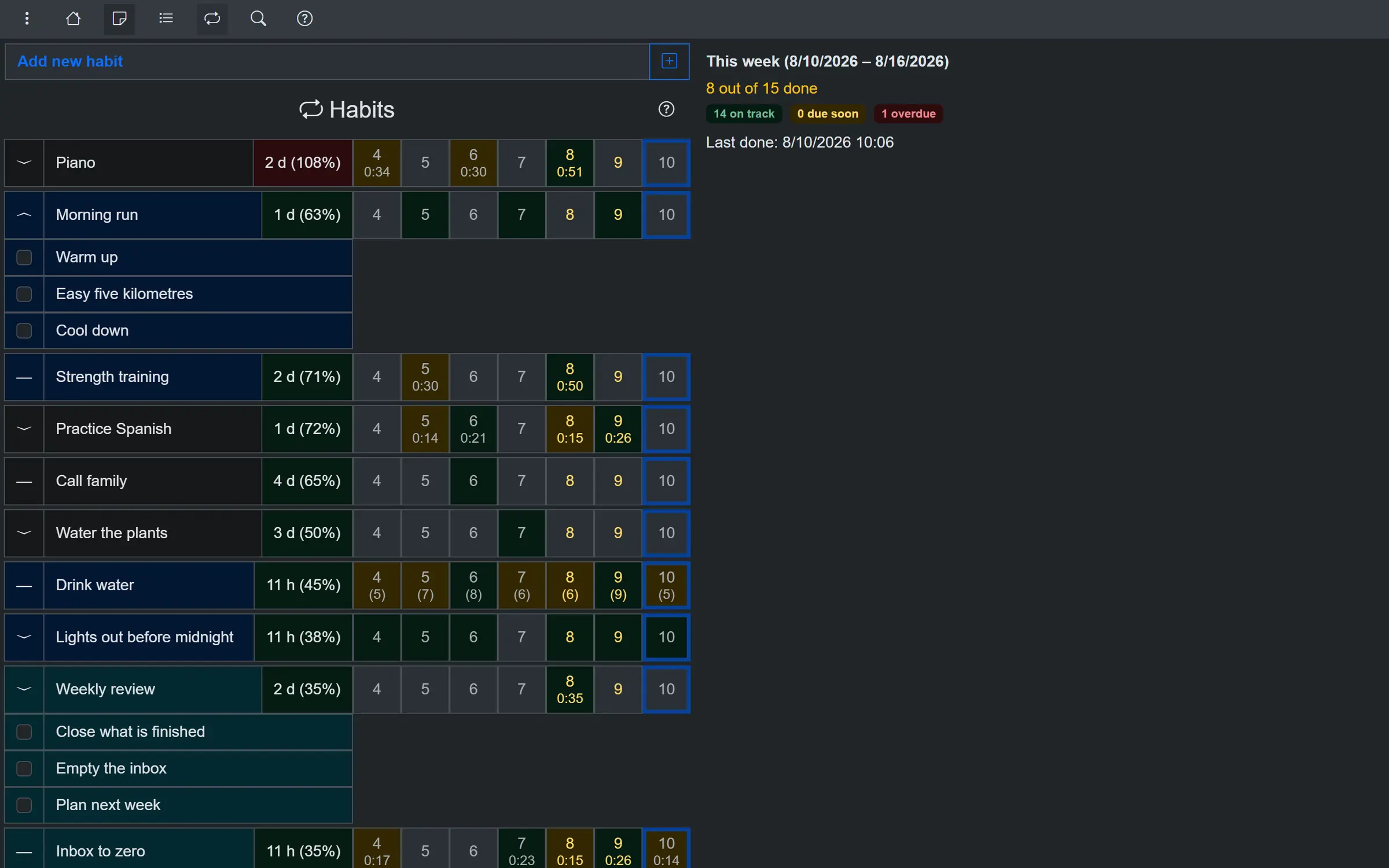
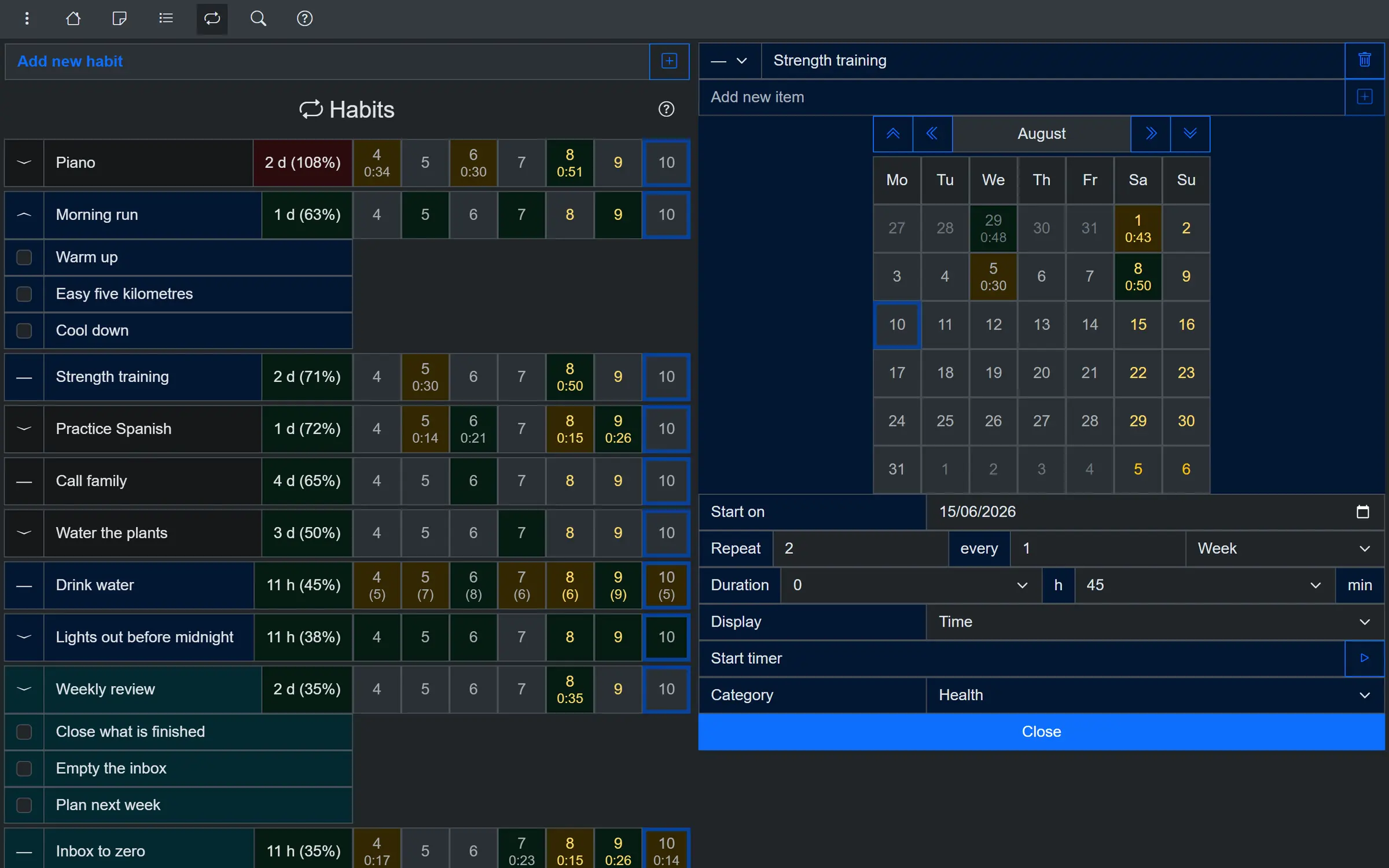
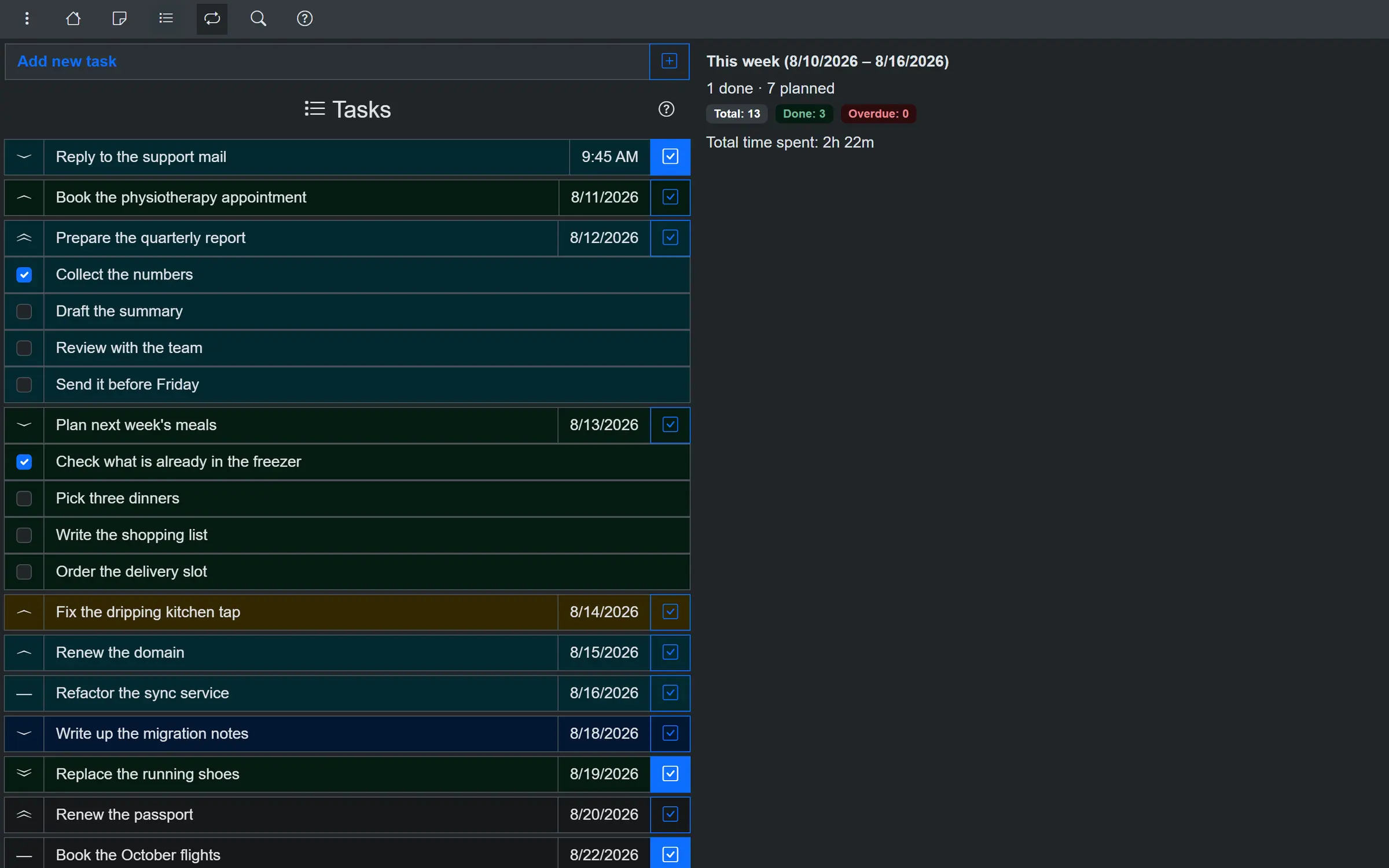
Instead of a streak that breaks when you miss a day, each habit has an interval, such as three times a week, and shows how overdue it is. Tasks get a date, a time, a checklist and a timer, and notes are written in Markdown. A daily summary reminds you what is due, and charts show your progress toward each habit's target. A shop owner, for example, could keep "Water the plants" and "Weekly accounts" as habits, plan "Fix the dripping kitchen tap" as a task, and keep the supplier list as a note, all in one app.
It works in any browser, and there are apps for iPhone, Android, Mac, Windows and Linux that sync with your own server. Cloudgate installs OpenHabitTracker on a server Cloudgate provides or one you connect, gives it a secure web address and creates your password. Open it, sign in and add your first habit.
What you can do with OpenHabitTracker
- See which habits are overdue Each habit has its own interval, such as twice a week, and shows how overdue it is, so missing one day doesn't wipe out your progress.
- Plan your tasks Give a task a date, a time, a duration and a checklist, and run a timer while you work on it.
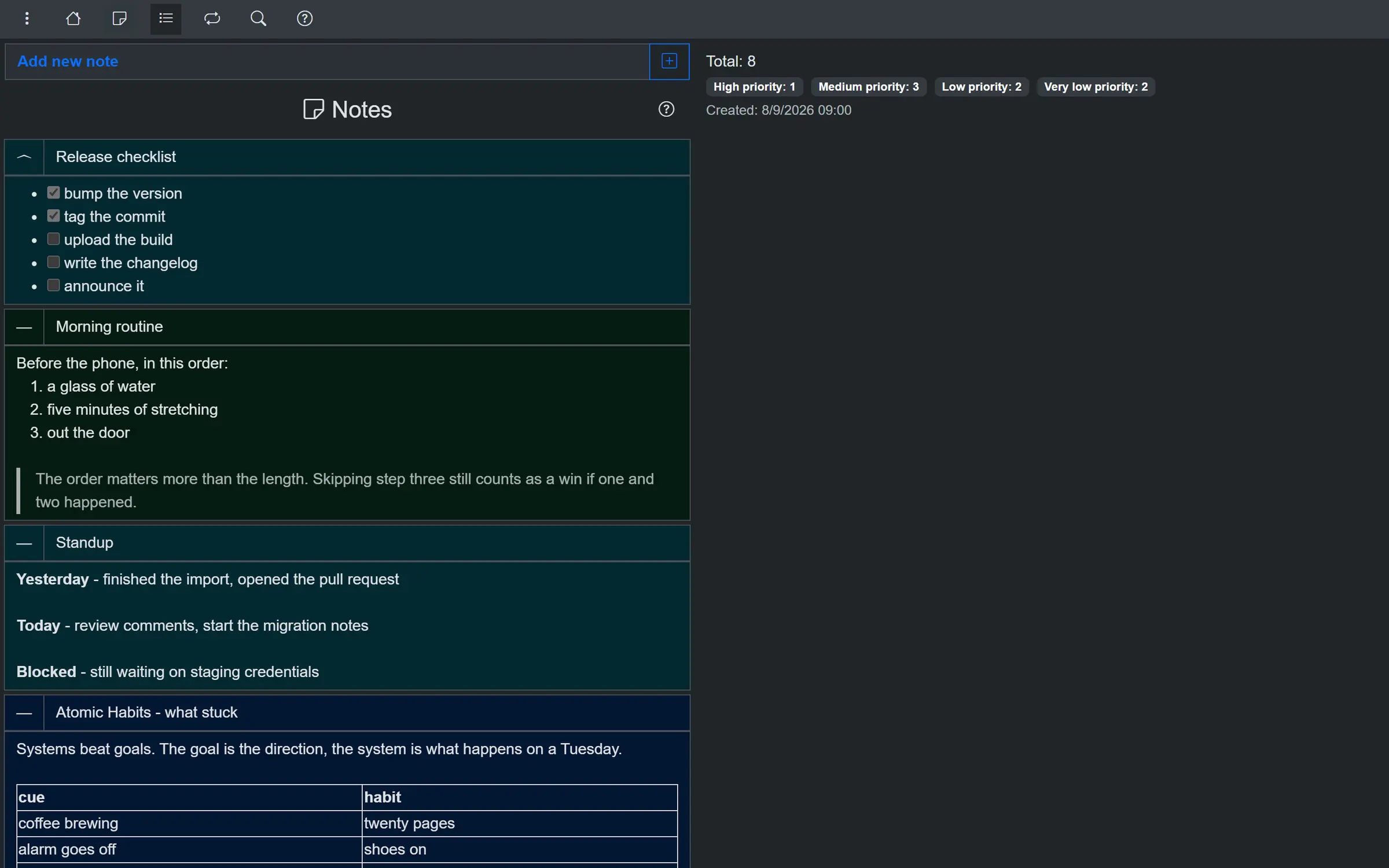
- Keep notes in the same place Write notes in Markdown with lists, tables and tick boxes, and read them right in the list.
- Get reminders A daily summary tells you which tasks are due and which habits are overdue, and a reminder comes before a task's planned time.
- Follow your progress Charts for each habit show progress toward your target, your history, a year calendar and your ten longest streaks.
- Find anything fast Search note text and checklists, and filter by date, category, priority or how overdue a habit is.
- Use it on every device Apps for iPhone, Android, Mac, Windows and Linux sync with your own server, and it also works in any browser.
- Bring your notes and back them up Import notes from Google Keep and export everything to JSON, YAML, TSV or Markdown.
Replaces Habitify and Streaks
OpenHabitTracker does the same job as Habitify and Streaks. Here is what changes when you switch.
- Free, with no ads, subscription or in-app purchases
- Habits, tasks and notes in one app instead of three
- Your data stays on your own server, not with an app company
- Apps for Android, Windows and Linux as well as Apple devices
- Habits are tracked by how overdue they are rather than by daily ticks
- No game, points or rewards like Habitica
- No link to Apple Health or Apple Watch
- Your Habitify, Streaks or Habitica history does not move across
What happens when you click Deploy?
You do not need a server or any technical knowledge. Four steps, and OpenHabitTracker is running at its own web address.
- Step 1 Click Deploy and create your account
Deploy takes you to Cloudgate. Create an account, or log in if you have one. OpenHabitTracker itself is free.
- Step 2 Choose a server
No server? Get one from Cloudgate: pick a size and a country, and Cloudgate gets it ready. Already have one? Connect it instead.
- Step 3 Cloudgate sets up OpenHabitTracker
It prepares the server, makes the passwords the app needs and starts it. There is nothing to install and nothing to write down.
- Step 4 Open your app and sign in
Your app gets a free web address to start, without https. Add your own domain, like app.yourshop.com, and Cloudgate secures it with https for you.
New to Cloudgate? See what Cloudgate is
Run Cloudgate yourself? Deploy from your own console
In your Cloudgate console, open Templates and choose OpenHabitTracker.
Questions
Is OpenHabitTracker free?
Yes, OpenHabitTracker is free and open source under the GPL-3.0 licence, with no ads, subscriptions or in-app purchases. When you host it yourself you pay only for your server.
Is OpenHabitTracker a good alternative to Habitify, Streaks or Habitica?
Yes. OpenHabitTracker is a good alternative to Habitify, Streaks or Habitica if you want habits, tasks and notes in one private app with reminders and apps on every device. It has no game or rewards like Habitica and no Apple Health link like Streaks, and it measures habits by how overdue they are rather than by a daily streak.
How do I sign in to OpenHabitTracker the first time?
OpenHabitTracker has no sign-up page; its one account is created when it is installed. You choose the username during setup, Cloudgate creates the password, and you sign in with both at the app's address.
Is there a phone app for OpenHabitTracker?
Yes, OpenHabitTracker has apps for iPhone and Android, plus Mac, Windows and Linux. In the app, open Data, then Online sync, and log in with your server's address, username and password to sync with your own server.
Does OpenHabitTracker send reminders?
Yes, OpenHabitTracker can send a daily summary of tasks that are due and habits that are overdue, at a time you choose, and a reminder a set time before a task's planned time.
Can I import my habits from another app?
Partly. OpenHabitTracker imports notes from a Google Keep export and its own JSON, YAML, TSV and Markdown files, but the current release has no importer for Habitify, Streaks or Habitica, so you add those habits again.
Can my family share one OpenHabitTracker?
No, not with separate lists yet. The current OpenHabitTracker release has one account per server, so a family either shares that account or each person runs their own.
Do I need technical skills to run OpenHabitTracker?
No. Click Deploy, create your Cloudgate account and choose a server, and Cloudgate sets up OpenHabitTracker and gives it a web address. You use it in your browser like any other online tool.
Do I need my own server for OpenHabitTracker?
No. When you deploy OpenHabitTracker, hosted Cloudgate can provide a server. If you already rent one, you can connect it instead.
Related apps

A self-hosted habit tracker with daily ticks and streaks, no goals.

A habit tracker and to-do list that plays like a game.

A self-hosted travel tracker, trip planner and world map in one.

A self-hosted flight tracker for every flight you take, on one map.