
Habitica
A habit tracker and to-do list that plays like a game.
No server needed to start: Cloudgate can provide one. What happens when you click Deploy
What is Habitica?
Self-hosted Habitica: a habit tracker and to-do list that plays like a role-playing game, with parties, quests and shared chore boards for families.
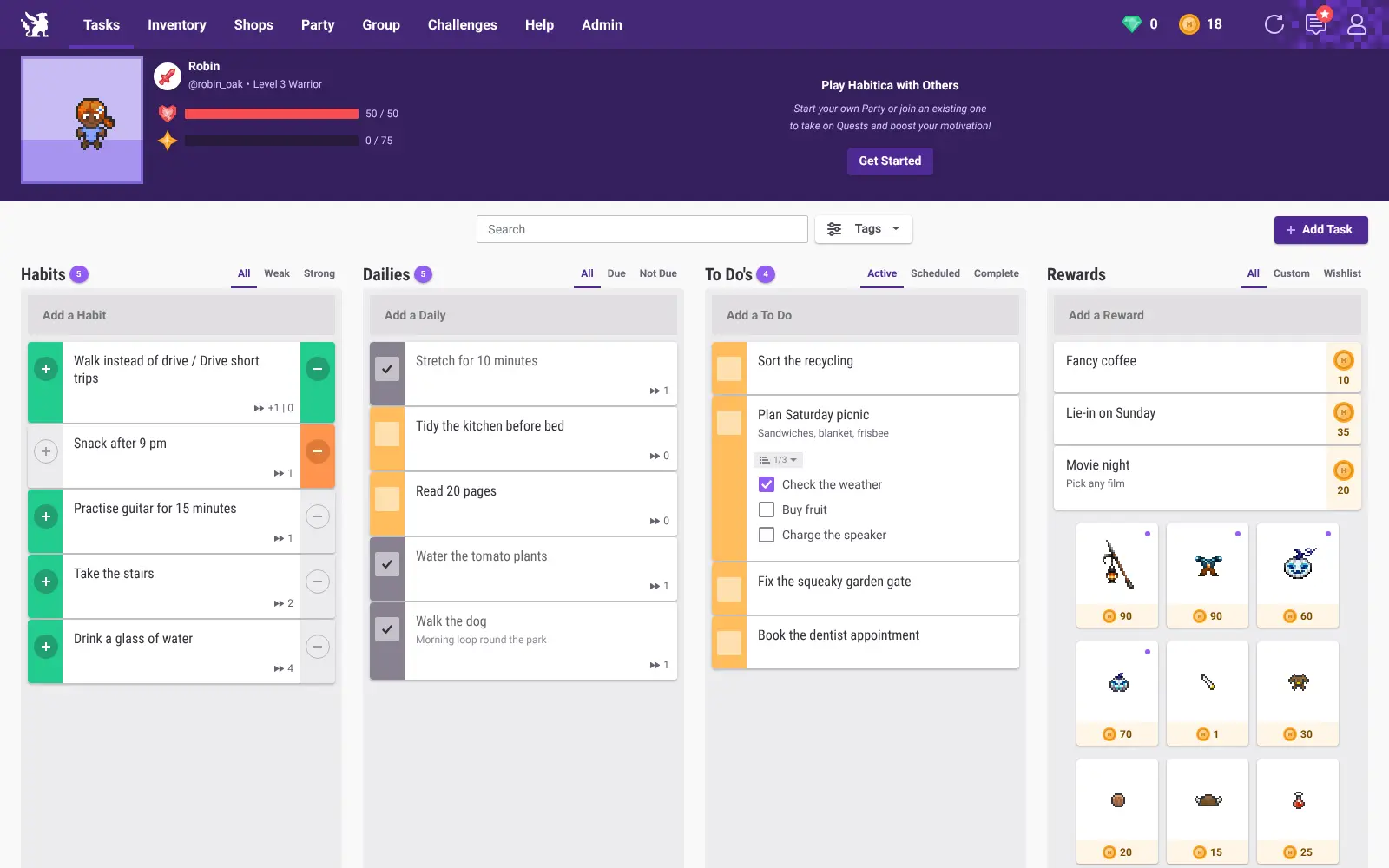
Self-hosted Habitica is your own private copy of Habitica, the free, open-source habit tracker and to-do list that works like a role-playing game. Finishing your habits, daily tasks and to-dos earns your pixel-art avatar experience and gold, and skipping them costs it health, so keeping a routine starts to feel like playing.
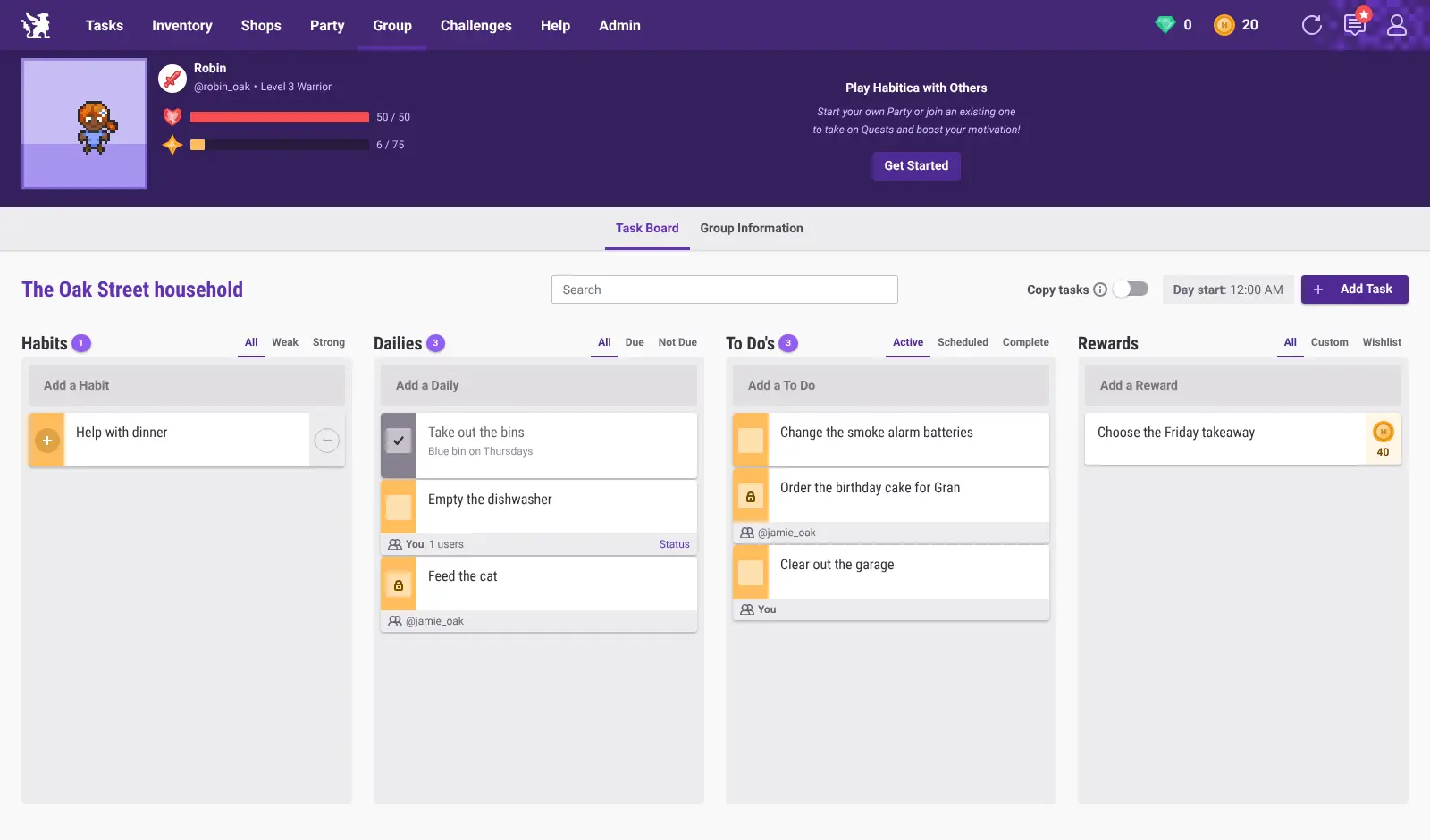
It runs on a community build of Habitica's code, made by independent volunteers rather than Habitica's makers. Your copy has no link to habitica.com accounts, parties or paid gem purchases. Instead, every account gets the subscription perks, gems are bought with gold, and Group Plans are free. A family, for example, could set up a shared board where "feed the cat" belongs to one child and "take out the bins" goes to whoever does it first, with everyone saving gold for a reward the family chose, like picking Friday's takeaway.
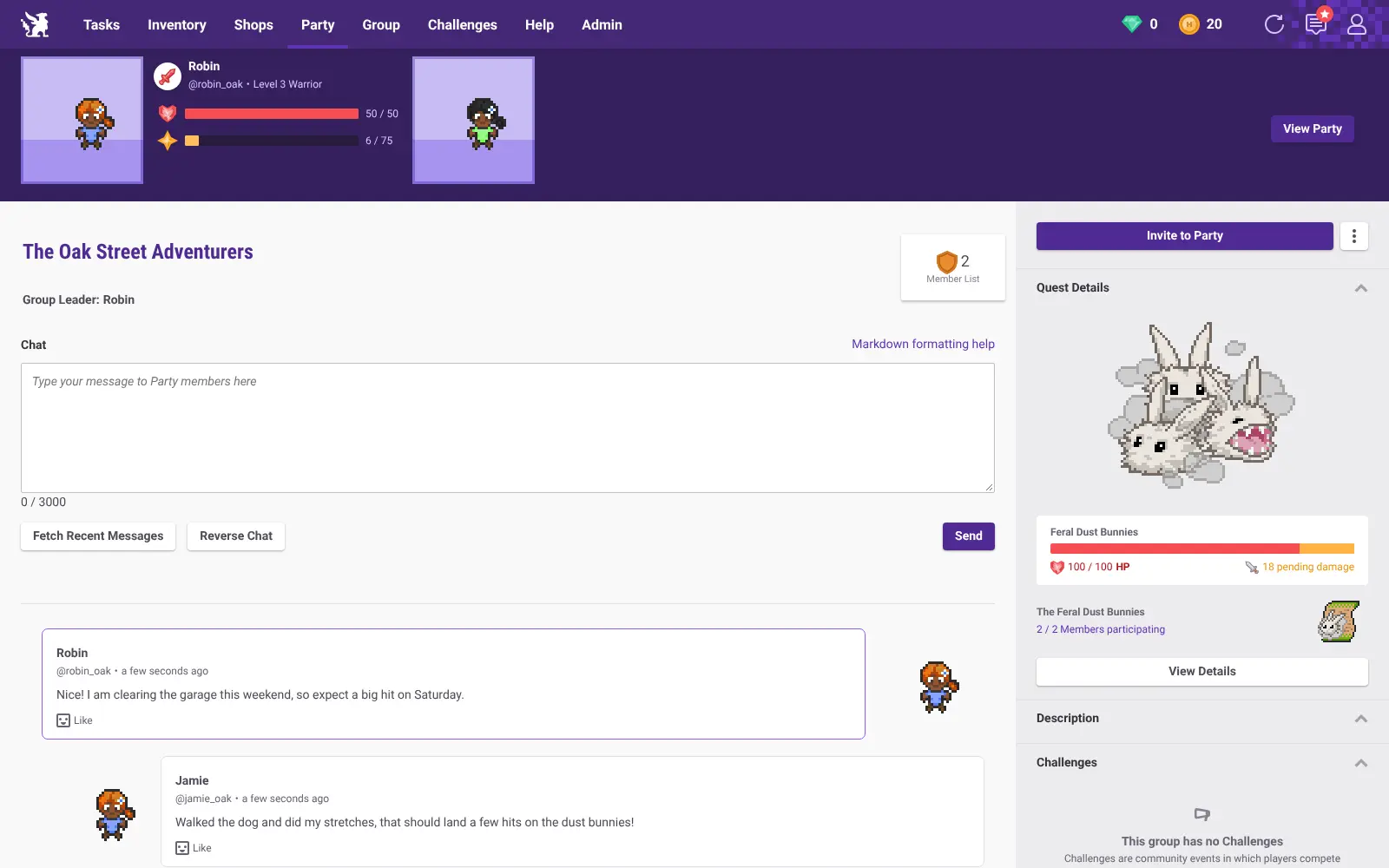
Friends can form a party, chat and beat quest monsters by doing their own tasks. Habitica runs in any web browser, including on a phone, and you can export your data at any time.
Cloudgate installs Habitica on a server Cloudgate provides or one you connect, with the database it needs, and gives it a secure web address. Sign up first to become the admin, then invite your family or friends.
What you can do with Habitica
- Track habits, dailies and to-dos Tap plus or minus on habits, tick off daily tasks on your own schedule, and add one-off to-dos with checklists.
- Level up as you go Finished tasks earn your avatar experience and gold, while missed dailies and bad habits cost it health.
- Reward yourself Add your own real-life treats, such as a movie night or a lie-in, and spend the gold you earn on them.
- Fight quest monsters as a party Team up with up to 30 people, chat, and beat a quest boss together by doing your own tasks.
- Share a household task board A Group Plan gives a family or team one board, with chores assigned to one person, several, or whoever gets there first.
- Collect pets and gear Customise your avatar, pick a class at level 10, buy equipment and raise pets into mounts.
- Take a break without penalty Pause damage while you're on holiday or ill, and export your task history and data at any time.
Compare Habitica
What happens when you click Deploy?
You do not need a server or any technical knowledge. Four steps, and Habitica is running at its own web address.
- Step 1 Click Deploy and create your account
Deploy takes you to Cloudgate. Create an account, or log in if you have one. Habitica itself is free.
- Step 2 Choose a server
No server? Get one from Cloudgate: pick a size and a country, and Cloudgate gets it ready. Already have one? Connect it instead.
- Step 3 Cloudgate sets up Habitica
It prepares the server, makes the passwords the app needs and starts it. There is nothing to install and nothing to write down.
- Step 4 Open your app and sign in
Your app gets a free web address to start, without https. Add your own domain, like app.yourshop.com, and Cloudgate secures it with https for you.
New to Cloudgate? See what Cloudgate is
Run Cloudgate yourself? Deploy from your own console
In your Cloudgate console, open Templates and choose Habitica.
Questions
Is self-hosted Habitica free?
Yes, Habitica's code is free and open source under the GPL-3.0 licence, and you pay only for your server. The community build gives every account the subscription perks, lets you buy gems with gold instead of money, and lets you create Group Plans without paying.
Is this the official Habitica?
No, Habitica's makers do not publish a self-hosted version. Cloudgate installs a community build of Habitica's own code, made by independent volunteers, so it is your own private copy and is not supported by Habitica.
Can I use my habitica.com account on my own Habitica?
No, your own Habitica is separate from habitica.com, so its accounts, parties and challenges are not there and nothing moves across. You can export your task history from habitica.com for your records, then start fresh.
How do I sign in to Habitica the first time?
Open your Habitica's address and sign up with a username, email and password; the first account becomes the admin. Once your family or group has joined, switch on invite-only sign-up in Cloudgate so only people you invite can create an account.
Can a family use Habitica for chores?
Yes, a Habitica Group Plan gives the household one shared task board where you assign chores to one person, several people, or anyone. Everyone earns their own gold and experience for the chores they finish.
Does Habitica have phone apps that work with my own server?
Not that we can confirm. Habitica's Android and iPhone apps are built for habitica.com, so use your Habitica's website in your phone's browser instead.
Do I need an email server for Habitica?
No, Habitica works without one, but password resets and invitations by email are only sent if you enter your email provider's details. You can still invite people already on your server by their username.
Do I need technical skills to run Habitica?
No. Click Deploy, create your Cloudgate account and choose a server, and Cloudgate sets up Habitica and gives it a web address. You use it in your browser like any other online tool.
Related apps

A self-hosted habit tracker with daily ticks and streaks, no goals.
A self-hosted habit tracker with tasks and notes in one app.

A self-hosted travel tracker, trip planner and world map in one.

A self-hosted flight tracker for every flight you take, on one map.