
Ontime
Your event rundown and stage timer, self-hosted for the whole crew.
No server needed to start: Cloudgate can provide one. What happens when you click Deploy
What is Ontime?
Self-hosted Ontime runs your event rundown, stage timers and crew cuesheets on any screen, in place of Stagetimer or Rundown Studio.
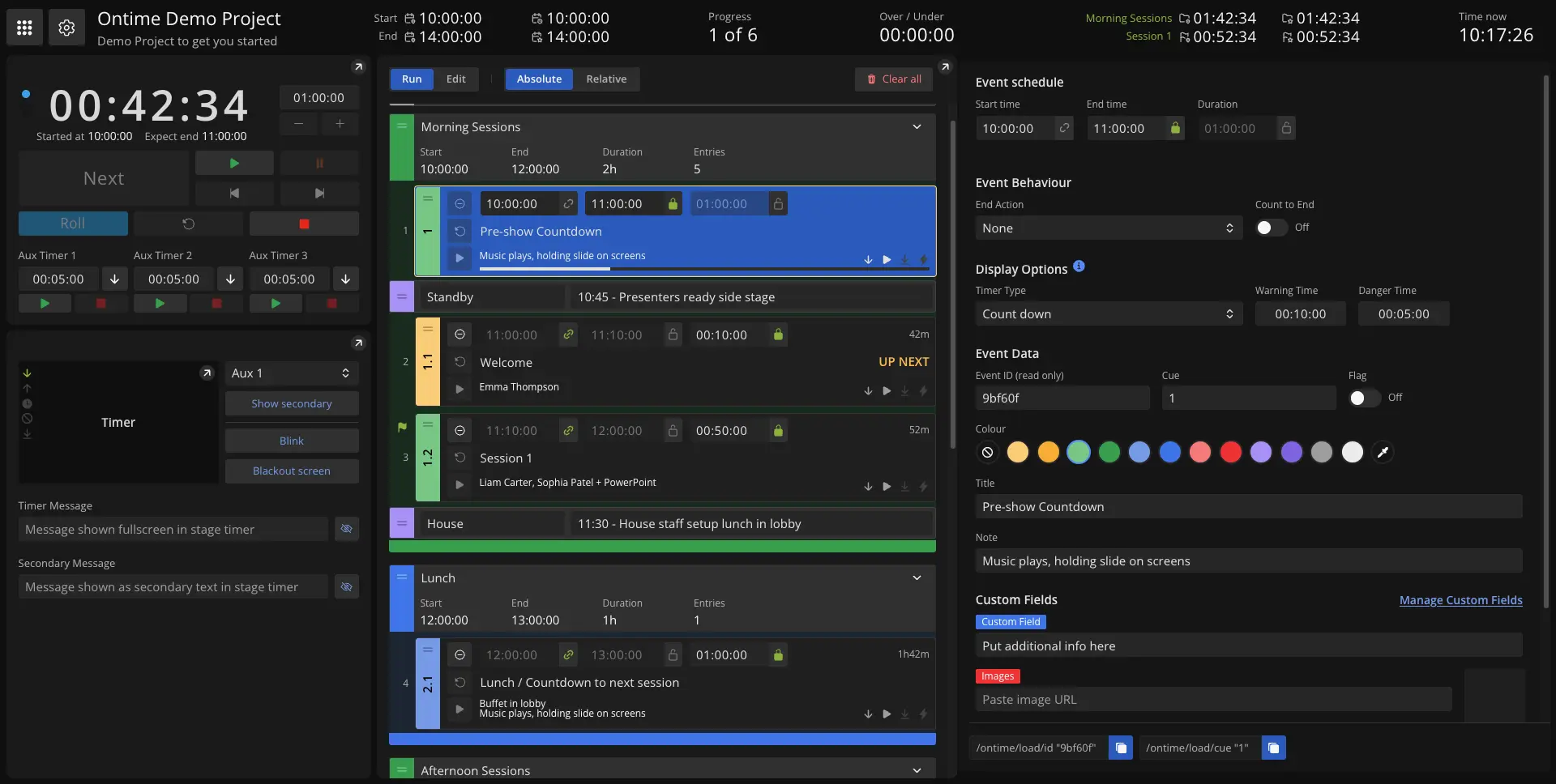
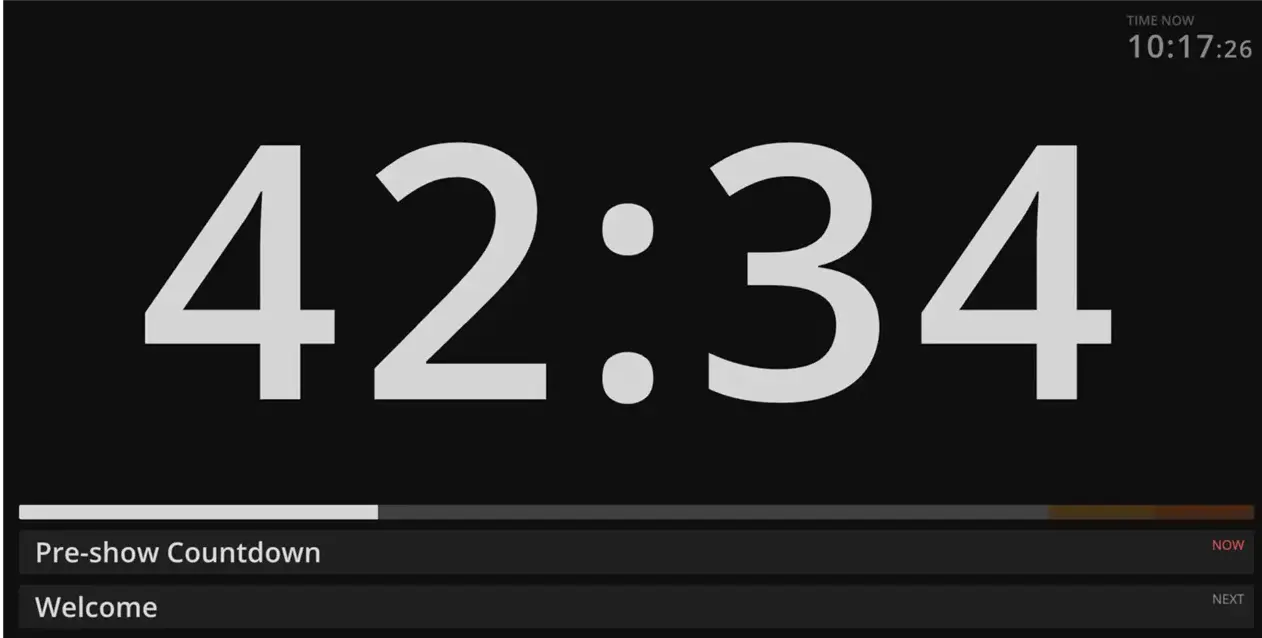
Ontime is a free, open-source event rundown and stage timer that you can run self-hosted, in place of Stagetimer or Rundown Studio. You plan the run of show with times for every item, then run it live: the presenter's countdown, the backstage schedule, the foyer screen and each department's cuesheet all follow that one rundown.
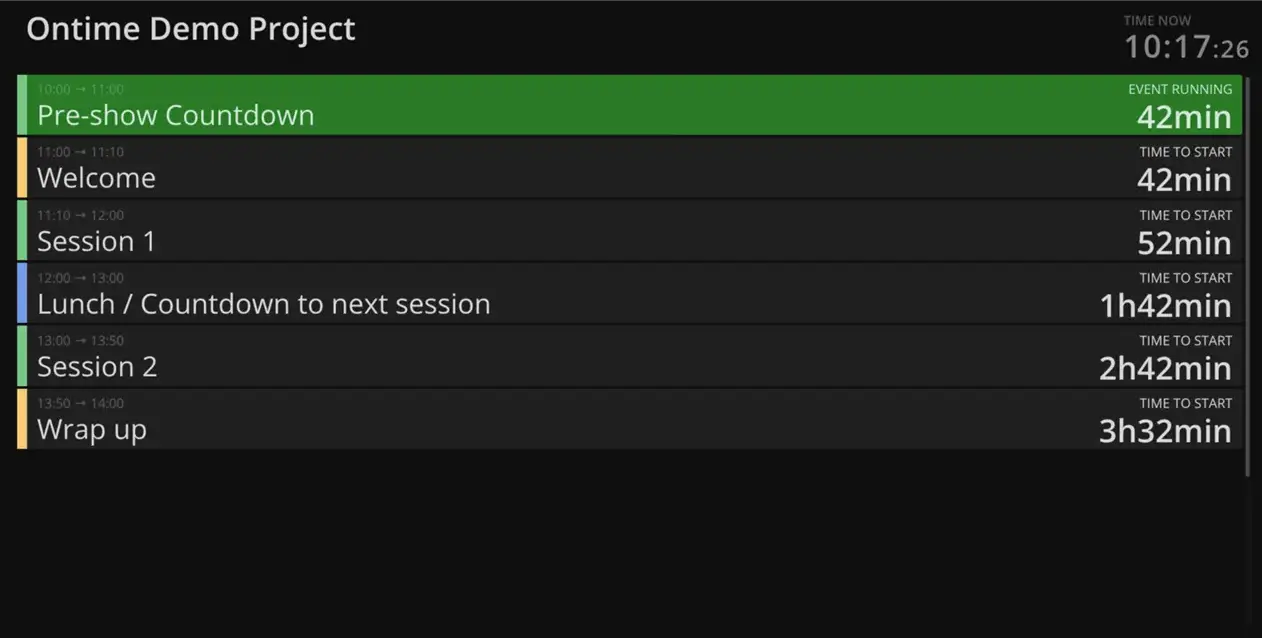
When something runs long, you see it straight away and the new times flow through the rest of the day for everyone. A church, for example, can show the worship leader a countdown on a stage screen, give the sound and video desks a cuesheet with their own notes, and put the morning's schedule on a TV in the hall, all from one laptop's browser. A conference team can import the agenda it already keeps in Excel or Google Sheets instead of typing it again.
Every screen is a web page, so phones, tablets, laptops and TVs work with no app to install, and Ontime connects to Bitfocus Companion and other show control through its web API.
Cloudgate installs Ontime on a server Cloudgate provides or one you connect, gives it a secure web address and protects it with a password only your crew knows. Your rundowns stay on your server.
What you can do with Ontime
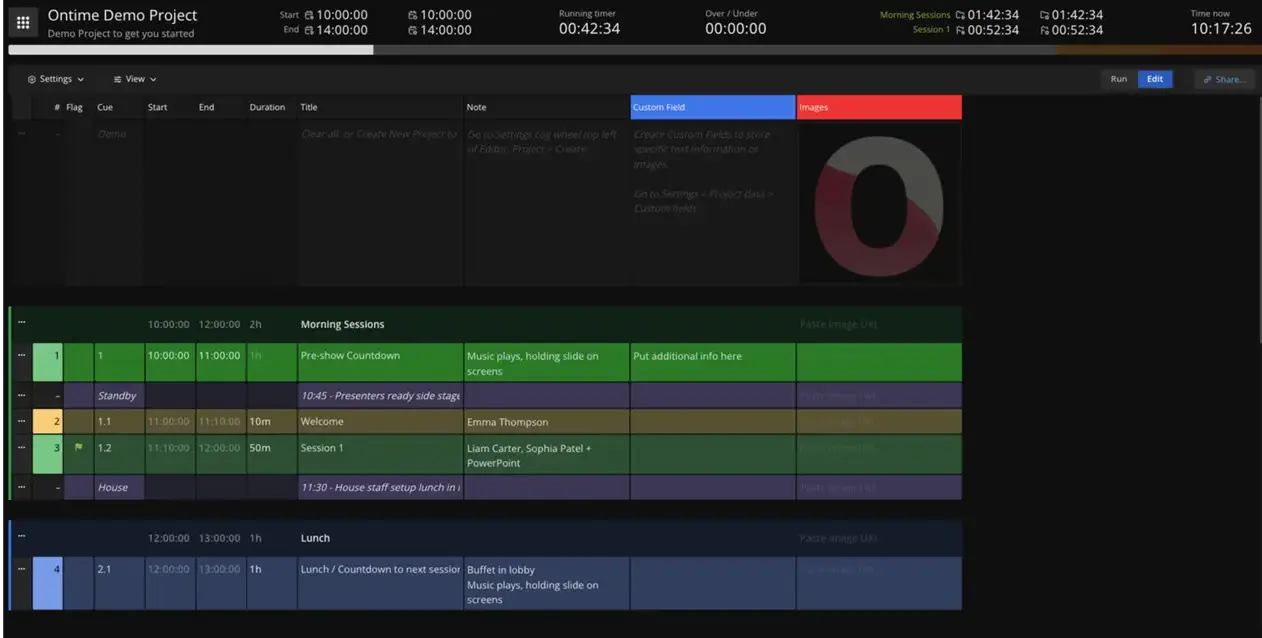
- Build the run of show Add each item with its start, end and duration, group them into sessions or acts, and add standby notes between them.
- Keep the show on time Start, pause and move to the next item live, and any delay flows through the rest of the day so everyone sees the new times.
- Put a timer on every screen Open the stage timer, backstage list, countdown, studio clock or timeline in any browser, on a laptop, tablet, phone or TV.
- Talk to the stage Send a message to the presenter's timer, flash it or black it out, and run up to three extra timers alongside the main one.
- Give each department its columns Add your own fields to the cuesheet and share a link so lighting, sound or video fill in only the notes they need.
- Start from your spreadsheet Import a rundown from Excel or Google Sheets, and export it back to a spreadsheet whenever you need to.
- Set up fixed screens once Save a view's settings as a short link for each screen, and change what that screen shows later from the editor.
- Connect your show control Control Ontime from Bitfocus Companion, or from other production software through its web API.
Replaces Stagetimer and Rundown Studio
Ontime does the same job as Stagetimer and Rundown Studio. Here is what changes when you switch.
- No limit on timers, screens or crew members, and no event pass to buy
- The full rundown and the timers in one place, not only a countdown
- Your show plans stay on your own server
- Every feature is included, with nothing kept for a paid plan
- One shared password for the whole crew, with no separate accounts or roles
- Control over OSC is not available through the web address; use Companion or the web API
- No script writing or teleprompter
- Your Stagetimer or Rundown Studio rooms do not move across directly; a spreadsheet export is the bridge
What happens when you click Deploy?
You do not need a server or any technical knowledge. Four steps, and Ontime is running at its own web address.
- Step 1 Click Deploy and create your account
Deploy takes you to Cloudgate. Create an account, or log in if you have one. Ontime itself is free.
- Step 2 Choose a server
No server? Get one from Cloudgate: pick a size and a country, and Cloudgate gets it ready. Already have one? Connect it instead.
- Step 3 Cloudgate sets up Ontime
It prepares the server, makes the passwords the app needs and starts it. There is nothing to install and nothing to write down.
- Step 4 Open your app and sign in
Your app gets a free web address to start, without https. Add your own domain, like app.yourshop.com, and Cloudgate secures it with https for you.
New to Cloudgate? See what Cloudgate is
Run Cloudgate yourself? Deploy from your own console
In your Cloudgate console, open Templates and choose Ontime.
Questions
Is Ontime free?
Yes, Ontime is free and open source under the GPL-3.0 licence, and the self-hosted version has every feature. You pay only for your server; the makers also sell a hosted Ontime Cloud, which you don't need here.
Is Ontime a good alternative to Stagetimer?
Yes, if you want presenter timers and the full run of show in one tool on your own server. Ontime does more planning than Stagetimer, with rundowns, groups, delays and cuesheets, but it has no per-person accounts, and a simple one-presenter countdown may be quicker to set up in Stagetimer.
How do I sign in to Ontime the first time?
You sign in with one shared password that Cloudgate generates, shown on the app's variables page in Cloudgate; open the app's web address and enter it. The whole crew uses that password; you can add a pin code in Ontime's settings to lock the editor and cuesheet further.
Can I import my run of show from Excel or Google Sheets?
Yes, Ontime imports a rundown from an Excel file or a Google Sheet, one row per item, and you choose which columns to bring in. You can also export a rundown back to a spreadsheet.
Can presenters and crew see the timer on their phones?
Yes, every Ontime view opens in a web browser, so presenters, crew and signage screens can use a phone, tablet, laptop or TV with no app to install.
Does Ontime work with Bitfocus Companion, vMix or OBS?
Yes, Ontime has a Bitfocus Companion module, which the project names for linking it with vMix, QLab, disguise and OBS, and a web API for other tools. Control over OSC needs a direct network connection, so it is not available through the web address Cloudgate gives the app.
What server size do I need for Ontime?
The smallest server is enough, because Ontime is one light app with no separate database.
Do I need technical skills to run Ontime?
No. Click Deploy, create your Cloudgate account and choose a server, and Cloudgate sets up Ontime and gives it a web address. You use it in your browser like any other online tool.
Do I need my own server for Ontime?
No. When you deploy Ontime, hosted Cloudgate can provide a server. If you already rent one, you can connect it instead.
Related apps

Sell event tickets, register attendees and check them in, fee-free.

A self-hosted community calendar anyone can add events to and follow.

Simple event pages and RSVPs, with no account for hosts or guests.

Sell tickets to your events without a platform fee per ticket.