
alf.io
Sell event tickets, register attendees and check them in, fee-free.
No server needed to start: Cloudgate can provide one. What happens when you click Deploy



What is alf.io?
alf.io is self-hosted, open-source event ticketing: sell tickets, register attendees, send invoices and check people in, with no fee per ticket.
Self-hosted alf.io is free, open-source event ticketing and registration software, an alternative to Eventbrite and Tito that charges no fee per ticket. You sell or give away tickets from your own ticket shop, collect the attendee details you need and check people in at the door, with the attendee list kept on your own server.
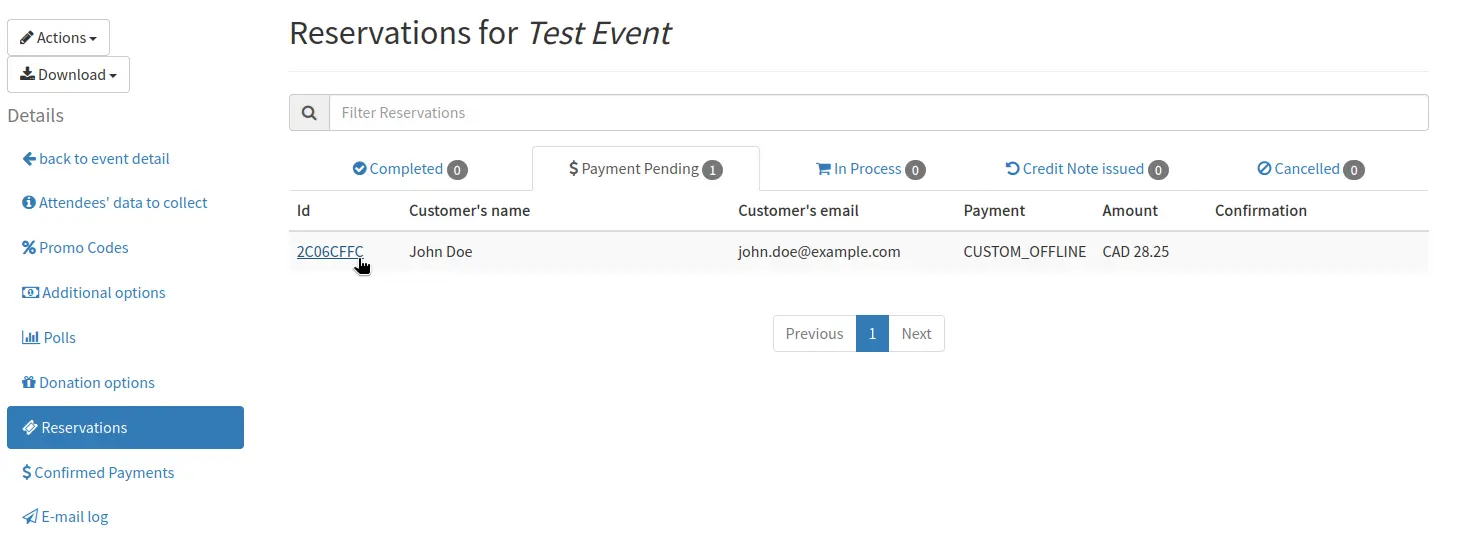
It is built for conferences, trade shows, workshops and meetups. Buyers book without creating an account and pay by card, PayPal, bank transfer or at the door, and companies get a VAT invoice with their order. A small developer conference, for example, could sell early-bird and student tickets, ask each attendee for their company, invoice employers and scan tickets at the door with a phone, while sponsors scan badges to collect leads.
alf.io works in any web browser, and its ticket pages come in 14 languages, including English, German, French, Spanish and Italian. The free alf.io Scan app for iPhone and Android handles check-in, tickets can be added to Apple Wallet or Google Wallet, and reservations export to a spreadsheet.
Cloudgate installs alf.io on a server Cloudgate provides or one you connect, gives it a secure web address and links its emails and tickets to that address. You then add your email service and payment accounts in alf.io's settings.
What you can do with alf.io
- Sell or give away tickets Create in-person or online events with paid and free ticket categories, promo codes, extras and donations, and buyers book without making an account.
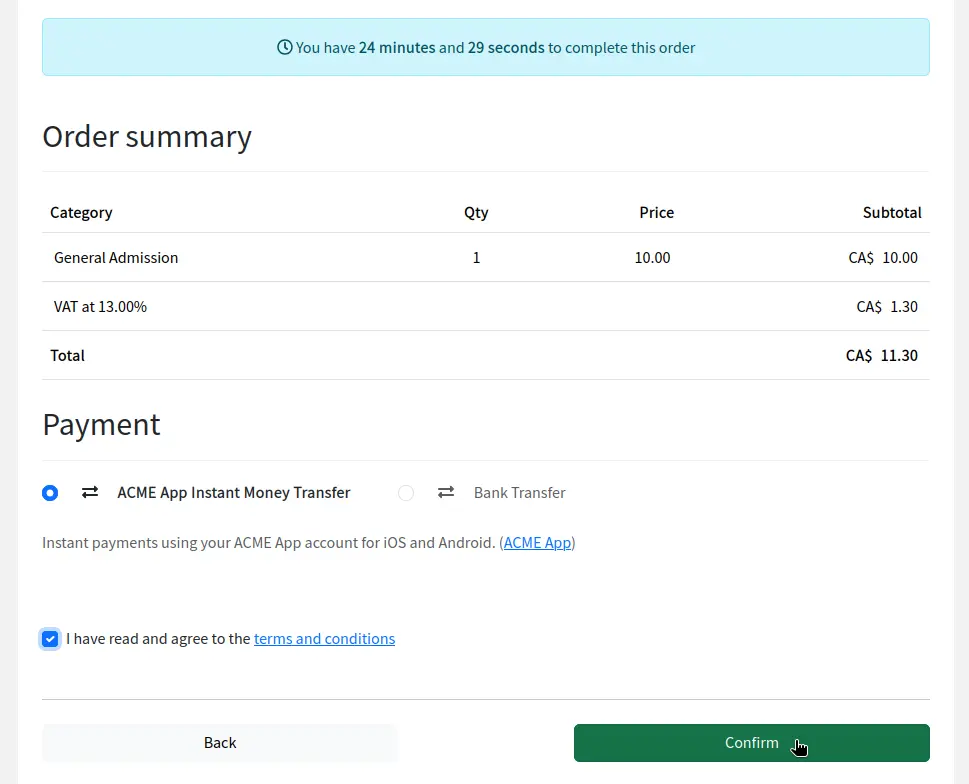
- Take payment your way Accept cards through your own Stripe or Mollie account, PayPal, Revolut, bank transfer or payment at the door, with card details never stored on your server.
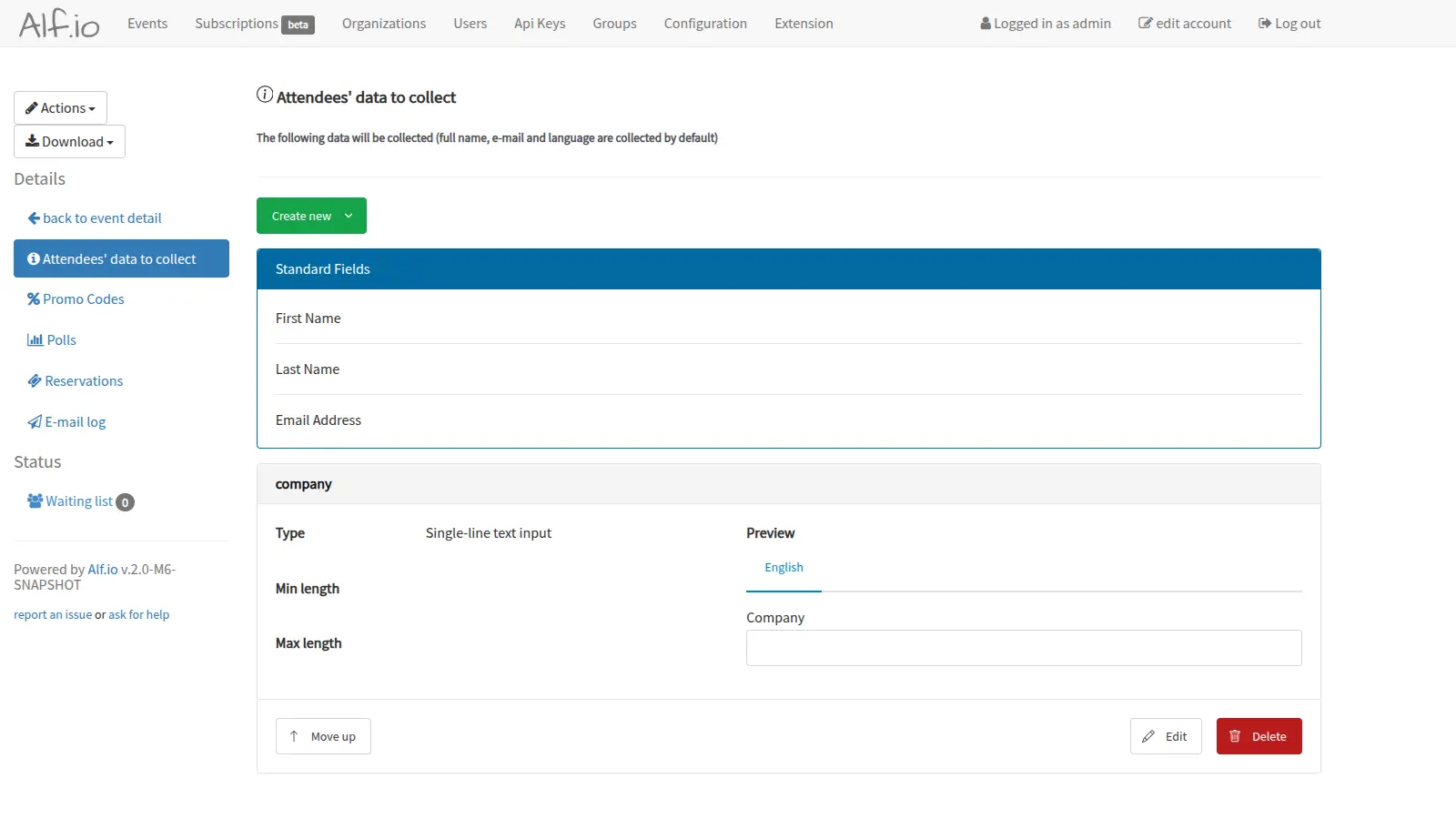
- Collect the details you need Choose the questions each attendee answers, such as company or dietary needs, and limit a discounted ticket to certain email addresses or domains.
- Send invoices with each order Issue PDF invoices and receipts with VAT, including EU reverse charge, for companies that buy tickets for their staff.
- Check people in at the door Door staff scan tickets with the alf.io Scan app for iPhone and Android, and sponsors can use it to scan badges and collect leads.
- Print badges on site For large events, build Raspberry Pi check-in stations that keep working offline and print each attendee's badge as they arrive.
- Sell passes and handle sell-outs Offer subscriptions that give access to several events, run a waiting list when tickets run out, and add tickets to Apple Wallet or Google Wallet.
Replaces Eventbrite, Tito and Ticket Tailor
alf.io does the same job as Eventbrite, Tito and Ticket Tailor. Here is what changes when you switch.
- No platform fee on each ticket, only your payment provider's fee
- Attendee details and invoices stay on your own server
- More ways to get paid, from cards and PayPal to bank transfer and cash at the door
- Check-in, sponsor lead scanning and badge printing at no extra cost
- There is no marketplace, so buyers find your event through your own website, emails and social media
- You need your own email service to send tickets, and a Stripe, Mollie or PayPal account for card sales
- alf.io's releases are labelled as milestones of version 2.0, and some admin screens look dated
- The check-in app needs an internet connection; checking in offline needs the Raspberry Pi stations you build
What happens when you click Deploy?
You do not need a server or any technical knowledge. Four steps, and alf.io is running at its own web address.
- Step 1 Click Deploy and create your account
Deploy takes you to Cloudgate. Create an account, or log in if you have one. alf.io itself is free.
- Step 2 Choose a server
No server? Get one from Cloudgate: pick a size and a country, and Cloudgate gets it ready. Already have one? Connect it instead.
- Step 3 Cloudgate sets up alf.io
It prepares the server, makes the passwords the app needs and starts it. There is nothing to install and nothing to write down.
- Step 4 Open your app and sign in
Your app gets a free web address to start, without https. Add your own domain, like app.yourshop.com, and Cloudgate secures it with https for you.
New to Cloudgate? See what Cloudgate is
Run Cloudgate yourself? Deploy from your own console
In your Cloudgate console, open Templates and choose alf.io.
Questions
Is alf.io free?
Yes. alf.io is open-source software under the GPL-3.0 licence, and self-hosting it costs nothing beyond your server, with no fee per ticket and no paid edition holding features back. Swicket, a paid hosted service from alf.io's creators, is optional and not needed here.
Is alf.io a good alternative to Eventbrite?
Yes, if you sell to your own audience. Eventbrite adds a service fee to every paid ticket, while a self-hosted alf.io charges none, so you pay only your payment provider. Eventbrite also lists your event in its marketplace, which alf.io does not, so you bring buyers through your own channels.
How is alf.io different from pretix and Hi.Events?
alf.io leans towards conferences that bill companies. All three sell tickets with no platform fee; alf.io adds VAT invoices with EU reverse charge, payment by Mollie, PayPal, Revolut, bank transfer or at the door, sponsor lead scanning and offline badge-printing stations, all in the free version.
Can I import attendees from Eventbrite or Tito?
Partly. alf.io has no direct importer, but it imports existing attendees from a spreadsheet file with each person's name, email and language, then sends them their tickets. You recreate the event and its ticket types by hand.
How do I check attendees in at the door?
With the free alf.io Scan app for iPhone and Android. You create a check-in key in alf.io, scan its QR code with the app, then scan each attendee's ticket; the app needs an internet connection. Large events can use Raspberry Pi stations that work offline and print badges.
How do I sign in to alf.io the first time?
Sign in at your alf.io web address followed by /admin with the username admin and the password alf.io prints once in the app's logs on its first start, which you open from Cloudgate. Change that password and the admin email right away; there is no public sign-up, so you add your team from the admin area.
Does alf.io need an email service?
Yes. alf.io emails tickets, order confirmations and payment reminders, so you add an email service such as your provider's SMTP details, Mailgun, Mailjet or SendGrid in its settings; until then it cannot send tickets.
Do I need technical skills to run alf.io?
No. Click Deploy, create your Cloudgate account and choose a server, and Cloudgate sets up alf.io and gives it a web address. You use it in your browser like any other online tool.
Do I need my own server for alf.io?
No. When you deploy alf.io, hosted Cloudgate can provide a server. If you already rent one, you can connect it instead.
Related apps

Your own ticket shop for conferences, concerts and courses.

Sell tickets to your events without a platform fee per ticket.

A self-hosted community calendar anyone can add events to and follow.

Simple event pages and RSVPs, with no account for hosts or guests.