
Hi.Events
Sell tickets to your events without a platform fee per ticket.
No server needed to start: Cloudgate can provide one. What happens when you click Deploy


What is Hi.Events?
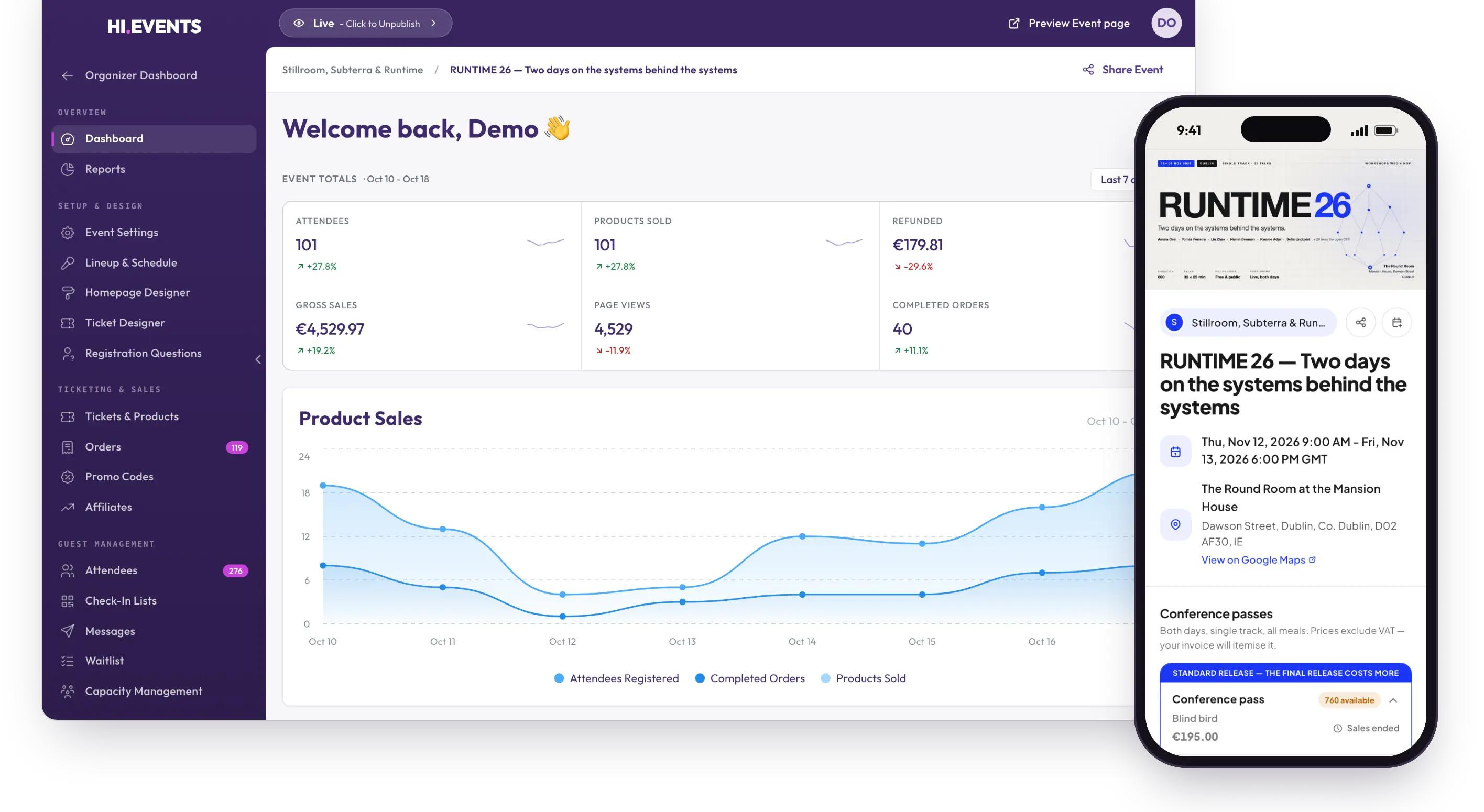
Hi.Events is self-hosted, open-source event ticketing: event pages, ticket sales paid into your own Stripe account, and check-in at the door.
Hi.Events is open-source event ticketing software you can self-host, a free alternative to Eventbrite and Ticket Tailor with no platform fee per ticket. You build an event page, sell tickets, and the money from card sales goes straight into your own Stripe account.
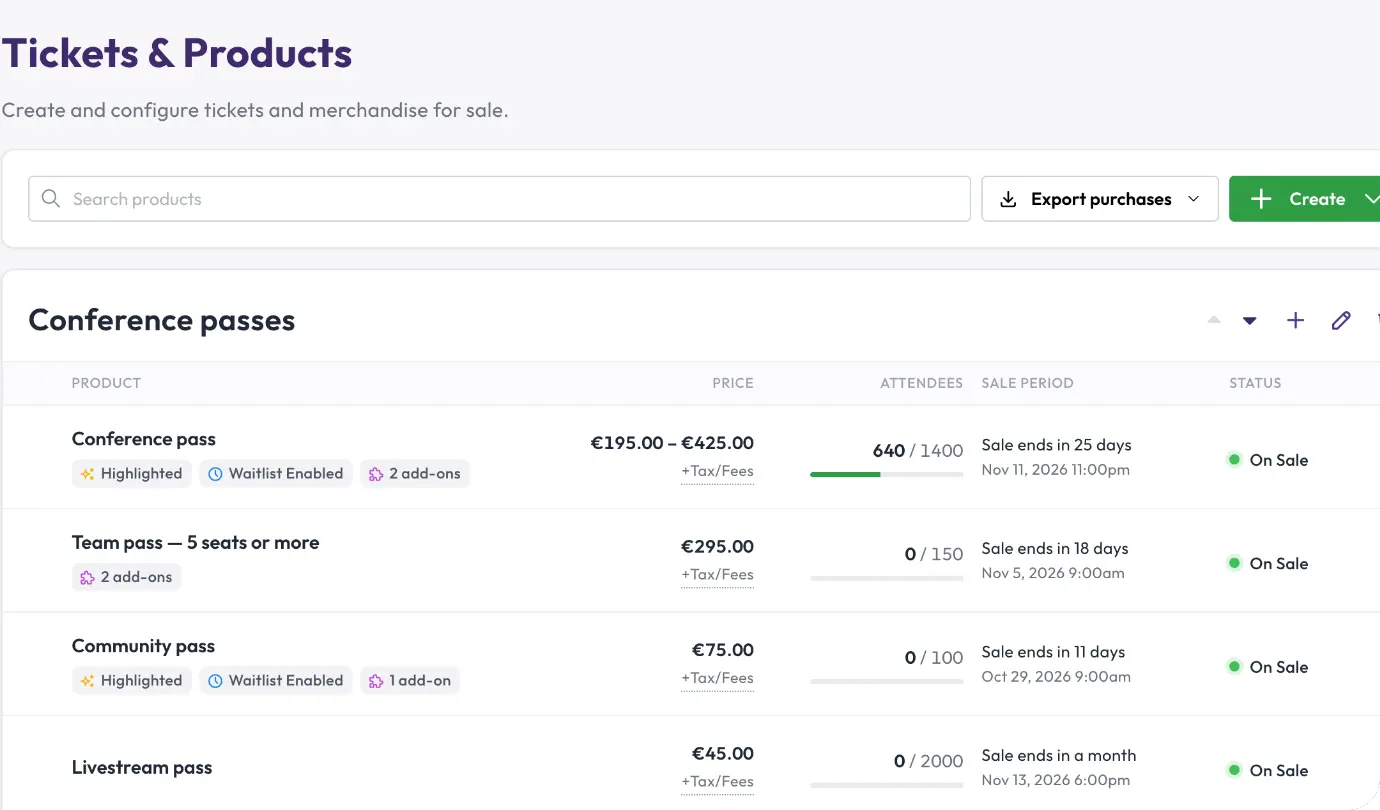
It covers the whole event, from the first ticket to the door. Sell paid, free or donation tickets with add-ons and merchandise, set sale dates and capacity limits, and run a waitlist when you sell out. Promo codes and tracking links show which promoter sold what. A small music venue, for example, could put a ticket button for each weekly gig on its own website, email the night's lineup to everyone with a ticket, and scan tickets at the door with a phone.
Hi.Events works in any web browser, on a computer or a phone, and is available in 21 languages. You can export orders and attendees to a spreadsheet, and connect other tools through its API and webhooks. Reserved seating and the box office are paid extras; the rest is free.
Cloudgate installs Hi.Events on a server Cloudgate provides or one you connect and gives it a secure web address. During setup you can add your Stripe keys to sell by card and your email service's details to send tickets, or add them later.
What you can do with Hi.Events
- Build an event page Make a branded page for a one-off or recurring event, with dates, venue, lineup and schedule.
- Sell any kind of ticket Offer paid, free, donation and tiered tickets, plus add-ons and merchandise, with sale windows and capacity limits.
- Get paid into your own Stripe account Card payments go straight to your Stripe account, and you can add taxes and fees or take offline payments and send invoices.
- Sell from your own website Embed a ticket widget or button on your site, and share promo codes and tracking links with promoters.
- Check people in at the door Scan tickets with a phone camera or a USB scanner, and share check-in lists with live counts.
- Stay in touch with attendees Email attendees, ask your own registration questions, run a waitlist and export orders to a spreadsheet.
- Work as a team Give staff roles and permissions, turn on two-factor sign-in, and run several organisers from one account.
Replaces Eventbrite and Ticket Tailor
Hi.Events does the same job as Eventbrite and Ticket Tailor. Here is what changes when you switch.
- No platform fee on each ticket you sell, only your card processor's fee
- Your attendee list stays yours, on your own server
- Payouts land in your Stripe account as tickets sell
- Your own brand and web address on every event page
- There is no marketplace, so buyers find your events through your own website, social media and email
- You need your own Stripe account to sell by card, and an email service to send tickets
- A "Powered by Hi.Events" link stays on your pages and emails
- Reserved seating and the box office for door sales need a paid licence
What happens when you click Deploy?
You do not need a server or any technical knowledge. Four steps, and Hi.Events is running at its own web address.
- Step 1 Click Deploy and create your account
Deploy takes you to Cloudgate. Create an account, or log in if you have one. Hi.Events itself is free.
- Step 2 Choose a server
No server? Get one from Cloudgate: pick a size and a country, and Cloudgate gets it ready. Already have one? Connect it instead.
- Step 3 Cloudgate sets up Hi.Events
It prepares the server, makes the passwords the app needs and starts it. There is nothing to install and nothing to write down.
- Step 4 Open your app and sign in
Your app gets a free web address to start, without https. Add your own domain, like app.yourshop.com, and Cloudgate secures it with https for you.
New to Cloudgate? See what Cloudgate is
Run Cloudgate yourself? Deploy from your own console
In your Cloudgate console, open Templates and choose Hi.Events.
Questions
Is Hi.Events free?
Yes. Hi.Events is open-source software under the AGPL licence, and self-hosting it costs nothing beyond your server, with no fee per ticket. The licence asks you to keep the "Powered by Hi.Events" link on your pages and emails. Reserved seating, the box office and company single sign-on are paid add-ons; everything else is included.
Is Hi.Events a good alternative to Eventbrite?
Yes, if you sell to your own audience. Eventbrite's US fees are 3.7% plus $1.79 per paid ticket, plus 2.9% payment processing per order; a self-hosted Hi.Events charges no platform fee, and you pay only your card processor. Eventbrite lists events in its marketplace, which Hi.Events does not, so you bring buyers yourself.
Do I need Stripe to sell tickets with Hi.Events?
Yes, to take card payments. Hi.Events uses your own Stripe account and pays sales into it as they happen. Free events, offline payments and invoices work without Stripe.
Can I move my events from Eventbrite?
Partly. Hi.Events has no import, so you recreate each event, which takes a few minutes, and point your ticket links at the new page. Orders you already sold stay on Eventbrite; most organisers switch between events.
How do I check people in at the door?
With a phone camera or a USB scanner. Hi.Events emails each attendee a ticket with a QR code, and your door staff scan it. Check-in lists can be shared with door staff and show live counts.
How do I sign in to Hi.Events the first time?
There is no default password. Open your Hi.Events web address right after setup and create your account; you can then invite your team and give each person a role.
Does Hi.Events need an email service?
Yes. Hi.Events sends tickets, order confirmations and password resets by email, so it needs an email sending service such as Postmark, Amazon SES or your provider's SMTP details.
Do I need technical skills to run Hi.Events?
No. Click Deploy, create your Cloudgate account and choose a server, and Cloudgate sets up Hi.Events and gives it a web address. You use it in your browser like any other online tool.
Do I need my own server for Hi.Events?
No. When you deploy Hi.Events, hosted Cloudgate can provide a server. If you already rent one, you can connect it instead.
Related apps

Sell event tickets, register attendees and check them in, fee-free.

Your own ticket shop for conferences, concerts and courses.

A self-hosted community calendar anyone can add events to and follow.

Simple event pages and RSVPs, with no account for hosts or guests.